
Rhagymadrodd
Thank you for choosing the Hoco CW31 15W Wireless Fast Charger. This device is designed to provide efficient and convenient wireless charging for compatible mobile phones and TWS earphones. Please read this manual carefully before use to ensure proper operation and to maximize the lifespan of your product.
Gwybodaeth Diogelwch
- Peidiwch ag amlygu'r gwefrydd i ddŵr, lleithder, na thymheredd eithafol.
- Osgowch ollwng y gwefrydd neu ei roi dan effeithiau cryf.
- Peidiwch â dadosod, addasu na cheisio atgyweirio'r gwefrydd eich hun. Bydd hyn yn gwneud y warant yn ddi-rym a gall achosi difrod neu anaf.
- Cadwch y charger i ffwrdd oddi wrth blant ac anifeiliaid anwes.
- Use only compatible power adapters (PD/QC charger recommended) to ensure optimal performance and safety.
- Do not place metal objects, credit cards, or other foreign objects between the charging pad and your device, as this may interfere with charging or cause overheating.
- If the charger emits smoke, unusual odors, or makes strange noises, immediately disconnect it from the power source.
Cynnwys Pecyn
Gwiriwch y pecyn am yr eitemau canlynol:
- Hoco CW31 Wireless Fast Charger
- Cebl Codi Tâl USB-A i Math-C
- Llawlyfr Cyfarwyddiadau (y ddogfen hon)
Cynnyrch Drosview
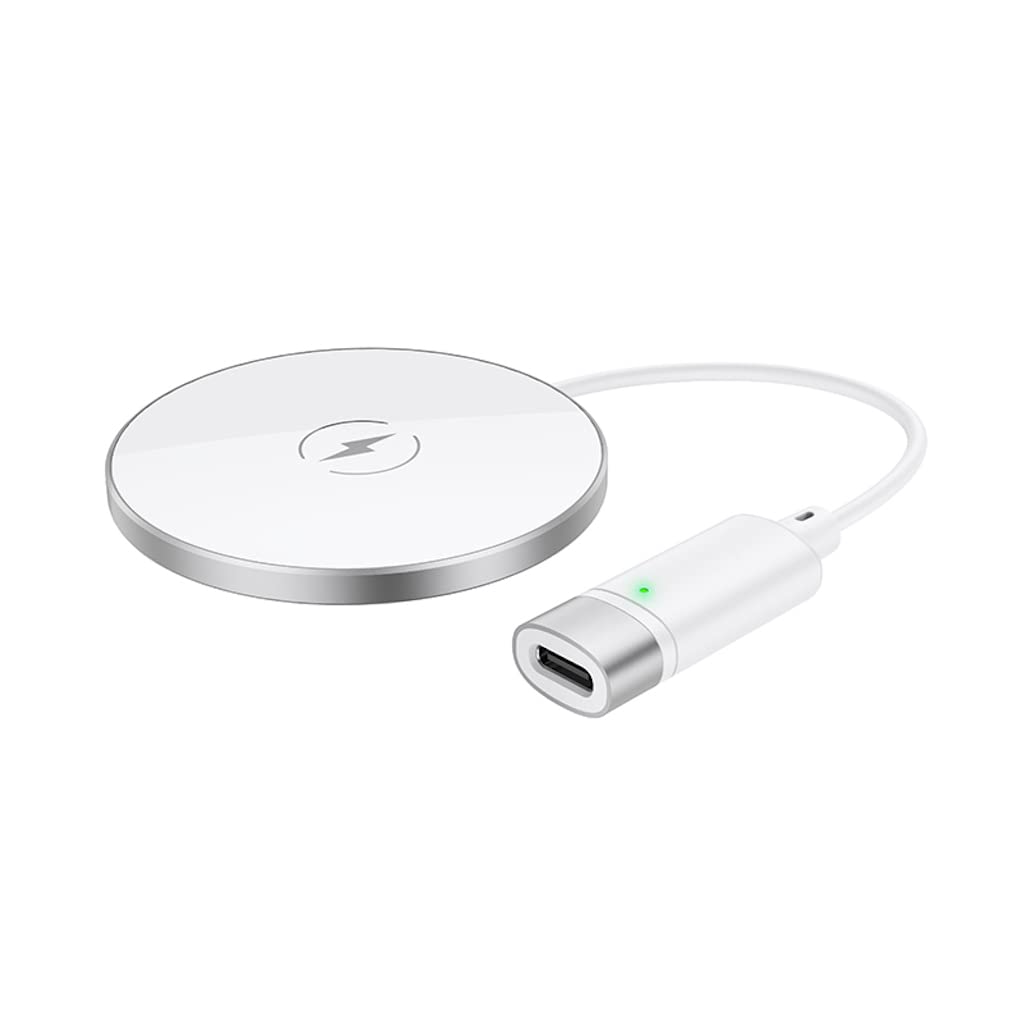
The Hoco CW31 features a sleek design with a tempered glass surface and aluminum alloy base, providing a stable and efficient charging platform.

The Hoco CW31 wireless charging pad is shown alongside its included USB-A to Type-C charging cable, highlighting the compact design of the charger.
This image shows a smartphone placed on the Hoco CW31 wireless charging pad, indicating active charging with a battery icon displaying 57% charged.
Manylebau
| Rhif Model | CW31 |
| Mewnbwn (Math-C) | 5V-2A, 9V-2A, 12V-1.5A |
| Allbwn Di-wifr | 5W/7.5W/10W/15W |
| Allbwn Di-wifr MagSafe | 7.5W |
| Deunydd | Tempered Glass + Aluminum Alloy |
| Dimensiynau | 204 x 60 x 5 mm |
| Pwysau | 37 g |
| Math o Gysylltydd | USB |
| Dyfeisiau Cydnaws | Cellular Phones, Qi-compatible TWS Earphones |
| Nodweddion Arbennig | Diogelu Cylchdaith Byr, Codi Tâl Cyflym |
| Lliw | Arian |
| Mewnbwn Voltage | 5V |
| Cyfanswm Porthladdoedd USB | 1 |
| Grym | 15W |
| Allbwn Cyfredol | 3A |
Gosod
- Cysylltu â Power Source: Connect the provided USB-A to Type-C charging cable to the Type-C input port on the Hoco CW31 charger.
- Plug into Adapter: Connect the USB-A end of the cable to a compatible power adapter (a PD/QC fast charger is required for optimal 15W charging speeds, not included).
- Pŵer Ymlaen: Once connected to a power source, the charger is ready for use.

The Hoco CW31 wireless charger is depicted connected to a wall power adapter via its cable, with a smartphone placed on the charging pad.
Cyfarwyddiadau Gweithredu
- Lleoli Dyfais: Place your Qi-compatible mobile phone or TWS earphones directly onto the center of the Hoco CW31 wireless charging pad.
- Cadarnhau Codi Tâl: Ensure the device is properly aligned. Charging will begin automatically, and your device's screen or indicator light should confirm that it is charging.
- Dileu Dyfais: Once your device is fully charged or you wish to stop charging, simply lift it from the charging pad.
For MagSafe compatible devices, the charger will magnetically align for optimal charging at 7.5W.
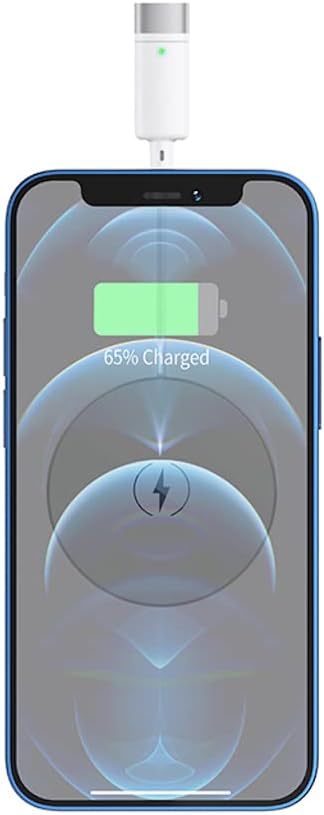
A close-up view of a smartphone receiving a wireless charge from the Hoco CW31 pad, with the screen showing 65% battery.
Cynnal a chadw
- Glanhau: Datgysylltwch y gwefrydd o'r ffynhonnell bŵer cyn glanhau. Defnyddiwch frethyn meddal, sych i sychu'r wyneb. Peidiwch â defnyddio glanhawyr hylif na aerosolau.
- Storio: Storiwch y gwefrydd mewn lle oer, sych i ffwrdd o olau haul uniongyrchol a thymheredd eithafol pan nad yw'n cael ei ddefnyddio.
- Gofal Cebl: Avoid bending or twisting the charging cable excessively to prevent damage.
Datrys problemau
| Problem | Ateb Posibl |
|---|---|
| Dyfais ddim yn codi tâl |
|
| Codi tâl araf |
|
| Golau dangosydd gwefrydd ddim yn gweithio |
|
Gwarant a Chefnogaeth
For warranty information and customer support, please refer to the documentation included with your purchase or contact Hoco customer service directly. Keep your proof of purchase for warranty claims.

