
1. Rhagymadrodd
This manual provides detailed instructions for the setup, operation, and maintenance of your Artlii Enjoy 2 Mini Portable Projector and its accompanying 120-inch portable projection screen. Please read this manual thoroughly before use to ensure proper functionality and to maximize your viewing profiad.
2. Cynnwys Pecyn
Gwiriwch fod yr holl eitemau a restrir isod wedi'u cynnwys yn eich pecyn. Os oes unrhyw eitemau ar goll neu wedi'u difrodi, cysylltwch â chymorth cwsmeriaid.
- Artlii Enjoy 2 Mini Portable Projector
- 120-inch Portable Projection Screen
- Screen Stand Components (poles, connectors, bases)
- Carrying Bag for Screen
- Addasydd Pŵer
- Rheolaeth Anghysbell
- Llawlyfr Defnyddiwr (y ddogfen hon)

Delwedd: Drosoddview of the Artlii Enjoy 2 Mini Portable Projector and its 120-inch screen components, including the projector unit, screen fabric, frame poles, and stand bases.
3. Gosod
3.1 Projector Setup
- Lleoliad: Position the projector on a stable, flat surface. Ensure adequate ventilation around the unit.
- Cysylltiad Pwer: Connect the power adapter to the projector's power input port and then plug it into a power outlet.
- Pŵer Ymlaen: Pwyswch y botwm pŵer ar y taflunydd neu'r teclyn rheoli o bell i droi'r ddyfais ymlaen.

Image: The Artlii Enjoy 2 projector positioned on a shelf, demonstrating a typical indoor placement scenario.
3.2 120-inch Portable Screen Setup
Follow these steps to assemble your 120-inch portable projection screen. The process is designed for quick and easy assembly, typically within 5 minutes.
- Connect Cross Bars: Assemble the horizontal bracket cross bars by connecting Tube A, Tube B, Tube C, and Tube A as shown in the diagram.
- Connect Vertical Bars: Attach the vertical bracket bars by connecting Tube A, Tube B, and Tube D to the bases.
- Attach Screen Fabric: Carefully slide the screen fabric onto the vertical racket bars.
- Install Elbows: Secure the two elbow connectors to form the top corners of the frame.
- Install Curtain Hooks: Attach the curtain hooks to the screen fabric grommets and hang them on the assembled frame.
- Secure with Ground Nails and Water Bag: For outdoor use, utilize the provided ground nails and counterweight water bag to enhance stability against wind.

Image: A visual guide illustrating the six steps for assembling the 120-inch portable projector screen, from connecting poles to securing it with ground nails and a water bag.
4. Cyfarwyddiadau Gweithredu
4.1 Gweithrediad Sylfaenol
- Pŵer ymlaen / i ffwrdd: Defnyddiwch y botwm pŵer ar y taflunydd neu'r teclyn rheoli o bell.
- Addasiad Ffocws: Rotate the focus ring on the projector lens until the image is clear.
- Cywiriad Keystone: Adjust the keystone dial to correct trapezoidal distortion if the projector is not perfectly perpendicular to the screen. The projector supports ±15° keystone correction.
- Swyddogaeth Chwyddo: Use the zoom function in the projector's menu to adjust the image size from 60% to 100% without moving the projector.

Image: Visual representation of the projector's compact size, keystone correction capability (±15°), and digital zoom function (60% to 100%).
4.2 Cysylltedd
The Artlii Enjoy 2 projector offers multiple connectivity options for various devices.
- Wireless WiFi Screen Mirroring:
Connect your iOS or Android smartphone wirelessly to the projector to mirror your screen. Navigate to the projector's input menu, select "Screen Mirroring," and follow the on-screen instructions to connect your device via WiFi.
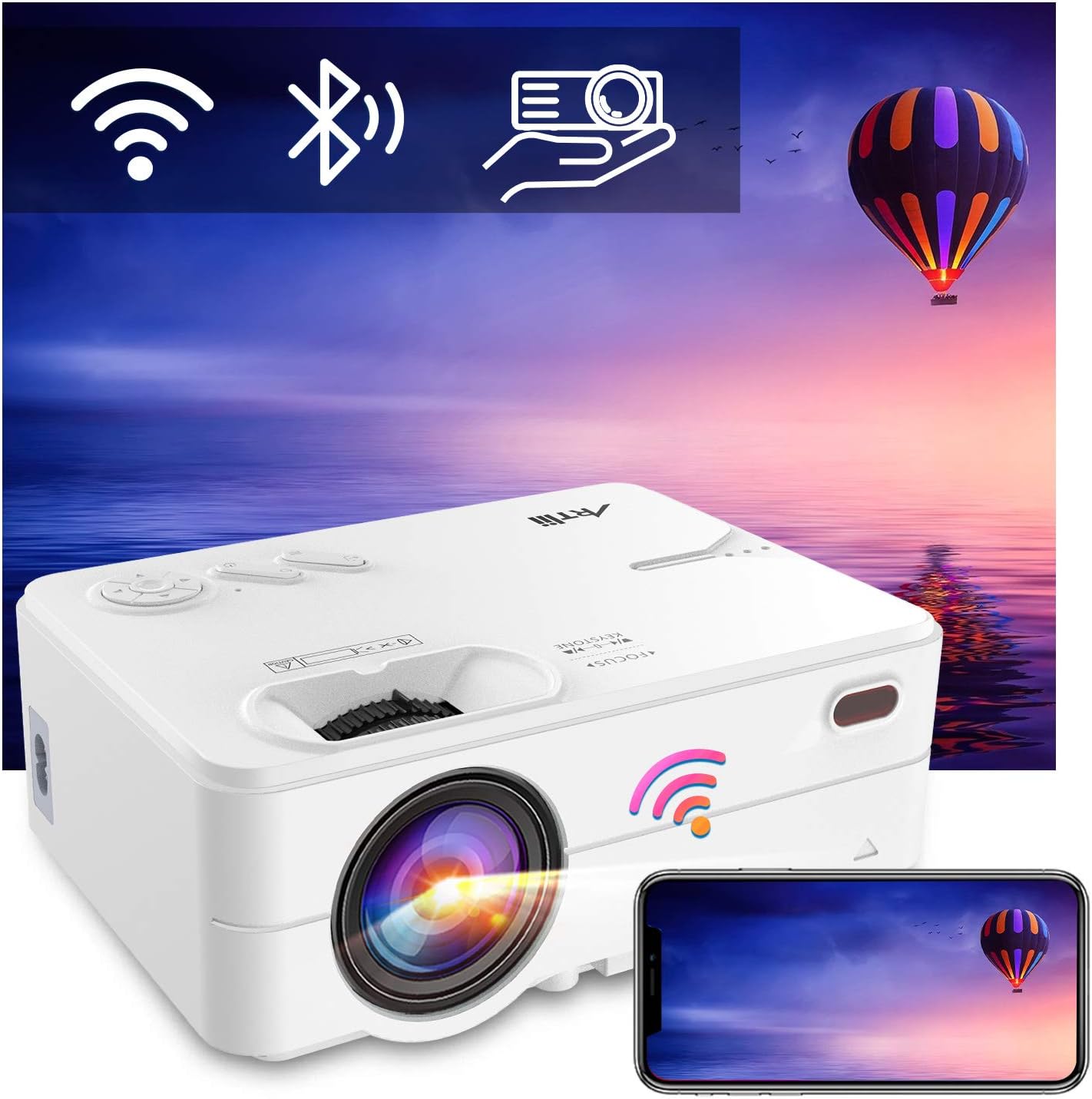
Image: The Artlii Enjoy 2 projector displaying icons for WiFi, Bluetooth, and screen mirroring, with a smartphone mirroring its display to the projector.
- Bluetooth Audio Connection:
Pair the projector with external Bluetooth speakers or headphones for enhanced audio. Go to the projector's settings, enable Bluetooth, and select your desired audio device from the list to connect.

Image: The Artlii Enjoy 2 projector wirelessly connected via Bluetooth to both headphones and an external speaker, illustrating its audio output flexibility.
- Cysylltiadau Wired:
The projector typically includes ports for HDMI and USB devices. Connect your laptop, gaming console, USB drive, or other compatible devices using the appropriate cables.
5. cynnal
- Glanhau'r Lens: Defnyddiwch frethyn meddal, di-flwff, sydd wedi'i gynllunio'n benodol ar gyfer lensys optegol. Osgowch ddeunyddiau sgraffiniol neu gemegau llym.
- Glanhau Corff y Taflunydd: Wipe the exterior with a soft, dry cloth. Do not use liquid cleaners directly on the projector.
- Gofal Sgrin: The 120-inch screen is made of wrinkle-free polyester fiber and can be cleaned with a damp cloth. It will not deform after hand washing.
- Storio: When not in use, store the projector and screen in a cool, dry place, preferably in their original packaging or the provided carrying bag.

Image: A family loading the portable carrying bag for the Artlii projector screen into a car, highlighting its ease of transport and storage.
6. Datrys Problemau
| Problem | Achos Posibl | Ateb |
|---|---|---|
| Dim delwedd ar y sgrin | Power not connected; input source incorrect; lens cap on. | Ensure power is connected. Select correct input source. Remove lens cap. |
| Delwedd aneglur | Focus not adjusted; keystone not corrected. | Adjust the focus ring. Use keystone correction. |
| Dim sain | Volume too low; external audio device not connected/paired. | Increase volume. Check Bluetooth connection or wired audio connection. |
| WiFi/Bluetooth connection issues | Interference; incorrect pairing steps. | Ensure devices are within range. Re-attempt pairing process. Check for firmware updates. |
7. manylebau
| Nodwedd | Manylyn |
|---|---|
| Brand | ARTlii |
| Model | Mwynhewch 2 |
| Datrysiad Brodorol | 1280x720P (Supports 1080P) |
| Technoleg Cysylltedd | WiFi, Bluetooth |
| Nodweddion Arbennig | Built-In Wi-Fi, Portable, Wireless |
| Math o Siaradwr | Built-In, Stereo (5W dual HiFi with SRS) |
| Defnyddiau a Argymhellir | Tabletop Mount, Indoor/Outdoor Movies |
| Projector Screen Size | Lletraws 120-modfedd |
| Projector Screen Aspect Ratio | 16:9 |
| Projector Screen Material | Natural Polyester Fiber (Wrinkle-Free) |
8. Gwarant a Chefnogaeth
ARTlii is committed to optimizing product quality and enhancing user experience. If you encounter any problems while using your Artlii Enjoy 2 projector or screen, please contact our dedicated after-sales support team. We are available to assist you.
For support, please visit the official ARTlii store or contact customer service through your purchase platform.

Image: The ARTlii brand logo, representing the company's commitment to user satisfaction and simple connections.