
BTMETER BT-570T-APP
BTMETER BT-570T-APP Clamp Llawlyfr Defnyddiwr Multimeter
Canllaw Cynhwysfawr ar gyfer Gweithredu a Chynnal a Chadw
1. Rhagymadrodd
The BTMETER BT-570T-APP is a versatile AC/DC 1000A Clamp Multimeter designed for accurate electrical measurements. It features 4000 counts digital display, data logging capabilities, and Bluetooth connectivity for remote monitoring via a smartphone or tablet application. This manual provides detailed instructions for the safe and effective use of your device.
Key functionalities include measuring AC/DC current, AC/DC voltage, resistance, capacitance, frequency, temperature, and continuity. It is suitable for various applications including HVAC, household electrical work, and commercial troubleshooting.
2. Gwybodaeth Diogelwch
Always adhere to the following safety precautions to prevent personal injury or damage to the meter:
- Do not exceed the maximum input limits for any measurement range.
- Byddwch yn ofalus iawn wrth weithio gyda chylchedau byw.
- Ensure the meter is set to the correct function and range before making measurements.
- Inspect test leads for damage before each use. Replace if insulation is compromised.
- Do not operate the meter if it appears damaged or is not functioning properly.
- Adhere to IEC 61010-1, CAT IV 600V, CAT III 1000V safety standards.
- When measuring current, ensure only the LIVE conductor is clamped for accurate readings. Clamping both hot and neutral conductors will result in a zero reading.
3. Cynnyrch Drosview
The BTMETER BT-570T-APP is designed for ease of use and durability. Familiarize yourself with its components:

Figure 3.1: Key Components of the BT-570T-APP
- AC / DC Clamp: For non-contact current measurement. Jaw caliber size is 1.77 inches (45mm).
- Sbardun: Yn agor ac yn cau'r clamp gên.
- Deialu Swyddogaeth: Selects measurement modes (Voltage, Cerrynt, Gwrthiant, ac ati).
- Arddangosfa LCD Backlit: Shows measurement readings clearly, even in low light.
- Jaciau Mewnbwn: For connecting test leads and temperature probe.
- Botymau: HOLD, SELECT RANGE, REL/Duty, Max/Min/Average.
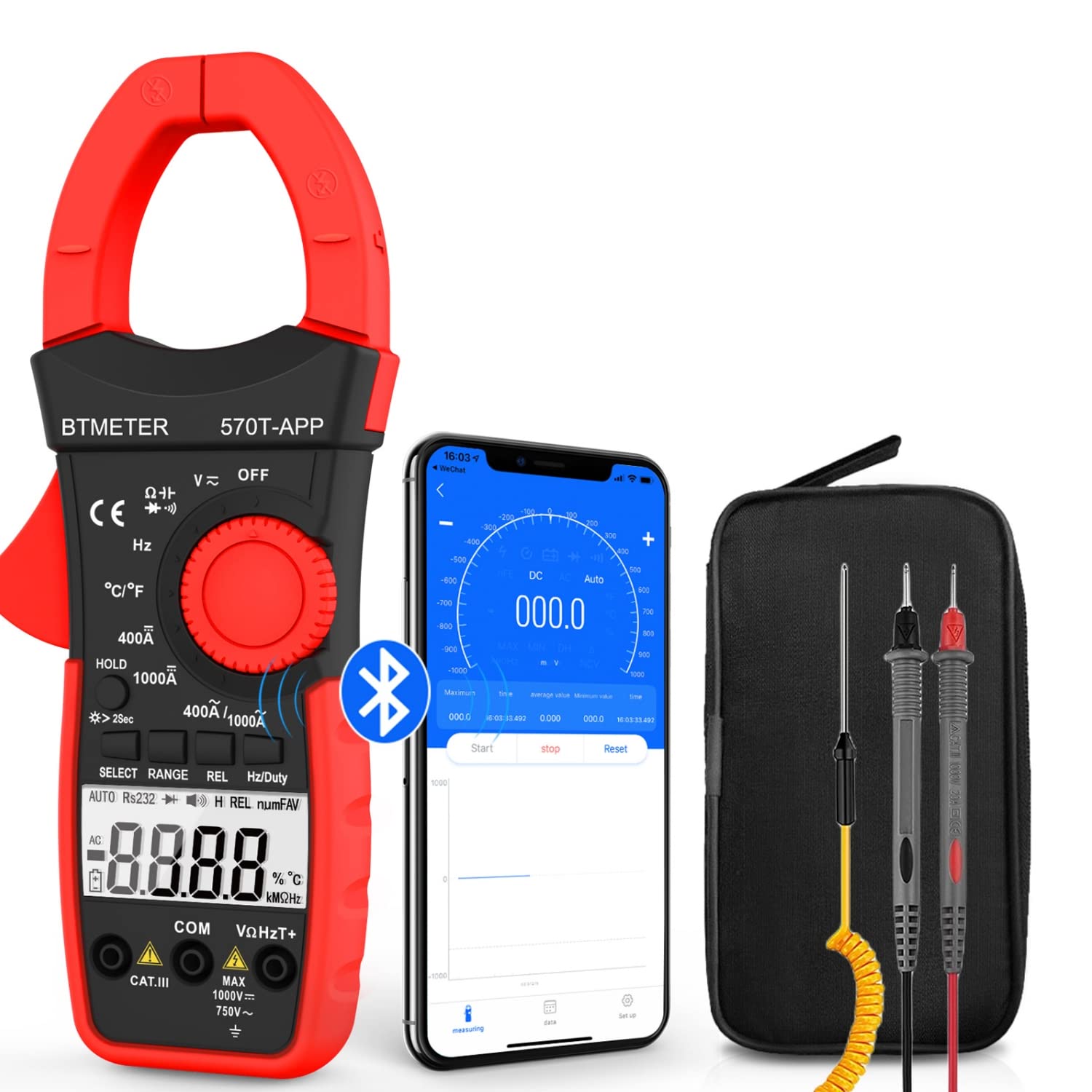
Figure 3.2: Product Contents and Bluetooth Connectivity
The package includes the BT-570T-APP clamp multimeter, test leads, a thermocouple probe, and a carrying case for convenient storage and transport.
4. Gosod
4.1 Gosod Batri
The meter requires batteries for operation. Open the battery compartment on the back of the device, insert the batteries according to the polarity indicators, and secure the cover.
4.2 Gosod Ap a Chysylltiad Bluetooth
The BT-570T-APP supports remote control and data logging via a mobile application. Follow these steps to connect:
- Download the "Intelligent Clamp Meter" app from the App Store (iOS) or Google Play (Android).
- Gwnewch yn siŵr bod Bluetooth wedi'i alluogi ar eich ffôn clyfar neu dabled.
- Turn on the BT-570T-APP multimeter.
- Open the app on your device. It should automatically detect and connect to the multimeter.
- Ar ôl cysylltu, gallwch chi view measurements, graph data, and save readings in Excel or TXT format.
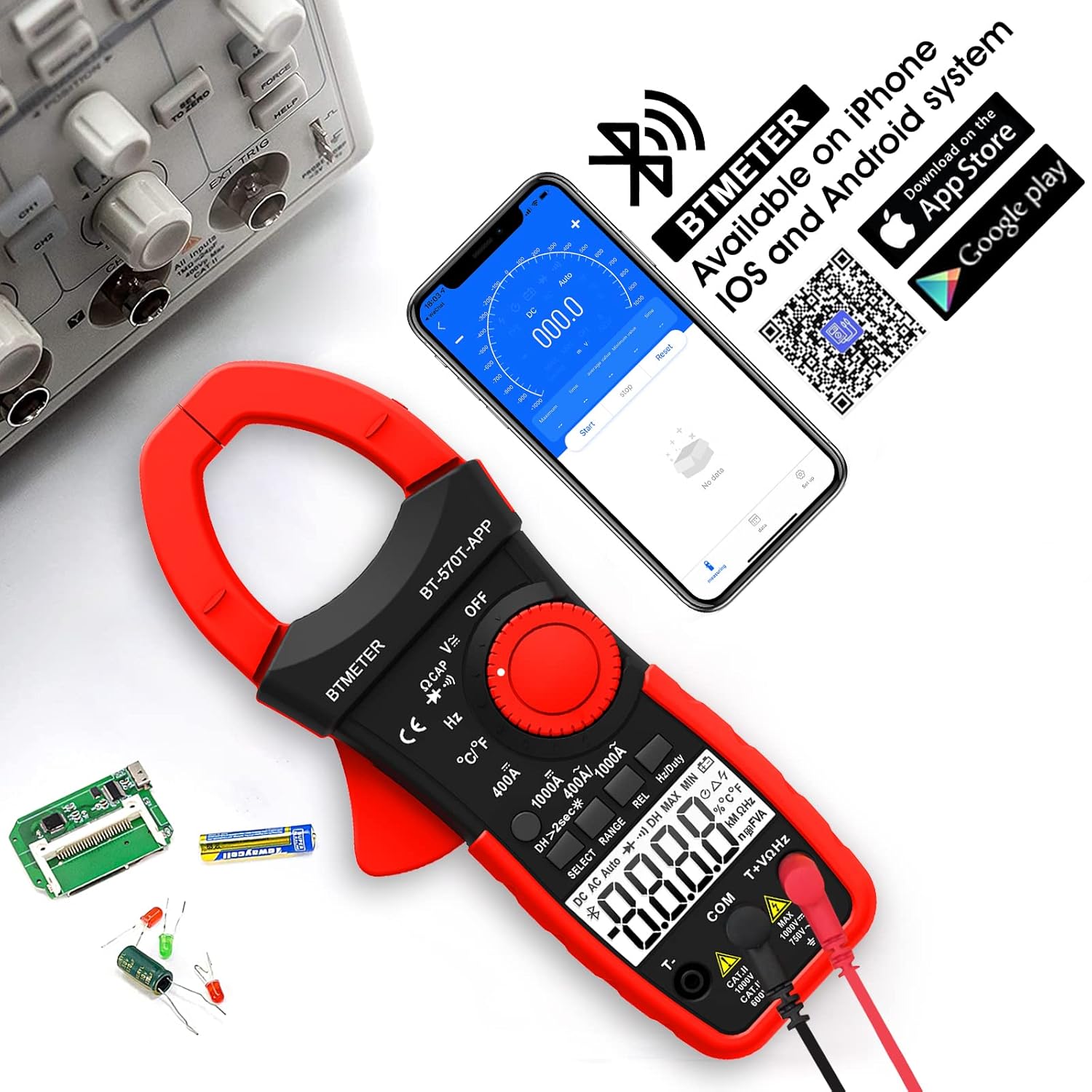
Figure 4.1: App Download and Bluetooth Pairing
5. Cyfarwyddiadau Gweithredu
5.1 Mesur Cerrynt AC/DC (Clamp)
To measure AC or DC current up to 1000A:
- Turn the function dial to the "400A" or "1000A" AC/DC current range.
- Press the SELECT button to toggle between AC and DC current if necessary.
- Agorwch y clamp jaw using the trigger.
- Enclose only one conductor (e.g., the live wire) within the clamp. Peidiwch â chlamp multiple wires as this will result in inaccurate readings.
- Darllenwch y gwerth cyfredol ar yr arddangosfa LCD.

Figure 5.1: Measuring AC/DC Current with the Clamp
5.2 CyftagMesuriad e (AC/DC)
I fesur AC neu DC cyftage up to 1000V:
- Insert the red test lead into the VΩHzT+ jack and the black test lead into the COM jack.
- Turn the function dial to the "V~" (AC Voltage) neu "V-" (Cyfrol DCtage) amrediad.
- Cysylltwch y gwifrau prawf yn gyfochrog â'r gylched neu'r gydran sy'n cael ei phrofi.
- Darllenwch y cyftage gwerth ar yr arddangosfa LCD.
5.3 Mesur Gwrthiant
To measure resistance up to 60M ohms:
- Insert the red test lead into the VΩHzT+ jack and the black test lead into the COM jack.
- Turn the function dial to the "Ω" (Resistance) range.
- Ensure the circuit is de-energized before connecting the test leads across the component.
- Darllenwch y gwerth gwrthiant ar yr arddangosfa LCD.
5.4 Mesur Cynhwysedd
To measure capacitance up to 200µF:
- Insert the red test lead into the VΩHzT+ jack and the black test lead into the COM jack.
- Turn the function dial to the "CAP" (Capacitance) range.
- Discharge the capacitor completely before connecting the test leads.
- Cysylltwch y gwifrau prawf ar draws terfynellau'r cynhwysydd.
- Darllenwch y gwerth cynhwysedd ar yr arddangosfa LCD.
5.5 Mesur Amlder
To measure frequency up to 9.999MHz:
- Insert the red test lead into the VΩHzT+ jack and the black test lead into the COM jack.
- Turn the function dial to the "Hz" (Frequency) range.
- Cysylltwch y gwifrau prawf â'r ffynhonnell signal.
- Darllenwch y gwerth amledd ar yr arddangosfa LCD.
5.6 Mesur Tymheredd
To measure temperature from -4°F to 1832°F (-20°C to 1000°C):
- Insert the thermocouple probe into the T+ and COM jacks, observing polarity.
- Turn the function dial to the "°C/°F" (Temperature) range.
- Press the SELECT button to switch between Celsius and Fahrenheit.
- Place the tip of the thermocouple probe on or in the object whose temperature is to be measured.
- Darllenwch y gwerth tymheredd ar yr arddangosfa LCD.

Figure 5.2: Temperature Measurement
5.7 Prawf Parhad
To test for circuit continuity:
- Insert the red test lead into the VΩHzT+ jack and the black test lead into the COM jack.
- Turn the function dial to the "Diode/Continuity" range.
- Cysylltwch y gwifrau prawf ar draws y gylched neu'r gydran.
- The buzzer will sound if the resistance is less than 50Ω, indicating continuity.

Figure 5.3: Auditory Continuity Test
5.8 Data Logging and Bluetooth Features
The BT-570T-APP offers advanced data logging capabilities via its mobile application:
- Monitro o Bell: View real-time measurements on your phone or tablet from a distance.
- Trend Chart: The app automatically graphs measurement trends over time.
- Allforio Data: Export logged data in Excel (.xlsx) or TXT (.txt) formats for analysis.
- Daliad Data: Press the "HOLD" button to freeze the current reading on the display.
- REL (Mesuriad Cymharol): Press "REL" to zero out the current reading, useful for measuring changes relative to a reference point.
- Uchafswm/Isaf/Cyfartaledd: Record the maximum, minimum, and average values during a measurement session.

Figure 5.4: Remote Control and Data Download via App
6. cynnal
- Glanhau: Wipe the meter with a dry, clean cloth. Do not use abrasive cleaners or solvents.
- Amnewid Batri: Replace batteries when the low battery indicator appears on the display. Ensure proper polarity.
- Storio: If storing for extended periods, remove the batteries to prevent leakage. Store in a cool, dry place away from direct sunlight.
- graddnodi: For professional use, periodic calibration by a qualified technician is recommended to maintain accuracy.
7. Datrys Problemau
| Problem | Achos Posibl | Ateb |
|---|---|---|
| Nid yw'r mesurydd yn troi ymlaen. | Batris marw neu wedi'u gosod yn anghywir. | Amnewidiwch y batris, gan sicrhau'r polaredd cywir. |
| Inaccurate current reading (e.g., zero reading). | Clamping multiple conductors (hot and neutral). | Ensure only a single live conductor is clampgol. |
| Cysylltiad Bluetooth yn methu. | Bluetooth disabled on phone/tablet; app issue; meter too far. | Ensure Bluetooth is on, restart app/meter, move closer, check app permissions. |
| Data not saving/exporting from app. | App bug; insufficient storage; incorrect save location. | Ensure app is updated. Check phone storage. Refer to app's help section for data export paths. Some users report issues with iOS data saving, try Android if available. |
| Display shows "OL" (Overload). | Measurement exceeds the selected range. | Select a higher range or ensure the input is within the meter's capabilities. |
8. manylebau
| Paramedr | Gwerth |
|---|---|
| Rhif Model | BT-570T-APP |
| Ystod Cyfredol AC/DC | 400A / 1000A (100mA / 1A resolution) |
| AC / DC Voltage Ystod | Hyd at 1000V |
| Ystod Gwrthsefyll | Up to 60MΩ |
| Ystod Cynhwysedd | Up to 200µF |
| Amrediad Amrediad | Hyd at 9.999MHz |
| Amrediad Tymheredd | -4°F i 1832°F (-20°C i 1000°C) |
| Cyfrif Arddangos | 4000 o Gyfrifon |
| Jaw Caliber Size | 1.77 modfedd (45mm) |
| Sgôr Diogelwch | IEC 61010-1, CAT IV 600V, CAT III 1000V, Class 2, Double insulation |
| Ffynhonnell Pwer | Wedi'i Bweru â Batri |
| Pwysau Eitem | 11.68 owns |
| Dimensiynau Pecyn | 10.2 x 5 x 2.28 modfedd |
9. Gwarant a Chefnogaeth
BTMETER provides a 12-month quality warranty for the BT-570T-APP Clamp Multimeter. Life-time technical support is also available.
For technical assistance, warranty claims, or any inquiries, please contact BTMETER customer support through their official webgwefan neu'r wybodaeth gyswllt a ddarparwyd gyda'ch pryniant.
Mae cynlluniau amddiffyn dewisol ar gael ar gyfer yswiriant estynedig:
- Cynllun Diogelu 3 Flynedd
- Cynllun Diogelu 4 Flynedd
- Complete Protect Plan (monthly billing)
Please refer to the specific terms and conditions of these protection plans for full details.
Ask a question about this manual
Ask about setup, troubleshooting, compatibility, parts, safety, or missing instructions. Manuals+ will review the question and use this page’s manual context to help answer it.