
1. Cynnyrch Drosview
The Nutale Smart Tracker F9X is a compact, wireless Bluetooth device designed to help you locate misplaced items and prevent loss. It connects to your smartphone via the Nut App, providing features such as anti-lost alarms, item finding, and location tracking.
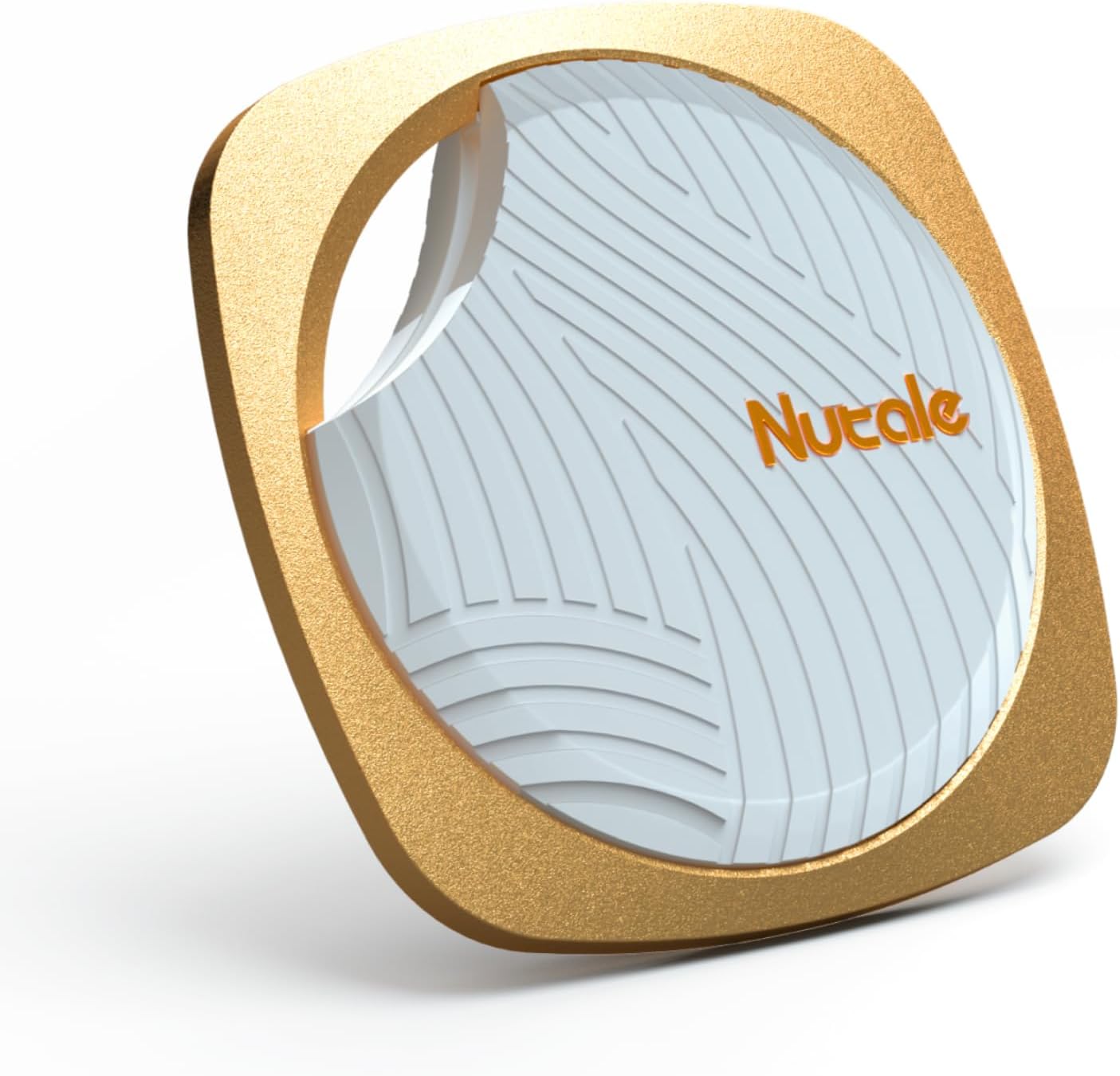
Image: The Nutale Smart Tracker F9X, a small, square-shaped device with a gold-colored frame and a white textured center, featuring the 'Nutale' logo.
2. Canllaw Gosod
2.1. Gosod App
- Download the Nut App: Chwiliwch am "Nut App" in your smartphone's app store (available for iOS and Android devices).
- Gosod ac Agor: Follow the on-screen instructions to install the app. Once installed, open the Nut App.
- Creu Cyfrif: Cofrestrwch am gyfrif newydd neu mewngofnodwch os oes gennych chi un eisoes.
2.2. Pairing the Smart Tracker
- Sicrhewch fod Bluetooth ymlaen: Sicrhewch fod Bluetooth wedi'i alluogi ar eich ffôn clyfar.
- Activate the Tracker: If this is your first time using the tracker, ensure the battery is correctly installed. The device should be powered on.
- Ychwanegu Dyfais yn yr Ap: In the Nut App, navigate to the "Add Device" or "+" option.
- Dilynwch yr awgrymiadau ar y sgrin: The app will guide you through the pairing process. This typically involves pressing a button on the tracker to connect it to your phone.
- Caniatâd Grant: The app may request certain permissions (e.g., location access). Granting these permissions is necessary for full functionality.
2.3. Gosod/Amnewid Batri
The Nutale Smart Tracker F9X uses a replaceable CR2032 coin cell battery. To install or replace the battery:
- Agorwch y C.asing: Gently pry open the tracker's casing using a small tool or your fingernail at the designated notch.
- Insert/Replace Battery: Mewnosodwch fatri CR2032 newydd gyda'r ochr bositif (+) yn wynebu i fyny.
- Close the Casing: Carefully snap the two halves of the tracker back together until it is securely closed.
A new battery typically provides over 10 months of standby time.
3. Cyfarwyddiadau Gweithredu
3.1. Anti-Lost Alarm
When the Nutale Smart Tracker F9X and your phone are disconnected (i.e., move out of Bluetooth range), both devices will sound an alarm to alert you. This feature helps prevent leaving items behind.
- Ystod Bluetooth: The typical indoor Bluetooth range is approximately 10-20 meters (30-66 feet), and outdoor range is 30-50 meters (100-164 feet).

Image: A man views his phone while a Nutale tracker, attached to keys in a door, emits signal waves, illustrating the anti-lost alarm function.
3.2. Find Your Items (Tracker Alarm)
To locate an item attached to your Nutale Smart Tracker F9X:
- Open the Nut App: Ensure the app is running and connected to your tracker.
- Cychwyn y Larwm: In the app, select the specific tracker and tap the "Ring" or "Find-it Mode" button. The tracker will emit an audible beep to help you locate it.

Image: A Nutale tracker is shown inside a wallet, while a smartphone displays the 'Find-it Mode' within the app, indicating how to locate items.
3.3. Location Tracking
The Nut App records the last known connected location of your Nutale Smart Tracker F9X. If an item is lost, you can view its approximate location on a map within the app.
- Map Mynediad: Open the Nut App and select the tracker. Tap on the map icon to view the last connected location.

Image: A hand holds a smartphone showing a map with a red pin marking a specific location, demonstrating the location tracking feature.
3.4. Canfyddwr Ffôn
If you misplace your phone but have your Nutale Smart Tracker F9X, you can use the tracker to make your phone ring. This feature is typically activated by double-pressing the button on the tracker itself.
3.5. Range Information
The effective range for the anti-lost alarm and finding functions depends on environmental factors.
- Maximum Indoor Range: Approximately 66 feet (20 meters).
- Maximum Outdoor Range: Approximately 164 feet (50 meters).

Image: A visual representation showing the effective Bluetooth range of the Nutale tracker, with an indoor range of 66 ft and an outdoor range of 164 ft.
4. cynnal
4.1. Glanhau
To clean your Nutale Smart Tracker F9X, gently wipe it with a soft, dry cloth. Avoid using harsh chemicals or abrasive materials, as these can damage the device.
4.2. Storio
Store the tracker in a cool, dry place when not in use. Avoid extreme temperatures and direct sunlight.
5. Datrys Problemau
If you encounter issues with your Nutale Smart Tracker F9X, try the following steps:
- Tracker Not Connecting:
- Sicrhewch fod Bluetooth wedi'i alluogi ar eich ffôn.
- Check if the tracker's battery is charged or needs replacement.
- Restart the Nut App and try pairing again.
- Move the tracker closer to your phone.
- Anti-Lost Alarm Not Triggering:
- Verify that the anti-lost feature is enabled in the Nut App settings for the specific tracker.
- Check the Bluetooth connection stability. Obstacles or distance can affect the signal.
- Low Alarm Volume:
- Ensure the tracker is not obstructed by other items (e.g., inside a thick wallet or bag).
- Check the volume settings within the Nut App, if available.
- Caniatâd Ap:
- Ensure the Nut App has necessary permissions, especially for location services and notifications, to function correctly. Review your phone's app settings.
- Olrhain Lleoliad Anghywir:
- Location tracking relies on the last known Bluetooth connection. If the tracker moves out of range without a connection, the recorded location will be where it last connected to your phone.
6. manylebau
| Rhif Model | F9X |
| Dimensiynau | 5.04 x 4.45 x 0.67 modfedd (Pecyn) |
| Pwysau Eitem | 0.317 owns (9 gram) |
| Cysylltedd | Bluetooth |
| Math Batri | CR2032 (2 yn gynwysedig) |
| Bywyd Batri | Over 10 months (standby) |
| Deunydd | Styren Biwtadïen Acrylonitrile (ABS) |
| Dyfeisiau Cydnaws | Ffôn clyfar |
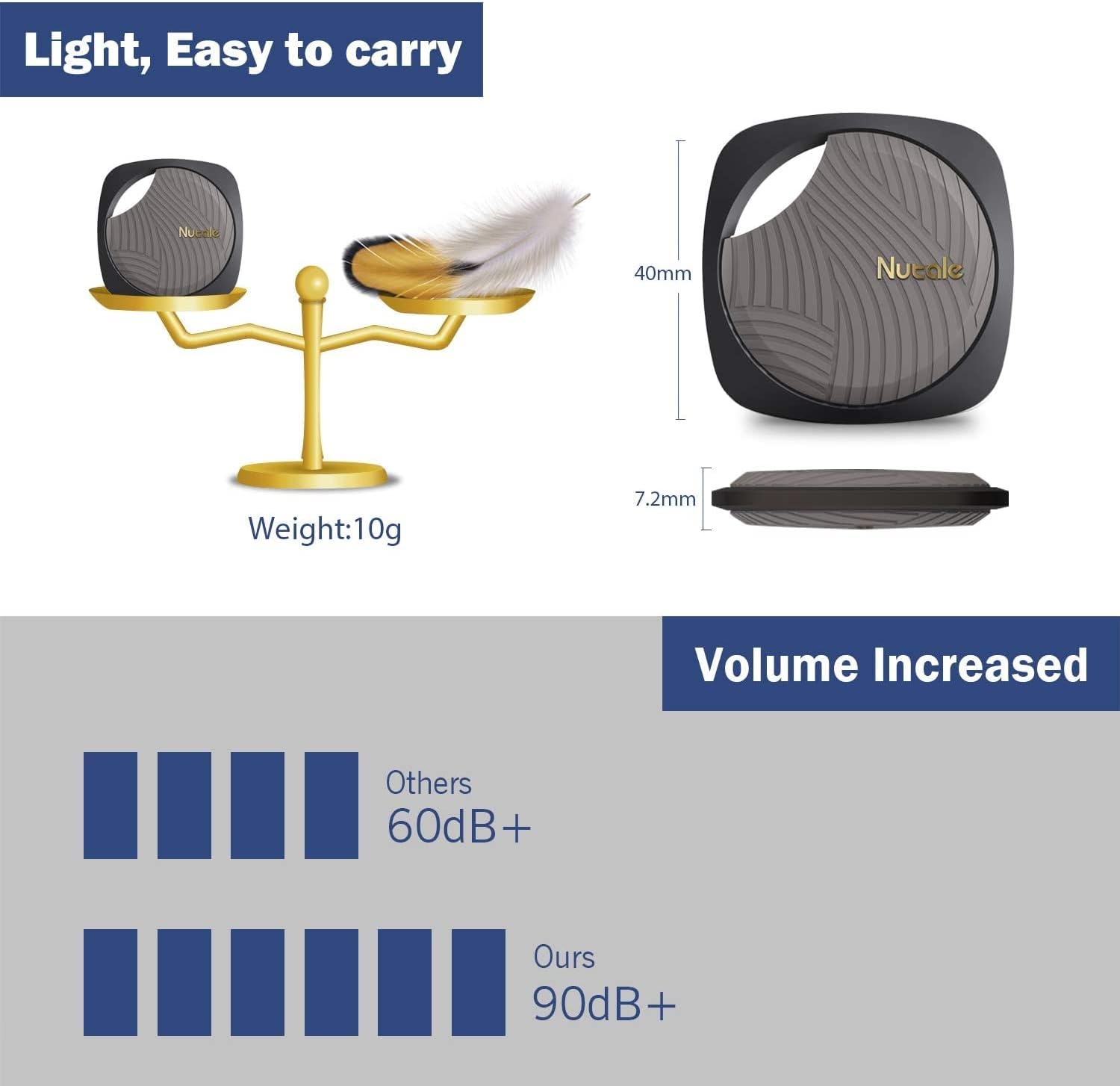
Image: A visual representation detailing the Nutale tracker's dimensions (40mm x 7.2mm), weight (10g), and a comparison of its alarm volume (90dB+) against others (60dB+).
7. Gwarant a Chefnogaeth
7.1. Gwybodaeth Gwarant
For specific warranty details regarding your Nutale Smart Tracker F9X, please refer to the warranty card included with your product packaging or visit the official Nutale websafle. Mae telerau gwarant fel arfer yn cwmpasu diffygion gweithgynhyrchu am gyfnod penodol o ddyddiad y pryniant.
7.2. Cefnogaeth i Gwsmeriaid
If you require further assistance, technical support, or have questions not covered in this manual, please contact Nutale customer support through their official website or the contact information provided in the Nut App.