
1. Gwybodaeth Diogelwch
Please read and understand all safety information before operating this digital multimeter. Failure to follow these instructions may result in electric shock, fire, or damage to the device.
- Always ensure the multimeter is set to the correct function and range before making any measurements.
- Do not exceed the maximum input values specified for each function.
- Byddwch yn ofalus wrth weithio gyda chyftages above 30V AC RMS, 42V peak, or 60V DC, as they pose a shock hazard.
- Archwiliwch geblau prawf am ddifrod cyn pob defnydd. Peidiwch â defnyddio os yw'r inswleiddio wedi'i beryglu.
- RHYBUDD: Before opening the case for battery or fuse replacement, always remove the test leads from the object being measured and disconnect from any power source to avoid electric shock.
- This device features F0.5A/600V fuse overload protection. Replace fuses only with specified types and ratings.
2. Cynnyrch Drosview
The ANENG AN101 is a portable digital multimeter designed for measuring AC voltage, AC current, DC voltage, DC current, and resistance. It features an easy-to-read LCD display with 1999 counts and supports both automatic and manual ranging for versatile use in various electrical and electronic applications.
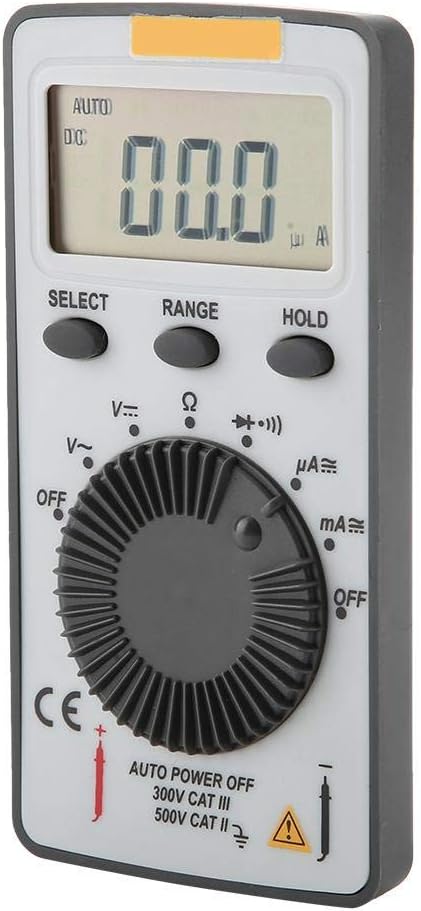
Ffigur 2.1: Blaen view of the ANENG AN101 Digital Multimeter. This image displays the device's LCD screen, the central rotary function dial, and the 'SELECT', 'RANGE', and 'HOLD' buttons.
3. Gosod
3.1 Gosod Batri
- Ensure the multimeter is powered off and disconnect any test leads.
- Lleolwch y compartment batri ar gefn y ddyfais.
- Defnyddiwch dyrnsgriw i agor y clawr batri compartment.
- Insert two 3V CR2032 batteries, observing the correct polarity.
- Amnewid gorchudd adran y batri a'i ddiogelu gyda'r sgriw.

Ffigur 3.1: Yn ôl view of the ANENG AN101 Digital Multimeter. This image shows the battery compartment cover and a safety warning regarding opening the case.
3.2 Cysylltu Gwifrau Prawf
- Mewnosodwch y wifren brawf goch i'r jac mewnbwn 'VΩmA'.
- Insert the black test lead into the 'COM' input jack.
- Ensure the connections are firm before proceeding with measurements.
4. Cyfarwyddiadau Gweithredu
4.1 Pŵer Ymlaen/Diffodd
Rotate the central dial from 'OFF' to any measurement function to power on the device. To power off, rotate the dial back to 'OFF'. The multimeter also features an auto power-off function to conserve battery life.
4.2 Dewis Swyddogaeth
Turn the rotary dial to select the desired measurement function (e.g., DC Voltage (V=), AC Voltage (V~), Resistance (Ω), DC Current (μA=, mA=), AC Current (μA~, mA~)).
4.3 Range Selection (Auto/Manual)
The AN101 supports both automatic and manual ranging. In auto-ranging mode, the meter automatically selects the best range for the measurement. Press the 'RANGE' button to switch between auto and manual ranging. In manual mode, press 'RANGE' repeatedly to cycle through available ranges.
4.4 Mesur DC Cyftage
- Set the rotary dial to 'V='.
- Connect the red test lead to the positive side of the circuit and the black test lead to the negative side.
- Darllenwch y cyftage value on the LCD display. The polarity will be indicated automatically.
4.5 Mesur AC Cyftage
- Set the rotary dial to 'V~'.
- Cysylltwch y gwifrau prawf ar draws y cyfaint ACtage ffynhonnell.
- Darllenwch y cyftage gwerth ar yr arddangosfa LCD.
4.6 Mesur Cerrynt DC
- Set the rotary dial to 'μA=' or 'mA=' depending on the expected current.
- RHYBUDD: To measure current, the multimeter must be connected in series with the circuit. Do not connect it in parallel across a voltage ffynhonnell.
- Break the circuit and connect the multimeter in series, ensuring the red lead is towards the higher potential and the black lead towards the lower potential.
- Darllenwch y gwerth cyfredol ar yr arddangosfa LCD.
4.7 Mesur Cerrynt AC
- Set the rotary dial to 'μA~' or 'mA~'.
- RHYBUDD: Cysylltwch y multimedr mewn cyfres â'r gylched.
- Break the circuit and connect the multimeter in series.
- Darllenwch y gwerth cyfredol ar yr arddangosfa LCD.
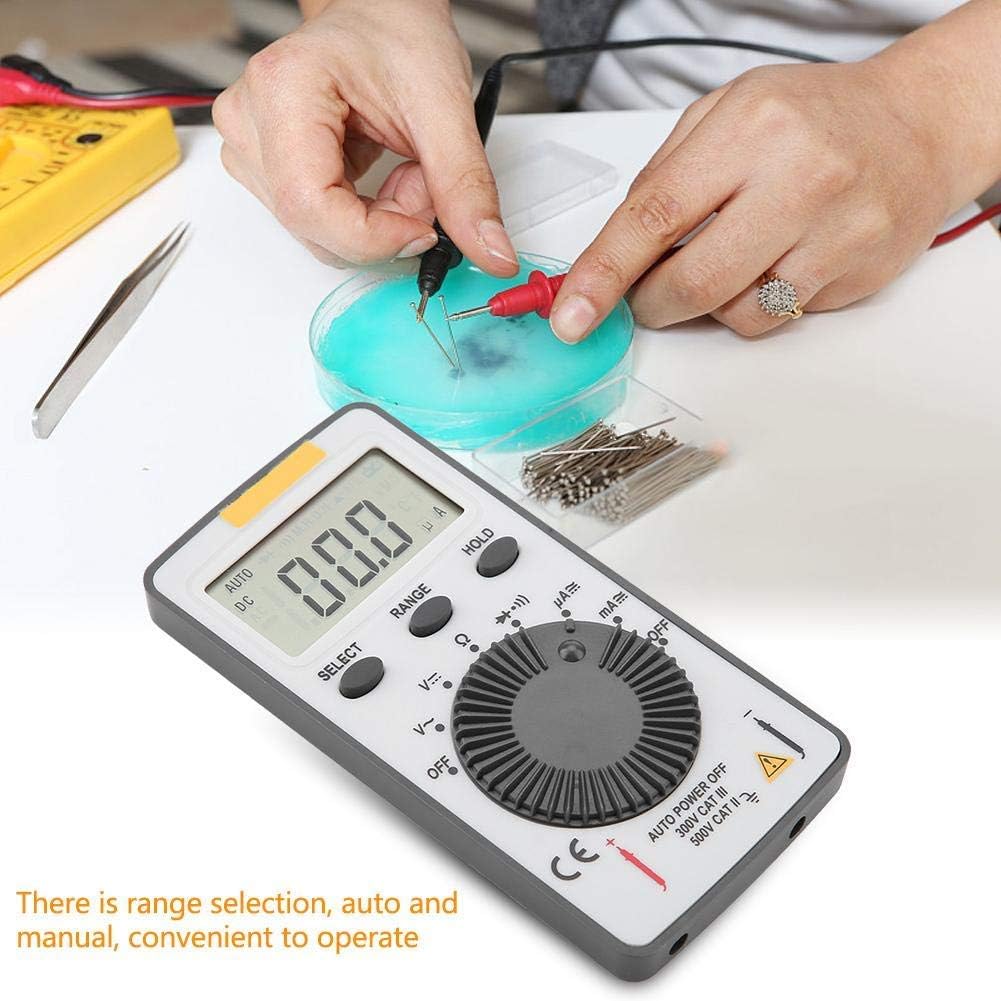
Figure 4.1: The ANENG AN101 Digital Multimeter in use, demonstrating its application for measuring electrical components. The image highlights the ease of operation with auto and manual range selection.
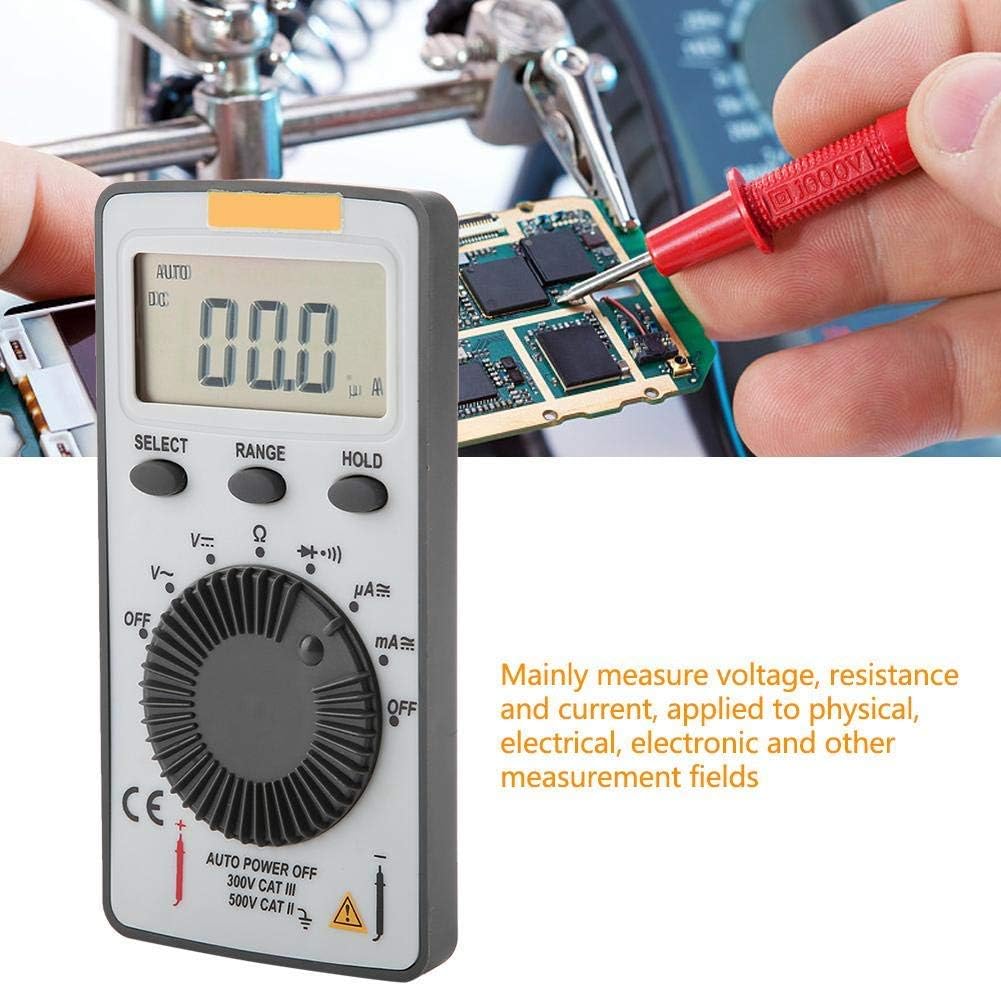
Figure 4.2: The ANENG AN101 Digital Multimeter being used to measure voltage or current on a circuit board. This illustrates its primary function in physical, electrical, and electronic measurement fields.
4.8 Dal Swyddogaeth
Pwyswch y botwm 'HOLD' i rewi'r darlleniad cyfredol ar yr arddangosfa. Pwyswch ef eto i ryddhau'r swyddogaeth dal ac ailddechrau mesuriadau byw.
5. cynnal
5.1 Glanhau
Wipe the device with a dry, soft cloth. Do not use abrasive cleaners or solvents. Keep the device free from dust and moisture.
5.2 Batri Newydd
When the battery indicator appears on the display, replace the batteries as described in Section 3.1. Always use two new 3V CR2032 batteries.
5.3 Amnewid Ffiws
If the current measurement functions stop working, the fuse may need replacement. Refer to the safety warnings in Section 1 before attempting to open the case. Replace the fuse only with a F0.5A/600V type.
6. Datrys Problemau
- Dim arddangosfa: Gwiriwch osodiad y batri a gwnewch yn siŵr nad yw'r batris wedi'u disbyddu.
- "OL" displayed: This indicates an over-range condition. Either the measured value exceeds the selected range, or the circuit is open (for resistance/current measurements). Select a higher range or check circuit continuity.
- Darlleniadau anghywir: Ensure test leads are properly connected, the correct function and range are selected, and the circuit connections are secure.
- Mesur cerrynt ddim yn gweithio: Check the fuse as described in Section 5.3.
7. manylebau
| Nodwedd | Manyleb |
|---|---|
| Brand | ANENG |
| Model | AN101 |
| Arddangos | LCD, 1999 Counts |
| Cyfradd Diweddaru | 2 gwaith / eiliad |
| Maint LCD | 40 * 20 mm |
| Dynodiad Polaredd | Automatic '-' |
| Dynodiad Gor-ystod | 'OL' |
| Dewis Ystod | Auto neu Lawlyfr |
| Tymheredd Gweithredu | 0℃ to 40℃, Relative Humidity: <80% RH |
| Tymheredd Storio | -10℃ to 50℃, Relative Humidity: <85% RH |
| Math Batri | 2 * 3V, CR2032 size (not included) |
| DC Cyftage Rhwystrau Mewnbwn | 10MΩ |
| DC Cyftage Diogelu Gorlwytho | 600V DC / AC RMS |
| Max. DC Cyftage Mewnbwn | 600V DC |
| DC Current Overload Protection | F0.5A / 600V Fuse |
| Max. DC Current Input | 500mA |
| AC Current Overload Protection | F0.5A / 600V Fuse |
| Max. AC Current Input | 500mA |
| AC Current Frequency Range | 40Hz - 400Hz |
| AC Cyftage Rhwystrau Mewnbwn | 10MΩ |
| AC Cyftage Amrediad Amlder | 40Hz - 400Hz |
| AC Cyftage Diogelu Gorlwytho | 600V DC / AC RMS |
| Max. AC Cyftage Mewnbwn | 600V AC RMS |
| Pwysau | Tua. 102g / 3.6 owns |
| Dimensiynau | Approx. 110 * 55 * 10 mm / 4.3 * 2.2 * 0.4 in |
| Cynnwys Pecyn | 1 * Digital Multimeter, 2 * Test Leads |

Figure 7.1: Dimensions of the ANENG AN101 Digital Multimeter, showing its compact size for portability.
8. Gwarant a Chefnogaeth
Am wybodaeth am warant a chymorth technegol, cyfeiriwch at y ddogfennaeth a ddarparwyd ar adeg y pryniant neu cysylltwch â'ch manwerthwr. Cadwch eich derbynneb prynu fel prawf o brynu.