
Fujifilm Instax Mini 7+
Fujifilm Instax Mini 7+ Camera User Manual
Model: Instax Mini 7+
1. Rhagymadrodd
Welcome to the user manual for your new Fujifilm Instax Mini 7+ Camera. This instant film camera is designed for ease of use, allowing you to capture and print memories instantly. Its compact and stylish design makes it an ideal companion for various occasions. This manual provides essential information on setting up, operating, maintaining, and troubleshooting your camera to ensure optimal performance and longevity.
The Instax Mini 7+ produces credit-card sized prints in seconds, perfect for sharing and displaying your captured moments.
2. Cydrannau'r Camera
Familiarize yourself with the key components of your Instax Mini 7+ camera.


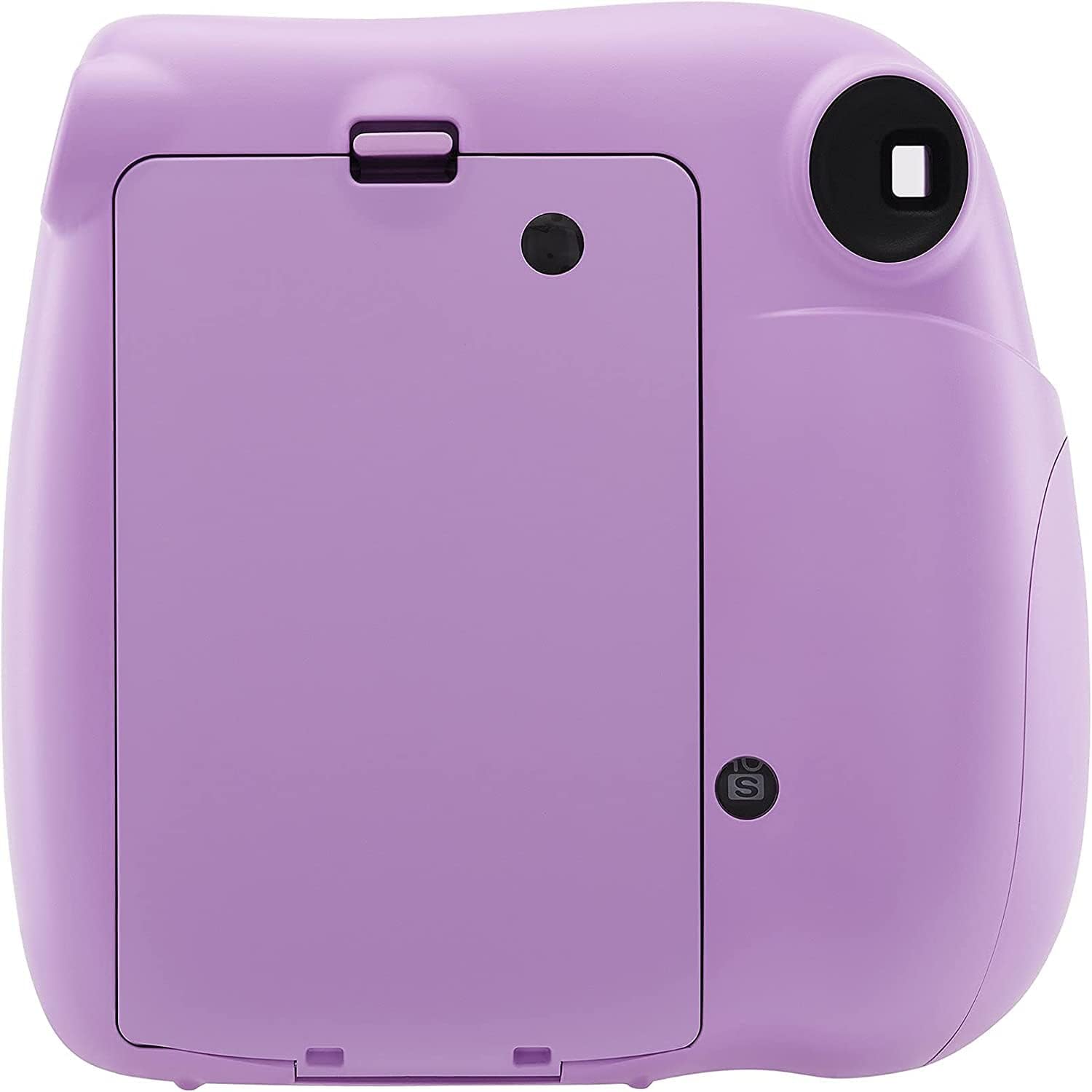
3. Gosod
3.1 Gosod Batris
The Instax Mini 7+ requires four AA-size 1.5V alkaline batteries. Ensure you use new batteries for optimal performance.
- Open the battery compartment cover located on the side of the camera.
- Insert the four AA batteries, ensuring the correct polarity (+/-) as indicated inside the compartment.
- Caewch y clawr adran batri yn ddiogel.
3.2 Loading Film
Use only Fujifilm Instax Mini Instant Film. Each pack contains 10 exposures.
- Open the film compartment cover on the back of the camera.
Nodyn: Do not open the film compartment until you are ready to load a new film pack. Light exposure can ruin the film. - Align the yellow mark on the film pack with the yellow mark on the camera's film compartment.
- Gently push the film pack in until it clicks into place.
- Close the film compartment cover. The camera will automatically eject the black film cover sheet.
- The film counter will display "10" (or the number of remaining films).
4. Gweithredu'r Camera
4.1 Troi Ymlaen/Diffodd
- To turn on: Press the button next to the lens to extend the lens.
- To turn off: Push the lens back into the camera body.
4.2 Adjusting Brightness (Exposure Control)
The Instax Mini 7+ features a brightness adjustment dial to optimize your photos for different lighting conditions. Rotate the dial to select the appropriate mode:
- Indoor/Night: For dark indoor scenes or night shots.
- Cloudy/Shade: For cloudy days or shaded outdoor areas.
- Dirwy: For clear, sunny outdoor conditions.
- Clir: For very bright, sunny outdoor conditions.
The camera will indicate the recommended setting with a lit LED next to the corresponding icon.
4.3 Tynnu Llun
- Turn on the camera by extending the lens.
- Edrychwch drwy'r viewdarganfyddwr i fframio'ch ergyd.
- Adjust the brightness dial according to the lighting conditions.
- Press the shutter button firmly. The photo will automatically eject from the top of the camera.
- Allow the photo to develop for a few minutes. Do not shake or bend the print.
4.4 Using the Selfie Mirror
The small mirror located next to the lens allows you to frame self-portraits accurately. Use it to compose your selfie before pressing the shutter button.
5. cynnal
5.1 Glanhau'r Camera
- Wipe the camera body with a soft, dry cloth.
- For the lens and viewfinder, use a lens cleaning cloth. Avoid using abrasive cleaners or solvents.
- Keep the film ejection slot clear of dust and debris.
5.2 Storio
- Store the camera in a cool, dry place away from direct sunlight and high humidity.
- Os ydych chi'n storio am gyfnod hir, tynnwch y batris i atal gollyngiadau.
6. Datrys Problemau
| Problem | Achos Posibl | Ateb |
|---|---|---|
| Nid yw'r camera yn troi ymlaen. | Mae batris wedi marw neu wedi'u mewnosod yn anghywir. | Amnewidiwch gyda batris AA newydd, gan sicrhau'r polaredd cywir. |
| Film does not eject. | Film pack is empty or not loaded correctly. | Check film counter. If 0, replace film pack. Re-insert film pack, ensuring it clicks into place. |
| Photos are too dark/light. | Incorrect brightness adjustment setting. | Adjust the brightness dial to match the lighting conditions. Refer to Section 4.2. |
| Nid yw'r fflach yn tanio. | Mae batris yn isel. | Amnewid batris. |
7. manylebau
- Ffilm: FUJIFILM instax mini Instant Film
- Maint y Llun: 62mm x 46mm
- Lens: 2 gydran, 2 elfen, f = 60 mm, 1:12.7
- Viewdarganfyddwr: Darganfyddwr delwedd go iawn, 0.37x, gyda man targed
- Ystod saethu: 0.6m - ∞
- Caead: Programmed electronic shutter 1/60 sec.
- Rheoli Amlygiad: System newid â llaw (dangosydd LED mewn mesurydd amlygiad)
- Ffilm yn bwydo allan: Awtomatig
- Fflach: Constant firing flash (automatic light adjustment)
- Flash Charging Time: 0.2 sec. to 6 sec. (when using new batteries)
- Ystod fflach: 0.6m - 2.7m
- Cyflenwad Pŵer: Four AA-size 1.5V alkaline batteries
- Amser Pweru Auto: 5 munud
- Dimensiynau: 119.5mm x 121.5mm x 70.5mm
- Pwysau: 320g (without batteries, strap, and film pack)
8. Gwarant a Chefnogaeth
This Fujifilm Instax Mini 7+ camera is a renewed product. Please refer to the specific warranty terms provided by the seller, InstantCamera, for details regarding coverage and duration. Typically, renewed products come with a limited warranty from the seller or a third-party refurbisher.
For technical support or warranty claims, please contact the seller directly through the platform where the purchase was made. You may also visit the official Fujifilm support website for general product information and FAQs related to Instax cameras.
- Gwerthwr: InstantCamera
- Polisi Dychwelyd: 90-day refund/replacement (as per Amazon Renewed policy)
- Fujifilm Official Websafle: www.fujifilm.com
Dogfennau Cysylltiedig - Instax Mini 7+
 |
Fujifilm Instax Mini 13 User's Guide and Safety Precautions Explore the Fujifilm Instax Mini 13 instant camera with this comprehensive user guide. Learn how to load film, take photos, use special modes like Close-Up and Self-Timer, and understand important safety information for optimal operation. |
 |
FUJIFILM instax mini 40 Canllaw Defnyddiwr Camera Gwib Get the most out of your FUJIFILM instax mini 40 instant camera with this comprehensive user guide. It covers everything from initial setup, including battery and film insertion, to detailed instructions on taking photos, mastering selfie mode, and understanding camera specifications. Essential safety precautions and handling advice are also provided to ensure a great photography experience. |
 |
Fujifilm Instax Mini LiPlay Hybrid Instant Camera User's Guide This user's guide provides comprehensive instructions for operating the Fujifilm Instax Mini LiPlay Hybrid Instant Camera, covering setup, shooting, playback, printing, and troubleshooting. |
 |
Canllaw Defnyddiwr Fujifilm Instax Mini LiPlay Canllaw cynhwysfawr i gamera gwib hybrid Fujifilm Instax Mini LiPlay, sy'n ymdrin â'i nodweddion, ei swyddogaethau a'i ragofalon diogelwch. |
 |
FUJIFILM instax mini 13 Instant Camera User Manual Comprehensive user manual for the FUJIFILM instax mini 13 instant camera, covering setup, operation, shooting modes, safety precautions, and specifications. |
 |
Canllaw Defnyddiwr FUJIFILM instax mini Evo Comprehensive user's guide for the FUJIFILM instax mini Evo hybrid instant camera, covering setup, operation, features, troubleshooting, and safety information. |