
1. Rhagymadrodd
The KHQ Mini Projector VF260 Pro is a portable, full HD video projector designed for home theater use, outdoor movies, and various entertainment applications. It supports 1080P resolution and offers wide compatibility with multiple devices. Its compact size and enhanced brightness make it an ideal choice for a versatile viewing profiad.
Mae nodweddion allweddol yn cynnwys:
- 1080P Full HD enhancement technology for a superior viewing profiad.
- Compact and lightweight design (5.6 x 3.8 x 2.3 inches, 0.75 pounds) for easy portability.
- Built-in stereo speakers and adjustable focus.
- Projection size from 21 inches to 170 inches, with an optimal distance of 6.5 ft to 9.8 ft.
- Wide compatibility with HDMI, USB, and AV inputs for connecting TV sticks, PS4/5, Chromecast, PCs, laptops, and more.
- Long LED bulb life of 30,000 hours.
2. Beth sydd yn y Bocs
Wrth agor y pecyn, gwnewch yn siŵr bod yr holl eitemau canlynol yn bresennol:
- KHQ Mini Projector VF260 Pro
- Cord Pŵer
- Llawlyfr Defnyddiwr (y ddogfen hon)
- Cebl HDMI
- Bag Cario

Figure 2.1: KHQ Mini Projector VF260 Pro and its accessories.
3. Cynnyrch Drosview
3.1. Porthladdoedd a Chysylltiadau
The projector features a variety of ports for connecting different devices:
- DC YN: Porthladd mewnbwn pŵer.
- HDMI: Connects to devices like TV sticks, PS4/5, PCs, and laptops for high-definition video and audio.
- Mewnbwn USB: For connecting USB drives or other USB-compatible devices.
- AV Input Slot: For connecting older devices using the included AV cable.
- Earphone Slot: 3.5mm audio output for headphones or external speakers.

Figure 3.1: Rear panel ports of the projector.
3.2. Rheolyddion y Panel Uchaf
The top panel provides direct control buttons for basic functions:
- Botwm Pŵer
- Botymau Llywio (I fyny, i lawr, i'r chwith, i'r dde)
- OK Button (Confirm selection)
- Botwm Cefn
- Source Button (Select input source)
Ffigur 3.2: Rheolyddion y panel uchaf.
4. Gosod
4.1. Cysylltiad Pwer
Connect the provided power cord to the DC IN port on the projector and then plug it into a power outlet.
4.2. Cysylltu Dyfeisiau
Use the appropriate cable (HDMI, AV) to connect your desired device to the projector. For smartphones, an additional adapter (Lightning/Micro USB/Type C to HDMI) is required and not included.
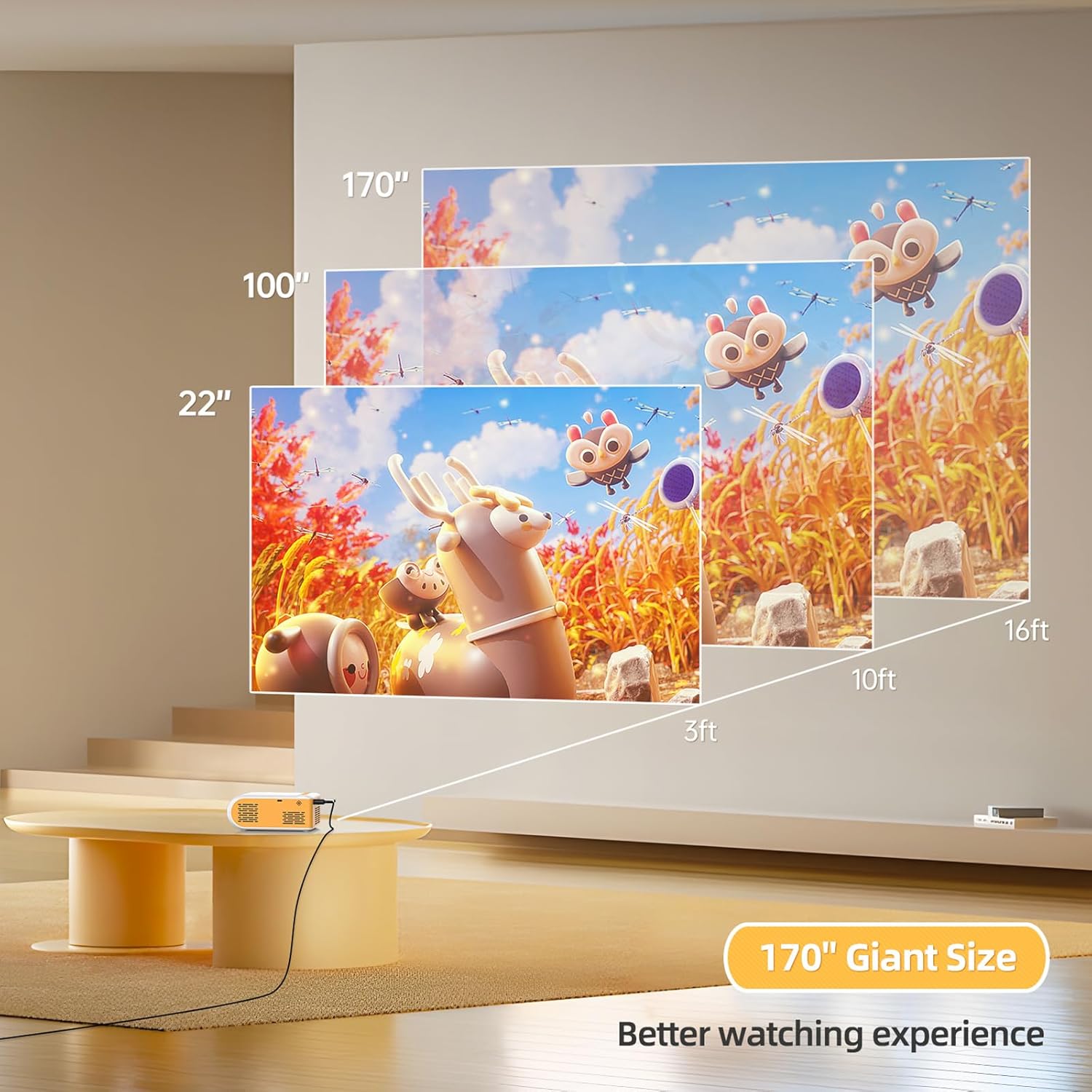
Figure 4.1: Smartphone connection diagram (adapter not included).
4.3. Focus Adjustment and Projection Size
Adjust the focus ring near the lens until the image is clear. The optimal projection distance is 6.5 ft to 9.8 ft, allowing for a screen size between 21 inches and 170 inches.

Figure 4.2: Projection distance and screen size guide.
Fideo 4.1: Drosoddview of the projector's features and basic setup, including port identification and size comparison.
5. Cyfarwyddiadau Gweithredu
5.1. Pŵer Ymlaen / I ffwrdd
Press the power button on the top panel or the remote control to turn the projector on or off.
5.2. Dewis Ffynhonnell
Use the "Source" button on the projector or remote to cycle through input options (HDMI, USB, AV) until your connected device's display appears.
5.3. Addasu Gosodiadau
Use the navigation buttons and OK button on the projector or remote to access and adjust settings such as picture mode, sound mode, aspect ratio, and more.

Figure 5.1: Projector in use for gaming.

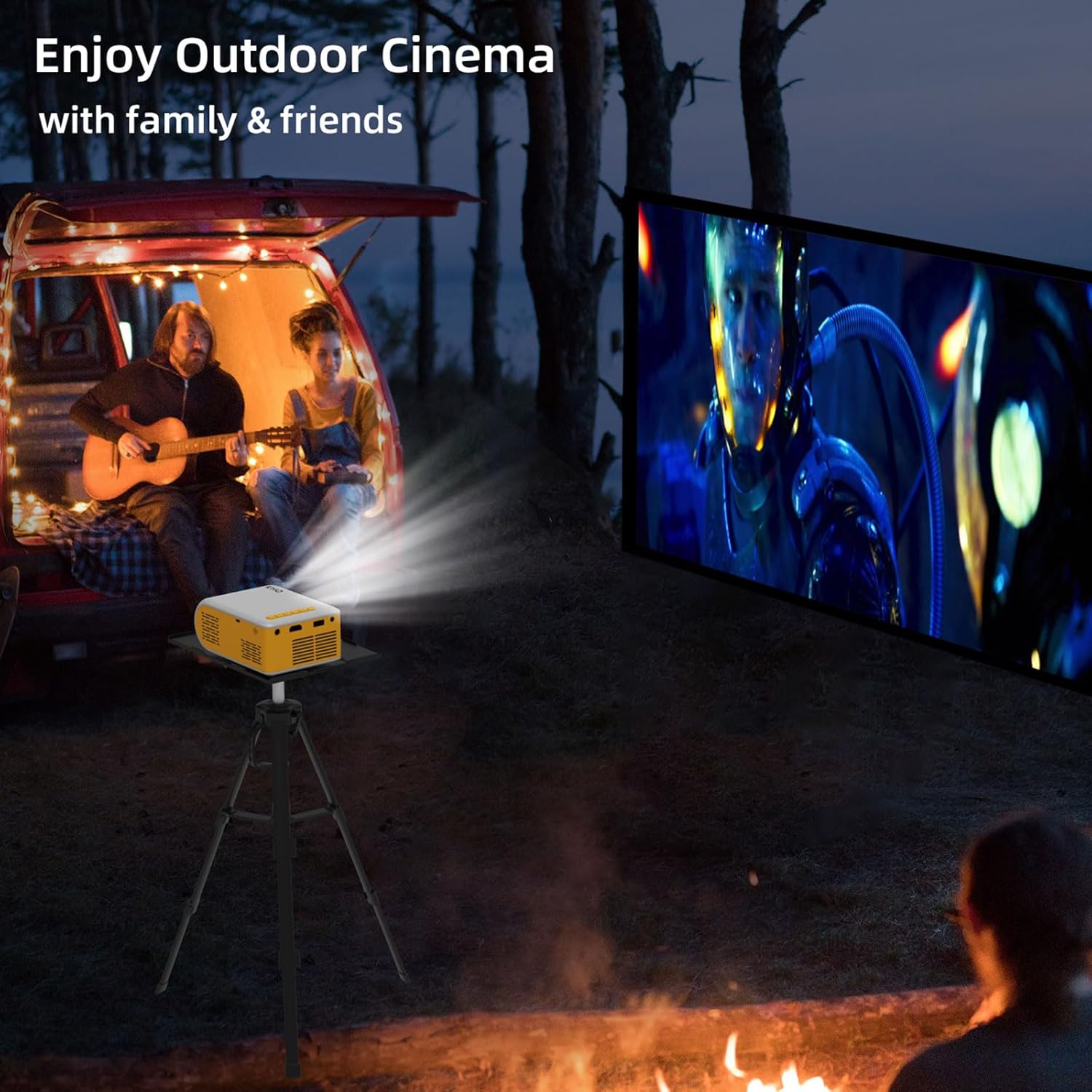
Figure 5.2: Projector used for outdoor cinema.
Video 5.1: Demonstration of the projector's image quality and sound in a dark room.
Video 5.2: Showcase of the projector's features and ease of use, highlighting its portability and various input options.
6. cynnal
6.1. Glanhau'r Lens
Defnyddiwch frethyn meddal, di-flwff sydd wedi'i gynllunio'n benodol ar gyfer lensys optegol i sychu lens y taflunydd yn ysgafn. Osgowch ddefnyddio glanhawyr sgraffiniol neu frethyn a allai grafu'r lens.
6.2. awyru
Ensure the projector's ventilation openings are not blocked during operation to prevent overheating. Allow adequate space around the projector for proper airflow.
6.3. Storio
When not in use, store the projector in a cool, dry place, away from direct sunlight and excessive dust. Use the provided carrying bag for protection during storage and transport.
6.4. Lamp Bywyd
The projector features an LED bulb with an estimated life of 30,000 hours, providing long-lasting performance without frequent bulb replacement.
7. Datrys Problemau
| Problem | Achos Posibl | Ateb |
|---|---|---|
| Dim delwedd wedi'i harddangos. | Incorrect input source selected; loose cable connection; device not powered on. | Dewiswch y ffynhonnell fewnbwn gywir. Gwiriwch yr holl gysylltiadau cebl. Gwnewch yn siŵr bod y ddyfais gysylltiedig wedi'i throi ymlaen. |
| Mae'r ddelwedd yn aneglur. | Focus not adjusted; projector too close/far from screen. | Adjust the focus ring. Position the projector within the optimal projection distance (6.5 ft - 9.8 ft). |
| Dim sain. | Volume too low; audio cable not connected; device audio output settings. | Increase projector volume. Ensure audio cables are correctly connected. Check audio settings on the connected device. |
| Cannot connect smartphone. | Missing required adapter. | An additional Lightning/Micro USB/Type C to HDMI adapter is required (not included). |
| Projector overheats. | Awyru wedi'i rwystro. | Ensure ventilation openings are clear and allow sufficient space around the projector. |
8. manylebau
- Brand: KHQ
- Model: VF260
- Cydraniad Arddangos: 1920 x 1080 (1080P Full HD Supported)
- Technoleg Cysylltedd: HDMI, USB, AV
- Pwysau Eitem: 0.75 pounds (approx. 1.58 pounds packaged)
- Dimensiynau Cynnyrch: 5.63 x 3.78 x 2.28 modfedd
- Lamp Bywyd: 30,000 awr
- Defnyddiau a Argymhellir: Dan Do / Awyr Agored
- Nodwedd arbennig: Ysgafn
- Lletraws Sgrin Weladwy: 100" / 254 cm (as per important information)
9. Gwarant a Chefnogaeth
KHQ offers 7x24h after-sales service for this product. If you encounter any problems during the use of the LED projector, please contact the seller or manufacturer for assistance. This projector is primarily designed as a mini home theater projector and is not recommended for PPT or business presentations.