
Rhagymadrodd
The havit GK58B is a USB plug-and-play gaming microphone designed for clear voice communication. It features omnidirectional sound pickup, a flexible gooseneck, a stable base, and unique RGB lighting effects. This manual provides instructions for setup, operation, maintenance, and troubleshooting to ensure optimal performance.
Nodweddion
- Plygio a Chwarae USB: Simple connection without driver installation.
- Casglu Omncyfeiriad: Captures sound from all directions for clear communication.
- Gooseneck Hyblyg: Adjustable microphone position for optimal voice capture.
- Sylfaen Sefydlog: Ensures the microphone remains securely in place.
- Goleuadau RGB: Integrated lighting for an enhanced aesthetic.
Cynnwys Pecyn
The havit GK58B package includes:
- 1 x havit GK58B USB Gaming Microphone
- 1 x Llawlyfr Defnyddiwr (y ddogfen hon)

Delwedd: Blaen view of the havit GK58B USB Gaming Microphone retail packaging.

Delwedd: Cefn view of the havit GK58B USB Gaming Microphone retail packaging, showing product specifications.
Gosod
- Dadbacio'r meicroffon: Carefully remove the havit GK58B microphone from its packaging.
- Lleoli'r meicroffon: Place the microphone on a stable, flat surface. Adjust the flexible gooseneck to position the microphone head optimally for your voice, typically 15-30 cm (6-12 inches) from your mouth.
- Cysylltu â Chyfrifiadur: Plug the USB connector of the microphone cable into an available USB port on your computer.
- Gosod Gyrrwr: The microphone is plug-and-play and does not require additional driver installation. Your operating system should automatically detect and configure the device.
- Dewiswch fel Dyfais Diofyn:
- Windows: Ewch i Gosodiadau Sain > Panel Rheoli Sain > Recordio tab. Select "havit GK58B" or similar as your default recording device.
- MacOS: Ewch i Dewisiadau System > Sain > Mewnbwn tab. Select "havit GK58B" or similar as your input device.
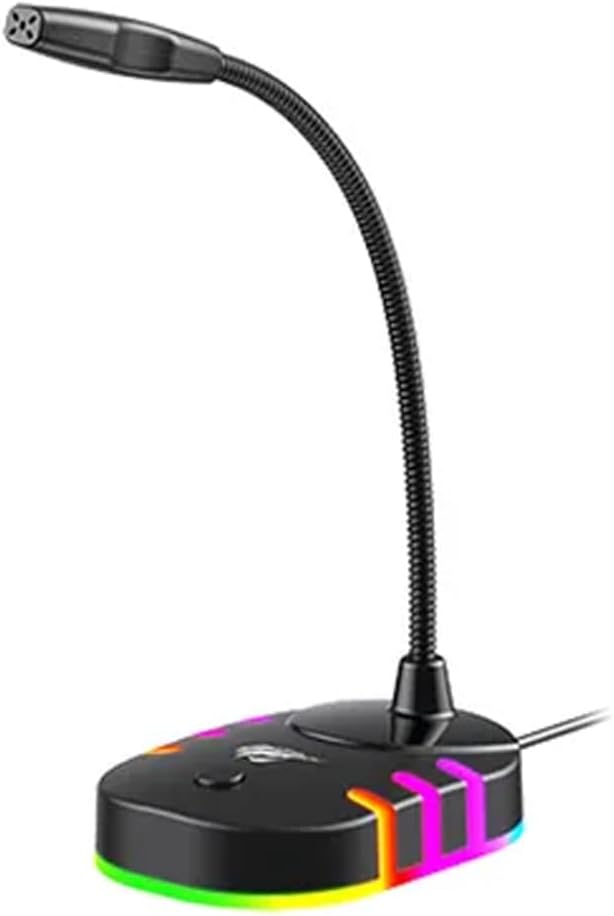
Delwedd: Ochr flaen view of the havit GK58B USB Gaming Microphone, showing the gooseneck and base with RGB lighting.
Cyfarwyddiadau Gweithredu
- Actifadu Meicroffon: Once connected and selected as the default input device, the microphone is ready for use. The RGB lighting on the base will illuminate, indicating it is powered on.
- Addasu cyfaint: Microphone input volume can be adjusted through your computer's sound settings or within the specific application you are using (e.g., game chat, communication software).
- Casglu Omncyfeiriad: The GK58B features an omnidirectional polar pattern, meaning it picks up sound equally from all directions. This is suitable for capturing ambient sound or multiple speakers around the microphone. For best voice clarity, speak directly towards the microphone head.
- Rheoli Goleuadau RGB: The microphone base features RGB lighting. While specific controls are not detailed, typically these lights cycle automatically or can be toggled via a button on the base if present. Refer to the product's physical buttons for any lighting control options.
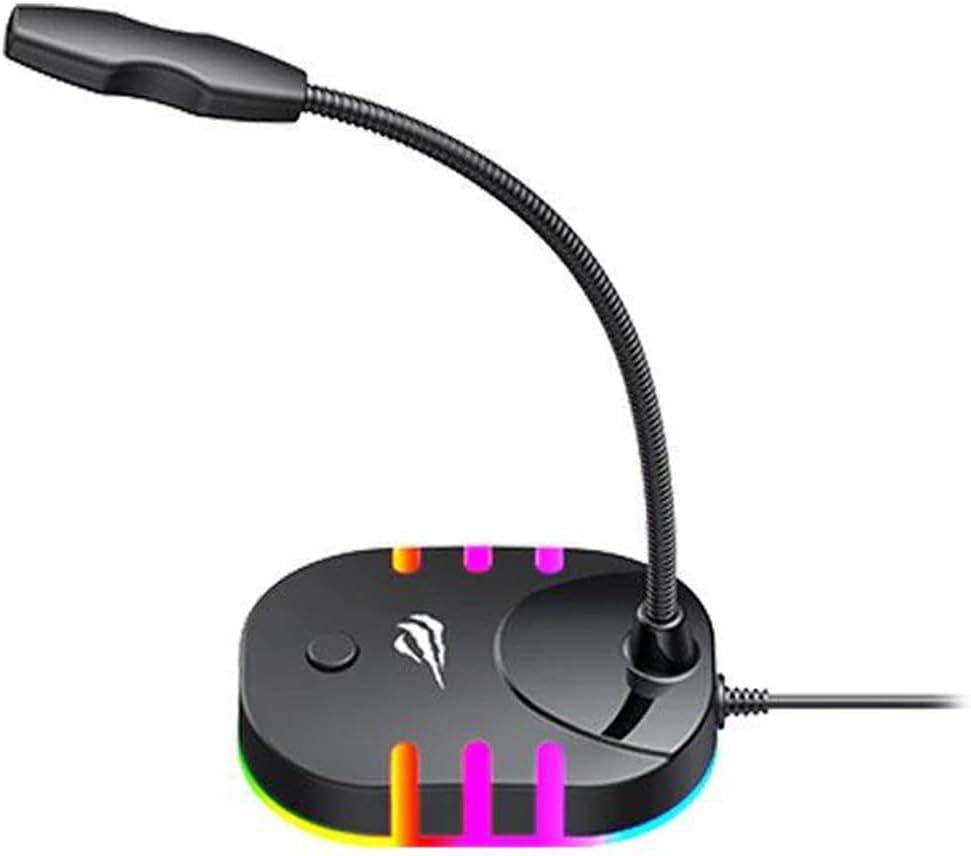
Image: Back-side view of the havit GK58B USB Gaming Microphone, showing the USB cable connection point and the base with RGB lighting.
Cynnal a chadw
- Glanhau: Use a soft, dry cloth to wipe the microphone and its base. Avoid using liquid cleaners or abrasive materials, as these can damage the device.
- Storio: When not in use, store the microphone in a clean, dry environment away from direct sunlight and extreme temperatures.
- Gofal Cebl: Peidiwch â phlygu na chrychu'r cebl USB yn ormodol. Gafaelwch yn y plwg bob amser, nid y cebl, wrth ddatgysylltu.
Datrys problemau
| Problem | Achos Posibl | Ateb |
|---|---|---|
| Microphone not detected / No sound input |
|
|
| Cyfaint meicroffon isel |
|
|
| Goleuadau RGB ddim yn gweithio |
|
|
Manylebau
| Enw Model | GK58B |
| Technoleg Cysylltedd | USB |
| Math o Gysylltydd | USB Math-A |
| Patrwm Pegynol | Ollgyfeiriad |
| Sensitifrwydd | -36 ± 3dB |
| rhwystriant | 2.2kΩ |
| Ymateb Amlder | 30Hz – 16kHz |
| Hyd Cebl | 1.5m |
| Vol Gweithredutage | 5.0V |
| Cyfredol Gweithredol | 90mA |
| Dimensiynau Meicroffon | φ6*5mm |
| Dimensiynau Cynnyrch | 7.5 x 13 x 11 cm |
| Pwysau Eitem | 2 g |
| Dyfeisiau Cydnaws | Gliniadur, Cyfrifiadur Personol |
| Nodwedd Arbennig | Stand, RGB Lighting |
Gwarant a Chefnogaeth
For warranty information and technical support, please refer to the official havit website or contact your local retailer. Keep your purchase receipt for warranty claims.
Gwneuthurwr: Havit