
1. Rhagymadrodd
This instruction manual provides essential information for the safe and effective use of your Hubble Connected View Pro Twin 5-inch Video Baby Monitor. Please read this manual thoroughly before operating the device and retain it for future reference.
The Hubble Connected View Pro Twin is designed to help you monitor your baby with its dual camera system, 5-inch color display, and various features including two-way talk, night vision, and room temperature monitoring. This device operates on a secure, non-WiFi connection for enhanced privacy.
2. Gosod
2.1. Cynnwys Pecyn
Sicrhewch fod yr holl eitemau yn bresennol yn y pecyn:
- 1 x Nursery View Pro Parent Unit
- 2 x Nursery Cameras
- 2 x Addasyddion Pwer
- Canllaw Cychwyn Cyflym
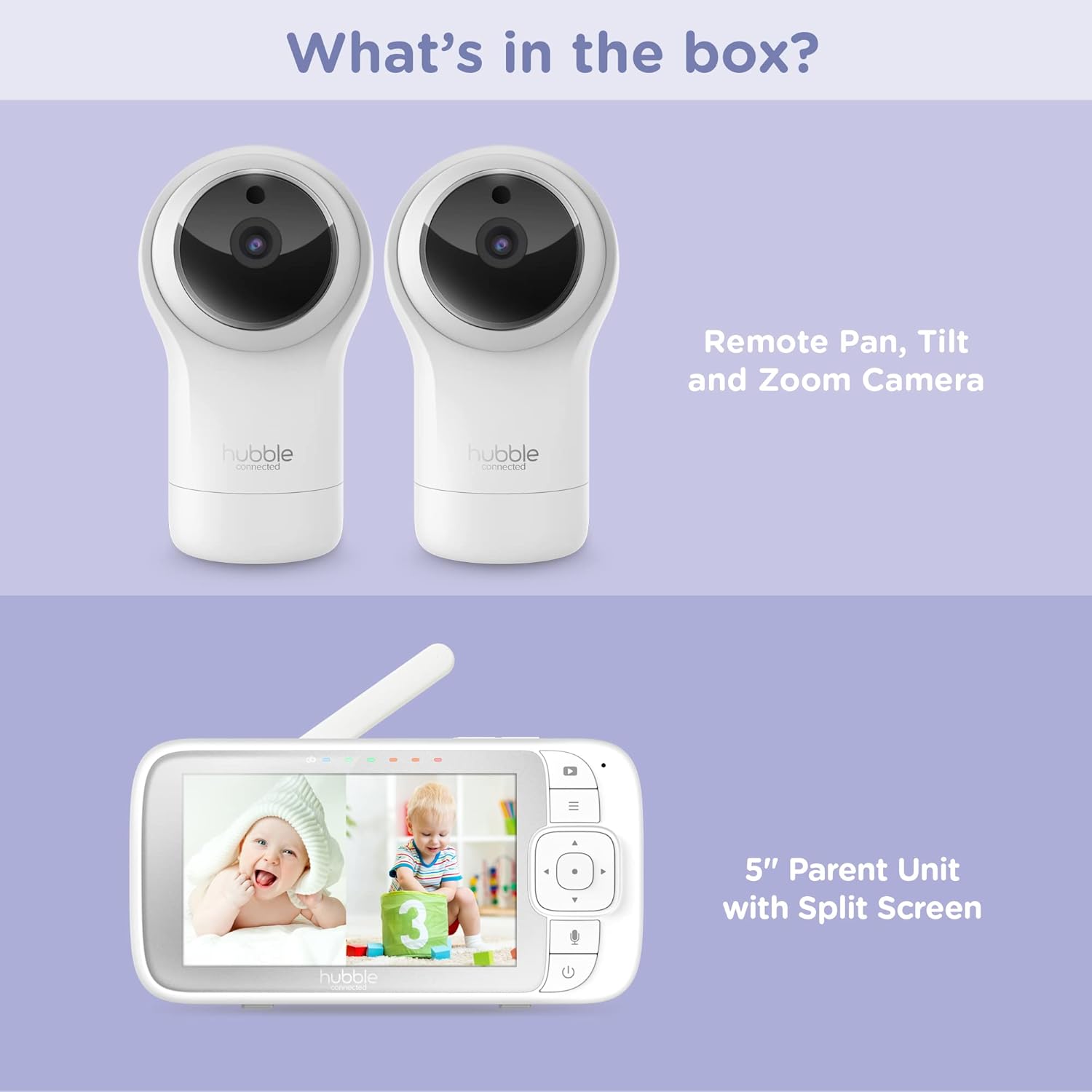
Figure 2.1: Package Contents - Parent Unit and Two Cameras
2.2. Powering On and Initial Placement
- Cysylltwch bob camera â soced pŵer gan ddefnyddio'r addasyddion pŵer a ddarperir.
- Connect the Parent Unit to a power outlet using its dedicated power adapter. The Parent Unit contains a rechargeable battery for portable use.
- Press and hold the Power button on the Parent Unit until the screen turns on.
- Place the cameras in a secure location within the baby's room, ensuring a clear view of the crib or play area. Avoid placing cameras within reach of children or near heat sources.

Figure 2.2: Hubble Connected View Pro Twin Monitor and Cameras
3. Gweithredu'r Monitor
3.1. Parent Unit Controls
The Parent Unit features a 5-inch color display and intuitive buttons for navigation and control:
- Pad Cyfeiriadol: Used to navigate menus and control camera pan/tilt/zoom.
- Botwm Dewislen: Accesses settings and features.
- Talk Button (Microphone icon): Activates two-way talk.
- Botwm Pŵer: Yn troi'r uned ymlaen / i ffwrdd.
- Botymau Cyfaint (+/-): Yn addasu'r cyfaint sain.

Figure 3.1: Parent Unit Displaying Split Screen
3.2. Viewmodau ing
Your monitor supports multiple viewopsiynau ing:
- Camera Sengl View: Displays the feed from one camera at a time. Use the menu to switch between cameras.
- Sgrin Hollti View: Simultaneously displays feeds from both cameras on the 5-inch screen. This allows for monitoring two areas at once.
- Modd Sganio: The monitor can automatically cycle through the camera feeds periodically.
3.3. Camera Control (Pan, Tilt, Zoom)
Use the directional pad on the Parent Unit to remotely adjust the camera's view:
- Pan: Move the camera horizontally (left/right).
- Tilt: Move the camera vertically (up/down).
- Chwyddo: Enlarge or reduce the image.
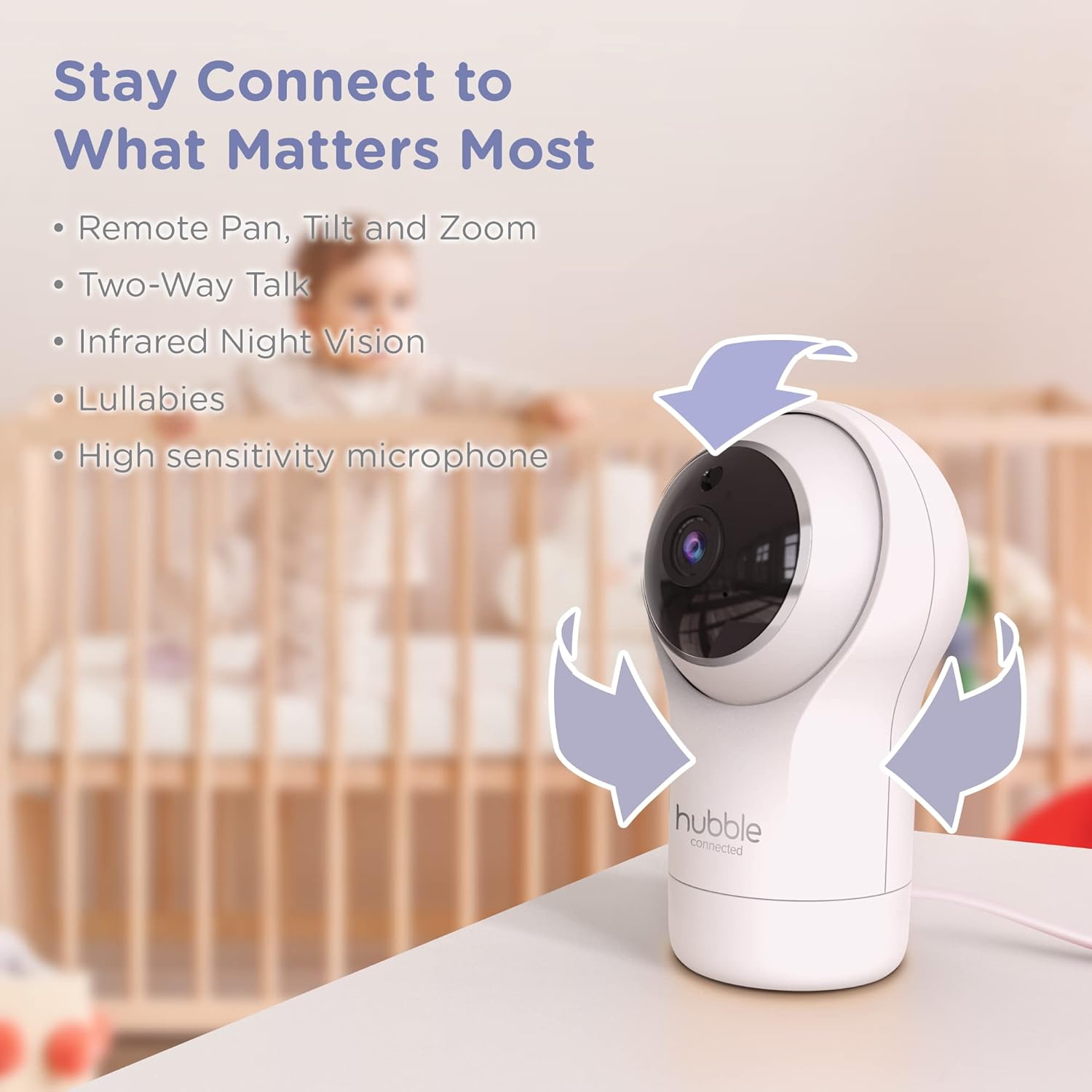
Figure 3.2: Camera Pan, Tilt, and Zoom Functionality
3.4. Sgwrs Ddwyffordd
To communicate with your baby, press and hold the microphone button on the Parent Unit and speak. Release the button to hear your baby's response.
3.5. Gweledigaeth y Nos
The cameras are equipped with infrared night vision, which automatically activates in low-light conditions, providing a clear black-and-white image of your baby.

Figure 3.3: Infrared Night Vision in Operation
3.6. Lullabies and Room Temperature Monitoring
The monitor includes preloaded lullabies to soothe your baby. Access these through the Parent Unit's menu. The system also continuously monitors the room temperature, displayed on the Parent Unit, to ensure a comfortable environment for your child.

Ffigur 3.4: Nodweddion Allweddol Drosoddview
3.7. Fideo Cynnyrch Swyddogol
Fideo 3.1: Drosoddview of the Nursery View Pro Twin features, including split screen, pan/tilt/zoom, two-way talk, night vision, and lullabies.
4. cynnal
4.1. Glanhau
To clean the monitor and cameras, use a soft, dry cloth. Do not use abrasive cleaners or solvents. Ensure the devices are unplugged before cleaning.
4.2. Storio
When not in use for extended periods, store the monitor and cameras in a cool, dry place, away from direct sunlight and extreme temperatures.
5. Datrys Problemau
5.1. No Signal/Poor Image
- Ensure both the Parent Unit and cameras are powered on and within range.
- Check for obstructions between the Parent Unit and cameras that might interfere with the signal.
- Relocate the Parent Unit or cameras to improve reception.
5.2. Battery Not Charging/Low Battery Alert
- Verify that the power adapter is securely connected to the Parent Unit and a working power outlet.
- Allow sufficient time for the battery to charge.
- Os bydd y broblem yn parhau, cysylltwch â'r tîm cymorth cwsmeriaid.
6. manylebau
| Nodwedd | Manylyn |
|---|---|
| Enw Model | Meithrinfa View Pro Twin |
| Rhif Model | HCNVPRO2 |
| Maint Sgrin | Sgrin Lliw Croeslinol 5-modfedd |
| Technoleg Cysylltedd | Wireless (Non-WiFi) |
| Amrediad | Hyd at 1,000 troedfedd / 300m |
| Datrysiad Dal Fideo | 720p |
| Nodweddion Arbennig | Night Vision, Two-Way Talk, Soothing Nature Sounds, Room Temperature Monitoring |
| Ffynhonnell Pwer | Battery Powered (Parent Unit), AC Adapter (Cameras) |
| Batris | Angen 3 batris Ion Lithiwm (wedi'u cynnwys) |
| Pwysau Eitem | 2 pwys |
| Dimensiynau Cynnyrch | 2.8 x 2.7 x 4.8 modfedd |
7. Gwarant a Chefnogaeth
7.1. Gwybodaeth Gwarant
Your Hubble Connected View Pro Twin is covered by a One (1) year Limited Warranty from the date of purchase. Please retain your proof of purchase for warranty claims.
7.2. Cefnogaeth i Gwsmeriaid
For technical assistance, troubleshooting, or warranty inquiries, please contact Hubble Connected customer support. Visit the official Hubble Connected Store am ragor o wybodaeth ac adnoddau cymorth.