
BENTSAI B35
Llawlyfr Defnyddiwr Argraffydd Inkjet Llaw BENTSAI B35
Model: B35 | Brand: BENTSAI
1. Rhagymadrodd
The BENTSAI B35 Handheld Inkjet Printer is a versatile and portable device designed for efficient and precise marking on a wide range of surfaces. It supports printing of variable data, including text, dates, batch numbers, QR codes, barcodes, and images. Its user-friendly interface and robust design make it suitable for various industrial and commercial applications.

Figure 1: BENTSAI B35 Handheld Inkjet Printer with an ink cartridge.
2. Beth sydd yn y Bocs
Gwiriwch fod yr holl gydrannau yn bresennol yn y pecyn:
- BENTSAI B35 Handheld Inkjet Printer
- BENTSAI EB22B-L Fast Dry Black Ink Cartridge
- Synhwyrydd ffotodrydanol
- Metal Positioner
- Canllaw Roller
- Addasydd Pŵer
- Disg fflach USB
- Pen Stylus
- Llawlyfr Defnyddiwr
- Aluminum Protective Box

Figure 2: All components included in the BENTSAI B35 package.
3. Gosod
Follow these steps for initial setup of your BENTSAI B35 printer:
- Install the Ink Cartridge:
Press the ink cartridge release button to open the ink cartridge holding area. Remove the plastic cover from the ink cartridge. Insert the ink cartridge firmly into the slot. Close the ink cartridge cover securely.

Figure 3: Step-by-step instructions for installing the ink cartridge.
- Gwefru'r Argraffydd:
Connect the power adapter to the printer and a power outlet. Ensure the printer is fully charged before first use for optimal battery life.
- Pŵer Ymlaen:
Press and hold the power button to turn on the printer. The 4.3-inch high-resolution touch screen will illuminate.
4. Cyfarwyddiadau Gweithredu
The BENTSAI B35 offers intuitive operation through its touch screen interface. Here are common printing functions:
4.1. Rhyngwyneb Drosview
The 4.3-inch HD touch screen provides easy and convenient operation. Key icons include Edit, Management, Setting, Maintenance, U-Disk, and Device Info.

Ffigur 4: Drosoddview of the BENTSAI B35's touch screen interface.
4.2. Creating and Editing Print Content
You can create and customize printing templates directly on the touch screen or load data from saved files via the USB flash disk.
- Text and Date Printing: Navigate to the 'Edit' section. You can directly enter text, dates, and times. The printer supports 1-10 lines of text with a maximum print height of 1 inch (25.4mm).
- QR Codes and Barcodes: The printer can generate and print QR codes and various barcode formats.
- Logos and Pictures: Import image files (BMP/PNG/JPEG) using the USB flash disk. You can save image files in groups for easy access and printing without reconfiguring settings.
- Argraffu Data Amrywiol: Print variable text, QR codes, and barcodes from .txt or .csv files, ideal for batch coding and marking.
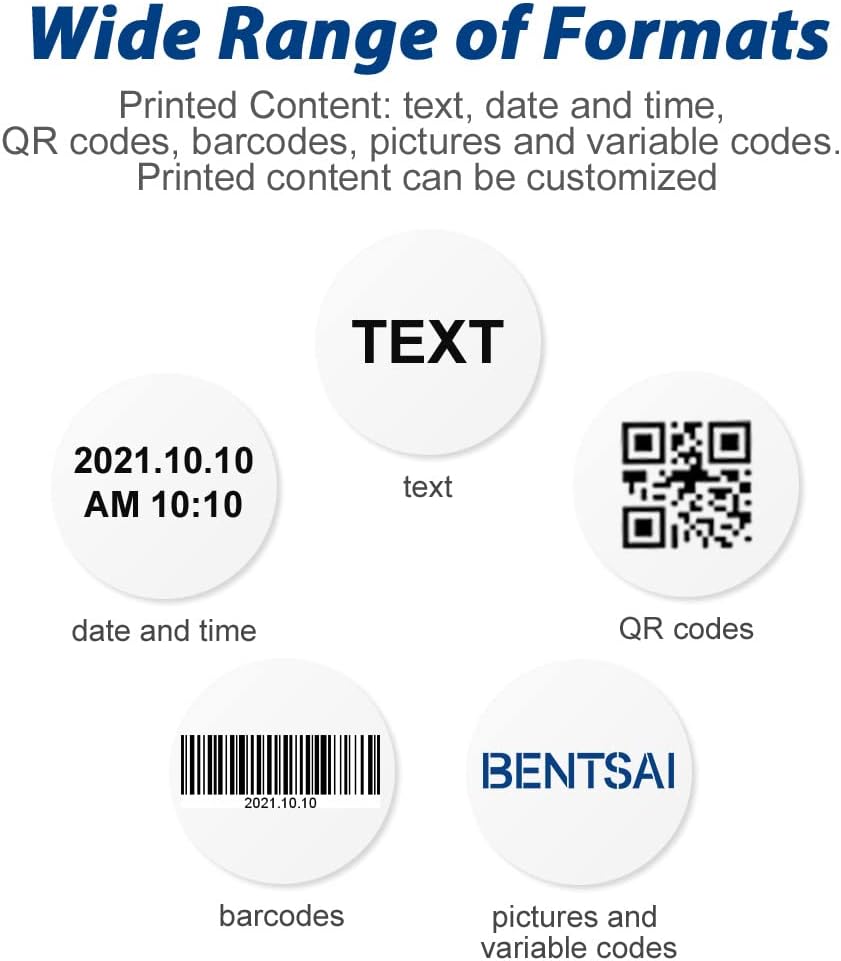
Figure 5: Various formats supported for printing, including text, date, QR codes, and barcodes.
4.3. Printing on Various Surfaces
The B35 is designed to print on both porous and non-porous surfaces, including curved and uneven ones. The built-in roller sensor ensures smooth printing as long as the printer roller is in contact with the object's surface.
- Common Materials: Easily print on materials like carton, wood, plastic, metal, fabric, glass, and aluminum.
- Using the Metal Positioner: For precise placement, use the included metal positioner template.
- Semi-Auto Production Line Printing: The printer can be mounted on a conveyor line for automatic printing, enhancing efficiency for labeling and marking tasks.

Figure 6: The BENTSAi B35 printer in various industrial and commercial settings.
Video 1: Demonstration of the BENTSAI B35 Handheld Printer's capabilities on various surfaces, including fabric, metal, plastic, wood, and cardboard. It also shows how to input dates and import logos via USB, and print increasing/gostyngiadasinrhifau g.
5. cynnal
Proper maintenance ensures the longevity and optimal performance of your BENTSAI B35 printer.
5.1. Ink Nozzle Cleaning
If prints appear unclear or incomplete, the ink may be drying or the nozzle may be clogged. Follow these steps to clean the ink nozzle:
- Wet a tissue with alcohol.
- Cover the ink cartridge nozzle with the tissue and gently shake the cartridge vigorously up and down.
- Drag the ink cartridge across the tissue to print two lines, ensuring ink flows properly.
- After each use, remember to remove the ink cartridge from the printer.
- Wipe the nozzle surface again and clean any residual ink on the protection cap.
- Cover the protective cap to prevent the ink from drying.
- Store the cartridge in a cool, dry, and shaded area.
Video 2: Detailed guide on how to clean the ink nozzle of the BENTSAI B35 printer to resolve unclear or incomplete prints.
6. Datrys Problemau
This section addresses common issues you might encounter with your BENTSAI B35 printer.
| Problem | Achos Posibl | Ateb |
|---|---|---|
| Unclear or Incomplete Prints | Ink drying or nozzle clogging. | Perform ink nozzle cleaning as described in Section 5.1. Ensure the ink cartridge is properly seated. |
| Nid yw'r Argraffydd yn Troi Ymlaen | Problem gyda batri neu addasydd pŵer isel. | Charge the printer using the provided power adapter. Ensure the power outlet is functional. |
| Difficulty Printing on Certain Surfaces | Surface texture or material incompatibility. | Ensure the surface is clean and dry. For very smooth surfaces, a quick-dry solvent ink may be required (B35 comes with fast dry ink). Use the roller guide or metal positioner for better contact. |
| USB Flash Disk Not Recognized | Improper connection or file materion fformat. | Ensure the USB flash disk is fully inserted. Verify that image files are in BMP, PNG, or JPEG format, and data files are in TXT or CSV format. |
7. manylebau
| Nodwedd | Manylyn |
|---|---|
| Enw Model | Bentsai B35 |
| Uchder Argraffu | Max 1 inch (25.4mm) |
| Llinellau Argraffu | 1-10 lines |
| Maint Sgrin | 4.3 inches HD Touch Screen |
| Cydraniad Argraffu | 600 DPI |
| Math o Inc | Water-based ink and Solvent fast dry ink (EB22B black fast dry ink cartridge included) |
| Cysylltedd | USB |
| Bywyd Batri | Over 8 hours endurance |
| Dimensiynau Cynnyrch | 4.7 x 9 x 11 modfedd |
| Pwysau Eitem | 4.62 pwys |
| Ieithoedd | 25 gosodiadau iaith |
8. Gwarant a Chefnogaeth
For warranty information and technical support, please refer to the official BENTSAI websafle neu cysylltwch â'u gwasanaeth cwsmeriaid. Gall cynlluniau amddiffyn fod ar gael hefyd ar gyfer yswiriant estynedig.
Ymwelwch â'r BENTSAI Store am fwy o gynhyrchion a chefnogaeth.
Ask a question about this manual
Ask about setup, troubleshooting, compatibility, parts, safety, or missing instructions. Manuals+ will review the question and use this page’s manual context to help answer it.