
CyberpowerPC GXiVR8480A10
CYBERPOWERPC Gamer Xtreme VR Gaming PC User Manual
Model: GXiVR8480A10 | Brand: CyberpowerPC
Your guide to setting up, operating, and maintaining your high-performance gaming desktop.
Rhagymadrodd
The CYBERPOWERPC Gamer Xtreme VR series is designed to deliver an immersive gaming and multimedia experience. Featuring the latest generation Intel Core processors and high-speed DDR RAM, this system is built to handle demanding tasks and provide smooth performance. This manual provides essential information for the proper setup, operation, and maintenance of your new gaming PC.
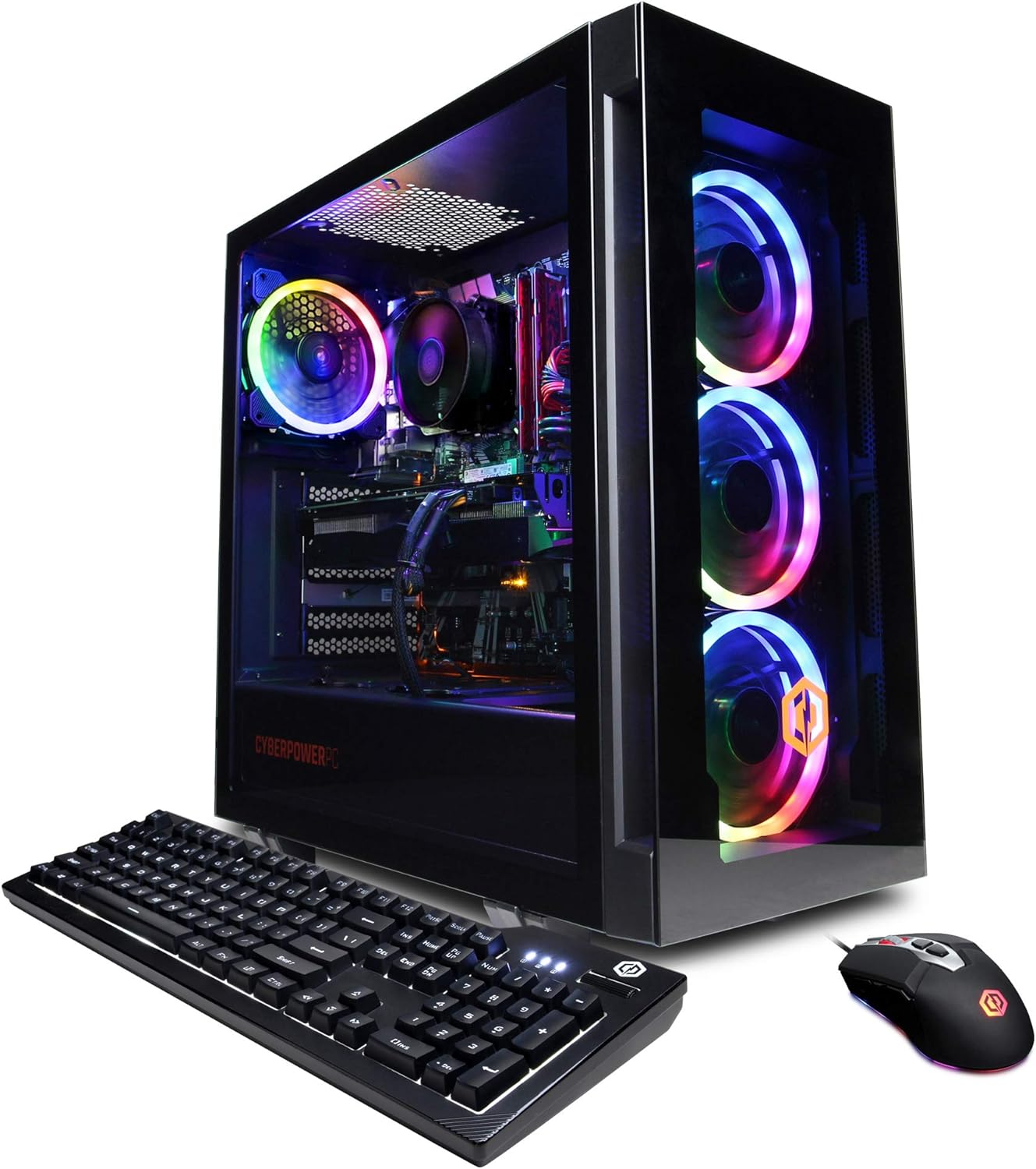
Image: The CYBERPOWERPC Gamer Xtreme VR Gaming PC, showcasing the desktop tower, included keyboard, and mouse.
Beth Sydd yn y Bocs
Upon unboxing your CYBERPOWERPC Gamer Xtreme VR Gaming PC, please verify that all the following components are present:
- CYBERPOWERPC Gaming Desktop Tower
- Bysellfwrdd Hapchwarae
- Llygoden Hapchwarae
- Cord Pŵer
- Documentation (User Manual, Quick Start Guide, etc.)
Canllaw Gosod
1. Dadbacio a Lleoli
- Carefully remove the PC and all accessories from the packaging. Retain the original packaging for future transport or service needs.
- Place the PC on a stable, flat surface with adequate ventilation. Ensure there is clear space around the air intake and exhaust vents.

Delwedd: Blaen view of the PC tower, highlighting the three illuminated RGB fans.
2. Cysylltu Perifferolion
- Monitro: Connect your monitor to the graphics card's HDMI or DisplayPort outputs. Ensure it is connected to the dedicated graphics card (NVIDIA GeForce RTX 3060) and not the motherboard's integrated graphics ports.
- Bysellfwrdd a Llygoden: Connect the included keyboard and mouse to any available USB ports on the rear of the PC.
- Rhwydwaith: For wired internet, connect an Ethernet cable to the RJ-45 port. For wireless internet, ensure the Wi-Fi antenna (if included) is attached.
- Sain: Connect speakers or headphones to the appropriate audio jacks.
- Pwer: Connect the power cord to the PC's power supply unit (PSU) and then to a grounded electrical outlet.

Delwedd: Top view of the PC, showing the accessible USB and audio ports for convenient peripheral connections.

Delwedd: Manwl view of the top I/O panel, including USB 3.0 ports, headphone and microphone jacks, and power/reset buttons.
3. Troi ymlaen yn gychwynnol
- Press the power button located on the top of the PC.
- The system will boot up, and you will be guided through the Windows 11 Home setup process. Follow the on-screen instructions to complete the initial configuration.
Cyfarwyddiadau Gweithredu
Defnydd Cyffredinol
Your CYBERPOWERPC Gamer Xtreme VR Gaming PC comes pre-installed with Windows 11 Home. It is ready for immediate use for gaming, productivity, and multimedia tasks. Ensure all drivers are up-to-date for optimal performance, especially for the NVIDIA GeForce RTX 3060 graphics card.

Delwedd: Mewnol view of the PC, displaying the motherboard, CPU cooler, RAM, and graphics card, all illuminated by RGB lighting.
Rheoli Goleuadau RGB
The PC features custom RGB case lighting. Control of the RGB lighting can typically be managed through:
- Pell wedi'i gynnwys: Some models include a dedicated remote control for fan and case lighting effects.
- Motherboard BIOS/UEFI: Access the system's BIOS/UEFI settings during startup (often by pressing F2 or DEL) to configure lighting options.
- Cyfleustodau Meddalwedd: Depending on the specific motherboard and component brands, dedicated software (e.g., Gigabyte RGB Fusion 2.0) may be available for advanced lighting customization within Windows.
Cynnal a chadw
Glanhau
- Regularly clean the exterior of the PC with a soft, dry cloth.
- Periodically use compressed air to clear dust from fan vents and internal components. Always power off and unplug the PC before cleaning.
Diweddariadau System
- Keep your Windows operating system updated through Windows Update.
- Regularly update your graphics card drivers (NVIDIA GeForce Experience is recommended) and motherboard drivers for optimal performance and stability.
System Oeri
Proper cooling is crucial for system longevity and performance. Ensure the PC has adequate airflow. While the included cooling solution is designed for general use, for extended periods of high-intensity gaming or demanding applications, monitoring CPU and GPU temperatures is recommended. Tools like Speccy or MSI Afterburner can assist with this. If consistent high temperatures are observed under load, consider enhancing the cooling solution (e.g., upgrading the CPU cooler or adding case fans) to prevent thermal throttling and ensure stable operation.
Datrys problemau
This section addresses common issues you might encounter. For more detailed troubleshooting, refer to the official CyberpowerPC support resources.
- Dim Allbwn Arddangos:
- Ensure your monitor cable is securely connected to the graphics card's output ports, not the motherboard's integrated graphics ports.
- Gwiriwch fod y monitor wedi'i droi ymlaen ac wedi'i osod i'r ffynhonnell fewnbwn gywir.
- System Overheating/Crashing During Gaming:
- Ensure the PC has proper ventilation and is not obstructed.
- Clean dust from fans and vents.
- Diweddaru gyrwyr graffeg.
- Monitor CPU/GPU temperatures. If consistently high (e.g., above 90°C), consider upgrading the CPU cooler or adding more case fans.
- Dim Cysylltiad Rhyngrwyd:
- For wired connection, check Ethernet cable and router.
- For Wi-Fi, ensure antennas are connected and drivers are installed. Check Wi-Fi settings in Windows.
- Perifferolion Ddim yn Ymateb:
- Try connecting to different USB ports.
- Ensure drivers for the peripherals are installed.
Manylebau
| Cydran | Manylyn |
|---|---|
| Prosesydd | Intel Core i5-11600KF 3.9GHz 6-Core |
| Cerdyn Graffeg | NVIDIA GeForce RTX 3060 12GB |
| HWRDD | 16GB DDR4 |
| Storio | 500GB PCI-E NVMe SSD + 1TB HDD |
| System Weithredu | Genuine Windows 11 Home 64-bit |
| Cysylltedd | 6 x USB 3.1, 2 x USB 2.0, RJ-45 Ethernet, 802.11AC Wi-Fi |
| Sain | 7.1 Sianel |
| Dimensiynau (LxWxH) | 23.62 x 12.6 x 23.62 modfedd |
| Pwysau | 35.5 pwys |
Gwarant a Chefnogaeth
CYBERPOWERPC stands behind its products with comprehensive support:
- Gwarant: 1 Year Parts & Labor Warranty.
- Cymorth Technegol: Cymorth Technegol Oes Am Ddim.
For technical assistance, warranty claims, or further inquiries, please visit the official CyberpowerPC support websafle neu cysylltwch â'u gwasanaeth cwsmeriaid.
You can also refer to the official PDF User Manual for more detailed information: Lawrlwythwch y Llawlyfr Defnyddiwr (PDF)