
Groview JQ818C
GROVIEW Llawlyfr Defnyddiwr y Taflunydd JQ818C
Brand: Groview
Model: JQ818C
1. Rhagymadrodd
The GROVIEW JQ818C Projector is designed to deliver a high-quality home theater experience with its native 1080P resolution, high brightness (15000lux 490ANSI lm), and impressive contrast ratio (12000:1). Utilizing LED light and LCD technology, it supports 4K Ultra HD video for clear and detailed images. This versatile projector offers seamless connectivity options including 2.4+5G dual-band WiFi and Bluetooth, enabling easy screen mirroring and audio integration. Its compact design and user-friendly features make it suitable for various applications, from home entertainment to business presentations.
2. Beth sydd yn y Bocs
Upon unboxing your GROVIEW JQ818C Projector, please ensure all the following components are present:
- JQ818C Projector
- Rheolaeth Anghysbell
- Cable AV
- Cebl HDMI
- Cord Pŵer
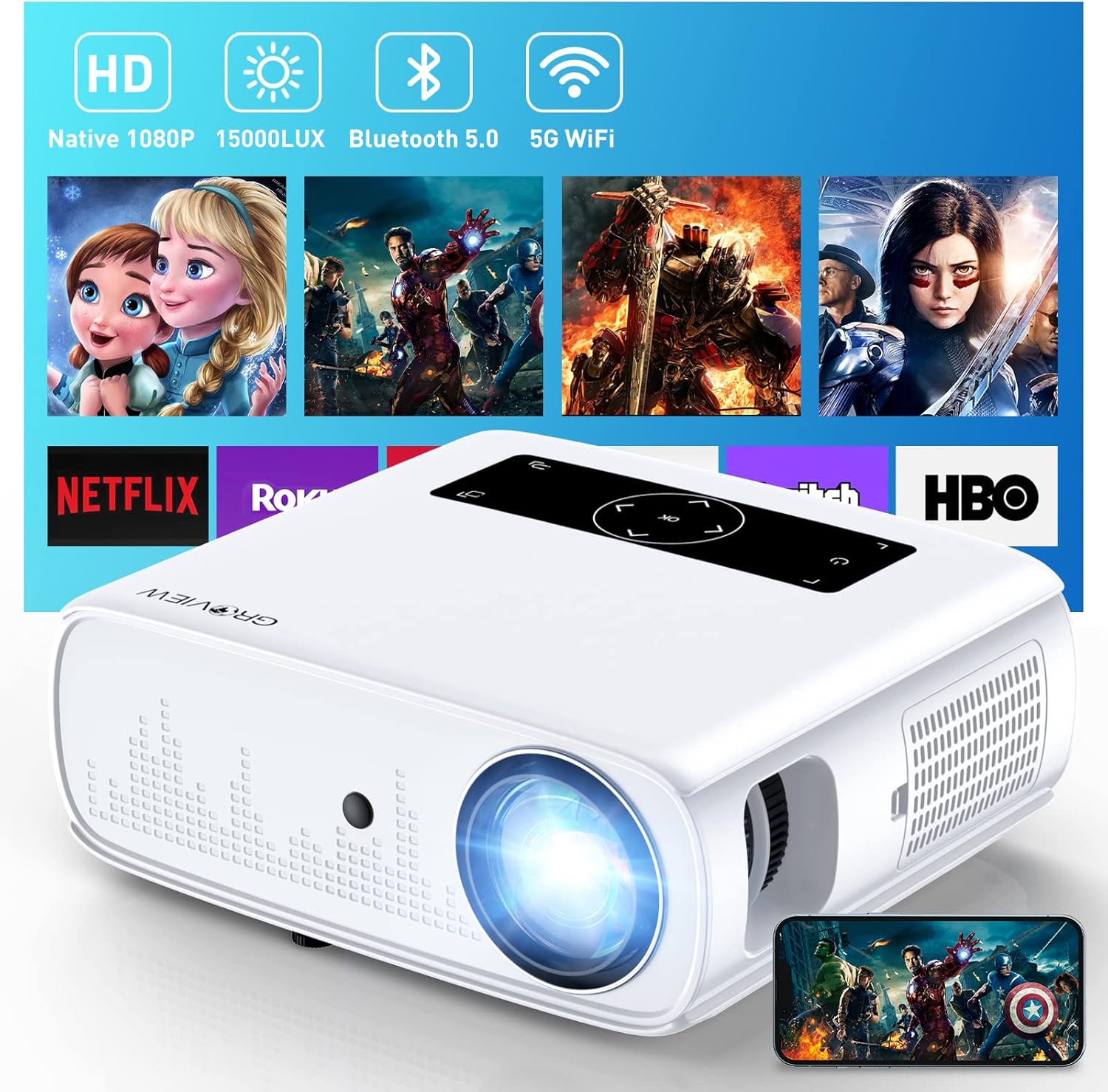
Image: The GROVIEW JQ818C Projector shown with its remote control, AV cable, HDMI cable, and power cord.
3. Cynnyrch Drosview
3.1 Nodweddion Corfforol
The GROVIEW JQ818C Projector features a sleek, white design with intuitive controls and multiple connectivity options. Its compact dimensions of 10.63 x 9.06 x 3.94 inches and a weight of 5.9 pounds make it portable for various setups.
Delwedd: Blaen view of the GROVIEW JQ818C Projector, highlighting its lens and clean design.
3.2 Porthladdoedd a Rheolyddion
The projector is equipped with a variety of ports for seamless integration with your devices:
- Porthladdoedd HDMI (x2): For connecting laptops, gaming consoles (PS5), TV sticks, and other HDMI-enabled devices.
- Porthladdoedd USB (x2): For connecting USB drives, smartphones, tablets, and other USB devices.
- Porthladd AV: Ar gyfer cysylltu dyfeisiau hŷn gan ddefnyddio cebl AV.
- Allbwn Sain (Jack 3.5mm): Ar gyfer cysylltu siaradwyr allanol neu glustffonau.
- Mewnbwn pŵer: Ar gyfer cysylltu'r cebl pŵer.
Control buttons are conveniently located on the top panel, allowing for easy navigation and adjustments. A remote control is also included for convenient operation from a distance.

Delwedd: Cefn view of the projector, detailing the HDMI, USB, AV, and audio out ports.

Image: Top panel of the projector with illuminated control buttons.
4. Gosod
4.1 Lleoliad
Rhowch y taflunydd ar arwyneb sefydlog, gwastad. Am y gorau posibl viewing, position it directly in front of your projection surface (wall or screen). The projector features an adjustable foot at the front to slightly tilt the projection upward if needed.

Image: Diagram illustrating recommended projection distances for various screen sizes (50-300 inches).
4.2 Cysylltiad Pwer
Connect the provided power cord to the projector's power input and then to a standard electrical outlet.
4.3 Addasu Pŵer Cychwynnol ac Addasu Ffocws
Press the power button on the projector or the remote control to turn on the device. Adjust the focus ring around the lens until the projected image is clear and sharp. The projector also includes a lens cap to protect the lens when not in use.
5. Cyfarwyddiadau Gweithredu
5.1 Cysylltu Dyfeisiau
The GROVIEW JQ818C Projector offers multiple ways to connect your devices:
- HDMI: Use the provided HDMI cable to connect your laptop, game console (PS5), DVD player, or TV stick to either of the two HDMI ports.
- USB: Insert a USB flash drive into one of the USB ports to play media files yn uniongyrchol.
- O: Connect older devices like DVD players using the AV cable.
5.2 Screen Mirroring (Wireless Connectivity)
Experience seamless content sharing with the projector's advanced screen mirroring capabilities:
- WiFi (2.4G+5G Dual-Band): Connect the projector to your home WiFi network for ultra-fast and stable screen mirroring from your smartphone, tablet, or laptop.
- Rhwydwaith Cellog: The projector supports one-step screen mirroring via cellular network technology, allowing you to mirror your device even outdoors without a WiFi network.
- Bluetooth: Connect the projector to external Bluetooth speakers for enhanced audio experience. The built-in 5W dual stereo speakers with SRS sound system also provide clear and dynamic audio.
5.3 Addasu Delwedd
- Swyddogaeth Chwyddo: Adjust the display size from 50 to 300 inches using the 25% zoom function, allowing you to fine-tune the image without moving the projector.
- Cywiriad Keystone: Manually adjust the keystone to correct distorted images if the projector is not perfectly perpendicular to the screen.
6. cynnal
To ensure the longevity and optimal performance of your GROVIEW JQ818C Projector, follow these maintenance guidelines:
- Glanhau'r Lens: Use a soft, lint-free cloth specifically designed for optical lenses to gently wipe the projector lens. Avoid using abrasive cleaners or cloths that could scratch the surface.
- Glanhau'r tu allan: Wipe the exterior of the projector with a soft, dry cloth. Do not use liquid or aerosol cleaners.
- Awyru: Ensure the projector's ventilation openings are clear and unobstructed to prevent overheating. Regularly check for dust buildup.
- Storio: When not in use for extended periods, store the projector in a cool, dry place, ideally in its original packaging or a protective case, with the lens cap on.
7. Datrys Problemau
If you encounter any issues with your GROVIEW JQ818C Projector, please refer to the common troubleshooting steps below. For more detailed information, consult the full Llawlyfr Defnyddiwr (PDF).
- Dim Delwedd:
- Gwnewch yn siŵr bod y llinyn pŵer wedi'i gysylltu'n ddiogel a bod y taflunydd wedi'i droi ymlaen.
- Verify the input source is correctly selected (e.g., HDMI 1, USB, Miracast).
- Check the connected device for proper output settings.
- Delwedd Niwlog:
- Addaswch y cylch ffocws ar y lens taflunydd.
- Ensure the projection surface is flat and the projector is positioned correctly.
- Use keystone correction to adjust image shape if needed.
- Dim Sain:
- Gwiriwch y gosodiadau cyfaint ar y taflunydd a'r ddyfais gysylltiedig.
- Os ydych chi'n defnyddio siaradwyr allanol, gwnewch yn siŵr eu bod nhw wedi'u cysylltu'n iawn ac wedi'u pweru ymlaen.
- Verify Bluetooth connection if using wireless audio.
- Materion Cysylltedd (WiFi/Bluetooth):
- Ensure the projector is within range of the WiFi router or Bluetooth device.
- Ailgychwynwch y taflunydd a'r ddyfais gysylltu.
- Gwiriwch am unrhyw ymyrraeth gan ddyfeisiau diwifr eraill.
8. Manylebau Technegol
| Nodwedd | Manyleb |
|---|---|
| Dimensiynau Cynnyrch | 10.63 x 9.06 x 3.94 modfedd |
| Pwysau Eitem | 5.9 pwys |
| Rhif Model | JQ818C |
| Datrysiad Brodorol | 1920 x 1080 (HD Llawn) |
| Disgleirdeb | 15000LUX (490ANSI lm) |
| Cymhareb Cyferbyniad | 12000:1 |
| Datrysiad Fideo â Chymorth | Up to 4K Ultra HD (downscaled to 1080P) |
| Maint Tafluniad | 50-300 modfedd |
| Technoleg Cysylltedd | Wireless (WiFi 2.4G+5G, Bluetooth), HDMI, USB, AV |
| Siaradwyr Cynwysedig | 5W Dual Stereo Speakers with SRS Sound System |
| Nodweddion Arbennig | Zoom function, Eye-friendly diffused reflection |
9. Gwarant a Chefnogaeth
GROVIEW yn cynnig a 2-year customer service and replacement policy for the JQ818C Projector, providing peace of mind for your purchase.
For further assistance, detailed instructions, or troubleshooting not covered in this manual, please refer to the comprehensive Llawlyfr Defnyddiwr (PDF) ar gael ar-lein.
Gallwch hefyd ymweld â'r swyddog Groview Storiwch ar Amazon am ragor o wybodaeth a chymorth am y cynnyrch.
Ask a question about this manual
Ask about setup, troubleshooting, compatibility, parts, safety, or missing instructions. Manuals+ will review the question and use this page’s manual context to help answer it.