
Redzeo BH510A
Redzeo MDots Wireless Earbuds Instruction Manual
Model: BH510A
Rhagymadrodd
Thank you for choosing Redzeo MDots Wireless Earbuds. This manual provides detailed instructions on how to set up, operate, maintain, and troubleshoot your new earbuds. Please read this manual carefully before use to ensure optimal performance and longevity of your device.
Cynnwys Pecyn
- Redzeo MDots Wireless Earbuds (Left and Right)
- Achos Codi Tâl Di-wifr
- Cebl Codi Tâl USB
- Multiple Sizes of Eartips (S/M/L)
- Multiple Sizes of Earwings (S/M/L)
- Llawlyfr Defnyddiwr
Gosod
1. Gwefru Cychwynnol
Cyn ei ddefnyddio gyntaf, gwefrwch y cas gwefru a'r clustffonau'n llawn.
- Rhowch y clustffonau yn y cas gwefru. Gwnewch yn siŵr eu bod wedi'u gosod yn gywir yn eu slotiau priodol.
- Cysylltwch y cebl gwefru USB â'r porthladd gwefru ar y cas a'r pen arall â ffynhonnell pŵer USB (e.e., cyfrifiadur, addasydd wal).
- The indicator light on the charging case will show charging status. A full charge for the case takes approximately 2.0 hours. The earbuds provide 4.0 hours of playback per charge, and the case provides up to 4 full charges, totaling 20 hours of enjoyment.

Image: The Redzeo MDots earbuds and charging case, illustrating the 20 hours total playtime with the case, 4.0 hours playback per earbud charge, and 2.0 hours to fully charge the case.
2. Paru â'ch Dyfais
The earbuds automatically enter pairing mode when taken out of the charging case.
- Agorwch y cas gwefru a thynnwch y ddau glustffon allan. Byddant yn troi ymlaen yn awtomatig ac yn ceisio cysylltu â'i gilydd.
- Ar eich dyfais sydd wedi'i galluogi gan Bluetooth (ffôn clyfar, tabled, ac ati), ewch i'r gosodiadau Bluetooth.
- Chwiliwch am new devices and select "Redzeo MDots" from the list.
- Ar ôl cysylltu, byddwch yn clywed tôn cadarnhau, a bydd y clustffonau'n barod i'w defnyddio.

Image: The Redzeo MDots wireless earbuds resting inside their open charging case, ready for pairing or charging.
3. Gosod y Clustffonau
For optimal sound quality and comfort, choose the correct size of eartips and earwings.
- Experiment with the different sizes of eartips (S/M/L) to find the best seal for your ear canal. A good seal is crucial for bass response and noise isolation.
- Select the appropriate earwings (S/M/L) that fit snugly into your ear's concha, providing stability during movement.
- Gently insert the earbuds into your ears and twist slightly until they feel secure and comfortable.
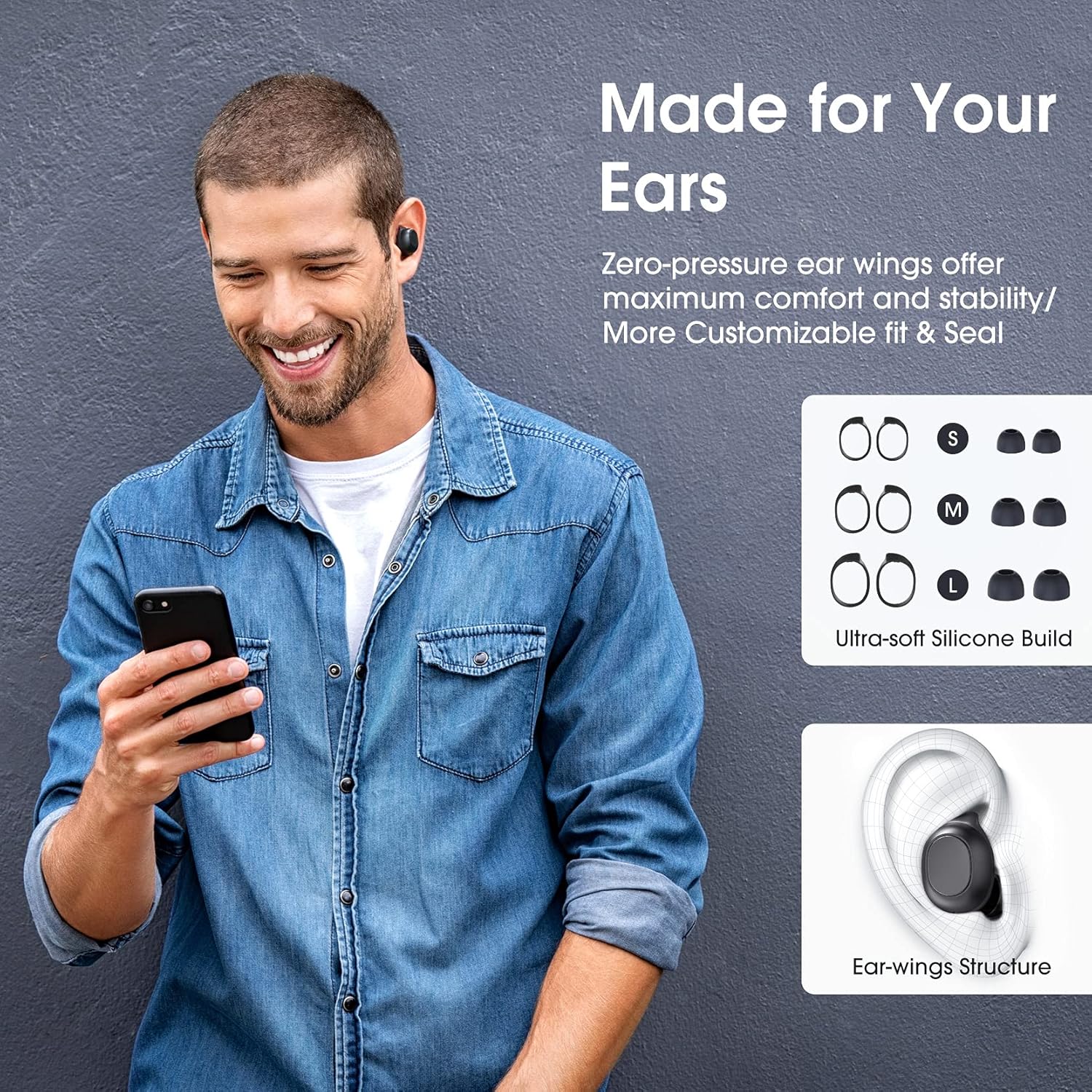
Image: A man wearing the Redzeo MDots earbuds, demonstrating their comfortable fit. The image also shows diagrams of various earwing sizes (S, M, L) and an illustration of how the earwing structure fits into the ear for maximum comfort and stability.
Cyfarwyddiadau Gweithredu
Rheolaethau Botwm
The Redzeo MDots earbuds feature two easy-to-press buttons on each earbud for comprehensive control.
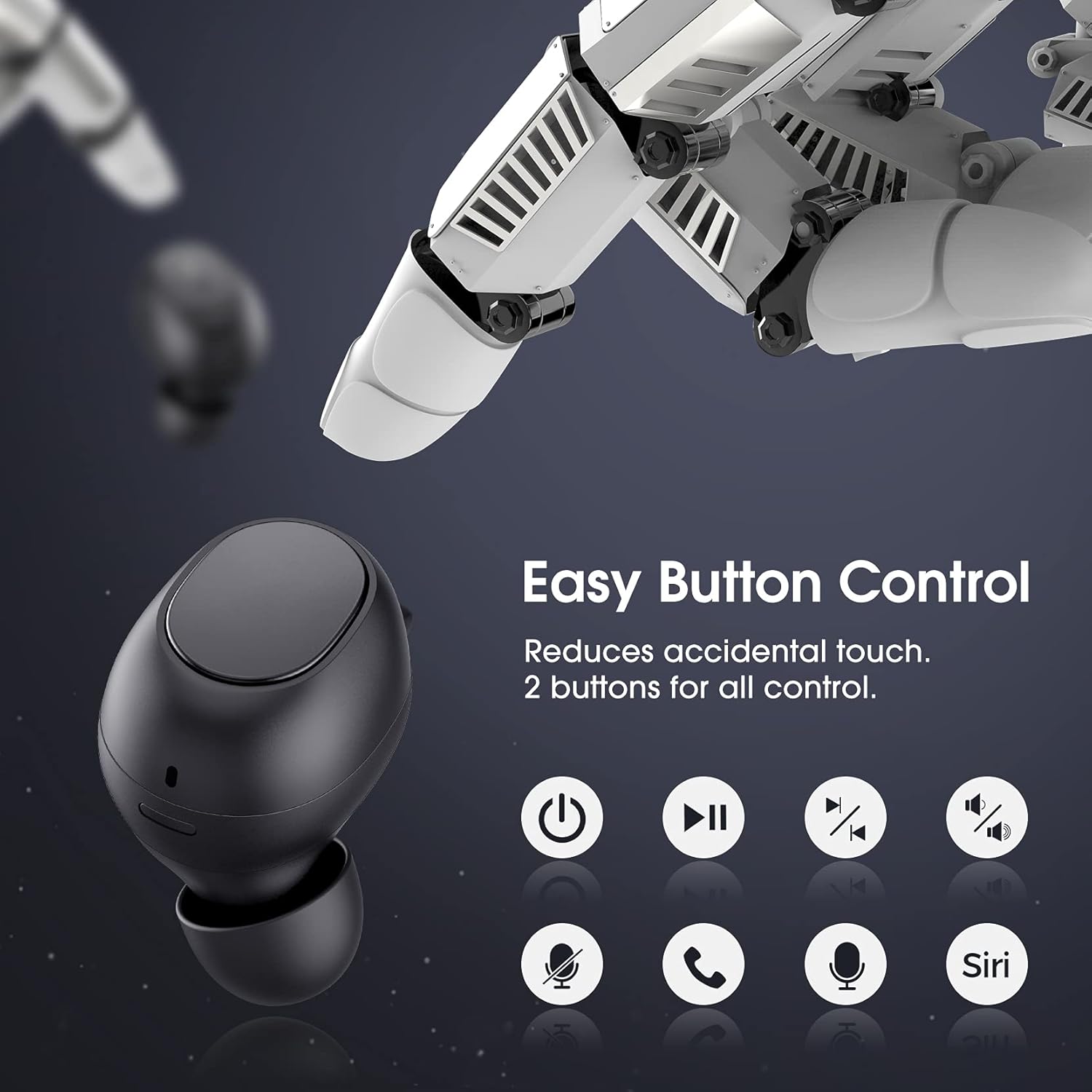
Image: A visual representation of the easy button controls on the Redzeo MDots earbuds, with icons indicating functions such as power on/off, play/pause, skip track, volume control, microphone mute, call answer/end, and voice assistant activation (Siri/Google Assistant).
| Swyddogaeth | Gweithred |
|---|---|
| Pŵer Ymlaen | Remove from charging case |
| Pŵer i ffwrdd | Place back into charging case |
| Chwarae/Saib | Single press on either earbud |
| Trac Nesaf | Double press on the Right earbud |
| Trac Blaenorol | Double press on the Left earbud |
| Cyfrol i Fyny | Press and hold Right earbud |
| Cyfrol Lawr | Press and hold Left earbud |
| Ateb/Diwedd Galwad | Single press on either earbud |
| Gwrthod Galwad | Pwyswch a daliwch y naill glust neu'r llall |
| Actifadu Cynorthwyydd Llais (Siri/Cynorthwyydd Google) | Triple press on either earbud |
Mono Mode and Twin Stereo Mode
The Redzeo MDots earbuds offer flexible listening options:
- Modd Mono: Each earbud can be used independently. This allows you to leave one ear free to hear your surroundings while still enjoying audio. Simply take one earbud out of the case to use it in mono mode.
- Twin Stereo Mode: Use both earbuds simultaneously for an immersive true wireless stereo sound experience. This mode is ideal for enjoying music or blocking out surrounding noise.

Image: A visual guide demonstrating the different listening modes: Right Mono Mode (using only the right earbud), Left Mono Mode (using only the left earbud to hear ambient sound), and Twin Stereo Mode (using both earbuds for immersive sound).
Ansawdd Sain
The MDots wireless earbuds deliver well-balanced sound with stereo bass. For the best audio experience, ensure you have selected the optimal eartips for a proper seal, which enhances bass and overall sound clarity.

Image: An exploded diagram illustrating the internal components of the Redzeo MDots earbud, highlighting the driver and acoustic structure responsible for delivering magical immersive sound with rich, high-quality audio.
Cynnal a chadw
Glanhau
Mae glanhau rheolaidd yn helpu i gynnal ansawdd sain a hylendid.
- Defnyddiwch frethyn meddal, sych, heb lint i sychu'r clustffonau a'r cas gwefru.
- For eartips, remove them from the earbuds and clean with a mild soap solution if necessary, then rinse thoroughly and dry completely before reattaching.
- Gently remove any earwax or debris from the earbud mesh using a small, soft brush or cotton swab.
Storio
Storiwch y clustffonau yn eu cas gwefru bob amser pan nad ydynt yn cael eu defnyddio i'w hamddiffyn a'u cadw'n wefredig.
Gwrthiant Dŵr (IPX6)
The Redzeo MDots earbuds feature an IPX6 waterproof nano-coating design, making them resistant to sweat, water splashes, and rain. They are suitable for strenuous exercise and all-weather conditions.

Image: The Redzeo MDots earbuds resting on a wet surface, visually representing their IPX6 waterproof capability, which provides water protection for daily use and resistance to sweat, water, and rain, making them ideal for running, yoga, and gym activities.
Nodyn Pwysig: Do not use the earbuds for swimming or immerse them in heavy rain. The IPX6 rating protects against strong jets of water, but not continuous submersion.
Datrys problemau
Materion Cyffredin ac Atebion
- Nid yw clustffonau'n paru â dyfais:
- Sicrhewch fod Bluetooth wedi'i alluogi ar eich dyfais.
- Gwnewch yn siŵr bod y clustffonau wedi'u gwefru.
- Place earbuds back in the case, close it, wait a few seconds, then open and remove them to re-enter pairing mode.
- Forget/delete "Redzeo MDots" from your device's Bluetooth list and try pairing again.
- Dim ond un clustffon sy'n gweithio:
- Sicrhewch fod y ddau glustffon wedi'u gwefru.
- Place both earbuds back into the charging case, close the lid, and then open it again. This should force them to re-sync.
- Os yw'r broblem yn parhau, ceisiwch ailosod y clustffonau (cyfeiriwch at gyfarwyddiadau'r gwneuthurwr). website or contact support for specific reset instructions if not detailed here).
- Dim sain neu gyfaint isel:
- Gwiriwch lefel y gyfrol ar eich dyfais a'r clustffonau.
- Gwnewch yn siŵr bod y clustffonau wedi'u cysylltu'n iawn â'ch dyfais.
- Clean any debris from the earbud mesh that might be obstructing sound.
- Try different eartip sizes to ensure a proper seal in your ear.
- Achos codi tâl ddim yn codi tâl:
- Gwnewch yn siŵr bod y cebl gwefru wedi'i gysylltu'n ddiogel â'r cas a'r ffynhonnell bŵer.
- Rhowch gynnig ar gebl USB neu addasydd pŵer gwahanol.
- Gwiriwch y porthladd gwefru am unrhyw falurion.
Manylebau
| Nodwedd | Manylyn |
|---|---|
| Rhif Model | BH510A |
| Brand | Cochion |
| Technoleg Cysylltedd | Di-wifr (Bluetooth 5.0) |
| Lleoliad Clust | Mewn Clust |
| Ffactor Ffurf | Mewn Clust |
| Jack clustffon | USB |
| Lliw | Du Ysgafn |
| Deunydd | Plastig |
| Dimensiynau Cynnyrch | 6.35 x 2.49 x 1.98 cm |
| Pwysau Eitem | 91 g |
| Graddfa Gwrthiant Dŵr | IPX6 |
| Playback Time (Earbuds) | Hyd at 4 awr |
| Cyfanswm Amser Chwarae (gyda Chas Gwefru) | Hyd at 20 awr |
| Amser Codi Tâl (Achos) | Tua. 2 awr |
| Cydrannau wedi'u Cynnwys | Achos Codi Tâl Di-wifr |
| Dyddiad Ar Gael Cyntaf | 31 Mai 2021 |
Gwarant a Chefnogaeth
Redzeo products are designed and manufactured to the highest quality standards. For information regarding warranty coverage, technical support, or customer service, please refer to the warranty card included in your product packaging or visit the official Redzeo websafle. Cadwch eich prawf prynu ar gyfer unrhyw hawliadau gwarant.
For further assistance, you may contact Redzeo customer support through the contact information provided on their official websafle.
Dogfennau cysylltiedigBH510A


Ask a question about this manual
Ask about setup, troubleshooting, compatibility, parts, safety, or missing instructions. Manuals+ will review the question and use this page’s manual context to help answer it.