
HOCO BS37
HOCO BS37 Dancer Outdoor Wireless Speaker User Manual
Model: BS37
1. Rhagymadrodd
Thank you for choosing the HOCO BS37 Dancer Outdoor Wireless Speaker. This manual provides detailed instructions for the safe and efficient operation of your device. Please read this manual thoroughly before use and retain it for future reference.
The HOCO BS37 is a versatile outdoor wireless speaker featuring Bluetooth V5.0 connectivity, TWS (True Wireless Stereo) support, FM radio, USB playback, and AUX input. It includes a wired microphone for karaoke functions and independent colored lights to enhance your audio experience.
2. Cynnwys Pecyn
Gwiriwch y pecyn am yr eitemau canlynol:
- HOCO BS37 Dancer Outdoor Wireless Speaker
- Meicroffon Wired
- Cebl Gwefru (USB)
- Llawlyfr Defnyddiwr
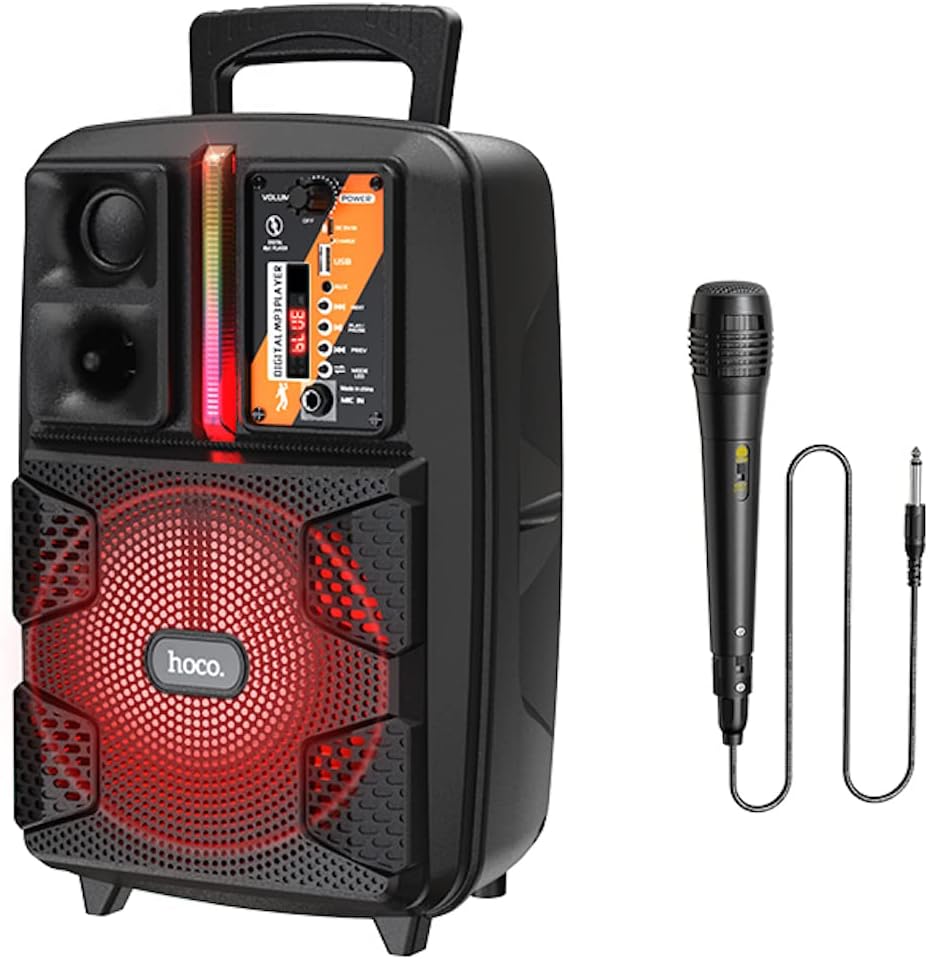
Image: The HOCO BS37 speaker shown with its included wired microphone.
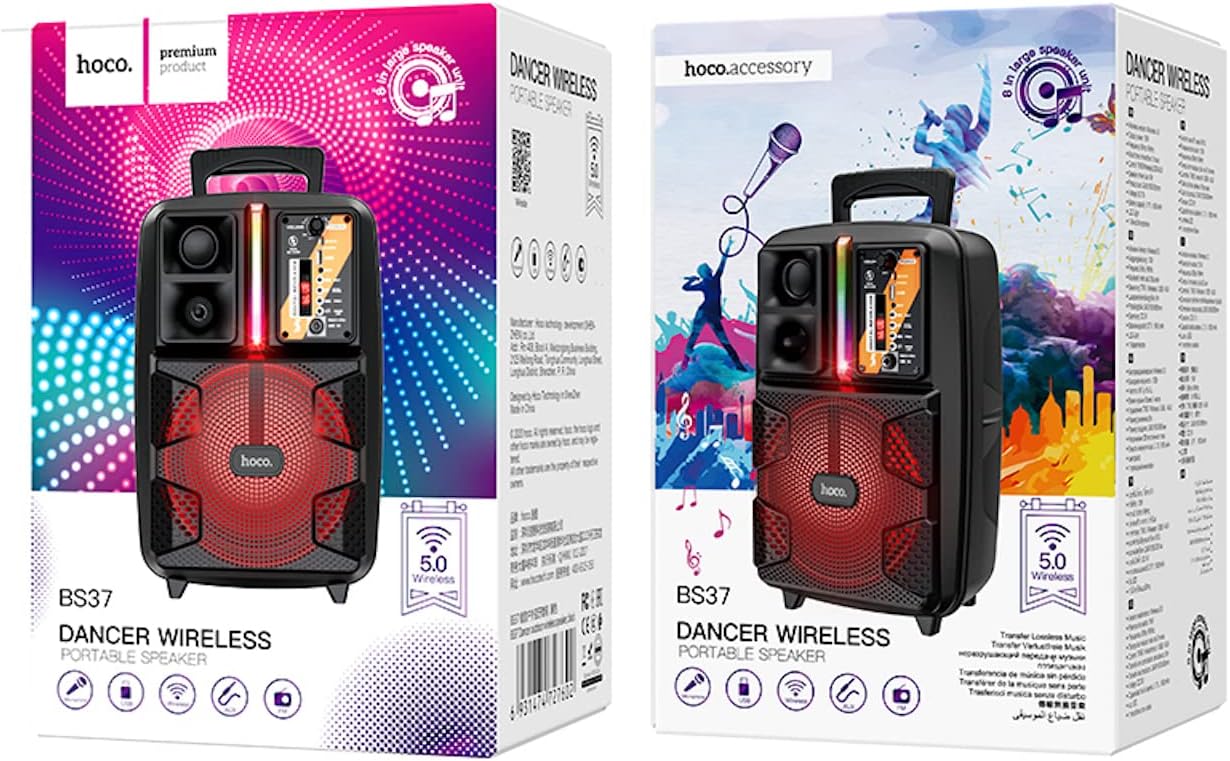
Image: The retail packaging for the HOCO BS37 Dancer Outdoor Wireless Speaker.
3. Cynnyrch Drosview
The HOCO BS37 speaker features an 8-inch speaker unit and a control panel for various functions. Familiarize yourself with the layout of the speaker's controls and ports.

Delwedd: Manwl view of the HOCO BS37 speaker's control panel, showing volume knob, power switch, USB port, AUX input, microphone input, and mode selection buttons.
Nodweddion Panel Rheoli:
- Knob CYFROL: Adjusts the overall speaker volume.
- Newid POWER: Yn troi'r siaradwr YMLAEN neu I FFWRDD.
- DC 5V YN: Charging port for the speaker.
- Porth USB: Ar gyfer chwarae gyriant fflach USB.
- AUX YN: Mewnbwn sain 3.5mm ar gyfer dyfeisiau allanol.
- MIC YN: Mewnbwn 6.35mm ar gyfer y meicroffon â gwifrau.
- Botwm MODE: Switches between Bluetooth, FM, USB, and AUX modes.
- Botwm CHWARAE / PAUSE: Yn chwarae neu'n oedi chwarae sain.
- Botymau BLAENOROL/NESAF: Yn neidio i'r trac/orsaf flaenorol neu nesaf.
- Switsh Golau: Controls the independent colored lights.
4. Gosod
4.1 Codi Tâl Cychwynnol
Before first use, fully charge the speaker. Connect the provided charging cable to the DC 5V IN port on the speaker and the other end to a suitable USB power adapter (not included). The charging time is approximately 2.5 hours.
4.2 Pweru Ymlaen/Diffodd
I droi’r siaradwr ymlaen, llithrwch y GRYM switch to the "ON" position. To power off, slide it to the "OFF" position.
5. Cyfarwyddiadau Gweithredu
5.1 Pâr Bluetooth
- Turn on the speaker. It will automatically enter Bluetooth pairing mode, indicated by an audible prompt or flashing indicator light.
- Galluogwch Bluetooth ar eich dyfais symudol (ffôn clyfar, tabled, ac ati).
- Chwiliwch am "HOCO BS37" in the list of available Bluetooth devices.
- Select "HOCO BS37" to connect. Once connected, you will hear a confirmation sound.
The speaker supports Bluetooth V5.0 for stable and efficient wireless connection.
5.2 TWS (True Wireless Stereo) Interconnection
To connect two HOCO BS37 speakers for a stereo sound experience:
- Ensure both HOCO BS37 speakers are powered on and not connected to any Bluetooth device.
- Ar un o'r siaradwyr (hwn fydd y prif siaradwr), pwyswch a daliwch y MODD button or a dedicated TWS button (if available, refer to specific button labels on your device) until you hear a pairing prompt.
- The two speakers will attempt to connect to each other. Once successfully paired, you will hear a confirmation sound.
- Now, connect your mobile device to the primary speaker via Bluetooth as described in section 5.1. Audio will play in stereo through both speakers.
Modd Radio 5.3 FM
- Gwasgwch y MODD button repeatedly until you enter FM radio mode.
- Gwasgwch y CHWARAE/SEIBIANT botwm unwaith i sganio a chadw gorsafoedd FM sydd ar gael yn awtomatig.
- Defnyddiwch y PREV a NESAF botymau i lywio rhwng gorsafoedd sydd wedi'u cadw.
Chwarae USB 5.4
- Mewnosodwch yriant fflach USB sy'n cynnwys sain MP3 files i mewn i'r Porth USB.
- The speaker will automatically switch to USB mode and begin playing audio. If not, press the MODD botwm i ddewis modd USB.
- Defnyddiwch y CHWARAE/SEIBIANT, PREV, a NESAF botymau i reoli chwarae.
5.5 Modd AUX
- Cysylltwch ddyfais sain allanol (e.e. chwaraewr MP3, gliniadur) â'r AUX YN port using a 3.5mm audio cable (not included).
- Gwasgwch y MODD botwm i ddewis modd AUX.
- Rheoli chwarae o'ch dyfais allanol gysylltiedig.

Image: The HOCO BS37 speaker highlighting its multiple playback options: Bluetooth, USB, and AUX.
5.6 Defnyddio Meicroffon (Karaoke)
- Connect the wired microphone to the MIC YN porthladd ar y siaradwr.
- Ensure the microphone's ON/OFF switch is in the "ON" position.
- Adjust the main CYFROL knob on the speaker to control the microphone's output level.
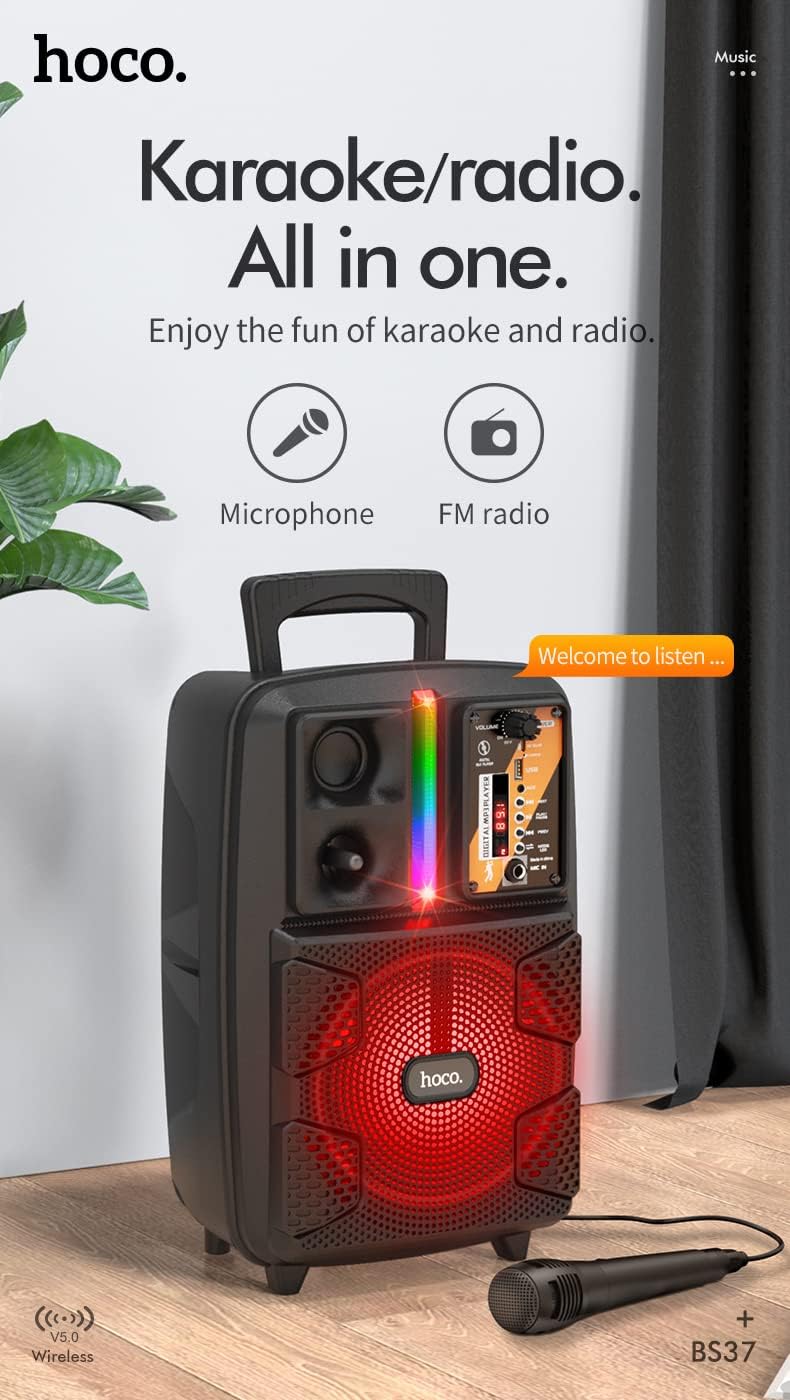
Image: The HOCO BS37 speaker with the wired microphone connected, illustrating its karaoke and radio capabilities.
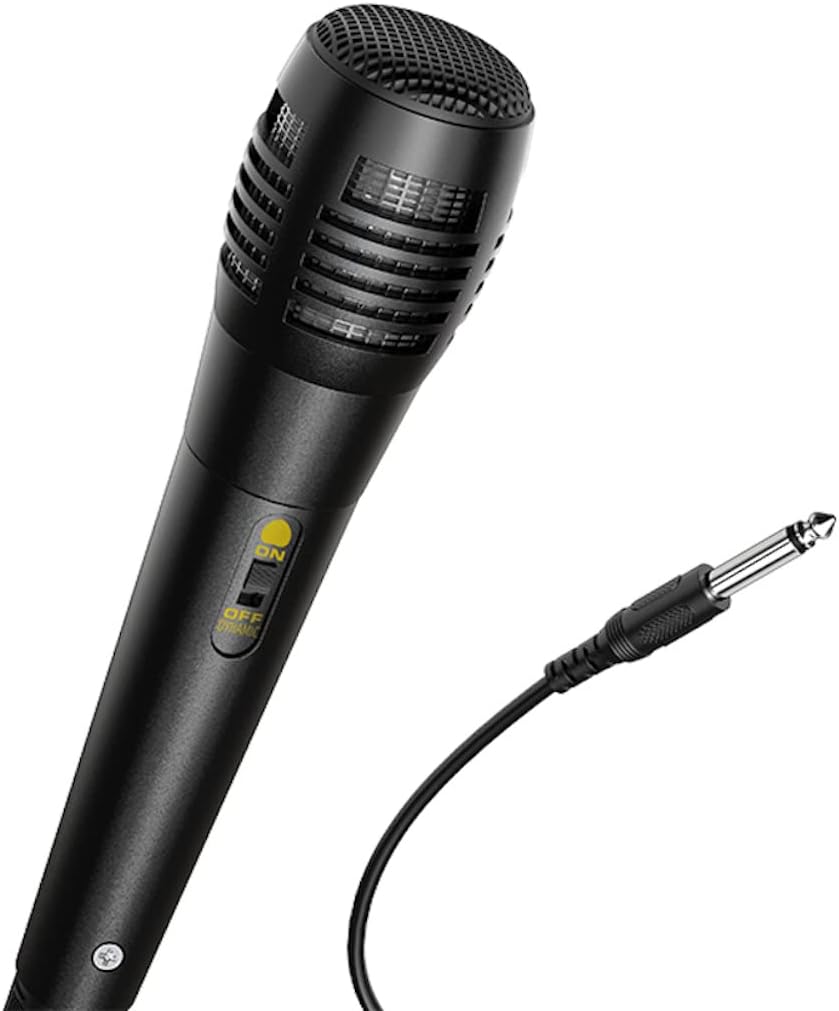
Delwedd: Llun agos view of the wired microphone included with the HOCO BS37 speaker, showing its ON/OFF switch and connector.
5.7 Effeithiau Ysgafn
The speaker features independent colored lights. Use the dedicated Switsh Golau on the control panel to turn the lights ON or OFF, or to cycle through different light modes (if applicable).

Image: The HOCO BS37 speaker displaying its colorful breathing light effects.
6. Codi Tâl ar y Llefarydd
When the battery is low, the speaker may indicate this with an audible prompt or a flashing indicator light. To charge:
- Cysylltwch y cebl gwefru i'r DC 5V YN porthladd ar y siaradwr.
- Connect the other end of the charging cable to a standard USB power source (e.g., wall adapter, computer USB port).
- The charging indicator light will illuminate. Once fully charged (approximately 2.5 hours), the indicator light may change or turn off.
A full charge provides approximately 3 hours of music playback at 80% volume.
7. cynnal
- Glanhewch y siaradwr gyda lliain meddal, sych. Peidiwch â defnyddio glanhawyr sgraffiniol na thoddyddion.
- Cadwch y siaradwr i ffwrdd o ddŵr, lleithder a thymheredd eithafol.
- Storiwch y siaradwr mewn lle oer, sych pan nad yw'n cael ei ddefnyddio am gyfnodau hir.
- Osgoi gollwng neu orfodi'r siaradwr i effeithiau cryf.
8. Datrys Problemau
| Problem | Achos Posibl | Ateb |
|---|---|---|
| Nid yw'r siaradwr yn troi ymlaen. | Mae batri wedi'i ddisbyddu. | Gwefrwch y siaradwr am o leiaf 30 munud. |
| Methu paru drwy Bluetooth. | Nid yw'r siaradwr yn y modd paru; mae Bluetooth i ffwrdd ar y ddyfais; mae'r ddyfais yn rhy bell. | Ensure speaker is in pairing mode. Turn Bluetooth off/on on your device. Move device closer to speaker (within 10 meters). |
| Dim sain o'r siaradwr. | Volume is too low; incorrect mode selected; cable not connected properly. | Increase speaker and device volume. Press MODD button to select correct input. Check all cable connections. |
| Meicroffon ddim yn gweithio. | Microphone switch is off; not plugged in correctly. | Ensure microphone switch is ON. Plug microphone firmly into MIC YN porthladd. |
9. manylebau
| Model | BS37 Dancer |
| Uned Siaradwyr | 8 inch, 2Ω10W |
| Dimensiynau (L x W x H) | 367 x 243 x 196 mm (14.45 x 9.57 x 7.72 modfedd) |
| Pwysau | 1.9 KG (4.19 pwys) |
| Fersiwn Bluetooth | V5.0 (Blue trum 5322) |
| Gallu Batri | 1800mAh (A grade 18650) |
| Amser Chwarae Cerdd | Tua 3 awr (ar gyfaint 80%) |
| Amser Codi Tâl | Tua 2.5 awr |
| Opsiynau Cysylltedd | Bluetooth, TWS, FM Radio, USB, AUX |
| Affeithwyr yn cynnwys | Meicroffon Wired |
| Dyfeisiau Cydnaws | Penbwrdd, Gliniadur, Chwaraewr MP3, Ffôn Clyfar, Tabled |
10. Gwybodaeth Diogelwch
- Do not expose the speaker to rain or moisture to prevent electric shock or fire.
- Peidiwch â dadosod, atgyweirio na newid y ddyfais eich hun. Cyfeiriwch yr holl waith cynnal a chadw at bersonél cymwys.
- Avoid placing the speaker near heat sources, such as radiators, heat registers, stoves, or other apparatus that produce heat.
- Defnyddiwch y gyfaint gwefru penodedig yn unigtage a chyfredol.
- Cadwch allan o gyrraedd plant.
- Gall gwrando am gyfnod hir ar lefelau cyfaint uchel achosi niwed i'r clyw.
11. Gwarant a Chefnogaeth
This product is covered by a limited warranty. Please refer to the warranty card included with your purchase or contact your local HOCO distributor for details regarding warranty terms and conditions.
For technical support or service inquiries, please contact the retailer where you purchased the product or visit the official HOCO websafle ar gyfer gwybodaeth cyswllt.
Ask a question about this manual
Ask about setup, troubleshooting, compatibility, parts, safety, or missing instructions. Manuals+ will review the question and use this page’s manual context to help answer it.