
1. Rhagymadrodd
Diolch am brynuasing the GOWIN Colossus Mini 8-inch Bluetooth Speaker. This manual provides essential information for the safe and efficient operation of your device. Please read it thoroughly before use and retain it for future reference.
2. Gwybodaeth Diogelwch
Rhagofalon Diogelwch Cyffredinol
- Peidiwch ag amlygu'r siaradwr i ddŵr, lleithder, na thymheredd eithafol.
- Osgoi gollwng neu orfodi'r siaradwr i effeithiau cryf.
- Peidiwch â cheisio dadosod na thrwsio'r siaradwr eich hun. Cysylltwch â phersonél gwasanaeth cymwys.
- Keep the speaker away from heat sources and direct sunlight.
- Sicrhewch awyru priodol i atal gorboethi.
Diogelwch Batri
- Defnyddiwch y cebl gwefru a ddarperir yn unig.
- Do not dispose of the battery in fire or expose it to high temperatures.
- If the battery leaks, avoid contact with skin and eyes. Seek medical attention if contact occurs.
- Peidiwch â chylched byr y terfynellau batri.
3. Cynnwys Pecyn
Gwiriwch fod yr holl eitemau yn bresennol yn y pecyn:
- GOWIN Colossus Mini 8-inch Bluetooth Speaker
- Cebl Ategol 3.5 mm
- Cebl Pŵer
- Rheolaeth Anghysbell
- Llawlyfr Defnyddiwr (y ddogfen hon)
4. Cynnyrch Drosview
The GOWIN Colossus Mini is a portable Bluetooth speaker designed for versatile audio playback.
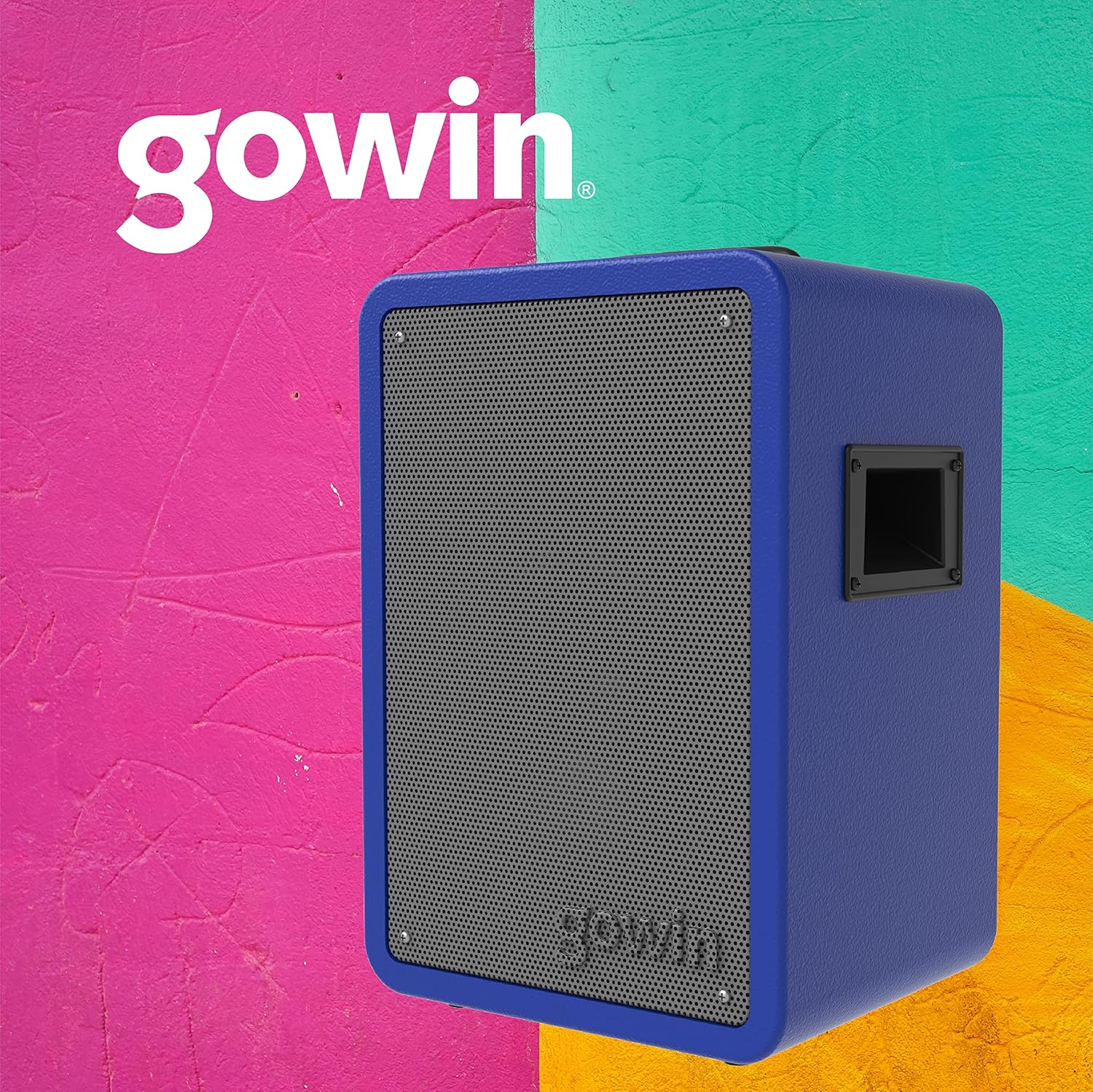
Ffigur 4.1: Blaen view of the GOWIN Colossus Mini Speaker.
Panel Rheoli
The control panel is located on the rear of the speaker and provides access to various functions and inputs.

Figure 4.2: Rear control panel with USB, Micro SD, Aux, and Microphone inputs.
- Newid Pwer: Yn troi'r siaradwr YMLAEN neu I FFWRDD.
- Botwm Modd: Switches between Bluetooth, USB, Micro SD, FM Radio, and Auxiliary input modes.
- Mewnbwn USB: Ar gyfer chwarae sain o yriannau fflach USB.
- Micro SD Input: For playing audio from Micro SD cards.
- Auxiliary Input (3.5mm): Connect external audio devices using the provided 3.5mm cable.
- Mewnbwn meicroffon: Connect a microphone for karaoke or public address functions.
- Volume/Control Knobs: Adjust master volume, microphone volume, and echo effects.
- Arddangosfa LED: Yn dangos y modd cyfredol, gwybodaeth am y trac, neu amledd FM.
- Porth Codi Tâl: Connect the power cable for charging.
5. Gosod
Codi Tâl Cychwynnol
Before first use, fully charge the speaker for approximately 10 hours. Subsequent charging time is about 2 hours for up to 4 hours of usage.
- Connect the power cable to the speaker's charging port.
- Plygiwch ben arall y cebl pŵer i mewn i allfa bŵer addas.
- Bydd y dangosydd LED yn dangos statws gwefru. Ar ôl gwefru'n llawn, datgysylltwch y cebl.
Pweru Ymlaen/Diffodd
Locate the Power Switch on the control panel. Flip the switch to the "ON" position to power on the speaker. Flip it to "OFF" to power off.
6. Cyfarwyddiadau Gweithredu
Pâr Bluetooth
I gysylltu eich dyfais trwy Bluetooth:
- Power on the speaker. The speaker will automatically enter Bluetooth pairing mode, indicated by a flashing Bluetooth icon on the LED display.
- Ar eich dyfais symudol (ffôn clyfar, tabled, ac ati), galluogwch Bluetooth a chwiliwch am ddyfeisiau sydd ar gael.
- Select "GOWIN Colossus Mini" from the list of devices.
- Once paired, the speaker will emit a confirmation sound, and the Bluetooth icon on the LED display will stop flashing.
- You can now play audio from your device through the speaker. The wireless range is up to 10 meters.
Chwarae USB / Micro SD
To play audio from a USB flash drive or Micro SD card:
- Insert a USB flash drive or Micro SD card into the corresponding slot on the control panel.
- The speaker will automatically switch to USB or Micro SD mode and begin playing audio. If not, press the "Mode" button to select the correct input.
- Use the control panel buttons or remote control to play, pause, skip tracks, and adjust volume.
Radio FM
To use the FM Radio function:
- Press the "Mode" button until "FM" appears on the LED display.
- Pwyswch a daliwch y botwm Chwarae/Saib i sganio a chadw gorsafoedd FM sydd ar gael yn awtomatig.
- Use the Previous/Next track buttons to navigate between saved stations.
Mewnbwn Ategol
To connect an external audio device via the auxiliary input:
- Connect one end of the 3.5mm auxiliary cable to the speaker's "AUX IN" port.
- Cysylltwch ben arall y cebl â'r jac clustffonau neu allbwn sain eich dyfais allanol.
- Press the "Mode" button until "AUX" appears on the LED display.
- Play audio from your external device. Adjust volume using the speaker's controls or your device's volume.
Mewnbwn meicroffon
To use a microphone with the speaker:
- Connect a microphone (not included) to the "MIC IN" port on the control panel.
- Adjust the microphone volume and echo effect using the dedicated knobs on the control panel.
Defnydd Rheolaeth Anghysbell
The included remote control allows for convenient operation of the speaker from a distance. Functions include power, mode selection, volume control, track navigation, and play/pause.
7. cynnal
Glanhau
- Diffoddwch y pŵer a datgysylltwch y siaradwr bob amser cyn glanhau.
- Defnyddiwch frethyn meddal, sych i sychu tu allan y siaradwr.
- Peidiwch â defnyddio glanhawyr sgraffiniol, cwyrau na thoddyddion.
Storio
- Storiwch y siaradwr mewn lle oer, sych i ffwrdd o olau haul uniongyrchol a thymheredd eithafol.
- Os ydych chi'n storio am gyfnod hir, gwefrwch y batri o bryd i'w gilydd i gynnal ei oes.
8. Datrys Problemau
Os byddwch chi'n dod ar draws problemau gyda'ch siaradwr, cyfeiriwch at y problemau a'r atebion cyffredin canlynol:
| Problem | Achos Posibl | Ateb |
|---|---|---|
| Nid yw'r siaradwr yn troi ymlaen. | Battery is depleted. Power cable not connected. | Charge the speaker. Ensure power cable is securely connected. |
| Dim sain. | Volume is too low. Incorrect mode selected. Device not paired (Bluetooth). | Increase volume. Press 'Mode' button to select correct input. Re-pair Bluetooth device. |
| Ni all dyfais Bluetooth baru. | Speaker not in pairing mode. Device too far. Interference. | Ensure speaker is in Bluetooth mode. Move device closer (within 10m). Avoid obstacles. |
| USB/Micro SD not playing. | Anghywir file format. Card/drive not inserted correctly. | Sicrhau sain files are compatible (e.g., MP3). Reinsert the USB drive or Micro SD card. |
9. manylebau
| Enw Model | Colossus Mini |
| Rhif Model | COCH-783 |
| Brand | GOWIN |
| Maint Siaradwr | 8 modfedd |
| Maint Gyrrwr | 2 modfedd |
| Wattage (Max Output) | 700 Wat |
| rhwystriant | 3 Ohms |
| Ymateb Amlder | 100 Hz - 18 KHz |
| Technoleg Cysylltedd | Bluetooth |
| Di-wifr Range | 10 metr |
| Math Batri | Rechargeable Lithium Ion (1800 mAh / 7.4 V) |
| Amser Codi Tâl | 2 hours (initial charge 10 hours) |
| Bywyd Batri Cyfartalog | Hyd at 4 awr |
| Mewnbynnau | USB, Micro SD, 3.5mm Aux, Microphone |
| Deunydd | Pren |
| Dimensiynau Cynnyrch (L x W x H) | 29 x 34 x 46 cm (tua 11.4 x 13.4 x 18.1 modfedd) |
| Pwysau Cynnyrch | 7 kg (tua 15.4 pwys) |
| Nodweddion Arbennig | High-resolution audio, Bass boost, FM Radio, LED Display |
10. Gwarant a Chefnogaeth
Gwybodaeth Gwarant
This GOWIN product comes with a Gwarant 1 mlynedd from the date of purchase. The warranty covers manufacturing defects and malfunctions under normal use. It does not cover damage caused by misuse, accidents, unauthorized modifications, or normal wear and tear.
Cadwch eich prawf prynu ar gyfer hawliadau gwarant.
Cefnogaeth i Gwsmeriaid
For technical assistance, warranty claims, or any questions regarding your GOWIN Colossus Mini speaker, please contact GOWIN customer support through the official GOWIN websafle neu eich manwerthwr.
Ymwelwch â'r GOWIN Store on Amazon.com.mx am fwy o wybodaeth.