
1. Rhagymadrodd
The COMPUTHERM T-32 room thermostat is designed for controlling most boilers and air conditioners available in the EU. It can be easily connected to any gas boiler with a two-wire thermostatic connection point, and to all air conditioning systems or electrical appliances, whether they have a 24V or 230V control circuit.
This digital thermostat allows for more precise temperature measurement and adjustment compared to traditional thermostats. It helps reduce energy costs while maintaining comfort by regulating the connected appliance (e.g., a gas boiler or pump) based on the measured and set temperatures.
Nodweddion Allweddol:
- Rheoli Tymheredd Cywir: Easily set desired temperature between 5°C and 30°C in 0.5°C increments.
- Constant Indoor Temperature: Switching sensitivity of ±0.2°C or 0.1°C ensures a uniform and stable room temperature.
- Cydnawsedd Amlbwrpas: Suitable for boilers with a two-wire connection and various HVAC systems (24V or 230V).
- Dulliau gwresogi ac oeri: Yn cefnogi swyddogaethau gwresogi ac oeri.
- Arddangos Digidol: Provides clear and accurate temperature readings.
2. Gosod a Gosod
Pwysig: Rhaid i'r ddyfais gael ei gosod gan berson cymwys.
2.1 Cynnwys Pecyn
Gwiriwch fod yr holl gydrannau yn bresennol:
- 1x COMPUTHERM T-32 Digital Room Thermostat
- 2x Batris AAA
- Caledwedd gosod (sgriwiau a phlygiau wal)

Figure 1: Package contents including the thermostat, batteries, and mounting hardware.
2.2 Gosod Batri
- Carefully remove the back cover of the thermostat.
- Mewnosodwch y ddau fatri AAA i mewn i adran y batri, gan sicrhau'r polaredd cywir (+/-).
- Amnewid y clawr cefn.
2.3 Mowntio a Gwifro
The thermostat is designed for wall mounting in a room. Choose a location away from direct sunlight, drafts, or heat sources that could affect temperature readings.
- Separate the front panel from the back plate.
- Marciwch y safle gosod a ddymunir ar y wal.
- Driliwch dyllau a mewnosodwch y plygiau wal.
- Sicrhewch y plât cefn i'r wal gan ddefnyddio'r sgriwiau a ddarperir.
- Connect the two-wire control circuit from your boiler or HVAC system to the terminals on the back plate. Refer to the wiring diagram on the back of the thermostat for correct connections.
- Carefully reattach the front panel to the back plate.

Ffigur 2: Cefn view of the thermostat with wiring terminals and battery compartment details.
3. Gweithrediad
3.1 Arddangos Drosoddview
The digital display shows the current room temperature and the set desired temperature. The thermostat features three control buttons below the display.

Ffigur 3: Blaen view of the COMPUTHERM T-32 thermostat with its digital display and three control buttons.
3.2 Gosod y Tymheredd a Ddymunir
Use the temperature control buttons (typically marked with up and down arrows or similar symbols) to adjust the desired temperature. Each press changes the temperature by 0.5°C within a range of 5°C to 30°C.
- Gwasgwch y Saeth i Fyny botwm i gynyddu'r tymheredd a ddymunir.
- Gwasgwch y Saeth i Lawr botwm i ostwng y tymheredd a ddymunir.
The thermostat will automatically regulate the connected heating or cooling appliance to maintain the set temperature within its switching sensitivity of ±0.2°C.
3.3 Heating Mode Operation
In heating mode, if the measured room temperature falls below the set temperature minus the switching sensitivity (e.g., 22°C - 0.2°C = 21.8°C), the thermostat will activate the heating appliance. It will deactivate the heating when the room temperature rises above the set temperature plus the switching sensitivity (e.g., 22°C + 0.2°C = 22.2°C).
3.4 Cooling Mode Operation
In cooling mode, the operation is reversed. If the measured room temperature rises above the set temperature plus the switching sensitivity, the thermostat will activate the cooling appliance. It will deactivate cooling when the room temperature falls below the set temperature minus the switching sensitivity.
Note: After a temperature change using the thermostat's adjustment buttons, the switching sensitivity is temporarily not considered, allowing the thermostat to react to a difference of ±0.1°C for immediate response.
4. cynnal
- Glanhau: Sychwch y thermostat gyda lliain meddal, sych. Peidiwch â defnyddio glanhawyr sgraffiniol na thoddyddion.
- Amnewid Batri: Amnewidiwch y batris pan fydd y dangosydd batri isel yn ymddangos ar y sgrin. Defnyddiwch fatris alcalïaidd AAA newydd bob amser.
- Osgoi Rhwystrau: Ensure no objects block the thermostat's ventilation slots or sensor, as this can affect temperature accuracy.
5. Datrys Problemau
| Problem | Achos Posibl | Ateb |
|---|---|---|
| Mae'r arddangosfa thermostat yn wag. | Batris marw neu wedi'u gosod yn anghywir. | Amnewidiwch y batris, gan sicrhau'r polaredd cywir. |
| Nid yw'r system Gwresogi/Oeri yn ymateb. | Incorrect wiring; system power off; thermostat in wrong mode. | Check wiring connections (consult a professional); ensure system power is on; verify thermostat is set to appropriate mode (heating/cooling). |
| Darlleniad tymheredd anghywir. | Thermostat located near heat source/draft; sensor obstructed. | Relocate thermostat if possible; ensure no obstructions around the sensor. |
| Temperature fluctuates too much. | High switching sensitivity setting (not applicable for T-32 as it's fixed). | The T-32 has a fixed sensitivity of ±0.2°C. Ensure proper placement and insulation of the room. |
6. manylebau
- Model: T32
- Ffynhonnell Pwer: 2x AAA 1.5V Alkaline Batteries (included)
- Rheoli Cyftage: 24V AC neu 230V AC
- Cynhwysedd Llwyth: 8 Amperes
- Ystod Mesur Tymheredd: 5°C i 30°C
- Ystod Gosod Tymheredd: 5°C i 30°C
- Temperature Setting Increment: 0.5°C
- Sensitifrwydd Newid: ±0.2°C (or ±0.1°C after manual adjustment)
- Dimensiynau (L x W x H): 8.5 x 8.5 x 2.8 cm
- Pwysau: 160 gram
- Cysylltedd: Wired
- Lliw: Gwyn


Figure 4: Dimensions of the COMPUTHERM T-32 thermostat.
7. Gwarant
The COMPUTHERM T-32 Digital Room Thermostat comes with a Gwarant gwneuthurwr 5 flyneddCadwch eich prawf prynu ar gyfer hawliadau gwarant. Mae'r warant yn cwmpasu diffygion mewn deunyddiau a chrefftwaith o dan ddefnydd arferol.
8. Cefnogaeth
For further assistance or if you encounter issues not covered in this manual, please refer to the official COMPUTHERM website or contact your retailer. Always ensure that any electrical work is performed by a qualified professional.
Am ragor o wybodaeth, gallwch ymweld â gwefan y gwneuthurwr websafle: www.calorsol.de
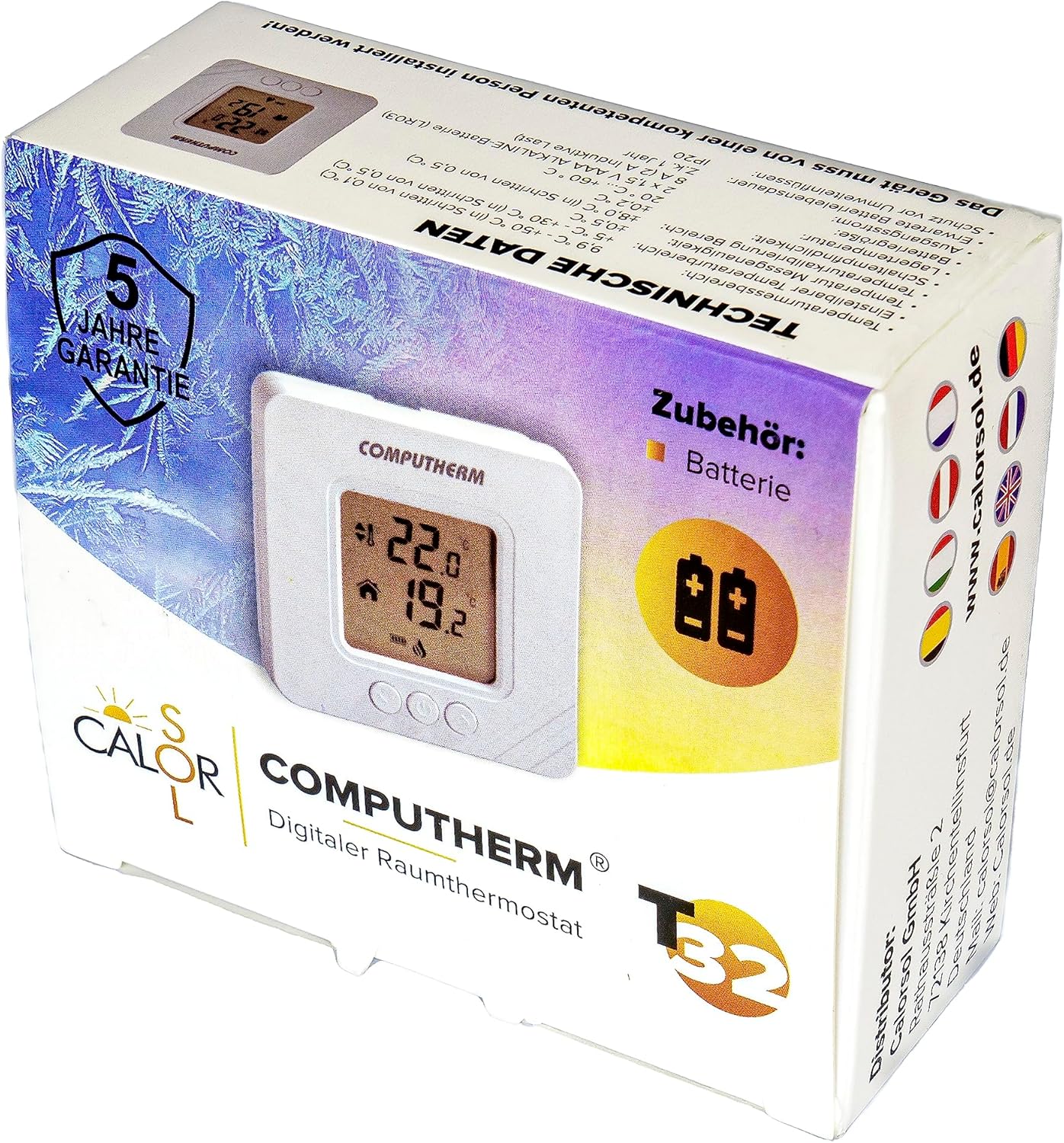
Figure 5: Product packaging displaying warranty information and technical data.