
HP 3161
HP OneLam 400 A3 Laminator User Manual
Model: 3161
1. Rhagymadrodd
This user manual provides essential information for the safe and efficient operation of your HP OneLam 400 A3 Laminator. Please read this manual thoroughly before using the device and keep it for future reference. The HP OneLam 400 A3 is designed for laminating documents up to A3 size, supporting pouch thicknesses from 75/80 to 125 microns.

Delwedd 1.1: Blaen view of the HP OneLam 400 A3 Laminator.
2. Cyfarwyddiadau Diogelwch
Dilynwch y rhagofalon diogelwch canlynol bob amser i atal anaf neu ddifrod i'r ddyfais:
- Do not operate the laminator with wet hands or near water.
- Gwnewch yn siŵr nad yw'r llinyn pŵer wedi'i ddifrodi a'i fod wedi'i gysylltu'n iawn â soced wedi'i seilio.
- Cadwch blant ac anifeiliaid anwes i ffwrdd o'r lamineiddiwr yn ystod y gweithrediad.
- Do not insert objects other than laminating pouches into the feed slot.
- Allow the laminator to cool down completely before storing it.
- Peidiwch byth â cheisio agor na thrwsio'r lamineiddiwr eich hun. Cyfeiriwch at bersonél gwasanaeth cymwys.
- Ensure adequate ventilation around the device during use.
3. Cynnwys Pecyn
Gwiriwch fod yr holl eitemau yn bresennol yn y pecyn:
- HP OneLam 400 A3 Laminator
- Rheolydd Torri
- Corner Router
- Starter set of Laminating Pouches
- Llawlyfr Defnyddiwr (y ddogfen hon)
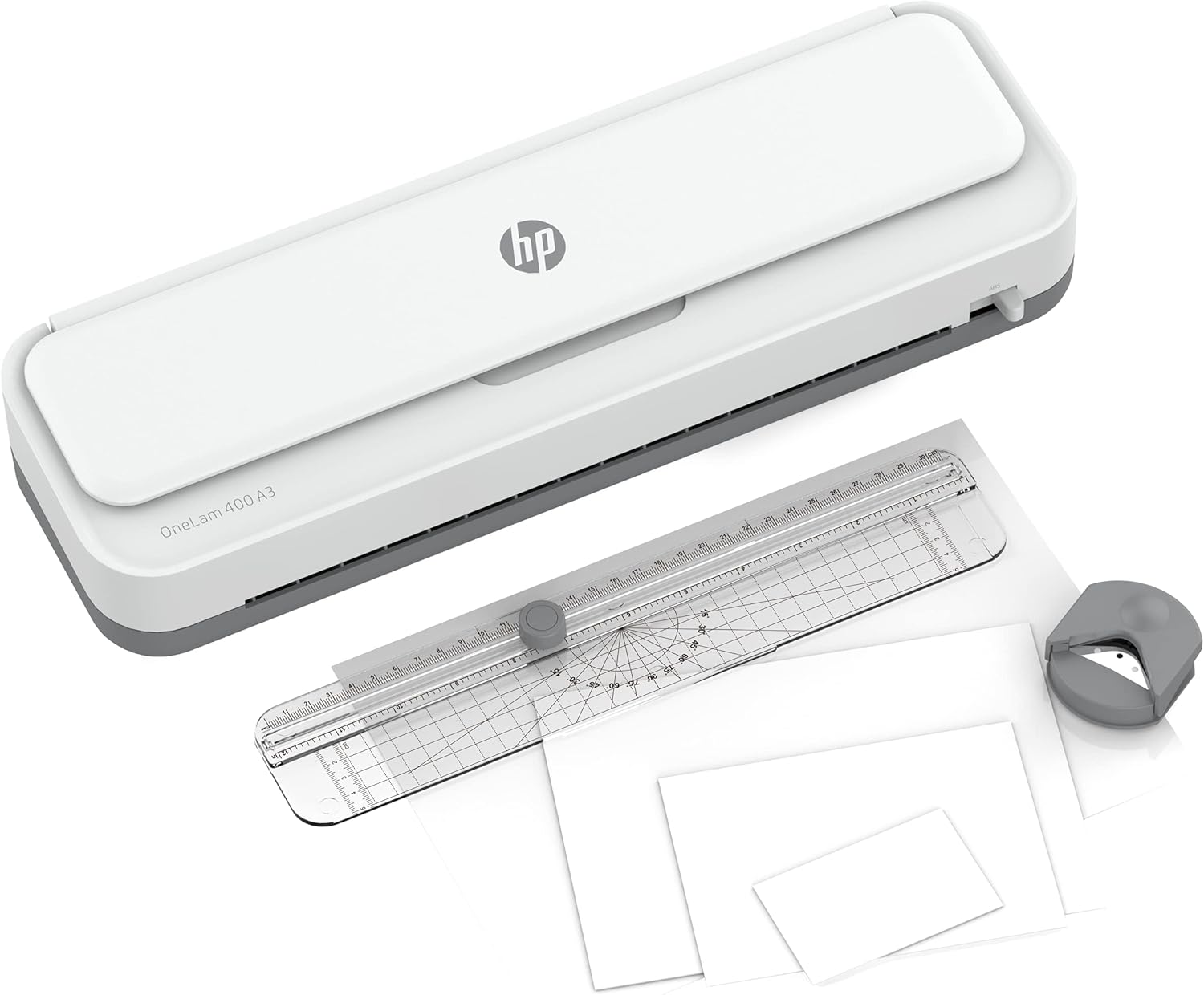
Image 3.1: HP OneLam 400 A3 Laminator with included accessories.
4. Gosod
- Dadbacio: Carefully remove the laminator and all accessories from the packaging.
- Lleoliad: Place the laminator on a stable, flat, and heat-resistant surface. Ensure there is enough space behind the laminator for laminated documents to exit freely.
- Cysylltiad Pwer: Plygiwch y llinyn pŵer i mewn i allfa drydanol addas.
- Pŵer Ymlaen: Locate the power switch (usually on the side or back) and turn the laminator ON.
- Cynhesu: The laminator will begin to warm up. The warm-up time is approximately 4 minutes. An indicator light will typically change from red to green (or similar) when ready for use.

Delwedd 4.1: Top view of the laminator showing controls and feed tray.
5. Cyfarwyddiadau Gweithredu
- Paratoi Dogfen: Place your document centrally inside a laminating pouch. Ensure the document is flat and there is a small margin of pouch around all edges.
- Select Pouch Thickness: The HP OneLam 400 A3 supports pouches from 75/80 to 125 microns. Select the appropriate setting on the laminator if available, or ensure the laminator is set to the correct temperature for your pouch thickness.
- Pochyn Bwydo: Once the laminator is ready (indicator light is green), carefully insert the sealed edge of the laminating pouch into the feed slot. The laminator will automatically pull the pouch through.
- Retrieve Laminated Document: Once the pouch has fully exited the laminator, retrieve the laminated document. It may be warm; handle with care.
- Using the Cutting Ruler: For precise cuts, place the laminated document on a flat surface and align it with the cutting ruler. Slide the cutter along the ruler to trim the edges.
- Using the Corner Router: To round sharp corners, insert the corner of the laminated document into the corner router and press down firmly.
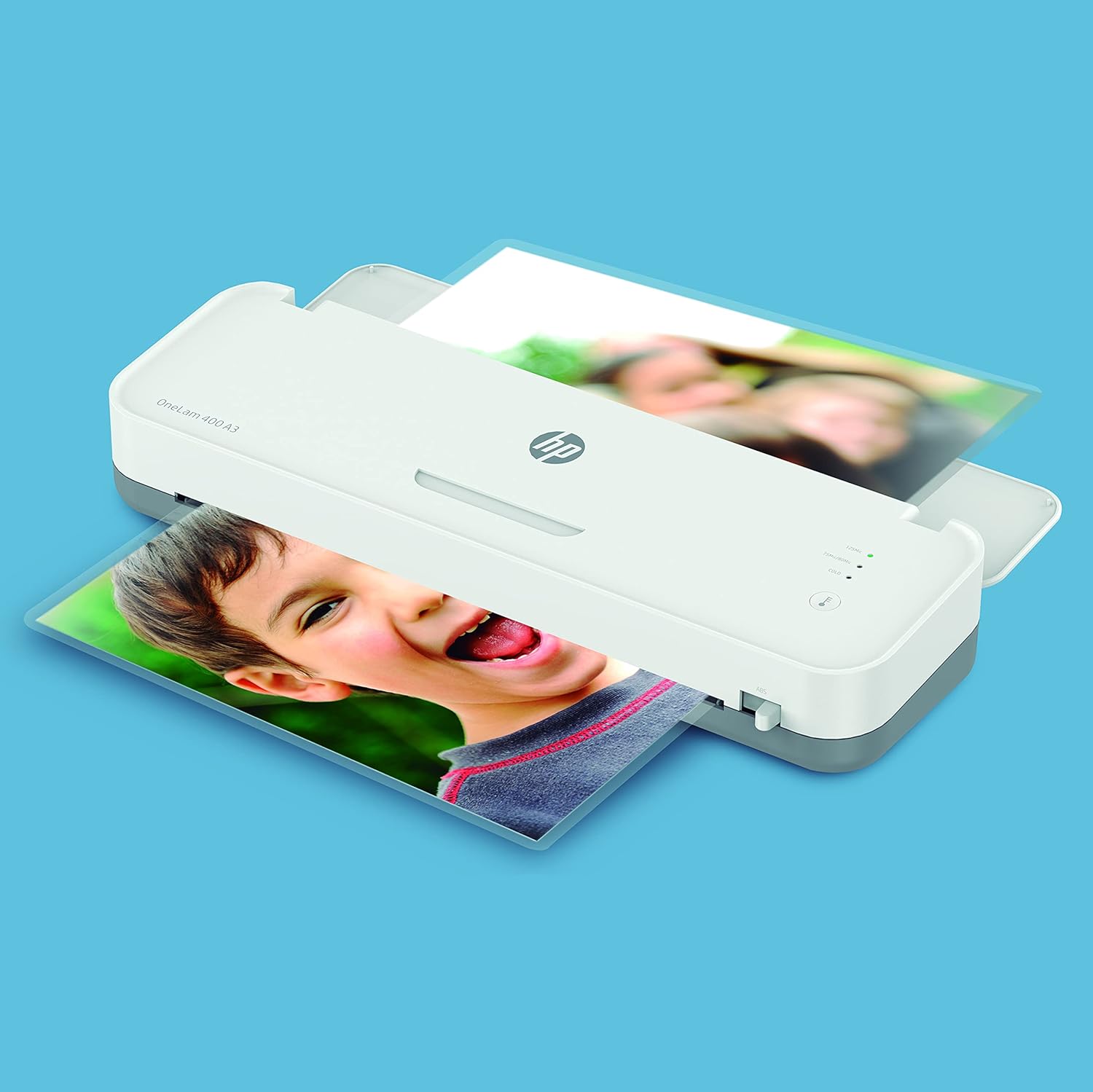
Image 5.1: The laminator processing a document.
6. cynnal
- Glanhau: Gwnewch yn siŵr bod y lamineiddiwr wedi'i ddatgysylltu ac wedi oeri'n llwyr cyn ei lanhau. Sychwch y tu allan gyda lliain meddal, sych. Peidiwch â defnyddio glanhawyr sgraffiniol na thoddyddion.
- Clirio Jams: In case of a paper jam, immediately turn off the laminator and refer to the troubleshooting section for instructions on how to safely remove the jammed pouch.
- Storio: Store the laminator in a clean, dry place away from direct sunlight and extreme temperatures.
7. Datrys Problemau
| Problem | Achos Posibl | Ateb |
|---|---|---|
| Laminator not turning on | Dim cyflenwad pŵer; Diffoddwch y pŵer | Check power cord connection; Ensure power outlet is functional; Turn power switch ON. |
| Poor lamination quality (bubbles, cloudy) | Incorrect temperature setting; Pouch too thick/thin; Document not flat; Laminator not fully warmed up | Ensure laminator is fully warmed up; Use correct pouch thickness for setting; Ensure document is flat inside pouch. |
| Pouch jammed in laminator | Pouch inserted incorrectly (open end first); Overlapping documents; Pouch too wide | Immediately turn off the laminator. If an anti-jam lever is present, use it to release the rollers and gently pull the pouch out. Always insert the sealed edge of the pouch first. |
| Laminator making unusual noises or smoking | Internal malfunction; Overheating | Immediately turn off and unplug the laminator. Do not attempt to use it again. Contact HP customer support. |
8. manylebau
| Nodwedd | Manylyn |
|---|---|
| Brand | HP |
| Rhif Model | 3161 |
| Lamination Size | Up to DIN A3 |
| Trwch Pouch | 75/80 - 125 Micron |
| Amser Cynhesu | Tua. 4 munud |
| Pwysau Eitem | 1.7 Cilogram |
| Lliw | Gwyn |

Image 8.1: Dimensions of the HP OneLam 400 A3 Laminator.
9. Gwarant a Chefnogaeth
For warranty information, technical support, and service inquiries regarding your HP OneLam 400 A3 Laminator, please refer to the official HP website or contact HP customer service directly. Keep your proof of purchase for warranty claims.
You can typically find support contact details and frequently asked questions on the official HP support pages. For the most up-to-date information, visit www.hp.com/cefnogi.