
Rhagymadrodd
The SOWO CONF360 is a versatile Bluetooth speakerphone designed for clear and efficient conference calls. It features 4 AI microphones for 360-degree voice pickup and 4 speakers for 360-degree sound output, ensuring an optimal audio experience for up to 10 people. This manual provides instructions for setting up, operating, and maintaining your device.
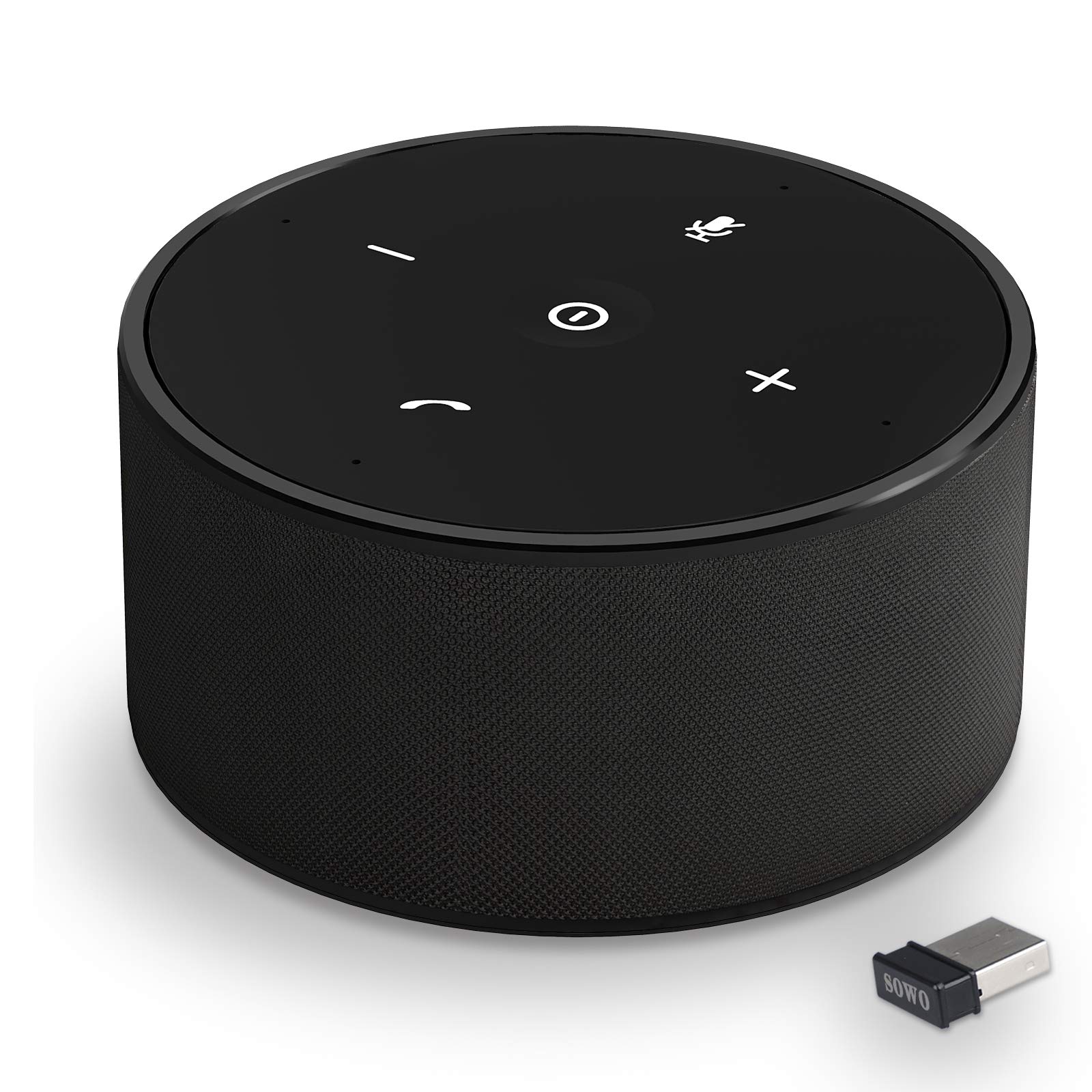
Ffigur 1: The SOWO CONF360 Bluetooth Speakerphone, a compact and portable device for conference calls.
Cynnwys Pecyn
Ticiwch y blwch ar gyfer yr eitemau canlynol:
- Bluetooth conference speaker (1)
- Llawlyfr cyfarwyddiadau (1)
- Cebl USB (1)
- 3.5mm audio cable (1)
- Bluetooth adapter (1)
Cynnyrch Drosview
The SOWO CONF360 features an intuitive control layout for easy operation.

Ffigur 2: Brig view of the SOWO CONF360 speakerphone, illustrating its omnidirectional voice pickup and sound output with four integrated microphones and speakers.
Rheolaethau a Dangosyddion
- Botwm Pŵer: Located in the center, used to turn the device on/off.
- Cyfrol i Lawr (-): Yn lleihau cyfaint sain.
- Cyfrol i Fyny (+): Yn cynyddu cyfaint sain.
- Botwm Munud: Yn tewi neu'n dad-dewi'r meicroffon.
- Phone Symbol Button: Manages call functions (answer, end call).
- Dangosyddion LED: Provide status feedback for power, Bluetooth connection, and call status.
Gosod
1. Codi Tâl y Dyfais
Before first use, fully charge the speakerphone. Connect the provided USB cable to the charging port on the device and to a DC 5V/1A power source (e.g., computer USB port or wall adapter). A full charge typically takes 2 to 3 hours.
2. Pŵer Ymlaen / I ffwrdd
- I Bweru Ymlaen: Press and hold the Power Button until the LED indicators light up.
- I Bweru i ffwrdd: Press and hold the Power Button until the LED indicators turn off.
3. Cysylltu â Dyfeisiau
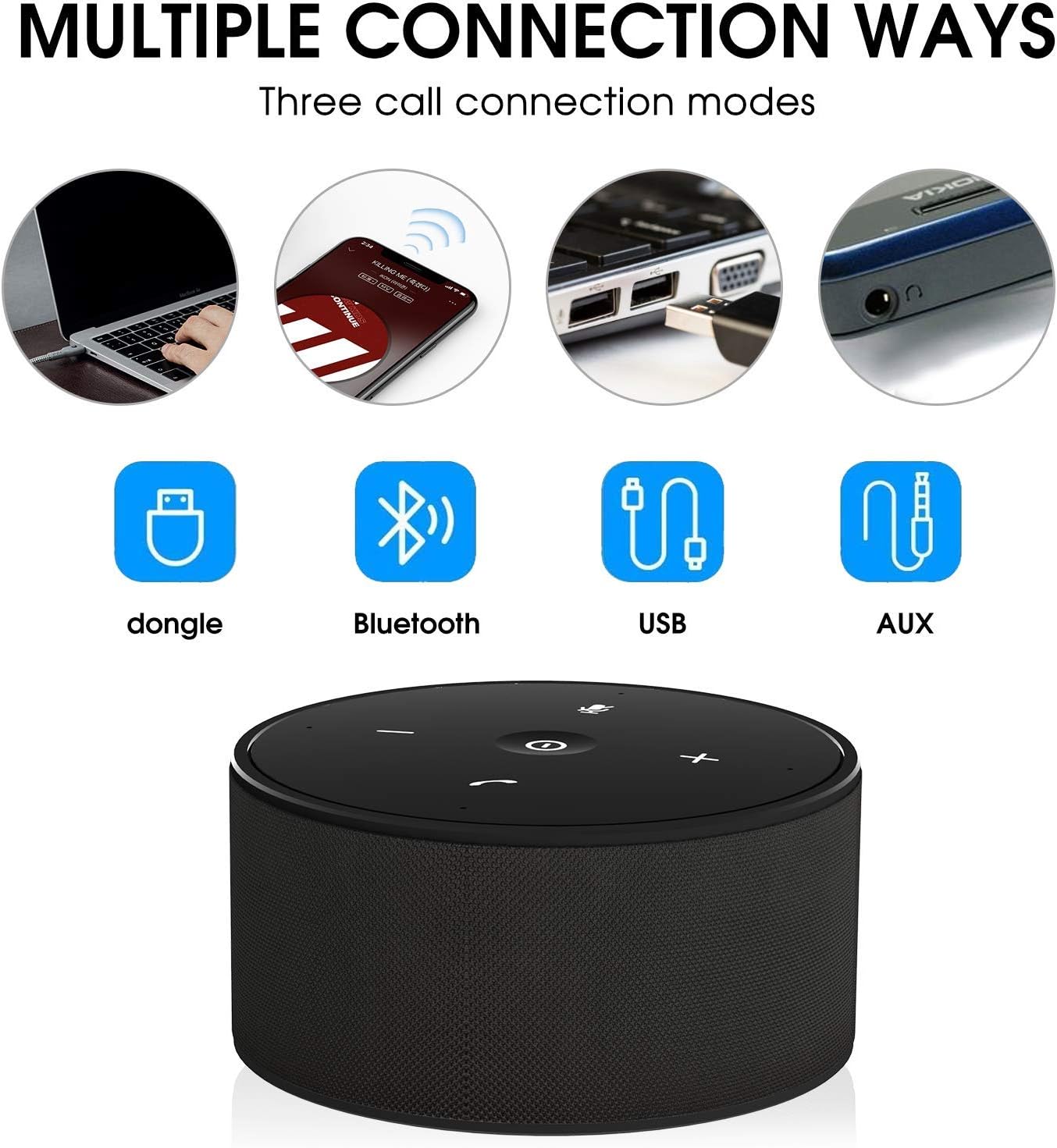
The SOWO CONF360 supports multiple connection methods:

Ffigur 3: Various connection options for the SOWO CONF360, including USB dongle, Bluetooth, USB cable, and AUX cable.
Cysylltiad Bluetooth
- Ensure the speakerphone is powered on.
- Galluogwch Bluetooth ar eich dyfais (ffôn clyfar, tabled, gliniadur).
- Chwiliwch am "SOWO CONF360" in your device's Bluetooth settings.
- Select "SOWO CONF360" to pair. The LED indicator will confirm a successful connection.
USB Dongle Connection (for devices without Bluetooth)
- Plug the provided USB Bluetooth adapter into an available USB port on your computer.
- The speakerphone will automatically connect to the dongle. No driver installation is typically required.
Cysylltiad Cebl USB
- Connect the speakerphone to your computer using the provided USB cable.
- The device will be recognized as an audio input/output device. Select it in your computer's sound settings.
3.5mm AUX Audio Cable Connection
- Connect one end of the 3.5mm audio cable to the AUX port on the speakerphone.
- Cysylltwch y pen arall â jac allbwn sain eich dyfais.
- Note: Microphone functionality may be limited or unavailable when using AUX connection, depending on the connected device.
Cyfarwyddiadau Gweithredu
Gwneud a Derbyn Galwadau
- I Ateb Galwad: Press the Phone Symbol Button.
- I Derfynu Galwad: Press the Phone Symbol Button again.
- I Wneud Galwad: Initiate the call from your connected device. The audio will automatically route through the speakerphone.
Rheoli Cyfaint
- Cynyddu Cyfrol: Pwyswch y botwm Cyfaint i Fyny (+).
- Gostwng y Gyfrol: Pwyswch y botwm Cyfaint i Lawr (-).
Swyddogaeth Mud Meicroffon
- I Tewi: Press the Mute Button. The LED indicator for mute will illuminate.
- To Unmute: Press the Mute Button again. The mute LED indicator will turn off.
Nodweddion Sain Uwch

Ffigur 4: The SOWO CONF360 employs advanced technology for background noise reduction, ensuring ultra-clear voice transmission during calls.
The SOWO CONF360 incorporates smart voice enhancement and noise filtration technology. A custom DSP algorithm optimizes your voice in real-time and reduces background noise, ensuring clear communication. The device is designed to prevent echo and delay, even at maximum volume.
Ffigur 5: The SOWO CONF360 features advanced echo cancellation, providing clear audio even at high volumes, unlike other devices that may produce echo.

Ffigur 6: Intelligent pickup enhancement using AI DSP technology balances voice within a 5-meter radius, ensuring consistent audio quality for all participants.
Cynnal a chadw
- Glanhau: Defnyddiwch frethyn meddal, sych i lanhau'r ddyfais. Peidiwch â defnyddio glanhawyr sgraffiniol na thoddyddion.
- Storio: When not in use, store the speakerphone in a cool, dry place, preferably in its protective carrying case.
- Gofal Batri: Er mwyn ymestyn oes y batri, osgoi rhyddhau'r batri'n llwyr yn aml. Gwefrwch y ddyfais yn rheolaidd, hyd yn oed os nad yw'n cael ei defnyddio'n weithredol.
Datrys problemau
| Problem | Achos Posibl | Ateb |
|---|---|---|
| Nid yw'r ddyfais yn pweru ymlaen. | Batri isel. | Codi tâl ar y ddyfais am 2-3 awr. |
| Methu cysylltu drwy Bluetooth. | Bluetooth not enabled on device; speakerphone not in pairing mode; too far from device. | Ensure Bluetooth is on. Restart speakerphone and try pairing again. Move closer to the device. |
| Dim sain neu ansawdd sain gwael. | Volume too low; incorrect audio output selected; loose cable connection. | Increase volume on both speakerphone and connected device. Check audio settings on your computer/phone. Ensure cables are securely connected. |
| Meicroffon ddim yn gweithio. | Microphone muted; incorrect audio input selected. | Press the Mute Button to unmute. Check audio input settings on your computer/phone. |
| Echo or feedback during calls. | High volume in a small room; speakerphone too close to a wall. | Reduce volume. Adjust speakerphone placement. |
Manylebau
| Nodwedd | Manylyn |
|---|---|
| Model | CONF360 |
| Manyleb Bluetooth | v5.0 |
| Pŵer Allbwn | 10W + DSP |
| Meicroffonau | 4 high sensitivity microphones |
| Ystod Pickup Llais | Up to 5 meters (16 feet) 360-degree |
| Dimensiynau (L x W x H) | 122mm x 122mm x 66mm (approx. 11.99 x 11.99 x 5.99 cm) |
| Pwysau | 435g (approx. 535.24 g with packaging) |
| Max Bluetooth Communication Distance | 30M (actual use may vary) |
| Mewnbwn Codi Tâl | DC 5V / 1A |
| Amser Codi Tâl | 2 ~ 3 awr |
| Bywyd Batri (Amser Siarad) | Up to 12 hours (actual use may vary) |
| Math Batri | Ion Lithiwm |
| Cysylltedd | Bluetooth, USB, 3.5mm AUX |
| Cydweddoldeb | Windows 7/8/10, Mac OS, Android, iOS. Optimized for Zoom, Skype, WebEx, Google Hangout, FaceTime. |
Gwarant a Chefnogaeth
The SOWO CONF360 Bluetooth Speakerphone comes with an 18-month quality assurance period. For any issues or support inquiries, please contact the SOWO after-sales team. Contact information can typically be found on the product packaging or the official SOWO websafle.