
1. Rhagymadrodd
This manual provides essential instructions for the HCDZ Replacement Remote Control, designed for use with Proficient Audio Systems M80 7.1 Channel Surround A/V Receivers. This remote is an infrared (IR) replacement and requires no programming. Simply insert batteries, and it is ready for operation.
2. Gosod: Gosod Batri
The remote control requires two AAA batteries (not included). Follow these steps to install them correctly:
- Lleolwch y compartment batri ar gefn y teclyn rheoli o bell.
- Llithrwch glawr adran y batri i lawr neu i'r cyfeiriad a nodir gan saeth i'w agor.
- Mewnosodwch ddau fatri AAA newydd, gan sicrhau bod y terfynellau positif (+) a negatif (-) yn cyd-fynd â'r marciau y tu mewn i'r adran.
- Rhowch glawr adran y batri yn ôl yn ei le nes ei fod yn clicio'n ddiogel.
Gwybodaeth Batri Bwysig:
- Peidiwch â chymysgu batris newydd gyda hen rai.
- Peidiwch â chymysgu gwahanol fathau o fatris.
- If the remote control will not be used for an extended period, remove the batteries to prevent leakage and corrosion.
Ffigur 2.1: Yn ôl view of the remote control with the battery cover in place.

Ffigur 2.2: Yn ôl view of the remote control with the battery cover removed, revealing the battery compartment.
3. Cyfarwyddiadau Gweithredu
This HCDZ replacement remote control is designed for immediate use with your Proficient Audio Systems M80 7.1 Channel Surround A/V Receiver without any programming. Once batteries are installed, it functions as the original remote.
- Point and Operate: Aim the remote control directly at the infrared sensor on your Proficient Audio Systems M80 receiver.
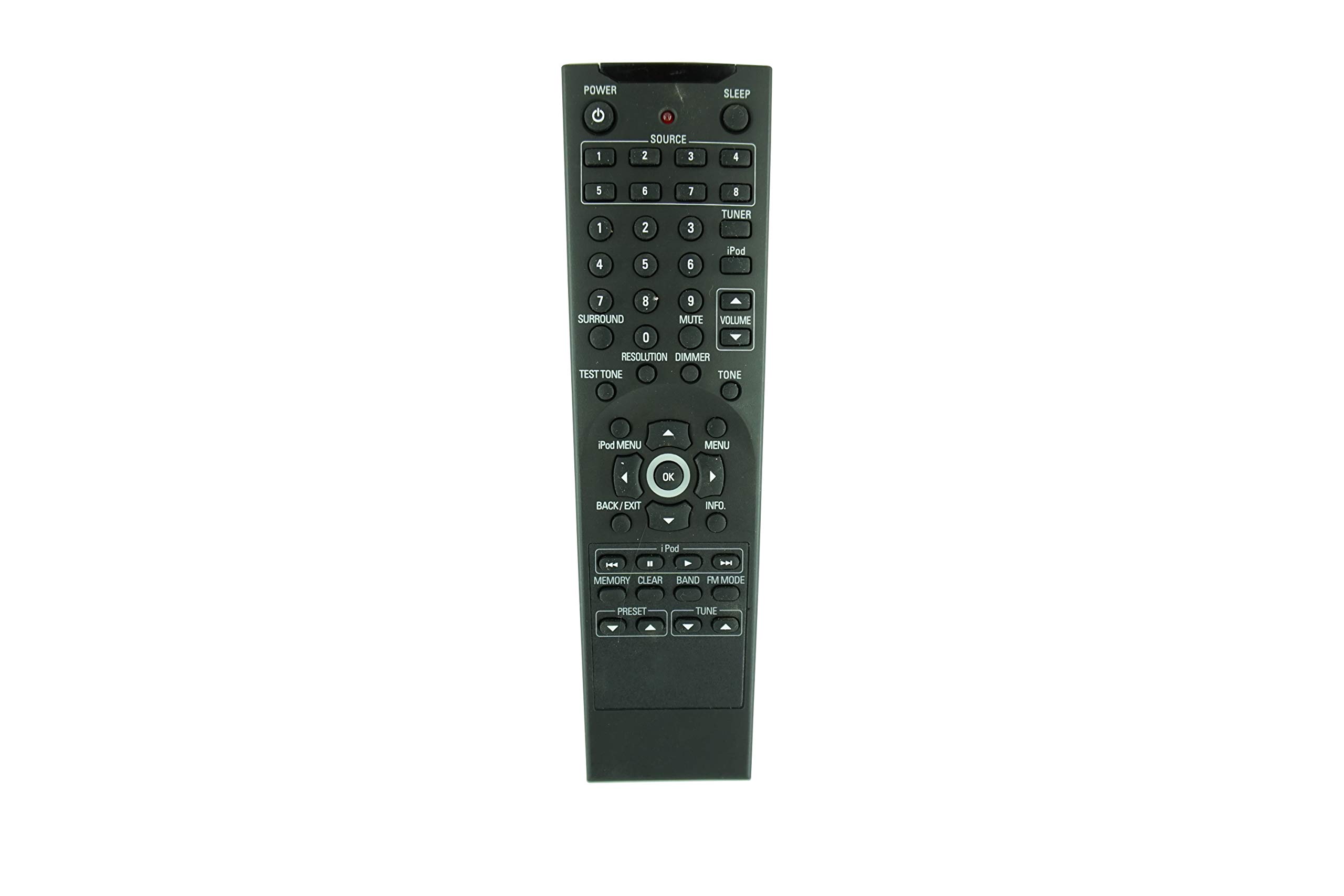
- Swyddogaethau botwm: All buttons on the remote correspond to their respective functions on the original remote for the M80 receiver. Refer to your M80 receiver's manual for specific button functionalities.

Ffigur 3.1: Blaen view of the remote control, showing the button layout.
4. Cynnal a Chadw a Gofal
Proper care will extend the life of your remote control:
- Glanhau: Sychwch y teclyn rheoli o bell gyda lliain meddal, sych. Peidiwch â defnyddio glanhawyr hylif na deunyddiau sgraffiniol.
- Amgylchedd: Peidiwch ag amlygu'r teclyn rheoli o bell i dymheredd eithafol, golau haul uniongyrchol, na lleithder uchel.
- Synhwyrydd Isgoch: Ensure the remote's infrared sensor (located at the top) is not obstructed and is not exposed to direct sunlight or strong lighting, as this may interfere with its operation.
- Gollwng: Osgowch ollwng y teclyn rheoli o bell, gan y gall hyn niweidio cydrannau mewnol.
5. Datrys Problemau
Os ydych chi'n cael problemau gyda'ch teclyn rheoli o bell, rhowch gynnig ar yr atebion canlynol:
| Problem | Ateb Posibl |
|---|---|
| Nid yw rheolaeth bell yn gweithio. |
|
| Mae rhai botymau'n anymatebol. |
|
6. manylebau
| Nodwedd | Manylyn |
|---|---|
| Brand | HCDZ |
| Cydweddoldeb | Proficient Audio Systems M80 7.1 Channel Surround A/V Receiver |
| Technoleg Cysylltedd | Is-goch (IR) |
| Batris Angenrheidiol | 2 x AAA (heb ei gynnwys) |
| Rhaglennu | Not required; works out of the box |
| Uchafswm Nifer y Dyfeisiau â Chymorth | 1 (the M80 Receiver) |
| ASIN | B08PFD4T13 |
7. Gwarant a Chefnogaeth
As a replacement remote control, specific warranty details may vary. Please refer to the retailer or the HCDZ brand for information regarding purchase warranty and customer support. For operational issues not covered in this manual, ensure your Proficient Audio Systems M80 receiver is functioning correctly with its original or another compatible remote.