
1. Rhagymadrodd
Diolch am brynuasing the JVC XS-N2239TC Wireless Stereo Speaker System. This manual provides essential information for the safe and efficient use of your new speaker system. Please read these instructions thoroughly before operating the device and retain them for future reference.
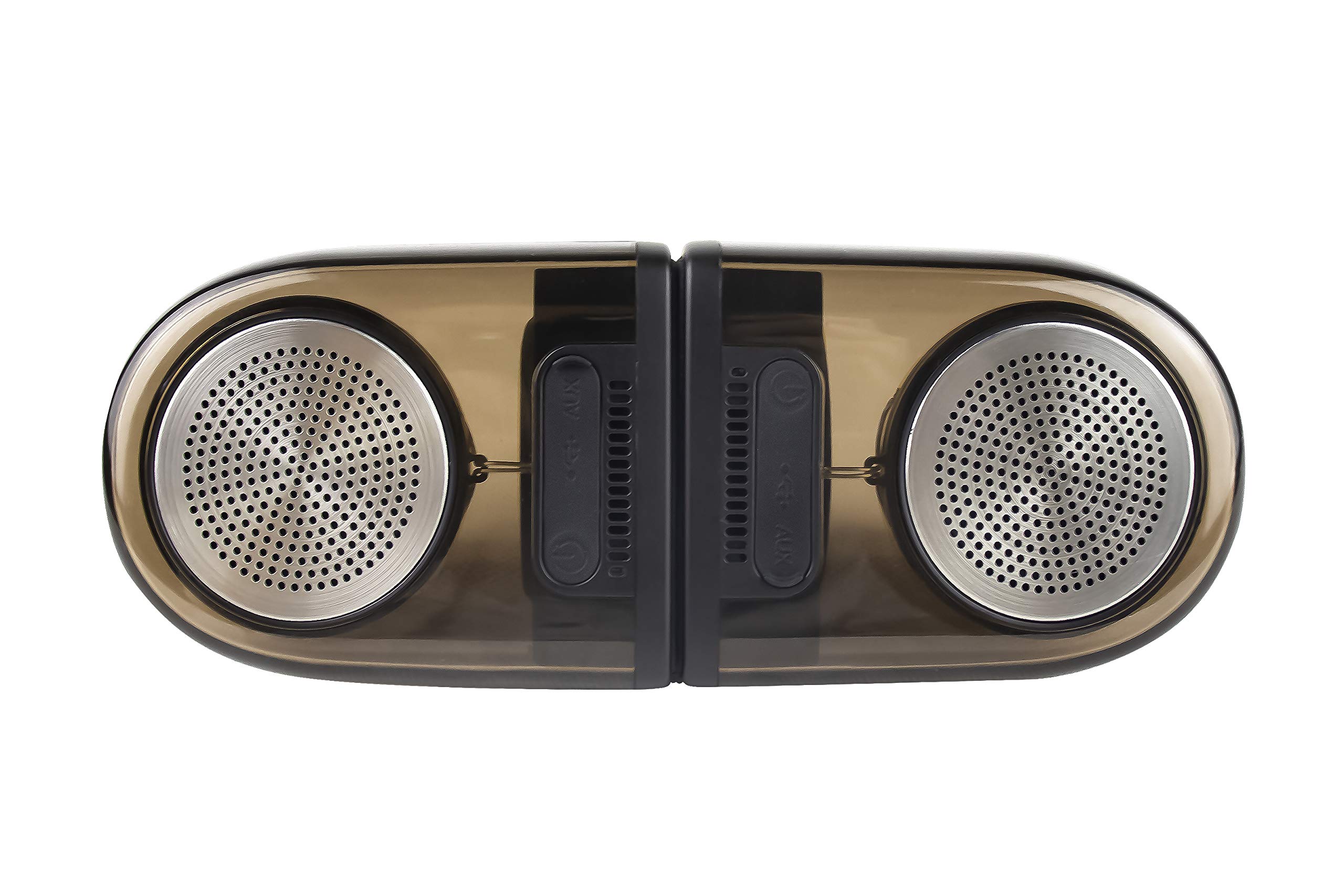
Image of the JVC XS-N2239TC speaker system, showcasinei ddyluniad a'i gydrannau.
2. Cynnwys Blwch
Gwiriwch fod yr holl eitemau canlynol wedi'u cynnwys yn eich pecyn:
- 1 x JVC XS-N2239TC Speaker Unit
- Cebl 1 x AUX
- 1 x Llawlyfr Defnyddiwr (y ddogfen hon)
- 1 x Cebl Codi Tâl
- 1 x Cerdyn Gwarant
3. Gosod
3.1 Lleoliad
The JVC XS-N2239TC speakers are designed for versatile placement, suitable as Bookshelf or Floor Standing units. Ensure the speakers are placed on a stable, flat surface or floor, away from direct sunlight, heat sources, and moisture. For optimal stereo sound, position the two speakers appropriately within your listening area.
3.2 Cysylltiad Pwer
- Connect the charging cable to the speaker's power input port.
- Plug the other end of the charging cable into a suitable power outlet.
- Ensure the speaker is fully charged before initial use for optimal battery life.
4. Cyfarwyddiadau Gweithredu
4.1 Pweru Ymlaen/Diffodd
Locate the power button on the speaker unit. Press and hold the button for a few seconds to power the speaker on or off. An indicator light will typically confirm the power status.
4.2 Cysylltedd
4.2.1 Cysylltiad Di-wifr
The speaker supports wireless streaming. To connect wirelessly:
- Ensure the speaker is powered on and in pairing mode (refer to the speaker's indicator lights for status).
- On your device (e.g., smartphone, tablet, television), enable wireless functionality.
- Chwiliwch am available devices and select "JVC XS-N2239TC" from the list.
- Once connected, you can stream audio wirelessly to the speaker system.
4.2.2 Cysylltiad USB
The speaker features a plug-and-play USB card reader. Insert a USB storage device containing audio files into the designated USB port on the speaker. The speaker will automatically detect and begin playing compatible audio files.
4.2.3 Cysylltiad AUX
Use the provided AUX cable to connect the speaker to devices with a 3.5mm audio output jack, such as televisions or other audio sources. Plug one end of the AUX cable into the speaker's AUX input and the other end into your audio source's output.
4.3 Rheolaethau
4.3.1 Multifunctional Panel Keys
The speaker unit is equipped with multifunctional panel keys. These keys allow you to:
- Adjust volume (increase/decrease).
- Play/Pause audio playback.
- Navigate tracks (forward/backward) when playing from USB or wireless sources.
4.3.2 Rheoli o Bell
The included remote control provides convenient access to various functions from a distance. Use the remote to:
- Power on/off the speaker.
- Addasu cyfaint.
- Control playback (play, pause, skip tracks).
- Switch input modes (e.g., Wireless, USB, AUX).
5. cynnal
5.1 Glanhau
To clean the speaker, use a soft, dry cloth. Do not use abrasive cleaners, waxes, or solvents as they may damage the finish. Ensure the speaker is powered off and unplugged before cleaning.
5.2 Gwrthsefyll Dŵr
The JVC XS-N2239TC speaker is designed with water resistance. While it can withstand splashes, it is not intended for submersion. Avoid exposing the speaker to excessive moisture or direct water jets to prevent damage.
6. Datrys Problemau
If you encounter issues with your speaker system, please refer to the following common solutions:
- Dim pŵer: Ensure the charging cable is securely connected to both the speaker and a working power outlet. Check if the power button has been pressed correctly.
- Dim Sain: Verify the volume level on both the speaker and your connected device. Ensure the correct input mode (Wireless, USB, AUX) is selected. Check all cable connections.
- Problemau Cysylltiad Di-wifr: Make sure the speaker is within range of your device. Try unpairing and re-pairing the speaker with your device. Ensure no other devices are interfering with the wireless signal.
- Problemau Chwarae USB: Confirm the USB device is formatted correctly and contains compatible audio files. Rhowch gynnig ar ddyfais USB wahanol.
- Rheolaeth Anghysbell Ddim yn Gweithio: Check the remote control's batteries and replace them if necessary. Ensure there are no obstructions between the remote and the speaker's sensor.
Os yw'r broblem yn parhau, cysylltwch â chymorth cwsmeriaid.
7. manylebau
| Nodwedd | Manylyn |
|---|---|
| Brand | JVC |
| Enw Model | JVC XS-N2239TC |
| Technoleg Cysylltedd | USB, Di-wifr |
| Math o Dechnoleg Di-wifr | Di-wifr |
| Protocol Cysylltedd | USB |
| Modd Allbwn Sain | Stereo |
| Math o Siaradwr | Silff Lyfrau |
| Math Mowntio | Llawr yn sefyll |
| Nodweddion Cynnyrch | Rheolaeth Anghysbell |
| Dull Rheoli | Anghysbell |
| Dyfeisiau Cydnaws | Teledu |
| Nifer y Sianeli Sain | 2.1 |
| Maint Siaradwr | 7.5 centimetrau |
| Subwoofer Speaker Diameter | 5 modfedd |
| Tweeter Driver Diameter | 1 modfedd |
| Math Gyrrwr Sain | Gyrrwr Dynamig |
| Lliw | Du |
| Yn Ddiddos | GWIR |
| Lefel Gwrthsefyll Dŵr | Dal dwr |
| Defnydd Penodol Ar Gyfer Cynnyrch | Systemau Adloniant Cartref |
| Bywyd Cyfartalog Batri | 6 Awr |
| Pwysau Eitem | 0.56 Cilogram |
8. Gwarant a Chefnogaeth
8.1 Gwybodaeth Gwarant
Daw'r cynnyrch hwn gyda a gwarant 1 flynedd a ddarperir gan y gwneuthurwr o ddyddiad y pryniant. Cadwch eich derbynneb prynu a'ch cerdyn gwarant ar gyfer unrhyw hawliadau gwarant.
8.2 Cefnogaeth i Gwsmeriaid
For any complaints, technical assistance, or support regarding your JVC XS-N2239TC speaker system, please contact JVC customer care:
- Rhif Gofal Cwsmer: +91-9910332380
Cadwch rif model eich cynnyrch a manylion prynu wrth law wrth gysylltu â chymorth.