
Rhagymadrodd
The Enbrighten Mini Plug-in Wi-Fi Smart Switch offers convenient wireless control for your plug-in lights and other indoor devices. Designed for ease of use, these smart plugs connect to your 2.4GHz Wi-Fi network, supporting dual- and tri-band routers for compatibility with modern home Wi-Fi equipment. Control your devices through the intuitive Enbrighten app, or via voice commands with Amazon Alexa and Google Assistant. Automate your home with custom schedules, countdowns, and smart automations based on various factors.
Beth Sydd yn y Bocs
- Enbrighten Wi-Fi Smart Plug(s)
Nodweddion Cynnyrch
- Cyd-fynd â Wi-Fi 2.4GHz: Connects to 2.4GHz networks of single-, dual- and tri-band routers through effortless pairing options for use with the latest home Wi-Fi equipment.
- Rheoli llais: No hub required for voice commands through Amazon Alexa and Google Assistant.
- Ap Hawdd i'w Ddefnyddio: Versatile Enbrighten app available in the Apple App Store and Google Play simplifies network connection for hassle-free mobile operation of lights, fans and more. Alerts and do-not-disturb function allow personalized monitoring without inconvenient interruptions.
- Gosodiad Syml: Schedules and automations support full customization based on times, presets, weather, location and other factors. Organize devices by rooms and homes to control several locations from one app.
- Dyluniad arbed gofod: Each indoor plug-in switch features a grounded outlet with a manual ON/OFF button and only occupies one outlet of a duplex receptacle.
Gosod
1. Download the Enbrighten App
Chwiliwch am "Enbrighten" in the Apple App Store (for iOS devices) or Google Play Store (for Android devices) and download the free application.
2. Gosod Corfforol
Plug the Enbrighten Wi-Fi Smart Plug into a standard grounded electrical outlet. Ensure the outlet is easily accessible.

Image: Two Enbrighten Wi-Fi Smart Plugs, white, side-by-side, showing the front outlet and power button.
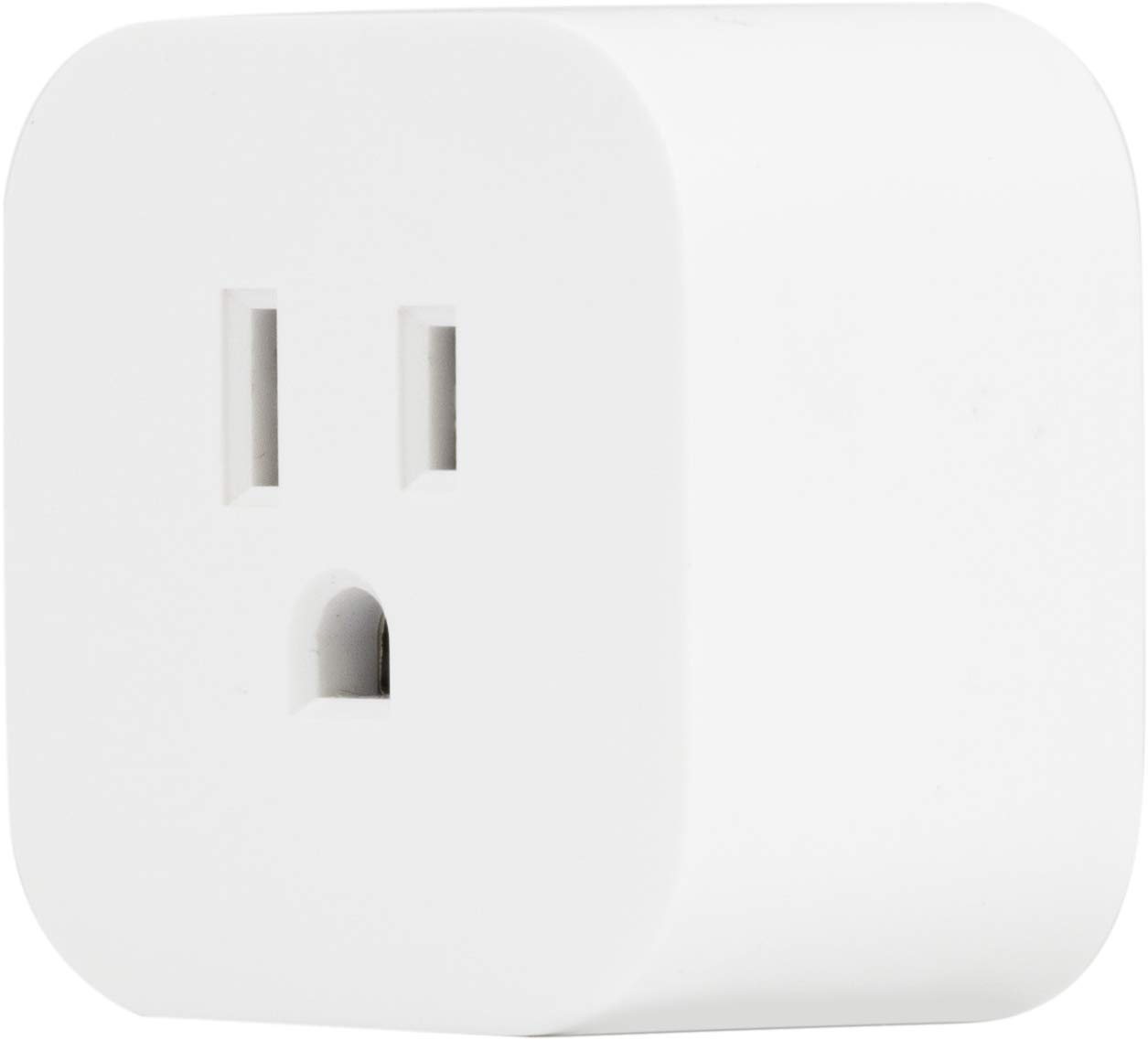
Delwedd: Cefn view of a single Enbrighten Wi-Fi Smart Plug, white, showing the two flat prongs and one round grounding prong.
3. Paru gyda'r App
- Open the Enbrighten app on your mobile device.
- Follow the in-app instructions to add a new device. This typically involves selecting the device type and confirming the LED indicator on the smart plug is flashing, indicating it's in pairing mode.
- Connect the smart plug to your 2.4GHz Wi-Fi network by entering your network credentials when prompted.
- Once successfully paired, the LED indicator on the smart plug will change to a solid color, and the device will appear in your app.
Cyfarwyddiadau Gweithredu
Rheolaeth â Llaw
Each smart plug features a manual ON/OFF button located on the front. Press this button to toggle the power to the connected device directly.

Delwedd: Blaen view of a single Enbrighten Wi-Fi Smart Plug, white, showing the grounded outlet and the circular power button.
Rheoli App
The Enbrighten app provides comprehensive control over your smart plugs:
- O bell YMLAEN / I FFWRDD: Toggle power to your connected devices from anywhere using the app.
- Amserlennu: Set daily or weekly schedules for your devices to turn on or off automatically.
- Amserydd Cyfrif i Lawr: Use the custom countdown feature to automatically turn off a device after a set period (up to 24 hours).
- Automations: Create advanced automations based on various conditions such as time of day (dusk to dawn), weather changes, or your location.
- Grwpio: Organize multiple smart plugs into groups to control them simultaneously, such as "Living Room Lights" or "Outdoor Decorations."
Rheoli Llais
Once paired with the Enbrighten app, you can link your smart plugs to Amazon Alexa or Google Assistant for convenient voice control. Refer to the respective voice assistant's app for instructions on linking third-party smart home devices.
Manylebau
| Priodoledd | Gwerth |
|---|---|
| Rhif Model | 51512 |
| Dimensiynau Cynnyrch | 1.9 x 1.9 x 2 modfedd |
| Pwysau Eitem | 4.9 owns |
| Gwneuthurwr | Cwmni Cynhyrchion Jasco, LLC |
| Modd Gweithredu | YMLAEN-DIM-YMLAEN |
| Math Cyswllt | Ar agor fel arfer |
| Math o Gysylltydd | Plygiwch i Mewn |
| Terfynell | Sgriw |
| Math Cylchdaith | cyfochrog |
| Math Actuator | electronig |
| Deunydd Cyswllt | Copr |
| Nifer y Swyddi | 2 |
Cynnal a chadw
To ensure optimal performance and longevity of your Enbrighten Wi-Fi Smart Plug, follow these maintenance guidelines:
- Keep the smart plug clean by wiping it with a dry, soft cloth. Do not use liquid cleaners or sprays.
- Ensure the smart plug is used within its specified electrical ratings to prevent overheating or damage.
- Avoid exposing the smart plug to extreme temperatures or humidity.
- Do not attempt to disassemble or repair the smart plug yourself. Refer to qualified personnel for service.
Datrys problemau
If you encounter issues with your Enbrighten Wi-Fi Smart Plug, try the following steps:
- Dyfais ddim yn ymateb: Check if the smart plug is securely plugged into the outlet and if the outlet has power. Ensure your Wi-Fi network is active and the smart plug is within range.
- Methu cysylltu â Wi-Fi: Verify that you are connecting to a 2.4GHz Wi-Fi network. Ensure your Wi-Fi password is entered correctly. Try moving the smart plug closer to your Wi-Fi router.
- Problemau ap: Close and reopen the Enbrighten app. Ensure your app is updated to the latest version. If problems persist, try uninstalling and reinstalling the app.
- Resetting the smart plug: If necessary, you can reset the smart plug to factory defaults. Refer to the app's user manual or the manufacturer's websafle am gyfarwyddiadau ailosod penodol ar gyfer eich model.
Gwarant a Chefnogaeth
This Jasco product comes with a 2-year limited warranty. For warranty details, questions, or support, please visit the manufacturer's website or contact their consumer care. Contact information can typically be found on the product packaging or the Enbrighten websafle.