
1. Rhagymadrodd
Thank you for choosing the Aduro PowerUp Ultra Boost 20,000mAh Portable Charger. This device is designed to provide reliable power for your mobile devices on the go. Please read this manual carefully to ensure proper use and optimal performance.
2. Cynnwys Pecyn
- Aduro PowerUp Ultra Boost 20,000mAh Portable Charger
- USB Charging Cable (for recharging the power bank)
- Llawlyfr Defnyddiwr

Image: The Aduro PowerUp Ultra Boost portable charger shown alongside its retail packaging and included USB cable.
3. Nodweddion Cynnyrch
- Capasiti Uchel 20,000mAh: Yn darparu nifer o wefriadau ar gyfer ffonau clyfar a thabledi.
- Dual USB Output Ports: Gwefru dau ddyfais ar yr un pryd.
- Smart Charge Technology: Automatically detects and delivers optimal charging current for connected devices.
- Dangosydd Pwer LED: Displays remaining battery capacity.
- Dyluniad Compact a Chludadwy: Hawdd i'w gario ar gyfer teithio a defnydd bob dydd.
- Amddiffyniadau Diogelwch Mewnol: Guards against over-heating, over-current, over-charging, over-circuit, and anti-fire.
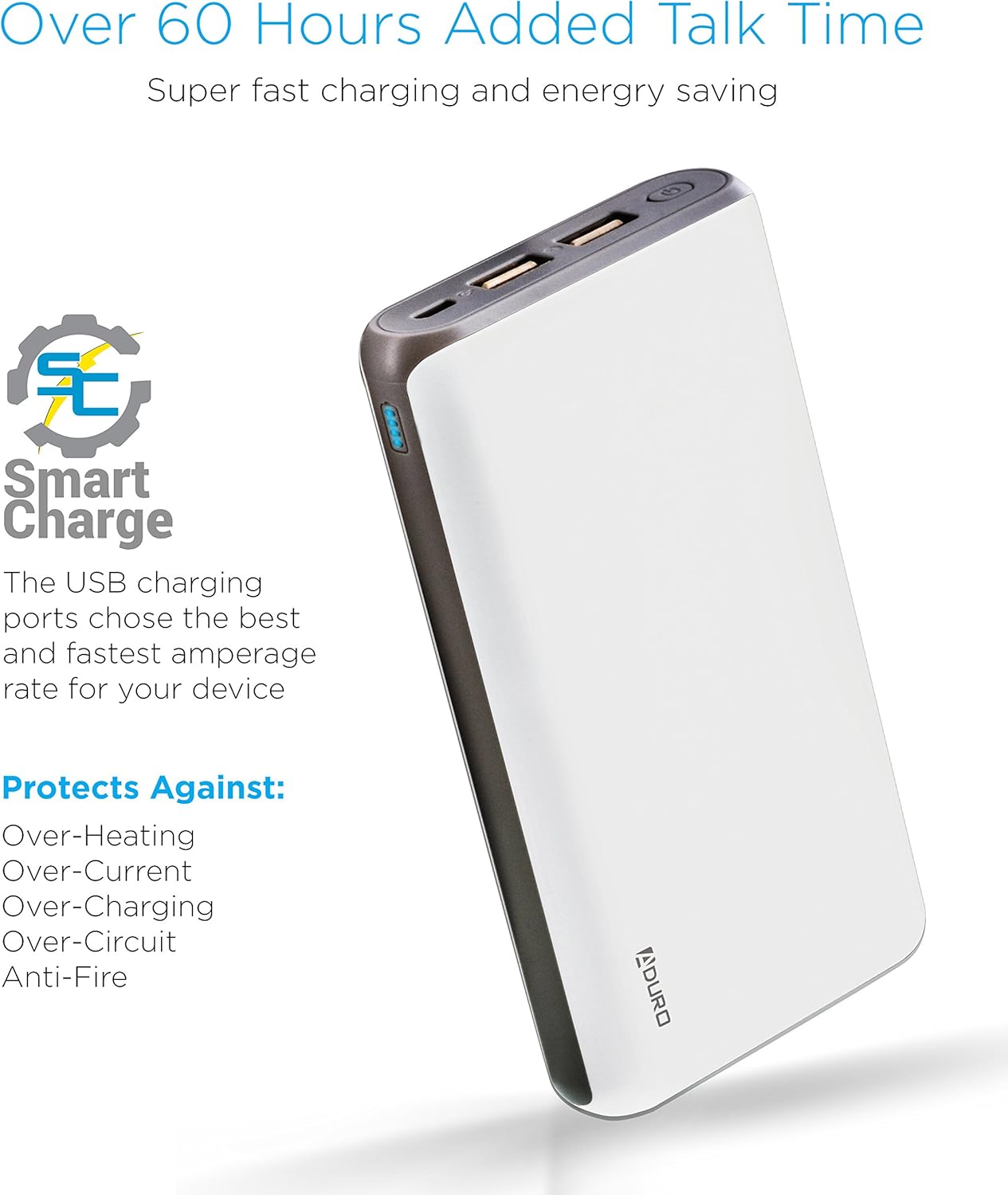
Image: The Aduro power bank highlighting its Smart Charge technology and various safety features like protection against over-heating and over-charging.

Delwedd: Manwl view of the Aduro power bank's dual USB output ports, micro USB input port, and the LED power indicator lights.
4. Cychwyn Arni
4.1 Gwefru'r Banc Pŵer
- Connect the included USB charging cable to the power bank's Micro USB input port.
- Plygiwch ben arall y cebl USB i mewn i addasydd wal USB (heb ei gynnwys) neu borthladd USB cyfrifiadur.
- The LED indicators will illuminate and blink to show the charging progress. All four LEDs will be solid when the power bank is fully charged.
Argymhellir gwefru'r banc pŵer yn llawn cyn ei ddefnyddio gyntaf.
4.2 Codi Tâl ar Eich Dyfeisiau
- Connect your device's charging cable to one of the power bank's USB output ports.
- Cysylltwch ben arall y cebl â'ch dyfais.
- Bydd y banc pŵer yn dechrau gwefru'ch dyfais yn awtomatig. Bydd y dangosyddion LED yn dangos y pŵer sy'n weddill.
- To charge a second device, connect it to the other USB output port.
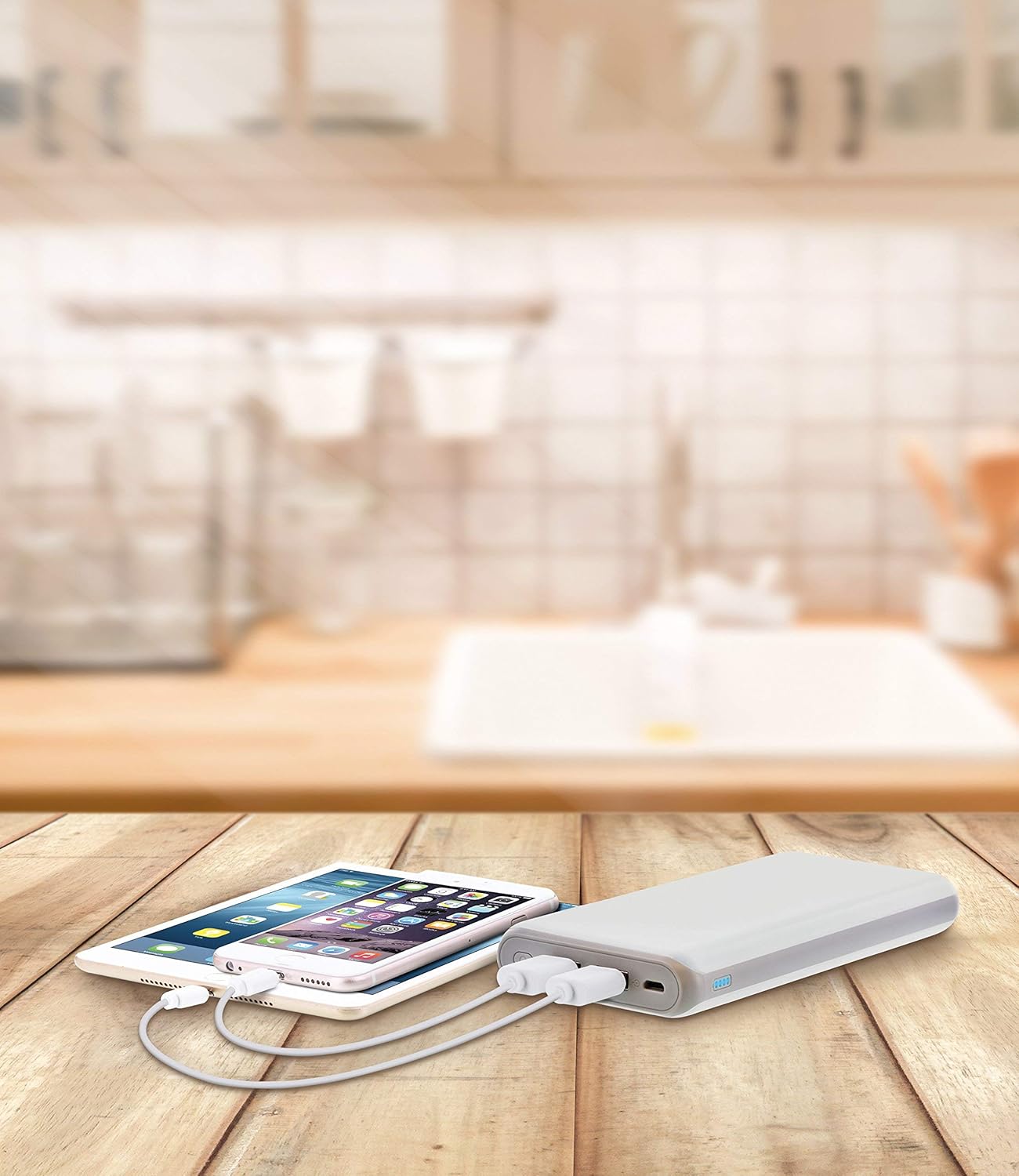
Image: The Aduro power bank connected via USB cables to two smartphones, demonstrating its dual-device charging capability.
5. Canllaw Dangosydd LED
The LED lights on the power bank indicate the remaining battery capacity:
- 4 LEDs Solid: 75% - 100% wedi'i wefru
- 3 LEDs Solid: 50% - 75% wedi'i wefru
- 2 LEDs Solid: 25% - 50% wedi'i wefru
- 1 LED Solid: 0% - 25% wedi'i wefru (ailwefru cyn bo hir)
- LEDs Blinking: Power bank is currently charging
6. Rhagofalon Diogelwch
- Do not expose the power bank to extreme temperatures (above 104°F / 40°C or below 14°F / -10°C).
- Peidiwch â dadosod, addasu, na cheisio atgyweirio'r ddyfais.
- Osgoi gollwng neu orfodi'r banc pŵer i effeithiau cryf.
- Cadwch draw oddi wrth ddŵr, lleithder a deunyddiau fflamadwy.
- Peidiwch â defnyddio os yw'r banc pŵer wedi'i ddifrodi neu wedi chwyddo.
- Cadwch allan o gyrraedd plant.
- Gwaredu'r banc pŵer yn gyfrifol yn unol â rheoliadau lleol.
7. Gofal a Chynnal a Chadw
- Glanhewch y banc pŵer gyda lliain meddal, sych. Peidiwch â defnyddio cemegau llym na glanhawyr sgraffiniol.
- Storiwch y banc pŵer mewn lle oer, sych pan nad yw'n cael ei ddefnyddio.
- If storing for extended periods, charge the power bank to approximately 50% every 3 months to maintain battery health.
8. Datrys Problemau
- Banc pŵer ddim yn gwefru: Ensure the charging cable is securely connected to both the power bank and the power source. Try a different USB cable or wall adapter.
- Dyfais ddim yn gwefru o'r banc pŵer: Ensure the power bank has sufficient charge. Check that the cable connecting your device to the power bank is functional and properly connected. Try a different USB port on the power bank.
- Codi tâl araf: Ensure you are using a compatible charging cable. Some devices may charge slower due to their input requirements or the cable used.
9. manylebau
| Nodwedd | Manylyn |
|---|---|
| Rhif Model | F-208C |
| Gallu Batri | 20,000 mAh |
| Mewnbwn | 5V / 2A (Micro USB) |
| Allbwn 1 | 5V / 1A (USB Type A) |
| Allbwn 2 | 5V / 2.1A (USB Type A) |
| Dimensiynau Cynnyrch | 6.4 x 3 x 0.8 modfedd |
| Pwysau Eitem | 13.6 owns |
| Lliw | Gwyn |

Image: The Aduro power bank displaying its physical dimensions for reference.
10. Gwybodaeth Gwarant
Aduro provides a Lifetime Limited Warranty for this product. This warranty covers manufacturing defects and ensures the product functions as intended under normal use. Please retain your proof of purchase for warranty claims.
11. Cefnogaeth i Gwsmeriaid
For any questions, technical assistance, or warranty claims, please contact Aduro customer service. Refer to the product packaging or the official Aduro websafle am y wybodaeth gyswllt ddiweddaraf.