
Rhagymadrodd
The Picun Elite P80S Wireless Headset provides a high-definition audio experience with multidimensional surround sound, extra bass, and noise reduction. Designed for comfort and versatility, it features both wireless and wired connectivity options, a detachable microphone, and intuitive controls. This manual provides detailed instructions for setup, operation, maintenance, and troubleshooting to ensure optimal performance of your headset.
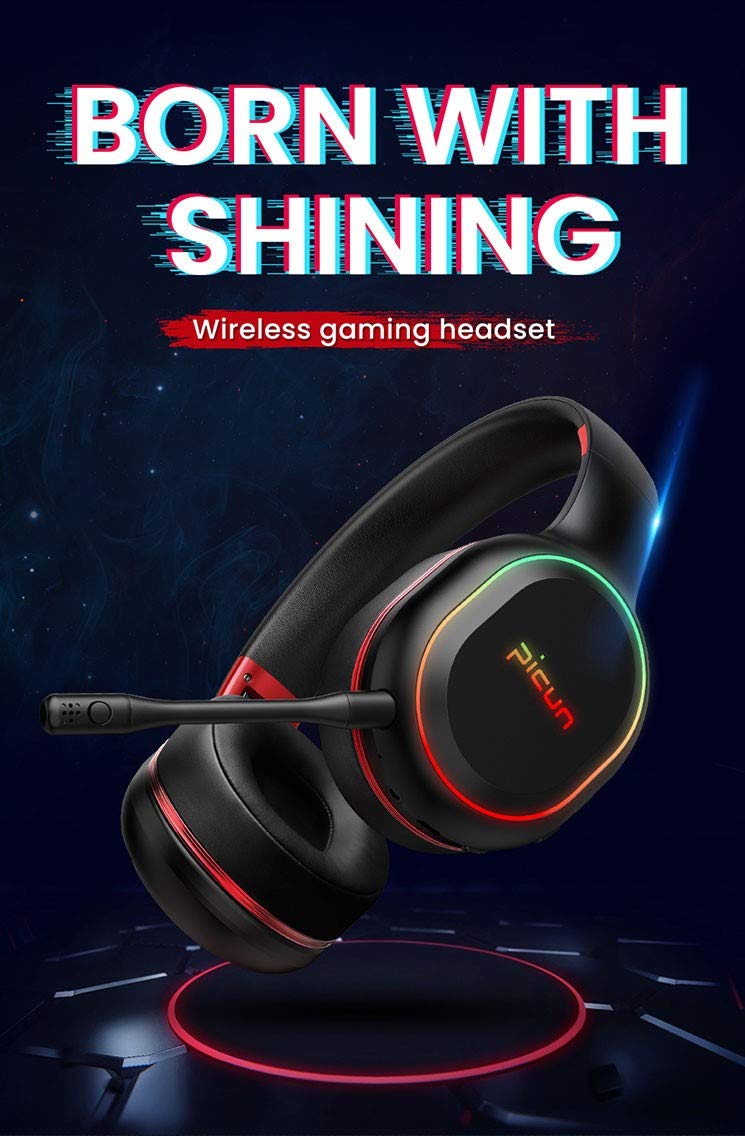
Image: The Picun Elite P80S Wireless Headset, showcasing ei ddyluniad a'i feicroffon integredig.
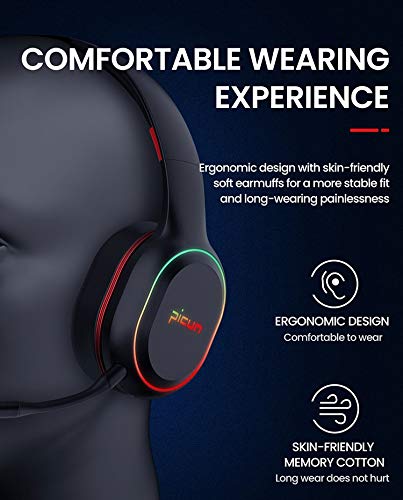
Image: The Picun Elite P80S Headset demonstrating its ergonomic design and comfortable earcups made from skin-friendly memory cotton.
Beth Sydd yn y Bocs
Gwiriwch fod yr holl eitemau yn bresennol yn y pecyn:
- Picun Elite P80S Wireless Headset
- Meicroffon datodadwy
- Cebl Codi Tâl USB
- Cebl Sain AUX 3.5mm
- Llawlyfr Defnyddiwr (y ddogfen hon)
Gosod
1. Codi Tâl y Headset
Before initial use, fully charge the headset. Connect the provided USB charging cable to the headset's charging port and to a compatible USB power source (e.g., computer USB port, USB wall adapter). The LED indicator will show charging status and turn off or change color when fully charged.
A full charge provides approximately 40 hours of game time or 60 hours of music/media playback in wireless mode.
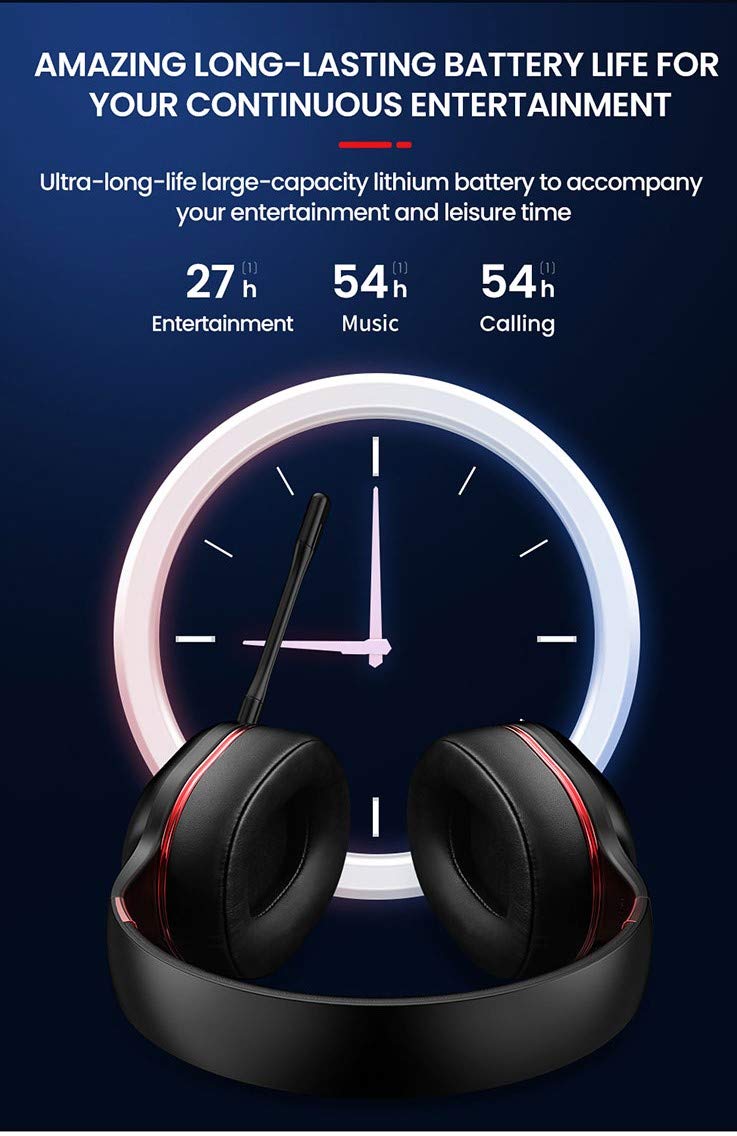
Image: Picun Elite P80S Headset illustrating long battery life for entertainment, music, and calls.
2. Cysylltu'r Meicroffon
The professional detachable microphone can be inserted into the designated port on the left earcup. Ensure it is securely connected for clear voice communication. The microphone can be rotated 360 degrees for optimal positioning.
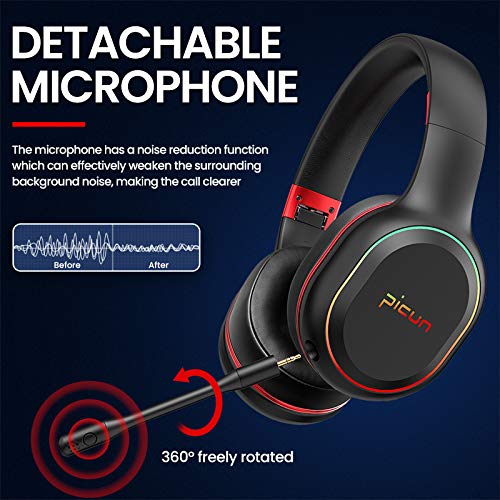
Image: Picun Elite P80S Headset showing the detachable microphone and its 360-degree rotation capability.
Cyfarwyddiadau Gweithredu
1. Pŵer Ymlaen / I ffwrdd
- Pŵer Ymlaen: Pwyswch a daliwch y botwm Pŵer am tua 3 eiliad nes bod y dangosydd LED yn goleuo.
- Pwer i ffwrdd: Pwyswch a daliwch y botwm Pŵer am tua 3 eiliad nes bod y dangosydd LED yn diffodd.
2. Bluetooth Pairing (Wireless Mode)
After powering on, the headset will automatically enter pairing mode (LED indicator will flash). On your device (smartphone, PC, console), enable Bluetooth and search for "Picun Elite P80S". Select it to connect. A voice prompt will confirm successful pairing. The headset maintains a stable connection up to 10 meters.

Image: Diagram illustrating the stable and instant connection features of the Picun Elite P80S headset, highlighting 10-meter transmission, audio/video synchronization, call stability, and no in-game delay.
3. Wired Mode (AUX Connection)
To use the headset in wired mode, connect the provided 3.5mm AUX audio cable to the headset's AUX port and to your audio source. Wired mode allows for indefinite playback regardless of battery charge. The headset functions as a passive headphone in wired mode.
4. Defnydd Meicroffon
- Detachable Pro Microphone: Provides high-definition vocals and effectively reduces ambient noise for clear communication during gaming or calls.
- Inbuilt Microphone: An additional microphone is integrated for general use, ensuring seamless communication even without the detachable mic.
5. Nodweddion Sain
The Picun Elite P80S provides omnidirectional stereo sound, allowing for an immersive audio experience, especially beneficial for gaming to detect subtle sound cues.
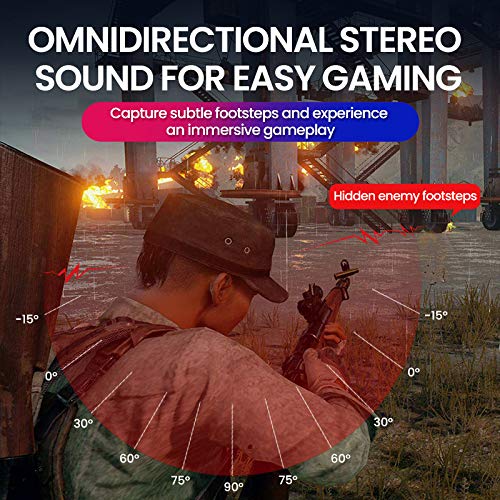
Image: A gaming scenario demonstrating the omnidirectional stereo sound capability, helping users identify sound sources like footsteps from various directions.
6. Rheolyddion Cyfryngau
The headset features integrated buttons for easy control:
- Chwarae/Seibiant: Press the Multi-function button once to play or pause music/videos.
- Ateb / Diwedd Galwad: Press the Multi-function button once to answer an incoming call, and again to end it.
- Rheoli cyfaint: Defnyddiwch y botymau Cyfaint i Fyny (+) a Cyfaint i Lawr (-) i addasu lefel y sain.
- Trac Nesaf / Blaenorol: Long press Volume Up (+) for next track, Long press Volume Down (-) for previous track.
7. Dual Shock / Vibration Mode
Activate the Dual Shock / Vibration Mode for an enhanced immersive experience, particularly for deep bass in music and movies, or realistic vibrations during gaming. This mode can be toggled on or off using the dedicated switch on the headset.
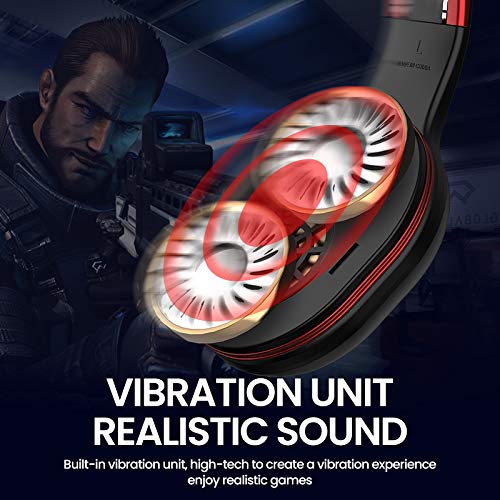
Image: Close-up of the Picun Elite P80S earcup highlighting the built-in vibration unit for realistic sound and gaming experience.
8. LED Light Display
The headset features a gradient colorful breathing light display. To turn the LED lights on or off, press and hold both the Volume Up (+) and Volume Down (-) buttons simultaneously for approximately 3 seconds.

Image: Picun Elite P80S Headset showcasing its gradient colorful breathing light effect, with instructions on how to activate/deactivate it.
Cynnal a chadw
- Glanhau: Defnyddiwch frethyn meddal, sych i lanhau'r clustffonau. Peidiwch â defnyddio glanhawyr sgraffiniol na thoddyddion.
- Storio: Storiwch y clustffon mewn lle oer, sych i ffwrdd o olau haul uniongyrchol a thymheredd eithafol. Mae'r dyluniad plygadwy yn caniatáu storio cryno.
- Gofal Batri: Er mwyn ymestyn oes y batri, osgoi rhyddhau'r clustffon yn llwyr yn aml. Gwefrwch ef yn rheolaidd, hyd yn oed os nad yw'n cael ei ddefnyddio am gyfnodau hir.
- Gofal Cebl: Trin ceblau'n ofalus. Osgowch blygiadau miniog neu dynnu gormodol i atal difrod.
Datrys problemau
No Power / Headset Not Turning On
- Ensure the headset is fully charged. Connect it to a power source using the USB charging cable.
- Verify that the power button is pressed and held for the correct duration (approx. 3 seconds).
Methu paru drwy Bluetooth
- Make sure the headset is in pairing mode (LED flashing). If not, power it off and on again.
- Ensure Bluetooth is enabled on your device and it is within 10 meters of the headset.
- Remove "Picun Elite P80S" from your device's Bluetooth list and attempt to pair again.
- Rhowch gynnig ar baru â dyfais wahanol i ddiystyru problemau sy'n benodol i'r ddyfais.
Dim Sain / Cyfrol Isel
- Gwiriwch lefelau'r cyfaint ar y clustffon a'ch dyfais gysylltiedig.
- If in wired mode, ensure the 3.5mm AUX cable is fully inserted into both the headset and the audio source.
- If in wireless mode, ensure the headset is properly paired and connected.
- Profwch gyda gwahanol ffynonellau sain neu gymwysiadau.
Meicroffon Ddim yn Gweithio
- Gwnewch yn siŵr bod y meicroffon datodadwy wedi'i blygio'n ddiogel i'r clustffon.
- Check microphone settings on your connected device (e.g., input device selection, volume levels).
- Test the microphone in different applications or communication platforms.
One Earpiece Not Working
- Gwiriwch osodiadau cydbwysedd sain ar eich dyfais gysylltiedig.
- If using the AUX cable, ensure it is fully inserted and try a different cable if available.
- Restart the headset and your connected device.
Manylebau
| Brand | Picun |
| Enw Model | Elite P80S |
| Lliw | Du |
| Ffactor Ffurf | Dros Glust |
| Rheoli Sŵn | Canslo Sŵn Gweithredol |
| Clustffonau Jack | 3.5 mm Jack |
| Deunydd Amgaead | Lledr ffug |
| Dyfeisiau Cydnaws | Personal Computers/Laptops, Playstations/ X-box/ Nintendo Switch, Smartphones/Pads |
| Nodweddion Cebl | Datodadwy |
| Math o Dechnoleg Di-wifr | Bluetooth |
| Math o Reoli | Rheoli Cyfaint |
| Dull Rheoli | Touch (for some functions, e.g., Play/Pause, Answer/End Call via Multi-function button) |
Gwarant a Chefnogaeth
For warranty information and technical support, please refer to the warranty card included with your product or contact Picun customer service through their official websafle. Cadwch eich prawf prynu ar gyfer unrhyw hawliadau gwarant.
For further assistance, please visit the official Picun support page or contact their customer service directly.


