
Cyflwyniad a Throsoddview
The Technical Pro H502URBT is a versatile digital hybrid amplifier designed to deliver powerful and clear audio performance. It integrates a preamp tuner, USB and SD card playback, Bluetooth connectivity, and FM radio, making it suitable for a wide range of audio applications from home entertainment to professional setups. This manual provides detailed instructions for setting up, operating, and maintaining your amplififier i sicrhau'r perfformiad gorau posibl a hirhoedledd.

Ffigur 1: Blaen view of the H502URBT Ampllewywr.

Ffigur 2: Cefn view of the H502URBT Amplifier, showing connections.
Nodweddion Allweddol
The H502URBT amplifier is equipped with a comprehensive set of features to enhance your audio experience:
- Allbwn Pwer Uchel: 3500 watts peak power for robust sound delivery.
- Mewnbynnau Sain Lluosog: RCA (2 audio sources), USB, SD Card, MP3 (3.5mm) for diverse connectivity.
- Allbynnau Amlbwrpas: Banana binding post (4 speakers), push button (surround sound speakers), RCA (record line, preamp, 2 mono to subwoofer), Headphone (3.5mm).
- Digital Media Playback: Yn chwarae .mp3, .wav, .wma files from USB drives and SD Cards (max 32GB).
- Cydnawsedd iPod/iPhone: USB input allows direct connection for iPods.
- Swyddogaeth recordio: Cofnodion .wav files onto USB Flash Drive or SD Card from Tuner & RCA inputs (128 kbps / 44.1 KHz sampcyfradd ling).
- Cysylltedd Bluetooth: Features Bluetooth v2.0 with EDR (2.4 GHz) for wireless connection to A2DP stereo Bluetooth devices, with a range of 30 feet.
- Tiwniwr Integredig: AM/FM digital tuner.
- Mewnbynnau Meicroffon: Dual 1/4'' mic inputs with independent volume, echo, bass, and treble controls.
- Rheolaethau Sain: Bass, treble, and balance controls, separate gain control for preamp and subwoofer outputs.
- Arddangos: Digital FL readout with spectrum display.
- Cyfleustra: Built-in Speaker selector, cooling speed fan, removable rack-mount brackets, wireless remote included.
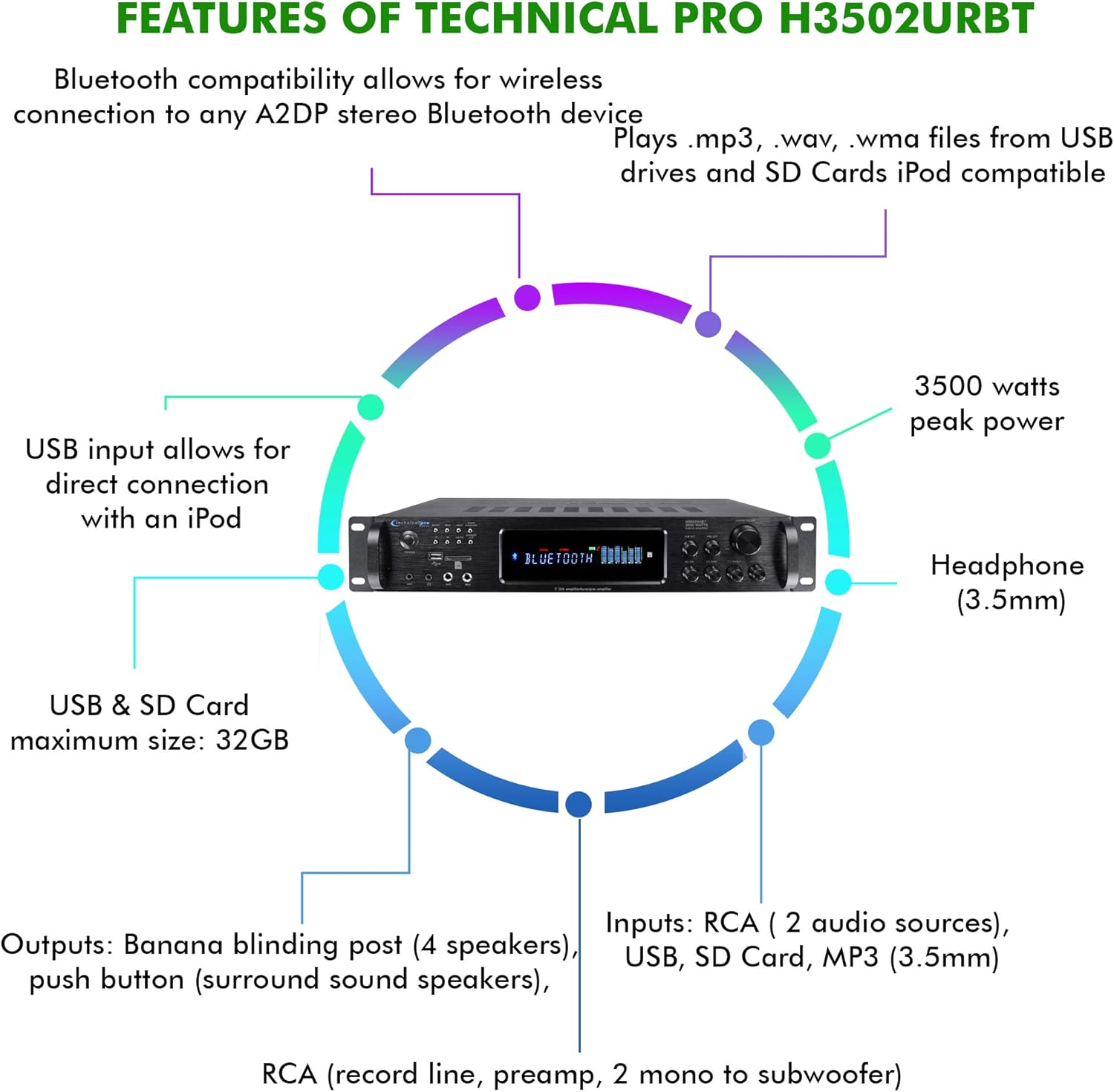
Figure 3: Key features and connectivity options.
Corfforol Drosview
Rheolaethau a Dangosyddion Panel Blaen
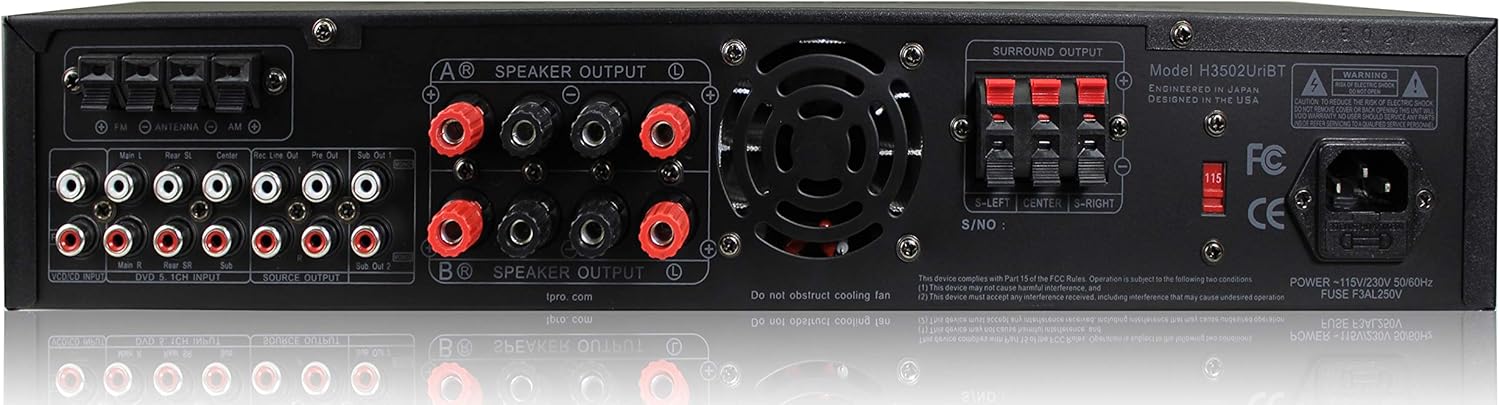
Figure 4: Front Panel Layout.
- Botwm Pŵer: Yn troi'r uned ymlaen neu i ffwrdd.
- Dewisydd Mewnbwn: Cycles through RCA, USB, SD, MP3, Bluetooth, and FM inputs.
- Slotiau Cerdyn USB/SD: Ar gyfer chwarae cyfryngau files from USB drives and SD cards.
- MP3 Input (3.5mm): Cysylltwch dyfeisiau sain allanol.
- Allbwn Clustffonau (3.5mm): Ar gyfer gwrando preifat.
- Microphone Inputs (1/4''): Connect up to two microphones.
- Mic Volume/Echo/Bass/Treble Controls: Adjust microphone audio.
- Prif Gyfrol: Yn rheoli cyfaint allbwn cyffredinol.
- Bass/Treble/Balance Controls: Adjust audio tone and channel balance.
- Digital FL Readout: Displays current status, track information, and spectrum analysis.
Cysylltiadau Panel Cefn
Ffigur 5: Cysylltiadau Panel Cefn.
- Mewnbynnau Sain RCA (Chwith/Dde): Connect external audio sources like CD players, DVD players, or other audio devices.
- Speaker Outputs (Banana Binding Post): Connect main speakers.
- Surround Sound Speaker Outputs (Push Button): Connect surround sound speakers.
- RCA Record Line Output: Ar gyfer cysylltu â dyfais recordio.
- RCA Cynamp Allbwn: Ar gyfer cysylltu â phŵer allanol ampllewywr.
- RCA Subwoofer Outputs (Mono): Connect to powered subwoofers.
- Mewnbwn Antena FM: Cysylltwch yr antena FM sydd wedi'i chynnwys ar gyfer derbyniad radio.
- Mewnbwn pŵer: Cysylltwch y llinyn pŵer AC.
Gosod
1. Cysylltu Siaradwyr
- Sicrhau y ampmae'r lifter wedi'i ddiffodd a'i ddatgysylltu o'r allfa bŵer.
- Connect your main speakers to the "SPEAKER OUTPUT" banana binding posts on the rear panel. Ensure correct polarity (red to red, black to black).
- If using surround sound speakers, connect them to the "SURROUND OUTPUT" push button terminals, observing polarity.
- For powered subwoofers, connect them to the "SUB OUT" RCA outputs.
2. Cysylltu Ffynonellau Sain
- For external audio devices (e.g., CD player, TV), connect their RCA audio outputs to the "RCA INPUT" jacks on the rear panel.
- For portable devices, use the 3.5mm MP3 input on the front panel.
- For USB drives or SD cards, insert them into the respective slots on the front panel.
- Connect the FM antenna to the "FM ANTENNA" terminal for radio reception.
3. Cysylltiad Pwer
- Unwaith y bydd yr holl gysylltiadau sain a siaradwr wedi'u gwneud, plygiwch y amplifier's power cord into a standard AC power outlet.
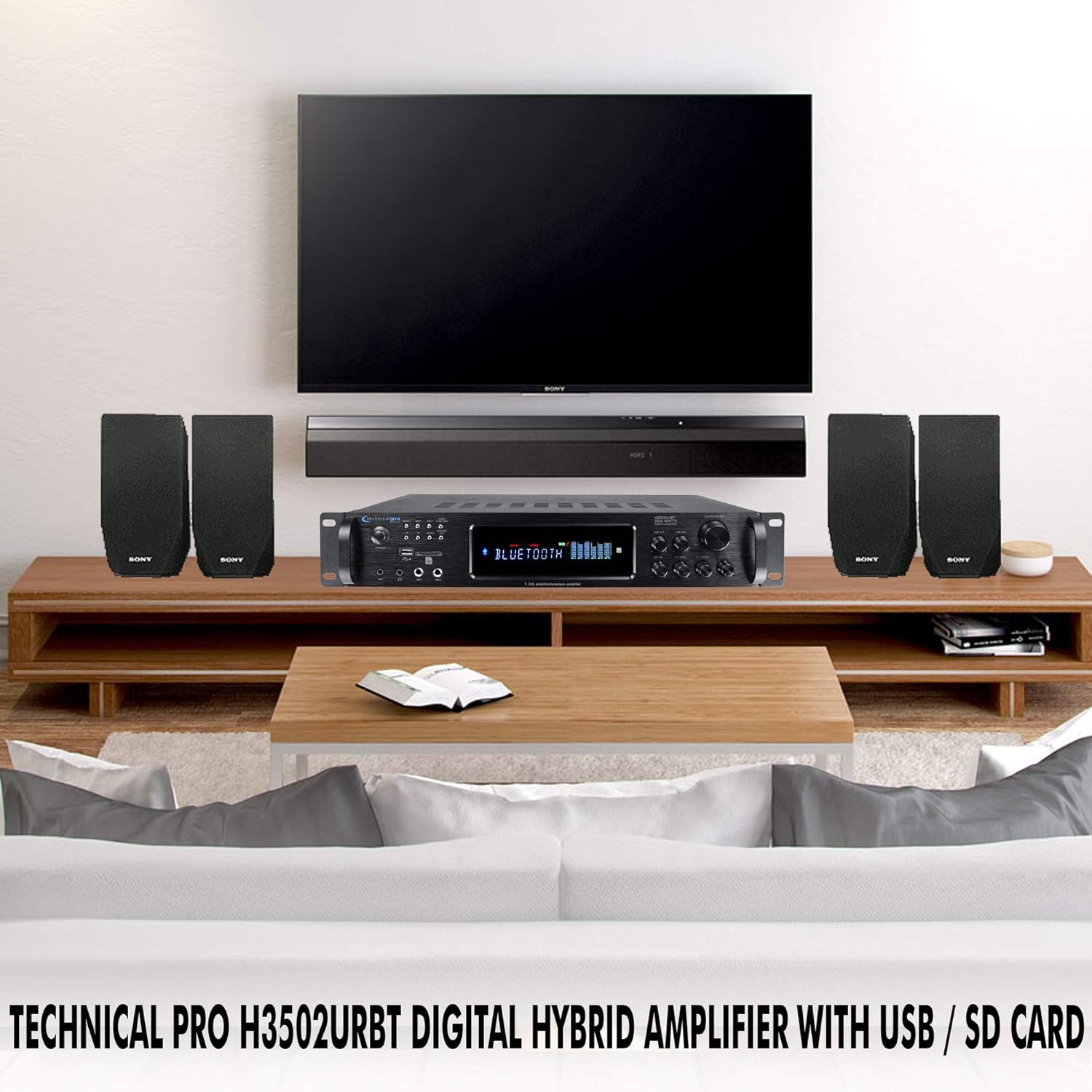
Ffigur 6: Example of a typical home audio setup.
Cyfarwyddiadau Gweithredu
1. Pŵer Ymlaen / I ffwrdd
Gwasgwch y GRYM button on the front panel or the remote control to turn the ampy pŵer ymlaen neu i ffwrdd. Bydd yr arddangosfa ddigidol yn goleuo pan fydd yr uned wedi'i throi ymlaen.
2. Dewis Mewnbwn
Gwasgwch y MEWNBWN button on the front panel or the remote control to cycle through the available audio sources: RCA, USB, SD, MP3, Bluetooth, and FM. The selected input will be displayed on the digital readout.
3. Gweithrediad Bluetooth
- Dewiswch y Bluetooth input using the Input Selector.
- Ar eich dyfais sy'n galluogi Bluetooth (e.e., ffôn clyfar, tabled), galluogwch Bluetooth a chwiliwch am ddyfeisiau sydd ar gael.
- Select "Technical Pro H502URBT" from the list of devices to pair.
- Once paired, you can stream audio wirelessly from your device to the ampllewywr.
4. Chwarae USB/SD
- Insert a USB flash drive or SD card (up to 32GB) containing .mp3, .wav, or .wma files into the corresponding slot on the front panel.
- Dewiswch y USB or SD mewnbwn.
- Mae'r amplifier will automatically begin playing the media. Use the playback controls (Play/Pause, Next/Previous Track) on the front panel or remote. Track title, number, and elapsed time will be displayed.
5. Defnydd Meicroffon
- Plug 1/4'' microphones into the MIC1 or MIC2 inputs on the front panel.
- Addaswch y MIC VOL, MIC ECHO, BAS MIC, a TREBLE MIC knobs to achieve the desired sound.
6. Swyddogaeth Recordio
Mae'r amplifier can record audio from the Tuner or RCA inputs directly to a connected USB flash drive or SD card as .wav files. To record, ensure a USB drive or SD card is inserted, select the desired input source, and initiate recording via the appropriate control (refer to the full manual for specific recording button location if not explicitly labeled).
7. Tone and Volume Controls
Defnyddiwch y CYFROL MEISTR knob to adjust the overall sound level. The BAS, TREBL, a CYDBWYSEDD knobs allow you to fine-tune the audio output to your preference.
Cynnal a chadw
Mae cynnal a chadw priodol yn sicrhau hirhoedledd a pherfformiad gorau posibl eich ampllewywr.
- Glanhau: Disconnect the power before cleaning. Use a soft, dry cloth to wipe the exterior of the unit. Do not use liquid cleaners or aerosol sprays, as they may damage the finish or internal components.
- Awyru: Ensure that the ventilation openings on the amplifier are not blocked. Adequate airflow is crucial to prevent overheating.
- Storio: If storing the unit for an extended period, keep it in a cool, dry place away from direct sunlight and extreme temperatures.
Datrys problemau
Os byddwch chi'n dod ar draws problemau gyda'ch amplifer, cyfeiriwch at y problemau a'r atebion cyffredin canlynol:
| Problem | Achos Posibl | Ateb |
|---|---|---|
| Dim pŵer | Power cord not securely connected; Power outlet not active; Unit fuse blown. | Check power cord connection; Test outlet with another device; Consult a qualified technician for fuse replacement. |
| Dim allbwn sain | Incorrect input selected; Speaker wires loose or incorrectly connected; Volume too low; Mute function active. | Select correct input; Check all speaker connections and polarity; Increase Master Volume; Ensure unit is not muted. |
| Bluetooth ddim yn cysylltu | Amplifier not in Bluetooth mode; Device too far; Device already paired with another unit. | Sicrhau amplifier is on Bluetooth input; Move device closer; Disconnect device from other Bluetooth connections and try again. |
| Problemau chwarae USB/SD | Heb ei gefnogi file format; USB/SD card corrupted; Card size exceeds 32GB. | Sicrhau files are .mp3, .wav, or .wma; Try a different USB/SD card; Use a card within the 32GB limit. |
| Sain gwyrgam | Volume too high; Speaker impedance mismatch; Poor cable connection. | Lleihau'r sain; Sicrhewch fod y siaradwyr yn cyd-fynd amplifier impedance; Check all audio cable connections. |
Manylebau
Detailed technical specifications for the Technical Pro H502URBT Digital Hybrid Ampllewywr:
| Nodwedd | Manylyn |
|---|---|
| Pŵer Brig | 3500 Wat |
| Dimensiynau Cynnyrch | 19.1 x 14 x 18 modfedd |
| Pwysau Eitem | 14.9 pwys |
| Rhif Model | H502URBT |
| Technoleg Cysylltedd | RCA, Bluetooth, USB |
| Math o Reolwr | Android (cydnaws) |
| Dyfeisiau Cydnaws | Speaker, iPod, iPhone |
| Modd Allbwn Sain | Mono (for subwoofer), Stereo |
| Ffurfweddiad Sianel Sain Amgylch | 7.2 Channel up conversion |
| USB & SD Card Max Size | 32GB |
| Fformat Recordio | .wav (128 kbps / 44.1 KHz) |
| Fersiwn Bluetooth | v2.0 with EDR |
| Amrediad Bluetooth | 30 Traed |
| Lliw | Du |
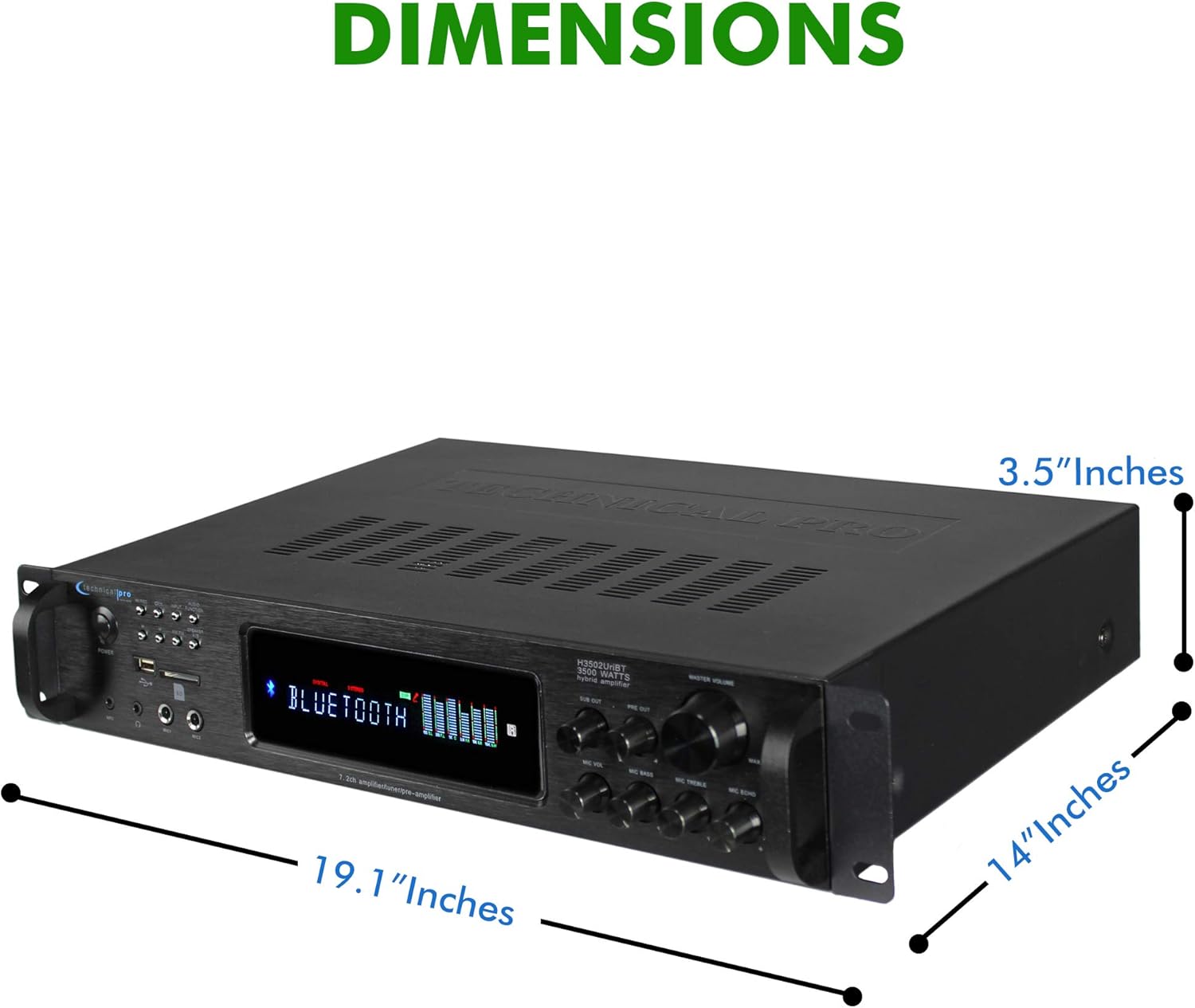
Ffigur 7: Dimensiynau'r Cynnyrch.
Gwarant a Chefnogaeth
Technical Pro products are manufactured with high standards and undergo rigorous quality control. This product is covered by a manufacturer's warranty against defects in materials and workmanship. For specific warranty terms and conditions, please refer to the warranty card included with your purchase or visit the official Technical Pro websafle.
For technical support, troubleshooting assistance, or service inquiries, please contact Technical Pro customer service. Contact information can typically be found on the Technical Pro websafle neu yn eich pecynnu cynnyrch.