
Wireless Gear G0685
Wireless Gear Bluetooth 5.0 True Wireless Stereo Sport Earhooks User Manual
Model: G0685
Rhagymadrodd
This manual provides detailed instructions for the Wireless Gear Bluetooth 5.0 True Wireless Stereo Sport Earhooks. Please read this manual carefully before use to ensure proper operation and to maximize the lifespan of your device.
Cynnwys Pecyn
Dylai'r pecyn gynnwys yr eitemau canlynol:
- Di-wifr Dau Earbuds
- Achos codi tâl
- Cebl codi tâl USB
- Llawlyfr defnyddiwr
Cynnyrch Drosview
The Wireless Gear Sport Earhooks are designed for comfortable and secure wear during various activities. They feature touch controls and come with a portable charging case.

Image: Wireless Gear Sport Earhooks (white) inside their black zippered charging case, with the case lid open.
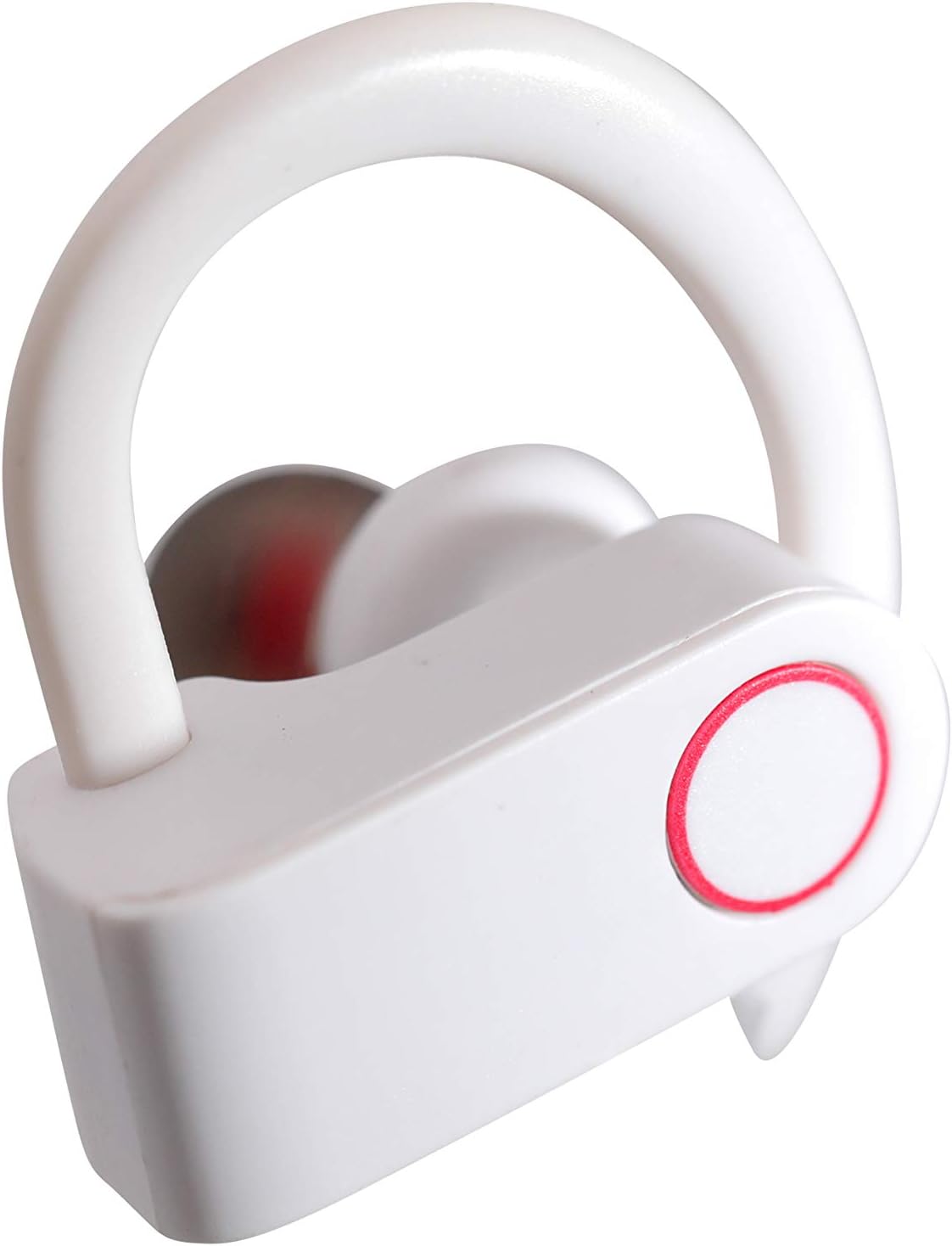
Image: A detailed close-up of a single white Wireless Gear Sport Earhook, highlighting the ear hook design and the circular touch control area with a red outline.
Gosod
1. Gwefru Cychwynnol
Cyn ei ddefnyddio gyntaf, gwefrwch y clustffonau a'r cas gwefru yn llawn.
- Rhowch y ddau glustffon yn y cas gwefru. Gwnewch yn siŵr eu bod wedi'u gosod yn iawn.
- Connect the USB charging cable to the charging case and a compatible USB power source (e.g., computer USB port, wall adapter).
- The indicator lights on the case and/or earbuds will show charging status. Refer to the product's specific light indicators for full charge notification.

Image: A person's hands are shown placing the white Wireless Gear Sport Earhooks into their open black charging case, with a laptop visible in the background.
2. Paru â Dyfais
The earbuds feature auto-pair and auto-power on functionality for seamless connection.
- Remove both earbuds from the charging case. They will automatically power on and enter pairing mode.
- Ar eich dyfais (ffôn clyfar, tabled, gliniadur), galluogwch Bluetooth.
- Chwiliwch am "Wireless Gear Earhooks" or a similar name in the list of available Bluetooth devices.
- Select the device name to connect. Once connected, you will hear an audible confirmation.
- Os bydd paru’n methu, rhowch y clustffonau yn ôl yn y cas, caewch y caead, arhoswch ychydig eiliadau, ac yna ailadroddwch y camau.

Image: The white Wireless Gear Sport Earhooks are displayed next to a black smartphone, illustrating their compact size and readiness for pairing.
Cyfarwyddiadau Gweithredu
Pŵer Ymlaen / Diffodd
- Pŵer Ymlaen: Tynnwch y clustffonau o'r cas gwefru. Byddant yn troi ymlaen yn awtomatig.
- Pwer i ffwrdd: Place earbuds back into the charging case. They will power off automatically.
Rheolaethau Cyffwrdd
The earbuds feature convenient touch controls on the side of each earbud.
- Chwarae/Seibiant Cerddoriaeth: Tap sengl ar y naill glust neu'r llall.
- Cân Nesaf: Tapiwch ddwywaith ar y glustffon dde.
- Cân flaenorol: Tapiwch ddwywaith ar y glustffon chwith.
- Ateb / Diwedd Galwad: Tap sengl ar y naill glustffon neu'r llall yn ystod galwad sy'n dod i mewn.
- Gwrthod Galwad: Pwyswch a daliwch y naill glustffon neu'r llall am 2 eiliad yn ystod galwad sy'n dod i mewn.
- Activate Voice Assistant (Siri for iOS): Tapiwch driphlyg ar y naill glustffon neu'r llall.
Wearing the Earhooks
The contoured shape with behind-the-ear hooks and ear gels provides a secure and comfortable fit.
- Nodwch y clustffonau chwith (L) a dde (D).
- Place the earbud into your ear canal and gently hook the ear hook over the back of your ear.
- Adjust the earbud and hook until it feels secure and comfortable.
Cynnal a Chadw a Gofal
- Glanhau: Defnyddiwch frethyn meddal, sych, heb lint i lanhau'r clustffonau a'r cas gwefru. Peidiwch â defnyddio cemegau llym na deunyddiau sgraffiniol.
- Storio: When not in use, always store the earbuds in their charging case to protect them from dust, dirt, and damage.
- Osgoi Dŵr: These earbuds are not waterproof. Avoid exposure to excessive moisture, rain, or submersion in water.
- Tymheredd: Peidiwch ag amlygu'r ddyfais i dymheredd eithafol (poeth neu oer).
Datrys problemau
| Problem | Achos Posibl | Ateb |
|---|---|---|
| Nid yw'r clustffonau'n troi ymlaen. | Batri isel. | Gwefrwch y clustffonau a'r cas gwefru yn llawn. |
| Methu paru â dyfais. | Mae Bluetooth i ffwrdd ar y ddyfais; nid yw'r clustffonau yn y modd paru; ymyrraeth. | Ensure Bluetooth is enabled. Place earbuds back in case, then remove to re-enter pairing mode. Move closer to the device. |
| Dim sain na chyfaint isel. | Volume too low on device; earbuds not connected; earbud placement. | Increase volume on your connected device. Reconnect earbuds. Adjust earbud position in ear. |
| Dim ond un clustffon sy'n gweithio. | Earbuds not properly synced; one earbud low battery. | Place both earbuds back into the charging case, close the lid, then remove them together. Ensure both are charged. |
Manylebau
- Model: G0685
- Cysylltedd: Bluetooth 5.0
- Playtime (Earbuds): Hyd at 2 awr
- Additional Playtime (with Charging Case): Up to 6 hours (3 full charges)
- Math o reolaeth: Rheoli Cyffwrdd
- Meicroffon: Adeiledig
- Lleihau Sŵn: Lleihau Sŵn Deallus
- Ffactor Ffurflen: In-Ear with Over-Ear Hooks
- Lliw: Gwyn
- Deunydd: Plastig
- Pwysau Eitem: 110 g (gan gynnwys pecynnu)
- Dimensiynau (Achos): Tua 2.25" x 2.25" x 0.75"
Gwarant a Chefnogaeth
For warranty information and customer support, please refer to the product packaging or contact Wireless Gear customer service directly. Keep your proof of purchase for any warranty claims.
Gwybodaeth Gyswllt: Please visit the official Wireless Gear websafle am y manylion cyswllt cymorth mwyaf cyfredol.
Ask a question about this manual
Ask about setup, troubleshooting, compatibility, parts, safety, or missing instructions. Manuals+ will review the question and use this page’s manual context to help answer it.