
RCA RNSM4003
RCA 40" Smart TV User Manual
Model: RNSM4003
Rhagymadrodd
This user manual provides comprehensive instructions for the setup, operation, and maintenance of your RCA 40" Smart TV (Model RNSM4003). Please read this manual thoroughly before operating your television to ensure proper use and to prevent damage.
The RCA 40" Smart TV combines a stunning viewing experience with an amazing range of entertainment applications. With apps like Netflix, YouTube, and Prime Video, you can choose to watch movies and TV episodes or stay current on social media.
Gwybodaeth Diogelwch
Dilynwch ragofalon diogelwch sylfaenol bob amser wrth ddefnyddio'r cynnyrch hwn i leihau'r risg o dân, sioc drydanol ac anaf i bobl.
- Peidiwch â gwneud y teledu yn agored i law neu leithder.
- Peidiwch â rhwystro agoriadau awyru.
- Peidiwch â gosod y teledu ar gerdyn, stondin, trybedd, braced na bwrdd ansefydlog.
- Cyfeirio pob gwasanaeth i bersonél gwasanaeth cymwys.
- Datgysylltwch y teledu yn ystod stormydd mellt a phan na chaiff ei ddefnyddio am gyfnodau hir.
Cynnwys Pecyn
Gwiriwch fod yr holl eitemau wedi'u cynnwys yn y pecyn:
- RCA 40" Smart TV
- Cebl Pŵer
- Rheolaeth Anghysbell
- Stand Teledu (2 ddarn)
- Sgriwiau ar gyfer Cynulliad y Stand
- Llawlyfr Defnyddiwr (y ddogfen hon)
Gosod
1. Cysylltu'r Stand
Carefully place the TV screen-down on a soft, clean surface to prevent scratches. Align the stand pieces with the corresponding slots on the bottom of the TV. Secure the stands using the provided screws.
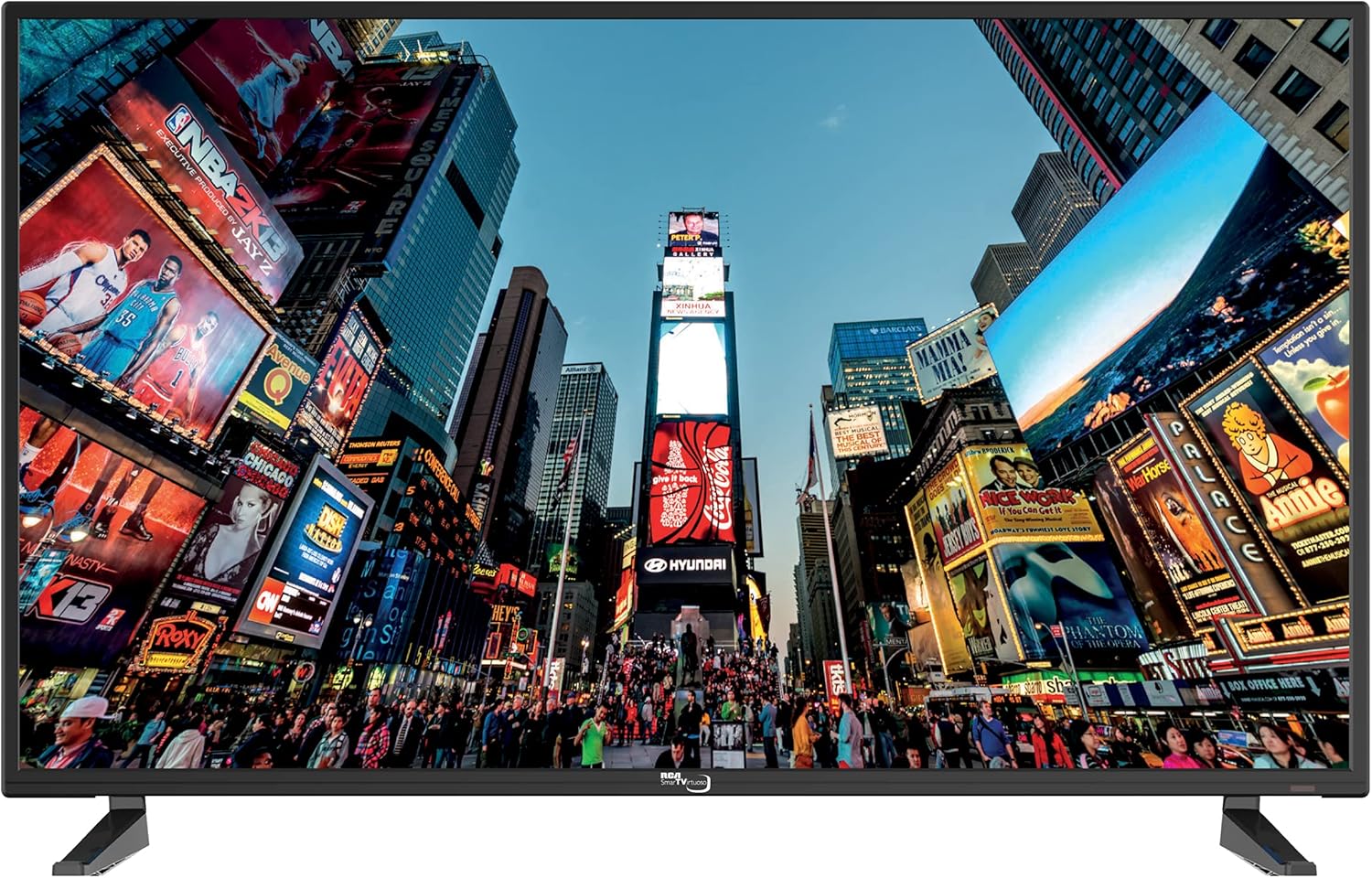
Delwedd: Blaen view of the RCA 40" Smart TV with its stand attached, displaying a dynamic city scene on the screen. This image illustrates the TV's appearance when set up on a flat surface.
2. Gosod Wal (Dewisol)
The RCA 40" Smart TV is VESA mount compatible. To simplify the mounting process, the rear panel of the TV arrives with the necessary screw holes to accept an industry-standard VESA mount. Consult a professional for wall mounting installation.

Delwedd: Cefn view of the RCA 40" Smart TV, highlighting the VESA mounting holes and various input ports. This view is essential for understanding wall mount compatibility and cable management.
3. Cysylltu Perifferolion
Connect your devices to the TV using the available ports.
- Porthladdoedd HDMI: The TV features 3 HDMI ports for connecting devices like Blu-ray players, game consoles, or cable boxes.
- Porthladd Ethernet: Cysylltwch gebl Ethernet ar gyfer cysylltiad rhyngrwyd gwifrau sefydlog.
- Porth USB: Ar gyfer chwarae cyfryngau o ddyfeisiau storio USB.
- Mewnbwn Antena/Cebl: Ar gyfer cysylltu antena neu signal teledu cebl.

Delwedd: Ochr view of the RCA 40" Smart TV, illustrating the accessible input ports including HDMI and USB. This image helps users identify where to connect their external devices.
4. Troi ymlaen yn gychwynnol a gosod rhwydwaith
Plug the power cable into the TV and a wall outlet. Press the power button on the remote control or on the TV. Follow the on-screen prompts to select your language, country, and connect to your home network (Wi-Fi or Ethernet). This step is crucial for accessing smart TV features.
Gweithredu
1. Rheolaeth Anghysbell Drosview
The included IR remote control allows you to navigate the TV's functions. Familiarize yourself with the buttons for power, volume, channel, input selection, and smart TV navigation.

Delwedd: Ochr chwith view of the RCA 40" Smart TV, displaying the physical control buttons for volume, channel, menu, source, and power. These buttons provide an alternative way to operate the TV without the remote control.
2. Nodweddion Teledu Clyfar
Easily access content streaming services like Netflix, YouTube, and Prime Video directly from your TV's home screen. Ensure your TV is connected to the internet for full functionality.

Image: The RCA 40" Smart TV mounted on a wall in a living room, with a family seated on a couch watching content. This image demonstrates the TV in a typical home entertainment setting, highlighting its smart capabilities for family viewing.
3. Dewis Mewnbwn
Press the "Source" or "Input" button on your remote to switch between connected devices (HDMI 1, HDMI 2, HDMI 3, AV, TV Tuner, etc.).
4. Gosodiadau Llun a Sain
Access the TV's menu to adjust picture settings (brightness, contrast, color, sharpness) and sound settings (volume, equalizer, sound mode). The TV features a brilliant 1080p Full HD LED screen for vivid colors and exceptional contrast.
Cynnal a chadw
Glanhau'r teledu
Always unplug the TV before cleaning. Use a soft, dry cloth to wipe the screen and cabinet. Do not use liquid cleaners or aerosol sprays directly on the TV.
Diweddariadau Meddalwedd
Gwiriwch yn rheolaidd am ddiweddariadau meddalwedd drwy ddewislen gosodiadau'r teledu i sicrhau perfformiad gorau posibl a mynediad at y nodweddion diweddaraf.
Datrys problemau
Cyfeiriwch at y tabl isod am broblemau cyffredin a'u datrysiadau.
| Problem | Achos Posibl | Ateb |
|---|---|---|
| Dim Pwer | Cebl pŵer heb ei gysylltu; allfa ddim yn gweithio. | Gwnewch yn siŵr bod y cebl pŵer wedi'i blygio'n ddiogel i mewn. Profwch y soced gyda dyfais arall. |
| Dim Llun, Ond Sain | Ffynhonnell mewnbwn anghywir wedi'i dewis; cebl diffygiol. | Verify correct input source. Check HDMI/AV cable connections. |
| Dim Sain, Ond Llun | Sain wedi'i mudo neu'n rhy isel; problem gyda'r system sain allanol. | Unmute volume or increase level. Check external audio connections if applicable. |
| Methu Cysylltu â Wi-Fi | Cyfrinair anghywir; problem gyda'r llwybrydd; teledu yn rhy bell o'r llwybrydd. | Re-enter password. Restart router. Move TV closer or use Ethernet. |
| Smart Features Sluggish | Network congestion; outdated software; insufficient memory. | Check internet speed. Update TV software. Close unused apps. Consider an external streaming device if issues persist. |
Manylebau
| Nodwedd | Manylyn |
|---|---|
| Brand | RCA |
| Model | RNSM4003 |
| Maint Sgrin | 40 modfedd |
| Technoleg Arddangos | LED |
| Datrysiad | 1080p (1920 x 1080 Picsel) |
| Cyfradd Adnewyddu | 60 Hz |
| Cymhareb Agwedd | 16:9 |
| Porthladdoedd HDMI | 3 |
| Technoleg Cysylltedd | Ethernet, HDMI |
| Math Mowntio | Mowntiad Wal (cydnaws â VESA) |
| Cydrannau wedi'u Cynnwys | Cebl Pŵer, Rheolaeth Anghysbell, Stondin |
| Dimensiynau Cynnyrch | 16.51 x 97.79 x 60.96 cm; 8.66 kg |
| Gwasanaethau Rhyngrwyd â Chymorth | Netflix, Pandora, Skype, Vudu, YouTube |
Gwarant a Chefnogaeth
Your RCA 40" Smart TV comes with a limited manufacturer's warranty. Please refer to the warranty card included in your product packaging for specific terms and conditions. For technical support, troubleshooting assistance, or warranty claims, please contact RCA customer service. Contact information can typically be found on the manufacturer's official websafle neu ar y cerdyn gwarant.