
Rhagymadrodd
This manual provides essential information for the safe and efficient operation, maintenance, and troubleshooting of your PURE CLEAN Robotic Vacuum Cleaner, model PUCRC660.5. Please read this manual thoroughly before using the product and retain it for future reference.
Cyfarwyddiadau Diogelwch Pwysig
Always follow basic safety precautions when using electrical appliances to reduce the risk of fire, electric shock, or injury. This includes:
- Darllenwch yr holl gyfarwyddiadau cyn defnyddio'r teclyn.
- Do not operate the vacuum cleaner in areas with flammable or combustible liquids.
- Cadwch wallt, dillad rhydd, bysedd, a phob rhan o'r corff i ffwrdd o agoriadau a rhannau symudol.
- Do not pick up large objects, sharp objects, or anything that is burning or smoking.
- Ensure the charging dock is placed against a wall on a level surface and is free from obstructions.
- Only use the original power adapter and charging dock provided by the manufacturer.
- Peidiwch â throchi'r teclyn mewn dŵr neu hylifau eraill.
- Supervise children and pets when the vacuum cleaner is operating.
Cynnwys Pecyn
Gwiriwch fod yr holl gydrannau yn bresennol yn y blwch:
- Gwactod Robot Smart
- Dock Charging Base
- Bin Llwch Symudadwy
- (4) Brwsys Ysgubol
- (2) Dust Filters
- Rheolaeth Anghysbell
- Brws Glanhau
- Addasydd Pŵer
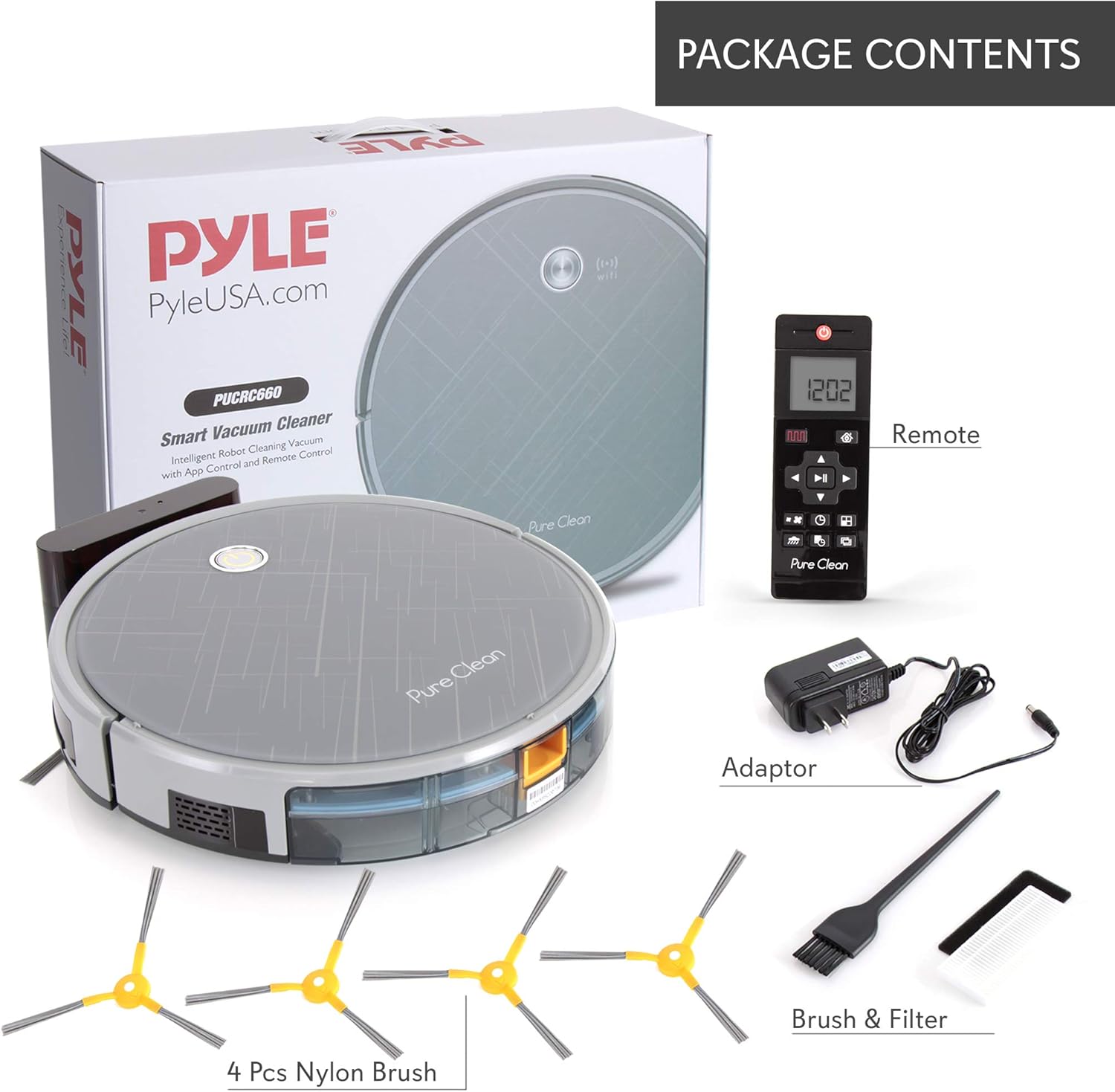
Figure 1: Included components of the PURE CLEAN Robotic Vacuum Cleaner PUCRC660.5.
Gosod
1. Lleoliad y Sylfaen Gwefru
Place the charging dock against a wall in an open, uncluttered area. Ensure there is at least 1 meter (3 feet) of clear space on both sides and 2 meters (6 feet) in front of the dock for optimal navigation and return.
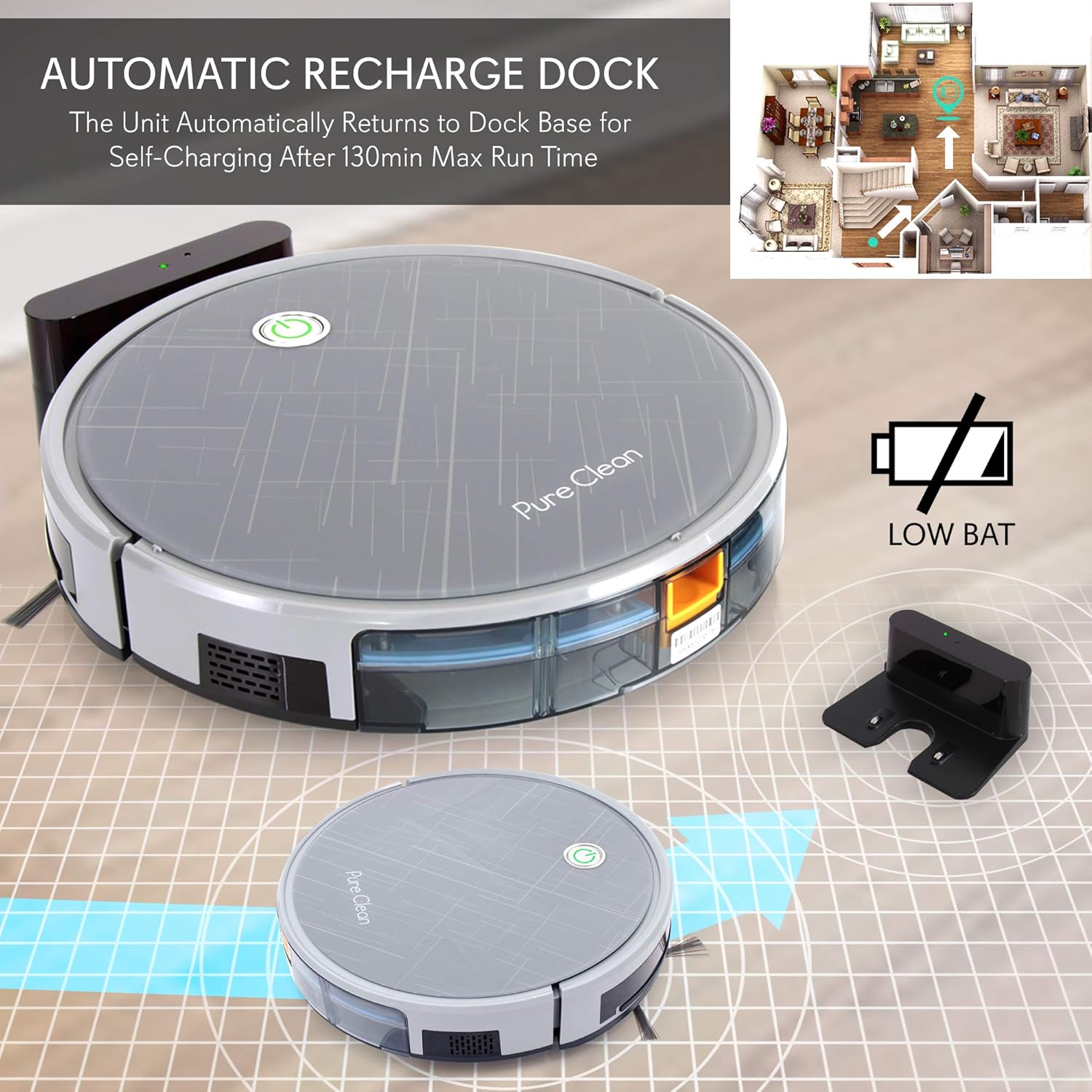
Figure 2: Robotic vacuum returning to its automatic recharge dock.
2. Gwefru Cychwynnol
Connect the power adapter to the charging base and plug it into a wall outlet. Place the robot vacuum onto the charging base, ensuring the charging contacts align. The robot will begin charging. For first-time use, charge the robot for at least 6 hours to ensure the battery is fully conditioned.
3. Gosod Brwsys Ochr
Attach the two sweep brushes to the designated posts on the underside of the robot. Press firmly until they click into place.
4. Mobile App Connection (Optional)
For enhanced control and scheduling, download the 'Weback' app from the App Store (iOS) or Google Play Store (Android). Follow the in-app instructions to connect your robot vacuum via QR code. This allows you to operate the PUCRC660, choose cleaning modes, check status, and schedule cleaning plans.

Figure 3: Mobile app interface for controlling the robotic vacuum.
Cyfarwyddiadau Gweithredu
1. Dechrau Cylch Glanhau
Press the power button on the robot or the remote control to start a cleaning cycle. The robot will automatically begin cleaning in its default mode.
2. Dulliau Glanhau
The PUCRC660.5 offers several cleaning modes:
- Modd Sigsag: The robot cleans in an efficient S-shaped path, covering the entire area systematically. This mode is optimized by the built-in gyroscope technology.
- Modd Sbot: The robot cleans a concentrated area in a spiral pattern, ideal for heavily soiled spots.
- Modd Ymyl: Mae'r robot yn glanhau ar hyd waliau ac ymylon dodrefn.
You can select these modes via the remote control or the mobile app.
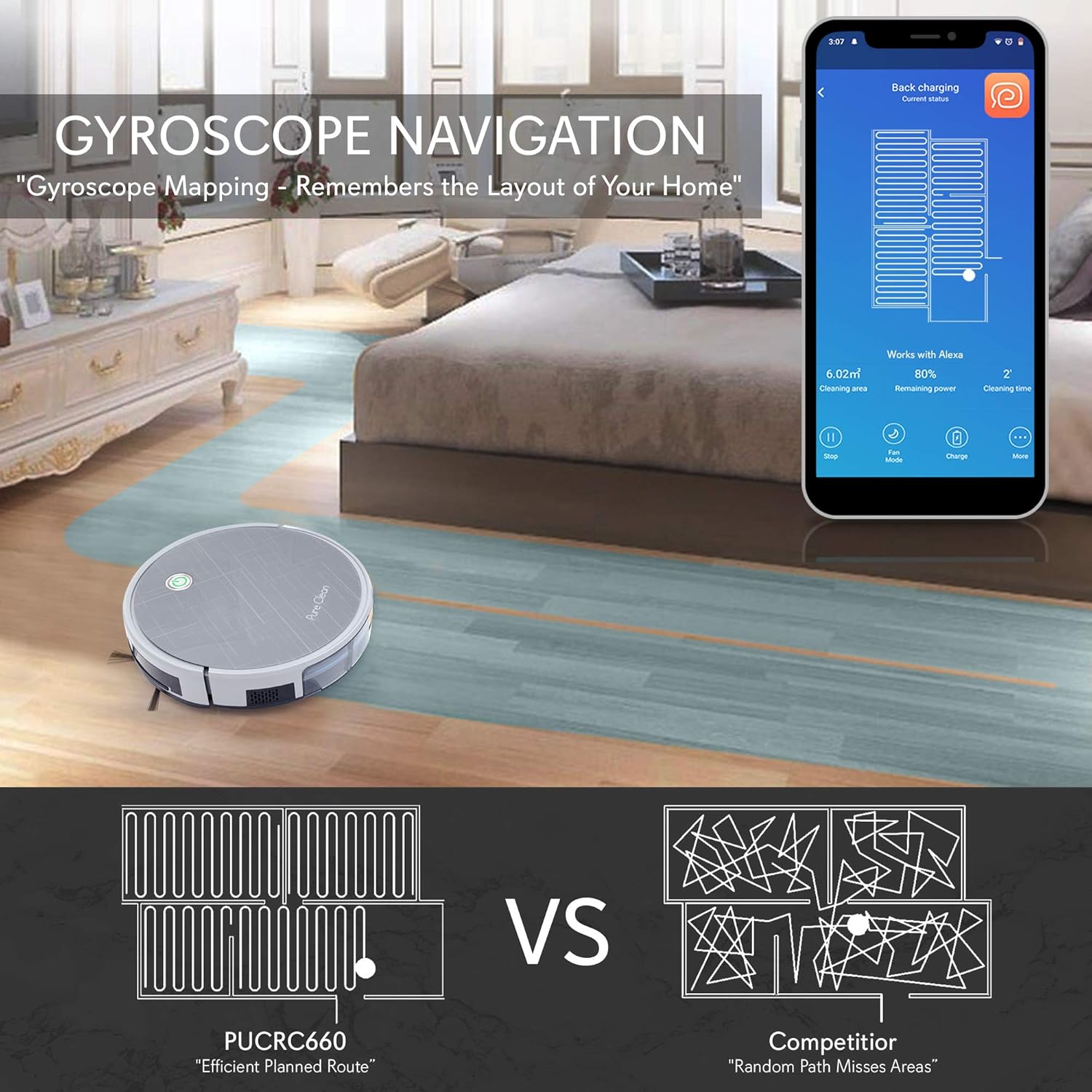
Figure 4: Gyroscope navigation for efficient cleaning paths.
3. Automatic Recharging
When the battery level is low, or a cleaning cycle is complete, the robot will automatically return to its charging dock for self-charging. The maximum run time on a full charge is approximately 130 minutes, covering an area of 120-180 square meters.
4. Rheoli Llais
The robot vacuum is compatible with Amazon Alexa and Google Home. Link your 'Weback' app account to your smart home assistant to activate cleaning commands using your voice.
5. Sensor Technology
The robot is equipped with advanced sensors for safe and effective operation:
- Synwyryddion Gwrth-Gwympiadau: Three bottom sensors detect drops and prevent the robot from falling down stairs or off ledges.
- Synwyryddion Gwrth-wrthdrawiad: Eleven front touchless detection sensors and two anti-conflict bumper touch sensors help the robot navigate around obstacles and furniture without damage.
- Edge Infrared Sensors: Two edge infrared sensors assist in wall following for thorough edge cleaning.

Figure 5: Anti-fall stair sensor in action.
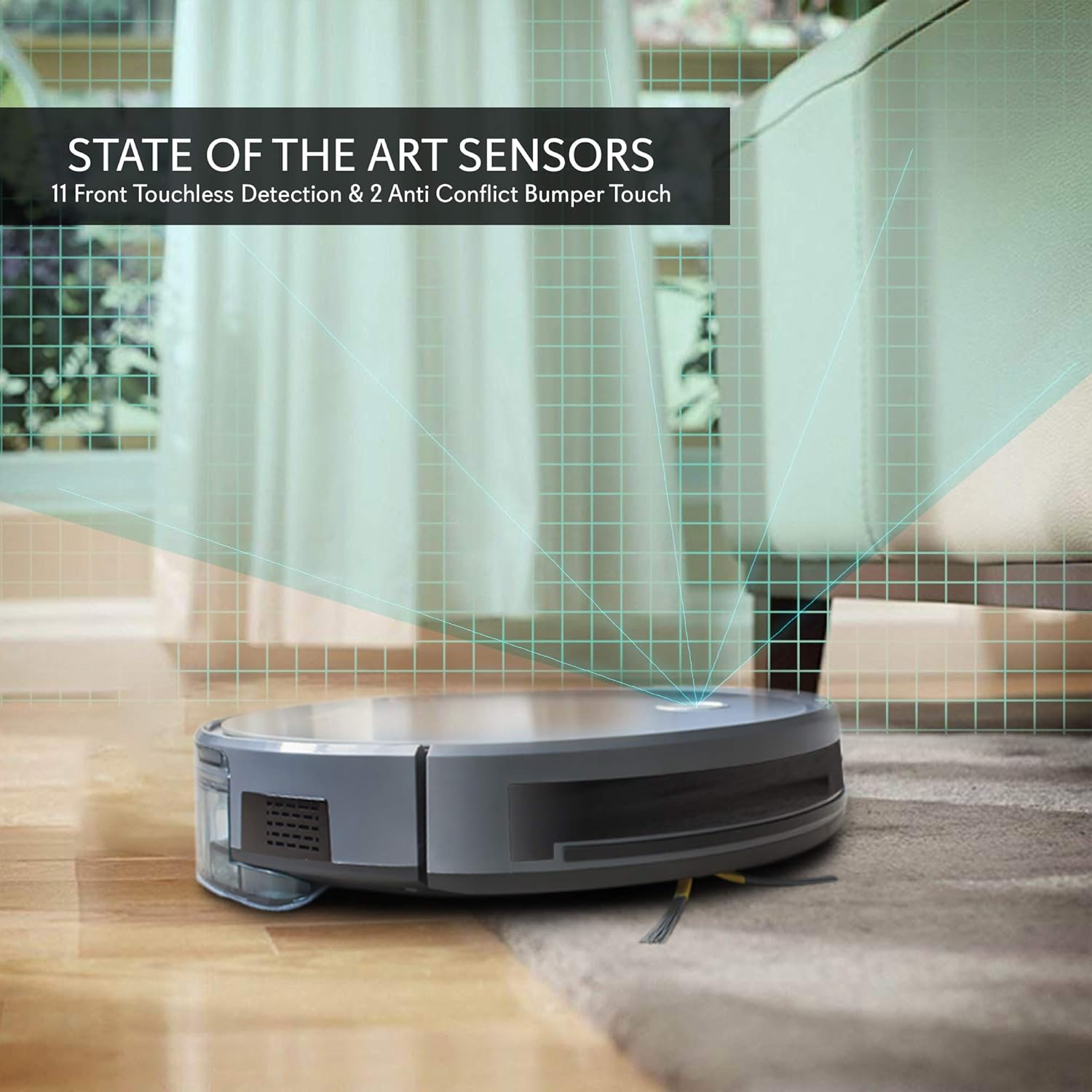
Figure 6: State-of-the-art sensors for obstacle detection.
Cynnal a chadw
Regular maintenance ensures optimal performance and extends the lifespan of your robotic vacuum cleaner.
1. Gwagio'r Bin Llwch
The 600 mL dust bin should be emptied after each cleaning cycle or when full. Press the release button to remove the dust bin, open it, and discard the collected debris. Rinse the dust bin with water if necessary, ensuring it is completely dry before reinserting.
2. Glanhau'r Hidlau
The integrated dust filters should be cleaned regularly using the provided cleaning brush. Tap the filters gently to remove dust. Replace filters every 3-6 months, depending on usage, to maintain suction power.
3. Cleaning Side Brushes and Main Brush Roll
Inspect the side brushes and the rotating under-squeegee brush roll regularly for tangled hair or debris. Use the cleaning brush to remove any obstructions. If side brushes are worn or damaged, replace them with new ones.

Ffigur 7: Ochr isaf view showing cleaning mechanisms: side brushes and main brush roll.
4. Glanhau Synwyryddion a Chysylltiadau Gwefru
Wipe the anti-fall sensors, anti-collision sensors, and charging contacts on both the robot and the charging dock with a clean, dry cloth. This prevents dust buildup from interfering with their function.
Datrys problemau
If you encounter issues with your PURE CLEAN Robotic Vacuum Cleaner, refer to the following common problems and solutions:
| Problem | Achos Posibl | Ateb |
|---|---|---|
| Nid yw'r robot yn troi ymlaen nac yn gwefru. | Battery is depleted; charging contacts are dirty; power adapter is not connected. | Ensure the robot is properly seated on the charging dock. Clean charging contacts. Verify power adapter is plugged in. |
| Mae robot yn mynd yn sownd yn aml. | Obstacles (cables, rugs with long fringes); low clearance under furniture. | Clear the cleaning area of loose cables and small objects. Ensure furniture has sufficient clearance (robot height is 3.0 inches). |
| Perfformiad glanhau gwael. | Dust bin is full; filters are clogged; brushes are tangled or worn. | Empty the dust bin. Clean or replace filters. Clean or replace side brushes and main brush roll. |
| Nid yw robot yn dychwelyd i'r doc gwefru. | Charging dock is obstructed; robot is too far from the dock; dirty charging contacts. | Ensure the charging dock has clear space around it. Manually place the robot on the dock. Clean charging contacts. |
| Problemau cysylltu apiau. | Incorrect Wi-Fi password; robot not in pairing mode; router issues. | Ensure correct Wi-Fi password. Restart the robot and router. Follow app pairing instructions carefully. |
Manylebau
| Nodwedd | Manylyn |
|---|---|
| Rhif Model | PUCRC660.5 |
| Pŵer sugno | 2000Pa |
| Math Batri | 14.8V Li-ion 2600mAh |
| Amser Rhedeg | Hyd at 130 munud |
| Cleaning Area Coverage | 120-180 Sq. Meter |
| Cynhwysedd Bin Llwch | 600 mL |
| Lefel Sŵn | <65dB |
| Dimensiynau (L x W x H) | 13.0'' x 13.0'' x 3.0'' modfedd |
| Cyflenwad Pŵer | 120-240V (19V Power Adapter) |
| Nodweddion Arbennig | Scheduling, Smart, Gyroscope Mapping, WiFi App Control, Voice Control (Alexa/Google Home), Anti-Fall/Anti-Collision Sensors, Rotating Under Squeegee |
| Arwynebau Cydnaws | Hardwood, Tile, Marble, Hard Carpet Floors |
Gwybodaeth Gwarant
Please refer to the warranty card included with your product or contact PURE CLEAN customer support for detailed warranty information. Warranty terms and conditions may vary by region and retailer.
Cefnogaeth i Gwsmeriaid
For technical assistance, troubleshooting not covered in this manual, or service inquiries, please contact PURE CLEAN customer support. Contact information can typically be found on the product packaging, the official PURE CLEAN websafle, neu'ch derbynneb prynu.