
1. Rhagymadrodd
The ACEGMET X20-60m is a portable and user-friendly green beam laser measuring device designed for high-precision distance measurements. It features a bright green laser for enhanced visibility, an electronic angle sensor for advanced measurements, and multiple calculation modes including area, volume, and Pythagorean functions. This manual provides essential information for the safe and effective operation of your device.
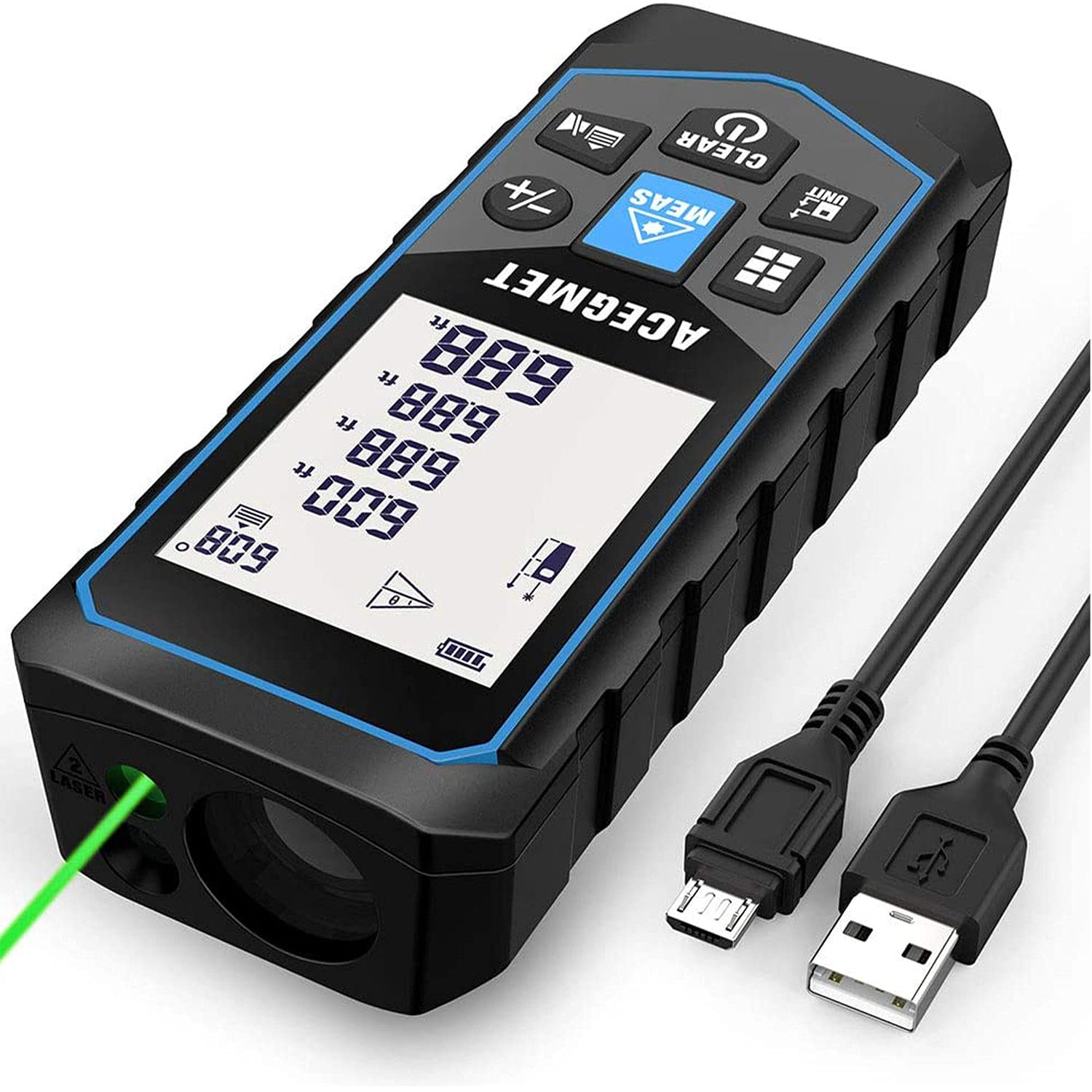
Image: The ACEGMET X20-60m Green Beam Laser Measure device.
2. Gwybodaeth Diogelwch
This device uses a Class 2 laser. Observe the following safety precautions:
- Peidiwch â syllu'n uniongyrchol i'r pelydr laser.
- Peidiwch ag anelu'r pelydr laser at bobl nac anifeiliaid.
- Osgoi amlygiad llygad uniongyrchol.
- Do not disassemble the device; repairs should only be performed by authorized personnel.
- Cadwch y ddyfais allan o gyrraedd plant.
- Defnyddiwch y ddyfais yn unig at ei ddiben bwriadedig fel y disgrifir yn y llawlyfr hwn.
Dosbarth laser: Dosbarth 2
Math o laser: 490-560nm, <1mW
3. Cynnwys Pecyn
Gwiriwch fod yr holl eitemau yn bresennol yn y pecyn:
- 1x ACEGMET Laser Measure Device
- 3x 1.5V Rechargeable Batteries
- 1x Strap Llaw
- Bag Storio 1x
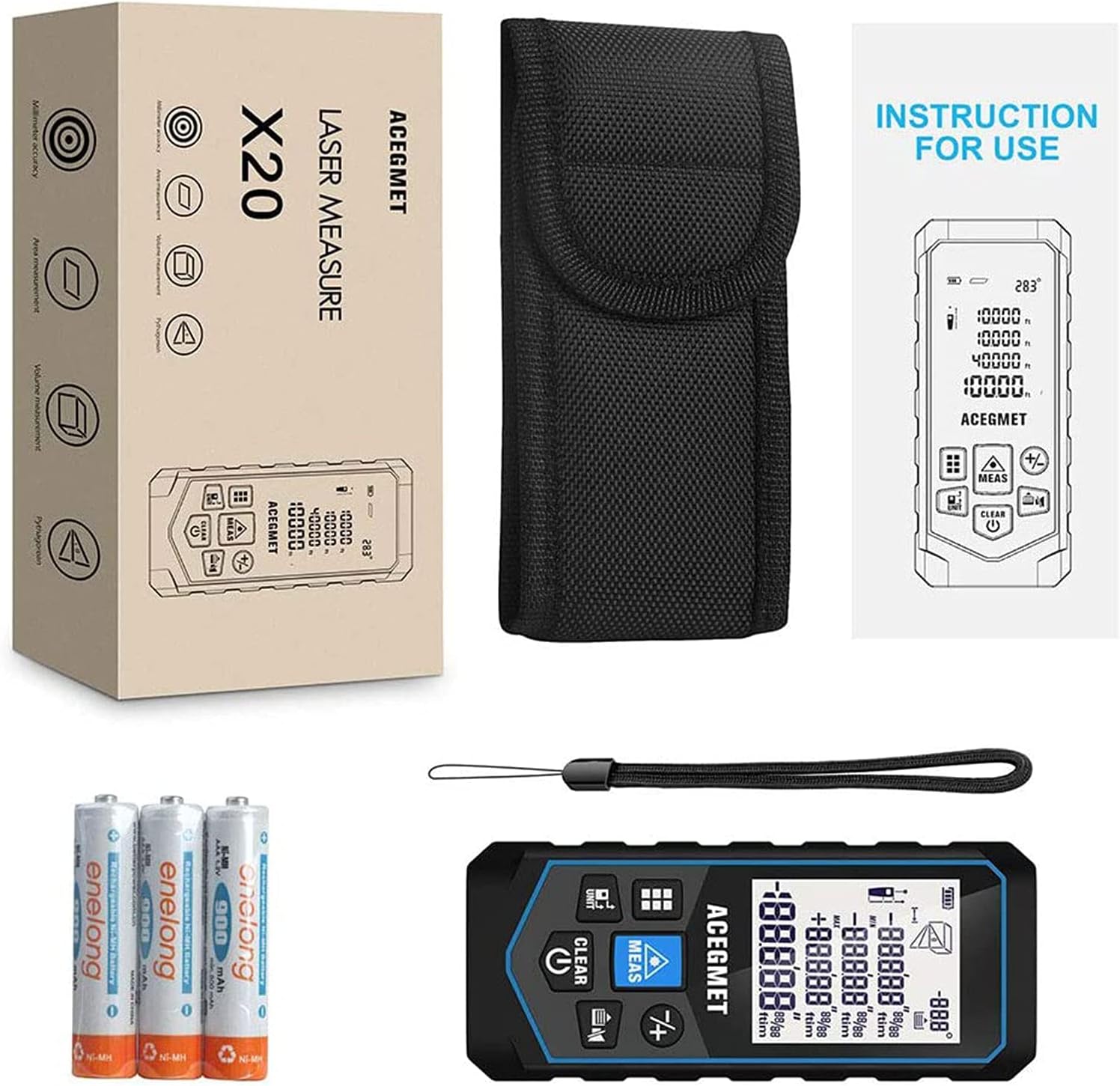
Image: The ACEGMET X20-60m laser measure, rechargeable batteries, hand strap, and storage bag.
4. Gosod
4.1 Gosod Batri
- Lleolwch y compartment batri ar y ddyfais.
- Agorwch y clawr adran batri.
- Insert the three 1.5V rechargeable batteries, ensuring correct polarity (+/-).
- Caewch y clawr adran batri yn ddiogel.
4.2 Codi Tâl ar y Dyfais
The device is equipped with rechargeable batteries and supports USB charging.
- Connect the provided USB cable to the charging port on the device.
- Cysylltwch ben arall y cebl USB ag addasydd pŵer USB cydnaws (heb ei gynnwys) neu borthladd USB cyfrifiadur.
- The device's display will indicate charging status.
- Ar ôl ei wefru'n llawn, datgysylltwch y cebl USB.

Image: The laser measure connected for USB charging, highlighting its waterproof design.
5. Cyfarwyddiadau Gweithredu
5.1 Pŵer Ymlaen/Diffodd
- I droi ymlaen: Pwyswch y MEAS botwm.
- I ddiffodd y pŵer: Pwyswch a daliwch y CLIR/DIFFODD button. The device will automatically shut down after 180 seconds of inactivity to save power.
5.2 Newid Uned
Gwasgwch y UNED button to cycle through measurement units: Meters (M), Inches (In), Feet (Ft), and Feet+Inches (Ft+In).
5.3 Reference Point Switching
The device can measure from its front or rear edge. Press the reference point button (often indicated by an icon with an arrow pointing from the front or back of the device) to switch between reference points as needed for different measurement scenarios.
5.4 Dulliau Mesur
Gwasgwch y Swyddogaeth button (often indicated by a square icon or 'M' for Mode) to cycle through the available measurement modes.

Image: Visual representation of the eight measurement modes and four unit modes available on the device.
- Mesur Pellter Sengl:
Point the laser at the target and press MEAS. The distance will be displayed instantly.
- Mesur Parhaus (Olrhain):
Activate this mode, then move the device. The display will continuously update with the current distance, showing maximum and minimum values.
- Mesur Ardal:
Select area mode. Measure the length, then measure the width. The device will automatically calculate and display the area.
- Mesur Cyfrol:
Select volume mode. Measure length, width, and height. The device will automatically calculate and display the volume.
- Pythagorean Measurement (2-point, 3-point):
Used for indirect height or distance measurements. Follow the on-screen prompts to measure the required sides of a right-angled triangle. The device will calculate the unknown side.
- Electronic Angle Sensor / Auto Level / Auto Height Measurement:
The integrated angle sensor allows for electronic level measurements, auto-level, and auto-height functions. For example, measure the distance between two points in the horizontal direction or determine the height of a window from the ground with a single measurement.

Image: Demonstrating the angle sensor measurement feature to calculate the height of a window.
5.5 Storio ac Adalw Data
The device can store up to 20 sets of measurement data. Use the appropriate buttons (refer to device interface) to save and retrieve historical data.

Image: The device display showing multiple stored measurement data records.
5.6 Adio a Thynnu
The device supports addition and subtraction of measurement values. Enter the first value, select the addition/subtraction function, then enter the second value. The result will be displayed.
5.7 Tewi Swyddogaeth
For use in quiet environments, activate the mute function to disable audible feedback.
5.8 Backlit LCD Display
The 2-inch backlit LCD display provides clear visibility in low light conditions.
6. cynnal
6.1 Glanhau
- Sychwch y ddyfais gyda meddal, damp brethyn. Peidiwch â defnyddio glanhawyr neu doddyddion sgraffiniol.
- Ensure the laser lens and display are clean for accurate readings.
6.2 Storio
- Storiwch y ddyfais yn ei bag storio pan nad yw'n cael ei defnyddio.
- Cadwch y ddyfais mewn lle oer, sych, i ffwrdd o olau haul uniongyrchol a thymheredd eithafol.
6.3 Hunan-Galibradu
The device supports self-calibration to maintain measurement accuracy. Refer to the on-screen menu or specific button combinations for initiating the self-calibration process.
7. Datrys Problemau
- Dyfais ddim yn pweru ar: Check battery charge level. Ensure batteries are inserted correctly.
- Mesuriadau anghywir: Ensure the laser lens is clean. Verify the correct reference point is selected. Perform self-calibration if necessary.
- Trawst laser heb ei weld: The green beam is designed for better visibility, but in very bright conditions or over long distances, it may be less apparent. Ensure the target surface is suitable for reflection.
- Negeseuon gwall: Consult the device's display for specific error codes and refer to the full product manual (if available) for detailed explanations.
8. manylebau
| Mesur Cywirdeb | ±1/16 modfedd |
| Unedau Mesur | Ft/Ft+In/M/In |
| Dosbarth Laser | Dosbarth 2 |
| Math Laser | 490-560nm, <1mW |
| Storio Data | 20 Grwpiau |
| Gweithrediad Tymheredd | 0°C - 40°C (32°F - 104°F) |
| Dimensiwn | 115 x 49 x 26mm |
| Ystod Mesur | Hyd at 196 Ft |
| Sgôr Diogelu Rhyngwladol | IP54 (Dŵr) |
| Batris | 3x 1.5V Rechargeable NiMH (included) |
| Pwysau Eitem | 222 g |
| Deunydd | Plastig |
9. Gwarant a Chefnogaeth
ACEGMET provides an 18-month worry-free warranty and lifetime technical support for this product. If you have any questions or require assistance, please contact ACEGMET customer service. Our technical and after-sales teams are available to assist you.