
Fujifilm X100V - Silver
Camera Digidol Fujifilm X100V
Llawlyfr Defnyddiwr
Cynnyrch Drosview

The Fujifilm X100V Digital Camera, showcasing its classic design and integrated lens.
Nodweddion Allweddol
- Newly Designed 23mm F2 Lens: Ensures high resolution and minimal distortion, with improved close focusing performance.
- 26.1MP X-Trans CMOS 4 Sensor & X-Processor 4: Delivers exceptional image quality, wide dynamic range, and fast autofocus down to -5EV.
- Hybrid Uwch Viewdarganfyddwr: Seamlessly switch between 0.52x optical viewfinder (OVF) and 3.69M-dot OLED electronic viewdarganfyddwr (EVF).
- Two-Way Tilting LCD Touchscreen: Provides intuitive controls and flexibility for framing shots from various angles.
- Recordiad Fideo 4K: Capable of recording 4K video at 30 frames per second and Full HD/120p for super slow-motion.
Disgrifiad o'r Cynnyrch
The Fujifilm X100V combines the quality and control of a professional camera with the size and simplicity of a compact one, for outstanding photography every day. A new 23mmF2 fixed lens perfectly complements the cutting-edge 26.1MP X-Trans CMOS 4 back-side illuminated sensor at its heart. The X100V also features the powerful X-Processor 4 quad-core imaging engine, which drives superfast, precision autofocus right down to -5EV, while an Advanced Hybrid Viewfinder ensures photographers are always ready for the perfect moment. With the addition of a tilting LCD touchscreen, optional weather sealing (with separately purchased lens) and a great design, you have the perfect recipe for beautiful still images and spectacular 4K video, whatever the situation.
Canllaw Gosod
Dadbacio
Upon opening the package, ensure all components are present. The Fujifilm X100V typically includes the camera body and essential accessories.
Gosod Batri
Locate the battery compartment on the bottom of the camera. Open the cover, insert the supplied Lithium-Ion battery (NP-W126S) with the correct orientation, and close the compartment securely. Ensure the battery is fully charged before first use.
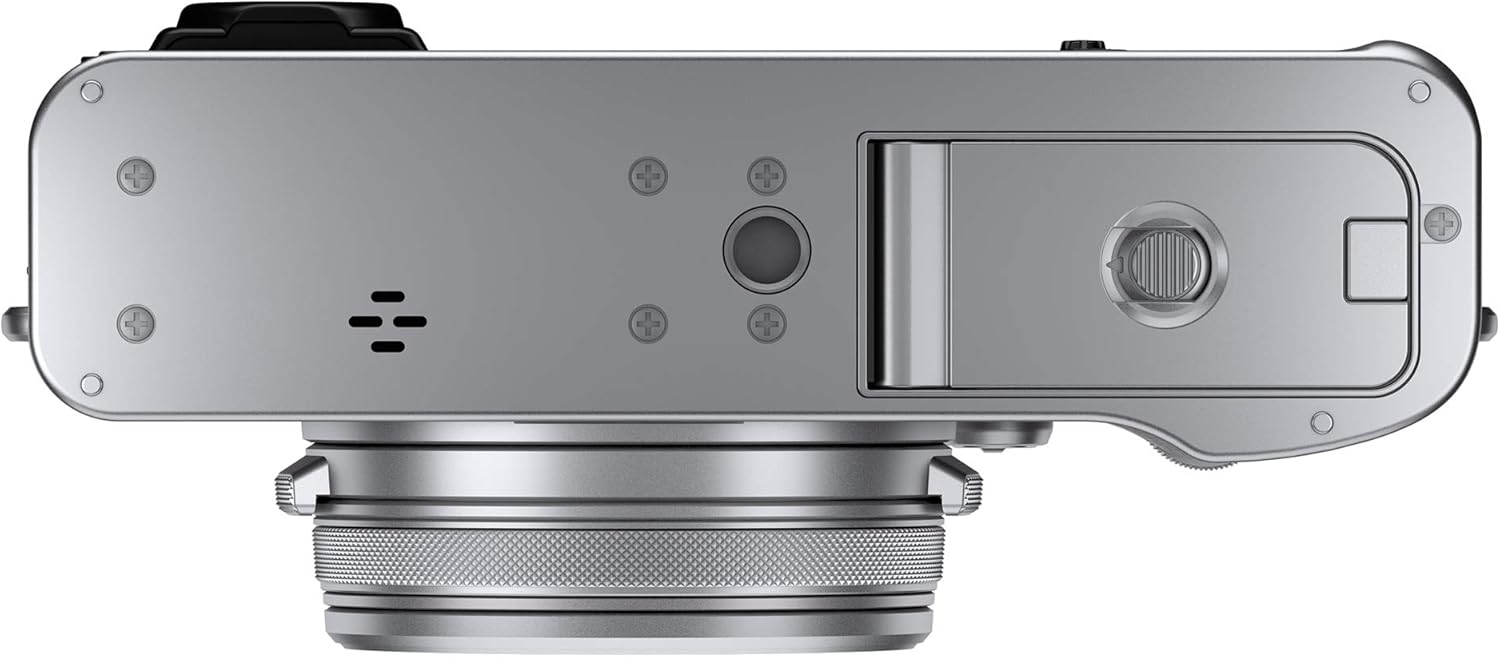
The bottom of the X100V, revealing the battery and memory card slot.
Mewnosod Cerdyn Cof
The camera supports SD/SDHC/SDXC memory cards. Open the memory card slot cover, usually located next to the battery compartment. Insert the memory card with the label facing the correct direction until it clicks into place. Close the cover firmly.
Cyfarwyddiadau Gweithredu
Gweithrediad Sylfaenol
- Pweru ymlaen / i ffwrdd: Rotate the power switch located around the shutter button to the 'ON' or 'OFF' position.
- Tynnu Lluniau: Half-press the shutter button to achieve focus, then fully press to capture the image.
- Viewing Lluniau: Press the 'PLAY' button on the rear of the camera to enter playback mode. Use the directional pad or touchscreen to navigate through images.
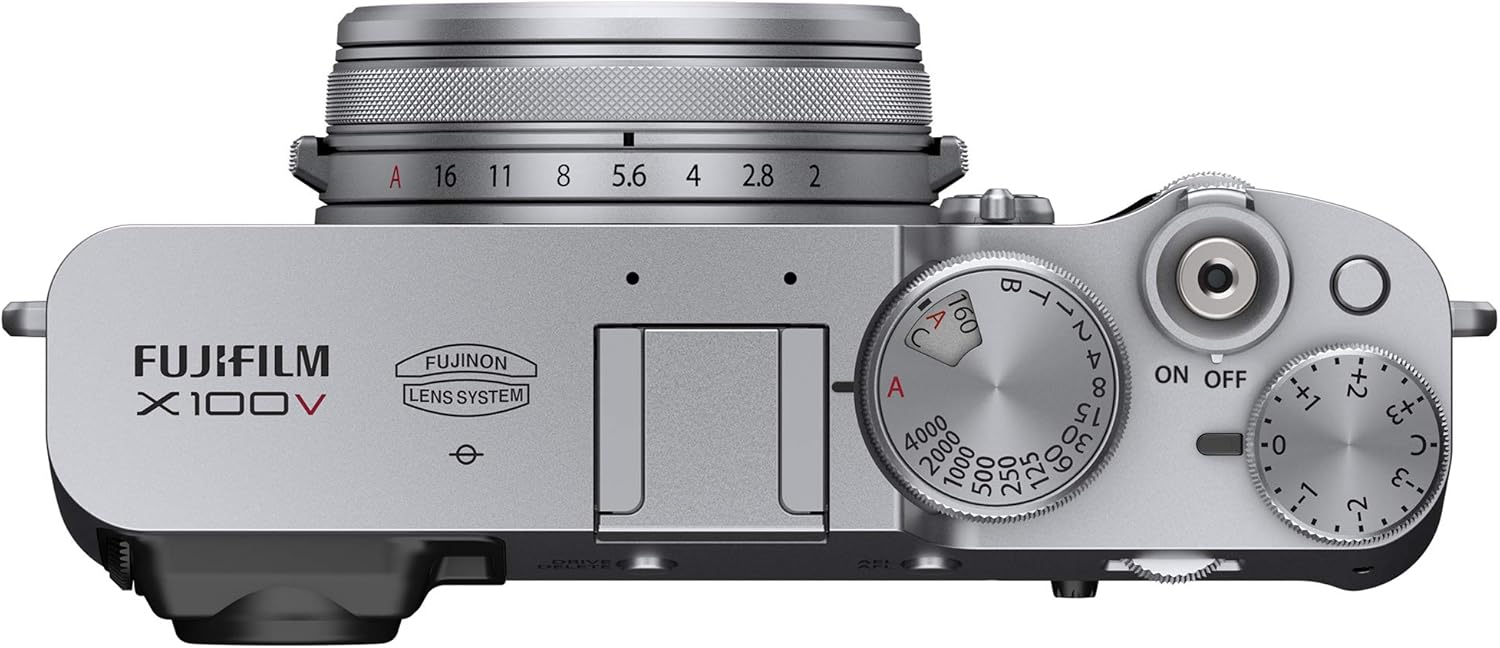
Top controls of the X100V, including the power switch and exposure dials.
Nodweddion Uwch
- Viewfinder Usage: The X100V features an Advanced Hybrid Viewfinder. Use the lever on the front of the camera to switch between the optical viewfinder (OVF) for a clear, bright view of your subject, and the electronic viewfinder (EVF) for a real-time preview of exposure and settings.
- Tilting LCD Touchscreen: The rear LCD screen can be tilted for comfortable shooting from high or low angles. It also supports touch operations for focus, shooting, and menu navigation.
- Film Simulation Modes: Explore various film simulation modes such as PROVIA/Standard, Velvia/Vivid, ASTIA/Soft, Classic Chrome, ACROS, and ETERNA/Cinema to apply unique color and tonal characteristics to your images directly in-camera.
- Recordiad Fideo: To record video, set the camera to movie mode. The X100V supports 4K DCI 2160p video at 30fps and Full HD 1080p at 120fps for slow-motion effects.

The X100V's tilting LCD screen, offering flexible viewing onglau.
Cysylltedd
Cyfathrebu Di-wifr
The Fujifilm X100V features built-in Wi-Fi and Bluetooth for wireless connectivity. To transfer images to a smartphone or tablet, enable 'Wireless Communication' in the camera's shooting menu. Then, connect your smart device to the camera's Wi-Fi network and use the Fujifilm Camera Remote app to browse and import photos. For remote control, Bluetooth can be used to establish a low-power connection.
Cysylltiadau Wired
The camera is equipped with a USB Type-C port (USB 3.0) for charging and data transfer, an HDMI D (Micro) port for video output to external displays, and a 2.5mm sub-mini jack for external microphone input.

Side of the X100V, highlighting the USB-C and HDMI ports.
Cynnal a chadw
Glanhau'r Camera
- Lens: Use a soft, lint-free cloth or a lens brush to gently remove dust. For smudges, use a lens cleaning solution applied to a cloth, not directly to the lens.
- Corff: Sychwch gorff y camera gyda lliain meddal, sych. Ar gyfer baw ystyfnig, defnyddiwch ychydig o lliain sych.amp cloth can be used, ensuring no moisture enters the camera.
- Sgrin LCD: Use a microfiber cloth specifically designed for screens. Avoid harsh chemicals.
Storio
When not in use for extended periods, store the camera in a cool, dry place away from direct sunlight and extreme temperatures. Remove the battery to prevent leakage. Use desiccant packets to absorb moisture if storing in humid environments.
Gofal Batri
To maximize battery life, avoid fully discharging the battery frequently. Charge the battery using the supplied USB cable connected to a power source. Store batteries in a cool, dry place when not in use.
Datrys problemau
| Problem | Ateb |
|---|---|
| Nid yw'r camera yn troi ymlaen. | Ensure the battery is fully charged and correctly inserted. Check if the battery contacts are clean. |
| Cysylltiad diwifr yn methu. | Verify 'Wireless Communication' is enabled in the camera's shooting menu. Ensure your smart device is connected to the camera's Wi-Fi network. Restart both devices. |
| Images appear blurry. | Check focus mode settings. Ensure sufficient lighting. Use a tripod in low light conditions. Clean the lens. |
| Mae'r batri yn draenio'n gyflym. | Reduce screen brightness. Limit continuous shooting. Turn off Wi-Fi/Bluetooth when not in use. Consider carrying a spare battery. |
| Gwall cerdyn cof. | Gwnewch yn siŵr bod y cerdyn cof wedi'i fewnosod yn gywir. Rhowch gynnig ar fformatio'r cerdyn (bydd hyn yn dileu'r holl ddata). Defnyddiwch gerdyn cof gwahanol, cydnaws. |
Manylebau Technegol
| Nodwedd | Manylyn |
|---|---|
| Brand | Fujifilm |
| Enw Model | X100V - Silver |
| Datrysiad Synhwyrydd Ffotograffau | 26.1 AS |
| Maint Synhwyrydd Llun | APS-C |
| Math Lens | Fixed Fujinon Aspherical Lens (23mm, f/2) |
| Datrysiad Fideo | 4K DCI 2160p, Full HD 1080p |
| Maint Sgrin | 3 modfedd |
| Math Arddangos | Tilting LCD Touchscreen |
| Viewdarganfyddwr | Hybrid (Electronic OLED & Optical) |
| Ystod ISO | Expanded ISO Minimum: 100, Expanded ISO Maximum: 51200 |
| Cysylltedd | USB Type-C, HDMI D (Micro), 2.5mm Sub-Mini, Bluetooth, Wi-Fi |
| Pwysau | 478 gram |
| Dimensiynau (tua) | 128 x 75 x 53 mm (from video comparison) |
Gwarant a Chefnogaeth
Gwybodaeth Gwarant
The Fujifilm X100V Digital Camera comes with a Gwarant Gwneuthurwr Blwyddyn. Please retain your proof of purchase for warranty claims. For detailed terms and conditions, refer to the warranty card included with your product or visit the official Fujifilm websafle.
Cefnogaeth i Gwsmeriaid
Am gymorth pellach, cymorth technegol, neu ymholiadau gwasanaeth, ewch i wefan gymorth swyddogol Fujifilm website or contact their customer service department. You can also refer to the comprehensive user manual PDF for more in-depth information:
Dogfennau Cysylltiedig - X100V - Silver
 |
FUJIFILM X100V Lens Hood User Manual - YC Onion User manual for the YC Onion FUJIFILM X100V Lens Hood, providing installation instructions, product overview, disclaimer, and warranty information. |
 |
Fujifilm X100V Руководство пользователя Полное руководство пользователя для цифровой камеры Fujifilm X100V, охватывающее все функции, настройки и операции для фотосъемки и видеосъемки. |
 |
Canllaw Nodweddion Newydd FUJIFILM X100V - Fersiwn Cadarnwedd 2.00 Archwiliwch y nodweddion a'r diweddariadau newydd ar gyfer camera digidol FUJIFILM X100V gyda firmware fersiwn 2.00, gan gynnwys gwelliannau hidlydd ND, teleconverter digidol, webswyddogaeth camera, a mwy. |
 |
Cyfrinachau Fuji X: 142 Ffordd i Wneud y Mwyaf o'ch Camera Cyfres Fujifilm X Archwiliwch 142 o awgrymiadau a thechnegau hanfodol ar gyfer camerâu Cyfres X Fujifilm. Mae'r canllaw hwn gan Rico Pfirstinger yn helpu defnyddwyr i wneud y gorau o'u ffotograffiaeth gyda mewnwelediadau manwl ar osodiadau camera, lensys, ategolion a nodweddion uwch. Perffaith ar gyfer dechreuwyr a ffotograffwyr profiadol sy'n edrych i feistroli eu camera Fujifilm X. |
 |
Fujifilm FAN-001 Camera Cooling Fan User Manual User manual for the Fujifilm FAN-001 camera cooling fan, providing instructions on safe use, attachment, and specifications. Learn how to enhance your camera's performance with this accessory. |
 |
Canllaw Nodweddion Newydd Firmware FUJIFILM GFX 100S II 1.20 Canllaw yn manylu ar nodweddion, newidiadau ac ychwanegiadau newydd a gyflwynwyd yn fersiwn cadarnwedd 1.20 ar gyfer camera digidol FUJIFILM GFX 100S II, gan gynnwys cysylltedd ffôn clyfar trwy Bluetooth. |
Ask a question about this manual
Ask about setup, troubleshooting, compatibility, parts, safety, or missing instructions. Manuals+ will review the question and use this page’s manual context to help answer it.