
1. Rhagymadrodd
Diolch am brynuasing the ELECTROPRIME Digital Voice Recorder. This device is designed for high-quality audio recording and playback, functioning as both a dictaphone and an MP3 music player. Please read this manual carefully to ensure proper use and optimal performance.
Cynnwys y Pecyn:
- ELECTROPRIME Digital Voice Recorder (Model: ASHA20BEBUBEB16153)
- Cebl USB
- Llawlyfr Defnyddiwr
2. Cynnyrch Drosview
Familiarize yourself with the device's components and controls.
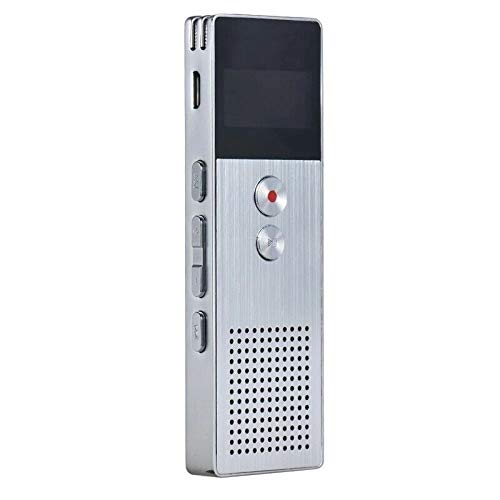
Delwedd 2.1: Blaen view of the ELECTROPRIME Digital Voice Recorder. This image displays the device's screen, the prominent red record button, and other control buttons on the front panel, along with the speaker grille at the bottom.
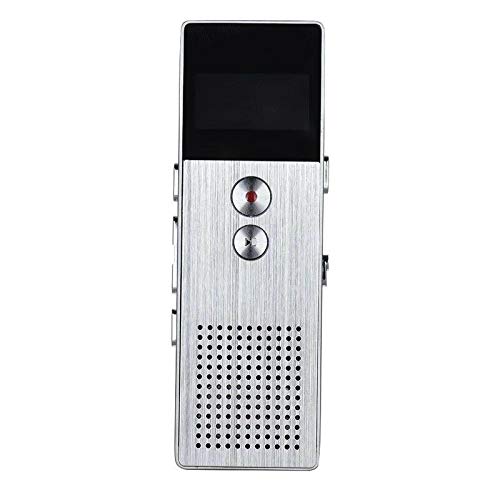
Delwedd 2.2: Ochr view of the ELECTROPRIME Digital Voice Recorder. This image highlights the side controls, including the power switch, volume buttons, and the USB charging/data transfer port. The device's compact design is visible.
Cydrannau Dyfais:
- Sgrin Arddangos: Shows recording status, time, battery level, and menu options.
- Botwm Cofnodi: Initiates and stops audio recording.
- Botwm Chwarae/Seibiant: Starts and pauses playback of audio files.
- Botymau Cyfaint (+/-): Yn addasu cyfaint chwarae.
- Botwm Dewislen/Modd: Navigates through menus and switches operating modes.
- Porth USB: For charging and data transfer to a computer.
- Meicroffon: Built-in stereo microphone for audio input.
- Siaradwr: Ar gyfer chwarae sain yn uniongyrchol.
- Jack Clustffon: Ar gyfer gwrando preifat.
- Newid Pwer: Yn troi'r ddyfais ymlaen neu i ffwrdd.
3. Gosod
3.1 Codi Tâl ar y Dyfais
Before first use, fully charge the device. Connect the recorder to a computer's USB port or a USB wall adapter (not included) using the provided USB cable. The battery indicator on the screen will show charging status. A full charge typically takes 2-3 hours.
3.2 Pŵer Ymlaen/Diffodd
- To power on, slide the Switch Power i'r sefyllfa ON.
- To power off, slide the Switch Power i'r sefyllfa ODDI.
3.3 Gosodiadau Cychwynnol
Upon first power-on or after a reset, you may need to set the date, time, and language. Use the navigation buttons to select options and confirm with the Play/Pause button.
4. Cyfarwyddiadau Gweithredu
4.1 Recordio Llais
The device supports high-quality stereo recording in .WAV format, offering up to 23 hours of continuous recording with its 8GB internal memory.
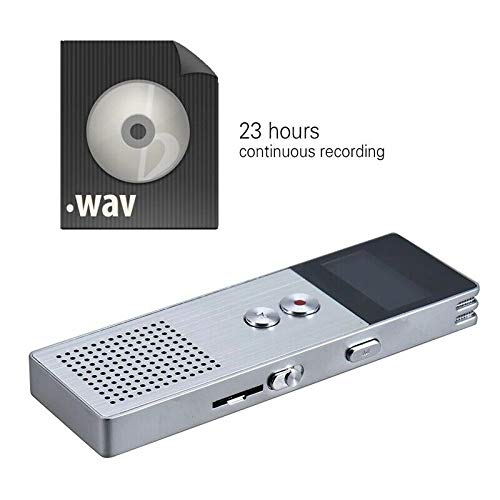
Delwedd 4.1: The recorder's capability to record in .WAV format and its impressive 23-hour continuous recording capacity are highlighted in this image, alongside the device itself.
- Sicrhewch fod y ddyfais wedi'i phweru ymlaen.
- Gwasgwch y Botwm Recordio (red circle) to start recording. The screen will display a recording indicator and elapsed time.
- I oedi recordio, pwyswch y Botwm Chwarae/Seibiant. Pwyswch arno eto i ailddechrau.
- I atal y recordiad a chadw'r file, gwasgwch y Botwm Recordio eto. Mae'r file yn cael ei gadw'n awtomatig.
Awgrym: For best recording quality, ensure the microphone is not obstructed and the device is placed on a stable surface.
4.2 Chwarae
- In the main menu, navigate to the "Recordings" or "Music" folder using the navigation buttons.
- Dewiswch yr un a ddymunir file a gwasgwch y Botwm Chwarae/Seibiant i ddechrau chwarae.
- Yn ystod chwarae, defnyddiwch y Botymau Cyfaint (+/-) i addasu'r cyfaint.
- Gwasgwch y Botwm Chwarae/Seibiant to pause playback, and again to resume.
- I atal chwarae, pwyswch y Botwm Stopio (if available, otherwise navigate out of playback mode).
4.3 MP3 Music Player Functionality
The device can also function as an MP3 player. Transfer MP3 files to the device via USB connection to your computer.
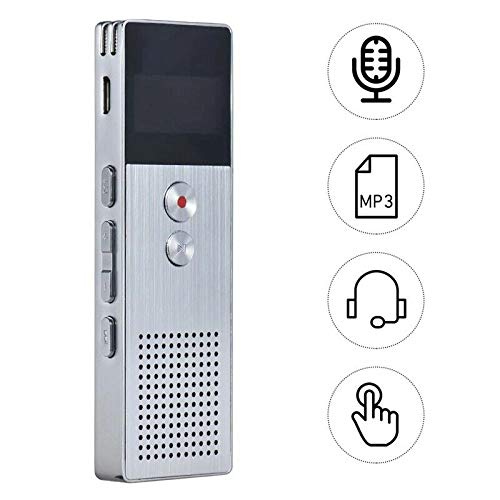
Delwedd 4.2: This image illustrates the multi-functional capabilities of the device, including its use as a voice recorder (microphone icon), an MP3 player (MP3 icon), and its compatibility with headphones (headphone icon). The touch icon suggests ease of interaction.
- Cysylltwch y ddyfais â'ch cyfrifiadur gan ddefnyddio'r cebl USB.
- The device will appear as a removable disk. Copy your MP3 files into the "Music" folder on the device.
- Safely eject the device from your computer.
- On the recorder, navigate to the "Music" menu and select your desired MP3 file ar gyfer chwarae.
4.4 File Management (Connecting to PC)
To transfer, delete, or organize files, connect the recorder to your computer using the USB cable. The device will be recognized as a mass storage device. You can then drag and drop files as you would with any USB drive.
5. cynnal
- Keep the device dry. Moisture can damage internal circuits.
- Osgoi tymereddau eithafol.
- Peidiwch â gollwng y ddyfais na dioddef effeithiau cryf.
- Glanhewch y ddyfais gyda lliain meddal, sych. Peidiwch â defnyddio cemegau llym na glanedyddion.
- Regularly back up important recordings to your computer.
6. Datrys Problemau
Nid yw'r ddyfais yn troi ymlaen:
- Gwnewch yn siŵr bod y batri wedi'i wefru. Cysylltwch â ffynhonnell bŵer a rhoi cynnig arall arni.
- Gwiriwch a yw'r Power Switch yn y sefyllfa ON.
Methu recordio:
- Check available memory. If full, transfer files to a computer and delete them from the device.
- Gwnewch yn siŵr nad yw'r meicroffon wedi'i orchuddio.
- Verify the device is in recording mode.
Dim sain yn ystod chwarae:
- Adjust the volume using the Volume Buttons.
- Ensure headphones are properly connected if using them.
- Gwiriwch a yw'r sain file yn llygredig.
Device not recognized by computer:
- Rhowch gynnig ar borthladd USB neu gebl USB gwahanol.
- Ensure the device is powered on when connected.
- Ailgychwyn eich cyfrifiadur.
7. manylebau
| Brand | ELECTROPRIME |
| Rhif Model | ASHA20BEBUBEB16153 |
| Storio Cof | 8 GB |
| Fformat Recordio | WAV |
| Fformatau Chwarae | MP3, WAV |
| Meicroffon | Stereo |
| Recordio Parhaus | Hyd at 23 awr |
| Cysylltedd | USB |
8. Gwarant a Chefnogaeth
For warranty information or technical support, please refer to the product packaging or contact ELECTROPRIME customer service through their official website or the retailer where the product was purchased. Please have your model number (ASHA20BEBUBEB16153) and purchase details ready.