
Rhagymadrodd
This manual provides comprehensive instructions for the installation, operation, maintenance, and troubleshooting of your Sapphire Pulse RX 5700 XT 8GB GDDR6 Graphics Card. Designed for an immersive gaming experience, this card features the AMD RDNA gaming architecture and 7nm process technology, offering high visual fidelity and performance for modern games.
The Pulse RX 5700 XT includes 2560 stream processors, a boost clock of up to 1925 MHz, and 8 GB of GDDR6 memory. It incorporates Sapphire's Dual-X cooling solution for efficient and quiet operation, maintaining temperatures below 75°C during gaming.
1. Gosod a Gosod
1.1 Gofynion y System
- System Weithredu: Windows 10 (64-bit) neu Windows 7 (64-bit)
- Cyflenwad Pŵer: Recommended 650 Watt (minimum 600 Watt)
- Cysylltwyr Pwer: 1 x 8-pin, 1 x 6-pin
- Motherboard: PCI Express-based PC with one X16 lane graphics slot available
- Cof System (RAM): Minimum 8 GB, 16 GB recommended
1.2 Gosod Corfforol
- Paratowch eich cyfrifiadur personol: Diffoddwch eich cyfrifiadur a datgysylltwch yr holl geblau. Agorwch gas y cyfrifiadur.
- Lleoli Slot PCIe: Nodwch slot PCI Express x16 sydd ar gael ar eich mamfwrdd.
- Mewnosod Cerdyn Graffeg: Carefully align the graphics card with the PCIe slot and press down firmly until it is securely seated. Ensure the retention clip on the motherboard engages.
- Diogelwch y Cerdyn: Use a screw to fasten the graphics card bracket to the PC case.
- Pwer Cysylltu: Connect the required 8-pin and 6-pin PCIe power connectors from your power supply to the corresponding ports on the graphics card.
- Cau'r Cas a Chysylltu Perifferolion: Close your computer case, reconnect all cables (monitor, keyboard, mouse, power), and power on your PC.
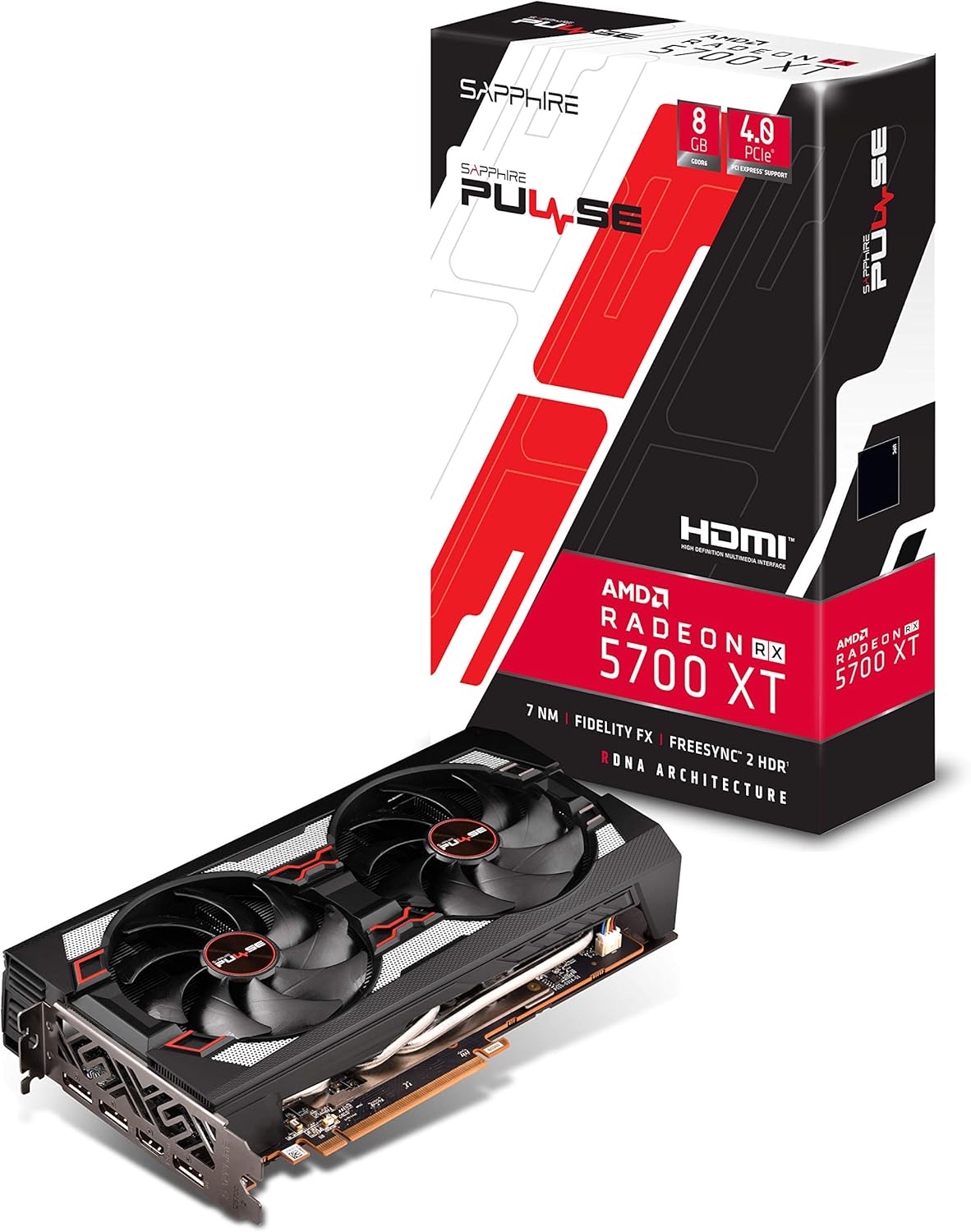
Ffigur 1: Blaen view of the Sapphire Pulse RX 5700 XT Graphics Card, showing the Dual-X cooling fans.

Ffigur 2: Ongl view of the graphics card, highlighting the display output ports (HDMI and DisplayPort).
1.3 Gosod Gyrwyr
After physical installation, you will need to install the latest AMD Radeon drivers.
- Using the Installation CD: Insert the provided installation CD into your optical drive and follow the on-screen instructions.
- Downloading Latest Drivers: For optimal performance and compatibility, it is recommended to download the latest drivers directly from the official AMD websafle (www.amd.com/cy/cefnogi). Select your graphics card model and operating system to download the appropriate driver package.
- Follow Installation Prompts: Run the downloaded driver installer and follow the prompts to complete the installation. A system restart may be required.
2. Gweithredu Eich Cerdyn Graffeg
2.1 Cysylltu Arddangosfeydd
The Sapphire Pulse RX 5700 XT supports multiple display outputs: 1 x HDMI and 3 x DisplayPort. Connect your monitor(s) to the appropriate ports on the graphics card.
- HDMI: For connecting to HDMI-compatible displays.
- DisplayPort (DP): For connecting to DisplayPort-compatible displays, often supporting higher refresh rates and resolutions.
2.2 Software Features and Optimization
Leverage AMD Radeon Software to optimize your gaming experience and graphics card performance. Key features include:
- Radeon Image Sharpening (RIS): Enhances visual clarity in games that may have softened images due to post-processing effects.
- FidelityFX: An open-source toolkit for game developers offering high-quality post-process effects for improved visual fidelity and performance balance.
- Radeon Anti-Lag: Reduces input-to-display response times, improving responsiveness in competitive gaming.
- Intelligent Fan Control: The card's cooling solution intelligently adjusts fan speeds to maintain optimal temperatures and minimize noise during operation.
Fideo: Drosoddview of the Sapphire Pulse RX 5700 XT series, demonstrating features and performance. (Source: Althon Micro Inc.)
3. cynnal
Mae cynnal a chadw rheolaidd yn helpu i sicrhau hirhoedledd a pherfformiad gorau posibl eich cerdyn graffeg.
- Tynnu Llwch: Periodically clean dust from the fans and heatsink using compressed air. Ensure the PC is powered off and unplugged before cleaning. Hold the fan blades gently to prevent them from spinning rapidly during cleaning.
- Diweddariadau Gyrwyr: Keep your graphics drivers updated by regularly checking the official AMD website for new releases.
- Monitro Tymheredd: Utilize monitoring software (e.g., AMD Radeon Software) to keep an eye on your GPU temperatures, especially during heavy loads, to ensure it operates within safe limits.
4. Datrys Problemau
Os byddwch chi'n dod ar draws problemau gyda'ch cerdyn graffeg, cyfeiriwch at y camau datrys problemau cyffredin canlynol:
- Dim Allbwn Arddangos:
- Gwnewch yn siŵr bod cebl y monitor wedi'i gysylltu'n ddiogel â'r cerdyn graffeg a'r monitor.
- Gwiriwch fod y cerdyn graffeg wedi'i osod yn llawn yn y slot PCIe.
- Check that all required power connectors (8-pin and 6-pin) are firmly attached to the graphics card.
- Profwch gyda chebl arddangos neu fonitor gwahanol os yn bosibl.
- Ansefydlogrwydd neu Ddamweiniau System:
- Ensure your graphics drivers are up-to-date. Consider performing a clean installation of the drivers.
- Check your power supply unit (PSU) to ensure it meets the recommended wattage (650W recommended).
- Monitor GPU temperatures to ensure the card is not overheating.
- Poor Performance in Games:
- Verify that your game settings are appropriate for your system and graphics card capabilities.
- Ensure your graphics drivers are the latest version.
- Chwiliwch am gymwysiadau cefndir sy'n defnyddio adnoddau system.
For further assistance, consult the AMD support website or Sapphire's official support channels.
5. Manylebau Technegol
| Nodwedd | Manyleb |
|---|---|
| Enw Model | 11293-01-20G |
| Prosesydd graffeg | AMD Radeon RX 5700 XT (Navi) |
| Proseswyr Ffrwd | 2560 |
| Cof Graffeg | 8 GB GDDR6 |
| Cyflymder Cloc Cof | 1.4 GHz |
| Rhyngwyneb | PCI-Express 4.0 x16 |
| Cloc Sylfaen | 1670 MHz |
| Game Clock | 1815 MHz |
| Hwb Cloc | Hyd at 1925 MHz |
| Allbwn Fideo | 1 x HDMI, 3 x DisplayPort |
| Datrys Max | 3840x2160 (4K) / 1440P |
| Ateb Oeri | Dual-X Cooling (2 Fans) |
| Ffactor Ffurf | 2.3 slot, ATX |
| Dimensiynau (L x W) | 10"L x 5.31"W (254 x 135 x 46.5 mm) |
| Pwysau Eitem | 1 Cilogram |
| UPC | 840777083000 |

Figure 3: Graphics card dimensions, showing approximate length and width.
6. Gwybodaeth Gwarant
This Sapphire Pulse RX 5700 XT Graphics Card comes with a Gwarant gwneuthurwr 2 flynedd. Please retain your proof of purchase for warranty claims. For detailed terms and conditions, refer to the official Sapphire websafle neu cysylltwch â'u cymorth cwsmeriaid.
7. Cefnogaeth i Gwsmeriaid
For technical support, driver downloads, FAQs, and additional product information, please visit the official Sapphire websafle:
www.sapphiretech.com/en/support
You can also refer to the AMD support website for general Radeon software and driver assistance:
www.amd.com/cy/cefnogi