
Rhagymadrodd
Diolch am brynuasing the MUSE M-152 RC Retro Cassette Recorder. This device combines a classic cassette player/recorder with an FM/MW radio tuner and an AUX input, offering versatile audio playback and recording options. This manual provides essential information for safe and efficient use of your new device. Please read it thoroughly before operation and retain it for future reference.

Ffigur 0: The MUSE M-152 RC Retro Cassette Recorder.
Gwybodaeth Ddiogelwch Bwysig
- Ffynhonnell Pwer: Sicrhewch y cyflenwad pŵer cyftage matches the requirements specified on the unit. Use only the provided AC adapter.
- Defnydd Batri: If using batteries, ensure they are inserted with correct polarity. Do not mix old and new batteries, or different types of batteries. Remove batteries if the unit will not be used for an extended period.
- Dŵr a lleithder: Do not expose the unit to rain, moisture, or dripping/splashing liquids. Do not place objects filled with liquids, such as vases, on the unit.
- Awyru: Peidiwch â rhwystro unrhyw agoriadau awyru. Sicrhewch fod digon o le o amgylch yr uned ar gyfer llif aer priodol.
- Gwres: Cadwch yr uned i ffwrdd o ffynonellau gwres fel rheiddiaduron, cofrestri gwres, stofiau, neu offer arall (gan gynnwys amplifyddion) sy'n cynhyrchu gwres.
- Glanhau: Unplug the unit from the wall outlet before cleaning. Use a soft, dry cloth. Do not use liquid cleaners or aerosol cleaners.
- Gwasanaethu: Peidiwch â cheisio gwasanaethu'r cynnyrch hwn eich hun. Cyfeiriwch yr holl wasanaethu at bersonél gwasanaeth cymwys.
- Defnydd Allanol yn Unig: This device is designed for external use.
Nodweddion Cynnyrch
The MUSE M-152 RC offers a range of functionalities for audio enthusiasts:
- Integrated Cassette Player and Recorder
- AM/FM Radio Tuner with telescopic antenna
- AUX Input for connecting external audio devices
- Built-in Microphone for direct voice recording
- Portable design with optional battery operation
- Auto Stop function for cassette playback
- Rotary controls for Volume and Tuning
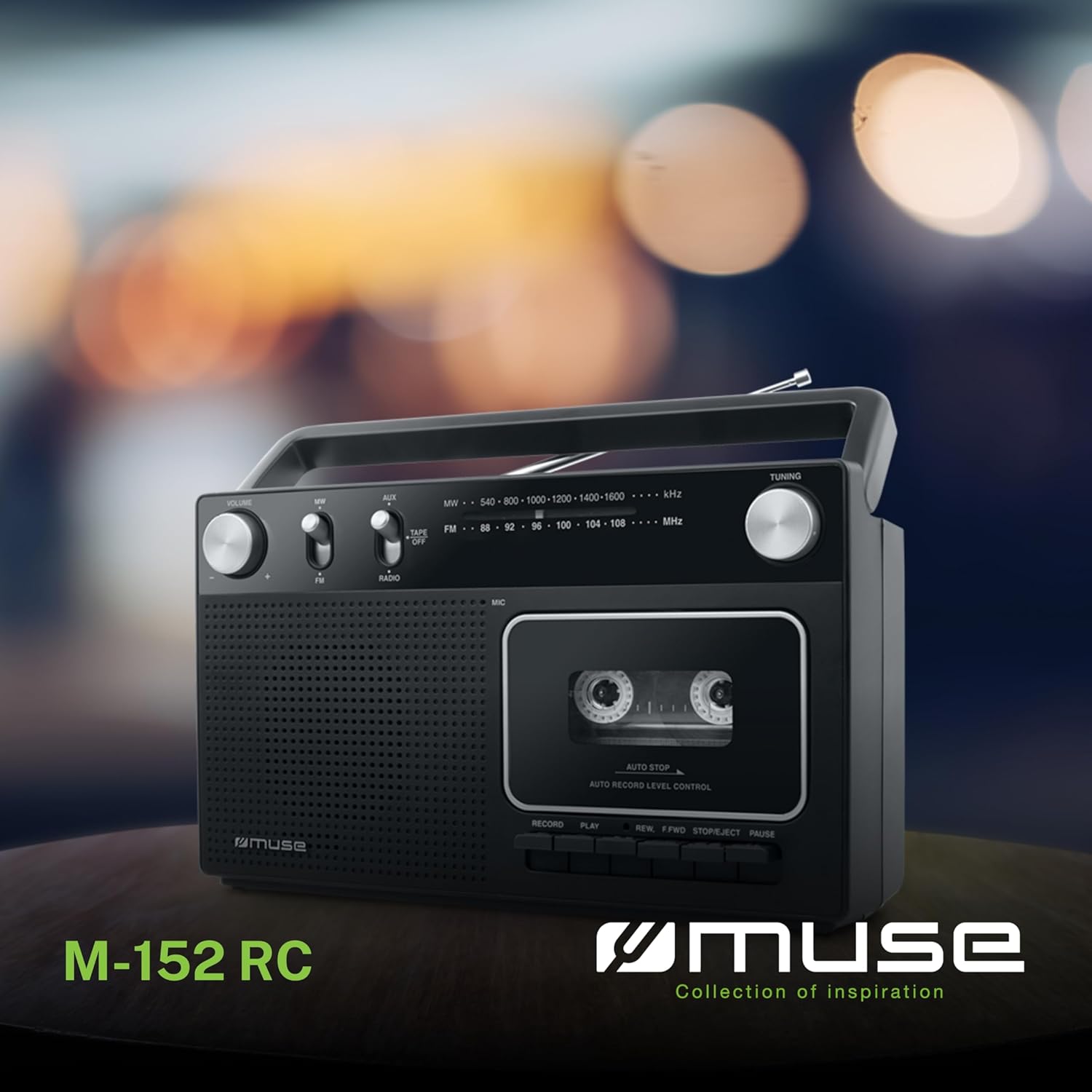
Ffigur 1: Drosoddview of the MUSE M-152 RC highlighting its main features like cassette recording, rotary controls, good sound quality, and FM/MW radio capabilities.
Gosod
1. Pweru'r Uned
The M-152 RC can be powered by either AC mains or batteries.
- Pŵer AC: Connect the supplied AC power adapter to the DC IN jack on the unit and then plug the adapter into a standard 220V AC wall outlet.
- Pŵer Batri: Open the battery compartment cover on the back of the unit. Insert 4 x 'C' size batteries (not included), ensuring correct polarity (+/-) as indicated inside the compartment. Close the cover securely.
2. Addasiad Antena
For optimal FM radio reception, fully extend the telescopic antenna. For MW (AM) reception, the unit has a built-in ferrite bar antenna, so no external adjustment is needed, but rotating the unit might improve reception.
Cyfarwyddiadau Gweithredu
1. Gweithrediad Radio
- Set the function switch to "RADIO".
- Select the desired band (FM or MW) using the FM/MW switch.
- Cylchdroi y DYNIO knob to search for a radio station.
- Addaswch y CYFROL trowch y botwm i'ch lefel gwrando ddewisol.
- For FM, extend and adjust the telescopic antenna for best reception. For MW, rotate the unit for optimal signal.
2. Chwarae Casetiau
- Set the function switch to "TAPE/OFF".
- Gwasgwch y AROS/GOLLWNG botwm i agor y compartment casét.
- Insert a cassette tape with the open edge facing upwards and the tape side facing the unit. Close the compartment door firmly.
- Gwasgwch y CHWARAE botwm i ddechrau chwarae.
- Defnyddiwch y REW (Rewind) or F.FWD (Fast Forward) buttons to navigate the tape. Press AROS/GOLLWNG to stop winding.
- Gwasgwch y OEDIAD button to temporarily stop playback. Press it again to resume.
- Gwasgwch y AROS/GOLLWNG botwm i stopio chwarae a thaflu'r casét allan.
- Addaswch y CYFROL bwlyn yn ôl yr angen.

Ffigur 2: Detail of the cassette compartment and the integrated microphone for recording.
3. Cassette Recording
The M-152 RC allows recording from the radio or via its built-in microphone.
Recording from Radio:
- Mewnosodwch dâp casét gwag i'r adran.
- Set the function switch to "RADIO" and tune to the desired station.
- Gwasgwch y COFNOD botwm (botwm coch) ar yr un pryd â'r CHWARAE button. The recording will begin.
- I roi'r gorau i recordio, pwyswch y AROS/GOLLWNG botwm.
Recording with Built-in Microphone:
- Mewnosodwch dâp casét gwag i'r adran.
- Set the function switch to "TAPE/OFF".
- Gwasgwch y COFNOD botwm (botwm coch) ar yr un pryd â'r CHWARAE button. The recording will begin from the built-in microphone.
- Speak clearly into the microphone located on the front of the unit.
- I roi'r gorau i recordio, pwyswch y AROS/GOLLWNG botwm.

Ffigur 3: The built-in microphone allows for direct voice recording onto a cassette tape.
4. Mewnbwn AUX
Connect an external audio device (e.g., MP3 player, smartphone) to the AUX IN jack using a 3.5mm audio cable (not included).
- Set the function switch to "AUX".
- Dechreuwch chwarae ar eich dyfais allanol.
- Addaswch y CYFROL knob on the M-152 RC and on your external device for the desired sound level.
Cynnal a chadw
- Glanhau'r Uned: Sychwch du allan yr uned gyda lliain meddal, sych. Peidiwch â defnyddio glanhawyr sgraffiniol na thoddyddion.
- Glanhau Pen y Casét: Periodically clean the tape head, pinch roller, and capstan using a cotton swab lightly moistened with isopropyl alcohol. This helps maintain sound quality and prevents tape damage. Ensure the unit is powered off and unplugged before cleaning.
- Storio: When not in use for extended periods, store the unit in a dry, dust-free environment. Remove batteries if using battery power.
Datrys problemau
| Problem | Achos Posibl | Ateb |
|---|---|---|
| Dim pŵer | Addasydd AC heb ei gysylltu'n iawn; Batris wedi'u gwagio neu wedi'u mewnosod yn anghywir. | Gwiriwch gysylltiad yr addasydd AC; Amnewidiwch y batris neu sicrhewch y polaredd cywir. |
| Derbyniad radio gwael | Antena heb ei hymestyn/addasu; Signal gwan. | Fully extend and adjust the telescopic antenna (FM); Rotate the unit (MW). |
| Cassette not playing/poor sound | Tape incorrectly inserted; Tape head dirty; Tape damaged. | Re-insert tape correctly; Clean tape head; Try a different tape. |
| Dim recordiad | RECORD and PLAY not pressed simultaneously; Tape write-protect tab removed. | Ensure both buttons are pressed together; Cover the write-protect tab with tape. |
Manylebau
- Model: M-152 RC
- Ffynhonnell Pwer: AC 220V / 4 x 'C' size batteries (DC 6V)
- Bandiau Radio: FM (88-108 MHz), MW (540-1600 kHz)
- Cysylltiadau: AUX-In (3.5mm jack)
- Nodweddion arbennig: Portable, Built-in Microphone, Auto Stop
- Dimensiynau (L x W x H): Tua 27 cm x 9.3 cm x 16 cm
- Lliw: Du
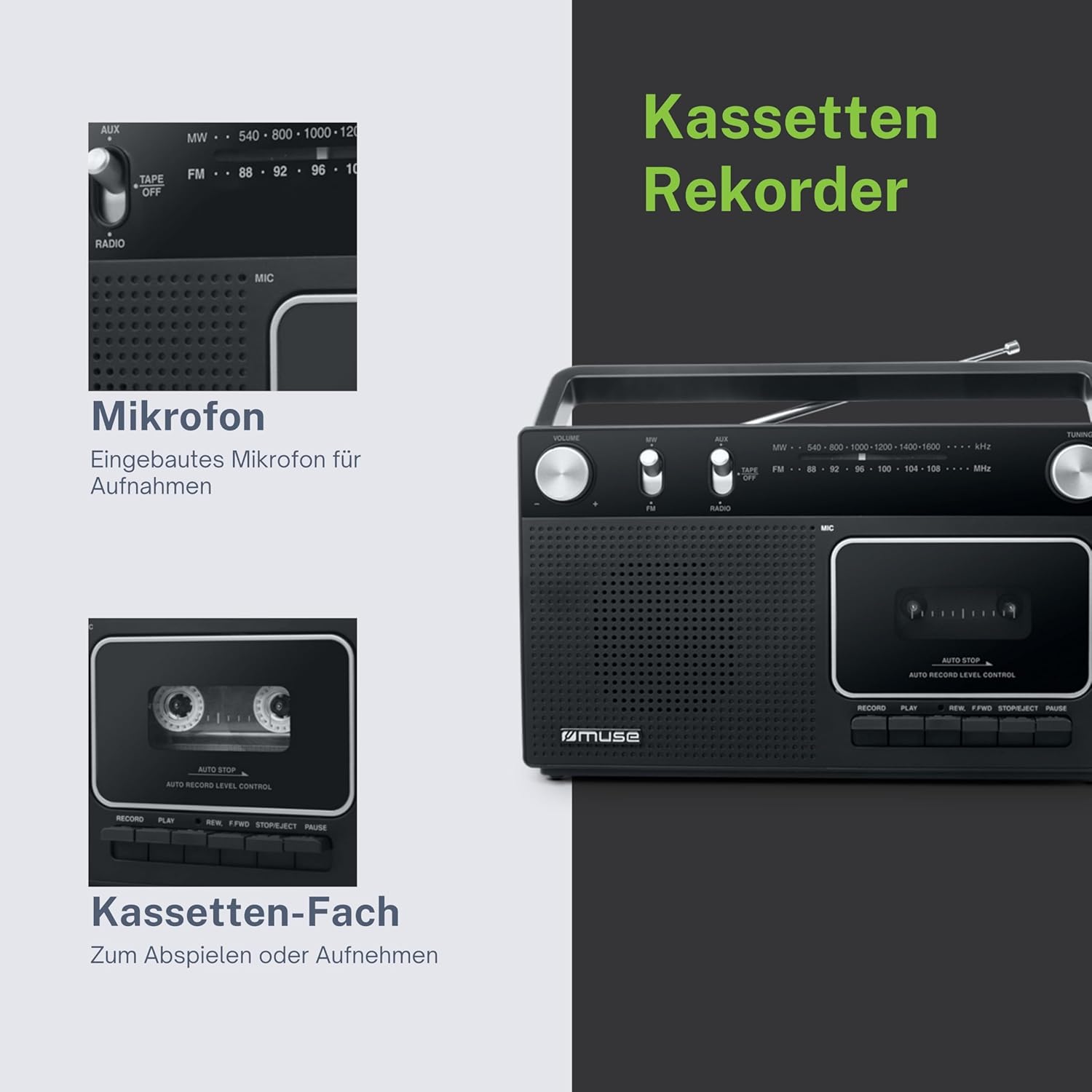
Ffigur 4: Dimensional drawing of the MUSE M-152 RC.
Gwarant a Chefnogaeth
For warranty information and technical support, please refer to the warranty card included with your product or contact your local MUSE distributor or retailer. Keep your proof of purchase for any warranty claims.