
Wavel GF-07
Wavel Ultra Mini GF-07 GPS Tracker User Manual
Model: GF-07
1. Cynnyrch Drosview
The Wavel Ultra Mini GF-07 is a compact and lightweight GPS tracking device designed for tracking vehicles, individuals, or assets. It features a magnetic back for easy attachment and operates by inserting a working SIM card (not included) to enable real-time tracking and voice monitoring capabilities. Please note that this device primarily supports 2G GSM networks.
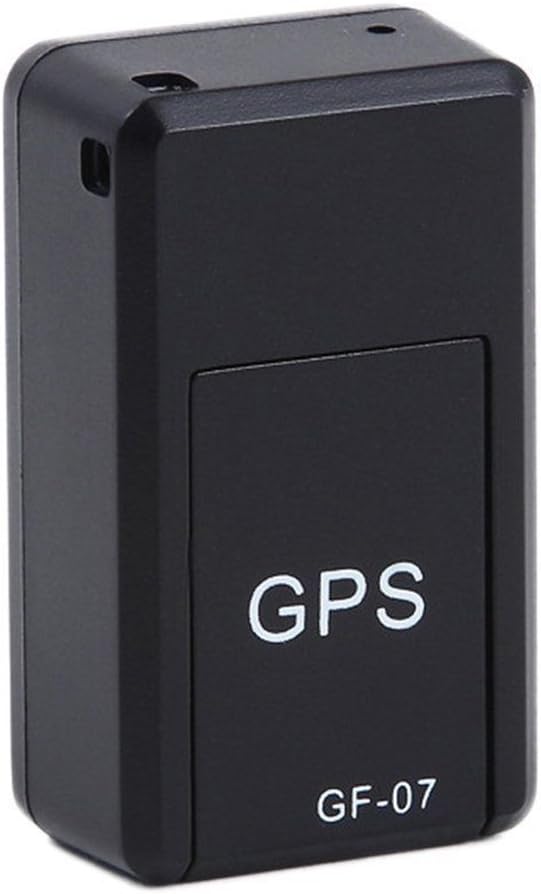
Ffigur 1: Blaen view of the Wavel GF-07 GPS tracker, showing the 'GPS' and 'GF-07' labels.
Nodweddion Allweddol:
- Dyluniad Compact: Small size (approximately 42x25x20mm) and lightweight for discreet placement.
- Ymlyniad magnetig: Equipped with powerful magnets for secure installation on metallic surfaces.
- Olrhain amser real: Utilizes a SIM card (not included) for location tracking via Google Maps over the internet.
- Voice Monitoring: Dialing the SIM card number allows for silent audio monitoring around the device.
- Recordiad Llais: Supports voice recording by sending a specific SMS command. Requires a TF card (not included).
- Wrth Gefn Hir: Features a 3.7V 300mA lithium battery with approximately 100 hours of standby time.
2. Cynnwys Pecyn
Sicrhewch fod yr holl eitemau yn bresennol yn y pecyn:
- 1 x Wavel Ultra Mini GF-07 GPS Tracker
- 1 x Cebl Codi Tâl USB
- 1 x Llawlyfr Defnyddiwr (y ddogfen hon)
Note: A working 2G GSM SIM card and a TF (microSD) card are required for full functionality and are NOT included.
3. Canllaw Gosod
3.1. Inserting SIM Card and TF Card
- Locate the SIM card slot and TF card slot on the device. These are typically found by sliding open a cover or removing a small panel.
- Insert a working 2G GSM SIM card into the SIM card slot. Ensure the SIM card is active and has sufficient balance for calls and SMS. (Important: This device primarily supports 2G GSM networks. Compatibility with 3G/4G/5G networks for data transmission may vary or be limited, and 2G networks are being phased out in some regions.)
- Insert a TF (microSD) card into the TF card slot for voice recording functionality.
- Caewch y clawr yn ddiogel.

Ffigur 2: View of the GF-07 tracker with the cover removed, showing the SIM card and TF card slots.
3.2. Codi Tâl y Dyfais
Cyn ei ddefnyddio gyntaf, gwefrwch y ddyfais yn llawn.
- Connect the provided USB cable to the charging port on the GF-07 tracker.
- Connect the other end of the USB cable to a standard USB power adapter (e.g., phone charger, computer USB port).
- The device will indicate charging status (e.g., an indicator light). Charge until the light indicates full charge or turns off.

Ffigur 3: Ochr view of the GF-07 tracker, highlighting the micro USB charging port.
4. Cyfarwyddiadau Gweithredu
4.1. Pweru Ymlaen / I ffwrdd
The device typically powers on automatically when a SIM card is inserted and it has power. There is no explicit power button.
- Pŵer Ymlaen: Insert a charged battery and a SIM card. The device should power on automatically.
- Pwer i ffwrdd: Remove the SIM card and/or disconnect the battery.
4.2. Real-time Tracking (Google Maps)
To track the device's location:
- Ensure the SIM card in the device has an active data plan.
- From your mobile phone, send a specific SMS command to the SIM card number in the GF-07 tracker. The manual states "track and map (with Google Maps) in real-time over the Internet" but doesn't specify the SMS command for this. (Common commands for similar devices might be "URL" or "GPS", but refer to the original small manual for exact command if available. If not, this functionality might be app-based or require a specific platform.)
- The device should reply with a Google Maps link showing its current location. Click the link to view the location on Google Maps.
4.3. Monitro Llais
To listen to the surroundings of the device:
- Dial the phone number of the SIM card inserted into the GF-07 tracker from your mobile phone.
- The device will automatically answer the call silently, allowing you to hear sounds around it. There will be no light or noise from the tracker during this process.
4.4. Swyddogaeth Recordio Llais
To initiate voice recording:
- Ensure a TF (microSD) card is properly inserted into the device.
- Send the text message "555" to the SIM card number in the GF-07 tracker.
- The device will reply with a message "Snd" to confirm that recording has started.
- Recordings will be saved to the TF card. To stop recording, send "666" (common for similar devices, not specified in input, but logical). To retrieve recordings, you would typically need to remove the TF card and access it via a computer.
5. Cynnal a Chadw a Gofal
- Glanhau: Sychwch y ddyfais gyda lliain meddal, sych. Peidiwch â defnyddio glanhawyr hylif na aerosolau.
- Tymheredd: Osgowch amlygu'r ddyfais i dymheredd eithafol (poeth neu oer).
- Amlygiad Dŵr: The device is not waterproof. Keep it away from water and high humidity.
- Storio: If storing for an extended period, ensure the battery is partially charged (around 50%) and store in a cool, dry place.
- Bywyd batri: Battery working time is approximately 100 hours on standby. Actual usage time will vary based on tracking frequency and network conditions.
6. Datrys Problemau
| Problem | Achos Posibl | Ateb |
|---|---|---|
| Nid yw'r ddyfais yn pweru ymlaen. | Low battery; SIM card not inserted correctly; faulty device. | Charge the device fully. Re-insert the SIM card. If problem persists, contact support. |
| Cannot get location reply. | No network signal; SIM card has no data/balance; incorrect SMS command; device not powered on. | Check network coverage. Ensure SIM card is active and has data. Verify SMS command. Confirm device is powered on. |
| Voice monitoring not working. | SIM card has no call balance; device out of range; SIM card not inserted correctly. | Check SIM card balance. Ensure device is in an area with network coverage. Re-insert SIM card. |
| Nid yw recordio llais yn gweithio. | TF card not inserted; TF card full; incorrect SMS command. | Insert a TF card. Check TF card storage. Verify SMS command "555". |
| Dyfais ddim yn gwefru. | Faulty cable/adapter; charging port damage. | Try a different USB cable and adapter. Inspect charging port for damage. |
| Inaccurate GPS location. | Weak GPS signal (indoors, dense areas); environmental interference. | Move the device to an open area with clear sky view. GPS accuracy is approximately 100m. |
7. manylebau
| Nodwedd | Manylyn |
|---|---|
| Model | GF- 07 |
| Lliw | Du |
| Dimensiynau (L x W x H) | Tua 42mm x 25mm x 20mm |
| Deunydd | ABS (Styrene Biwtadïen Acrylonitrile) |
| Math o Antena | GSM |
| Cywirdeb Lleoliad GPS | Tua 100m |
| Batri | Batri Lithiwm 3.7V 300mA |
| Battery Working Time (Standby) | Tua 100 awr |
| Cardiau â Chymorth | SIM Card (2G GSM), TF (microSD) Card |
| Technoleg Cysylltedd | Cellog |
| Nodwedd Arbennig | Ymlyniad magnetig |

Ffigur 4: Dimensions of the GF-07 tracker: 42mm length, 25mm width, 20mm height.
Dogfennau Cysylltiedig - GF- 07
 |
Mini GPS Tracker (Model GF-07) User Manual User manual for the GF-07 Mini GPS Tracker. Includes installation, tracking, technical specifications, and troubleshooting instructions. |
 |
GF-07 Mini GPS Locator Tracker User Guide Comprehensive guide for the GF-07 portable mini GPS locator tracker, detailing its features, real-time positioning, historical trajectory playback, geo-fencing, safety instructions, and optimal performance tips for various tracking needs. |
 |
Llawlyfr Defnyddiwr a Gorchmynion SMS ar gyfer Traciwr GPS Mini GF-07 Canllaw cynhwysfawr ar gyfer y Mini GPS Tracker GF-07, yn manylu ar y gosodiad, mewnosod cerdyn SIM/SD, a gorchmynion SMS hanfodol ar gyfer paru, gwrando o bell, olrhain lleoliad, gwirio statws, a rheoli dyfeisiau. |
 |
GF-07 Enhanced Magnetic Locator Instructions and Specifications Comprehensive guide to the GF-07 enhanced magnetic locator, covering its features, usage instructions, technical specifications, and troubleshooting tips. Learn how to use the device for real-time location tracking and monitoring. |
 |
TREKIO GF-07 Magnetic Locator User Manual User manual for the TREKIO GF-07 Enhanced Magnetic Locator, detailing its features, setup instructions, specifications, and troubleshooting. |
Ask a question about this manual
Ask about setup, troubleshooting, compatibility, parts, safety, or missing instructions. Manuals+ will review the question and use this page’s manual context to help answer it.