Geekee G350

Geekee G350 True Wireless Earbuds Instruction Manual

Model: G350

1. Rhagymadrodd

The Geekee G350 True Wireless Earbuds offer a high-fidelity audio experience with advanced Bluetooth 5.0 technology. Designed for comfort and versatility, these in-ear headphones feature deep bass, crystal clear treble, and noise-cancelling capabilities. They are sweatproof with an IPX5 rating, making them suitable for sports and active use. The earbuds provide a stable connection, instant pairing, and extended battery life with their portable charging case.

Geekee G350 True Wireless Earbuds in charging case

Image 1: Geekee G350 True Wireless Earbuds in their charging case.

2. Cynnwys Pecyn

Gwiriwch fod yr holl eitemau yn bresennol yn eich pecyn:

  • Geekee G350 Earphone x 2 (Left and Right Earbuds)
  • Achos Codi Tâl x 1
  • Regular Ear Tips (Sizes S, M, L, XL) x 4 Pairs
  • Rubber Ear Pieces x 2 Pairs
  • Cebl gwefru x 1
  • Llawlyfr Defnyddiwr x 1
Contents of the Geekee G350 Earbuds package

Image 2: All items included in the Geekee G350 package.

3. Gosod

3.1 Paru Cychwynnol

For the first-time use, follow these steps to pair your Geekee G350 earbuds:

  1. Tynnu Ffilm Amddiffynnol: Before charging or first use, remove the plastic protective film from the charging contact points located on the bottom of each earbud.
  2. Clustffonau Gwefru: Place both earbuds back into the charging case and allow them to charge for a short period.
  3. Automatic Power On & Pairing Mode: Tynnwch y ddau glustffon allan o'r cas gwefru. Byddant yn troi ymlaen yn awtomatig ac yn mynd i mewn i'r modd paru.
  4. Cysylltwch trwy Bluetooth: On your smartphone or Bluetooth-enabled device, go to the Bluetooth settings menu and select "Geekee G350" to connect.

After the initial connection, the earbuds will automatically turn on and connect to your smartphone when removed from the case, and automatically turn off and charge when placed back in the case.

Steps for instant pairing of Geekee G350 earbuds

Image 3: Visual guide for initial pairing of the earbuds.

3.2 Codi

The earbuds and charging case have separate battery capacities and charging times:

  • Cynhwysedd Batri Earbud: 50mAh/3.7V per earbud.
  • Amser Codi Tâl Earbud: Tua 1.5 awr am dâl llawn.
  • Capasiti Batri Achos Codi Tâl: 500mAh / 3.7V.
  • Amser Codi Tâl Achos Codi Tâl: Tua 2.5 awr am dâl llawn.

The charging case provides additional power, extending the total playtime. A fully charged case can boost the earbuds' playtime from 3-3.5 hours to 15 hours. In mono mode, using one earbud while the other charges, playtime can be extended up to 28 hours.

Battery life and charging times for Geekee G350 earbuds

Delwedd 4: Drosoddview of battery life and charging specifications.

4. Cyfarwyddiadau Gweithredu

4.1 Rheolyddion Earbud

Each earbud features a multi-function button and an LED indicator. Refer to the diagram below for control functions:

Geekee G350 earbud function button and LED indicator guide

Image 5: Detailed functions of the earbud button and LED indicator.

  • Chwarae/Seibiant: Pwyswch y botwm swyddogaeth unwaith.
  • Trac Nesaf: Press the function button for 2 seconds (Right earbud).
  • Trac Blaenorol: Press the function button for 2 seconds (Left earbud).
  • Galluogi Cynorthwyydd Llais (Siri): Pwyswch y botwm swyddogaeth ddwywaith.
  • Ateb / Diwedd Galwad: Pwyswch y botwm swyddogaeth unwaith.
  • Gwrthod Galwad: Pwyswch y botwm swyddogaeth am 2 eiliad.

The LED indicator displays charging status and Bluetooth connection status.

4.2 Dulliau Gwrando

The Geekee G350 earbuds support two listening modes:

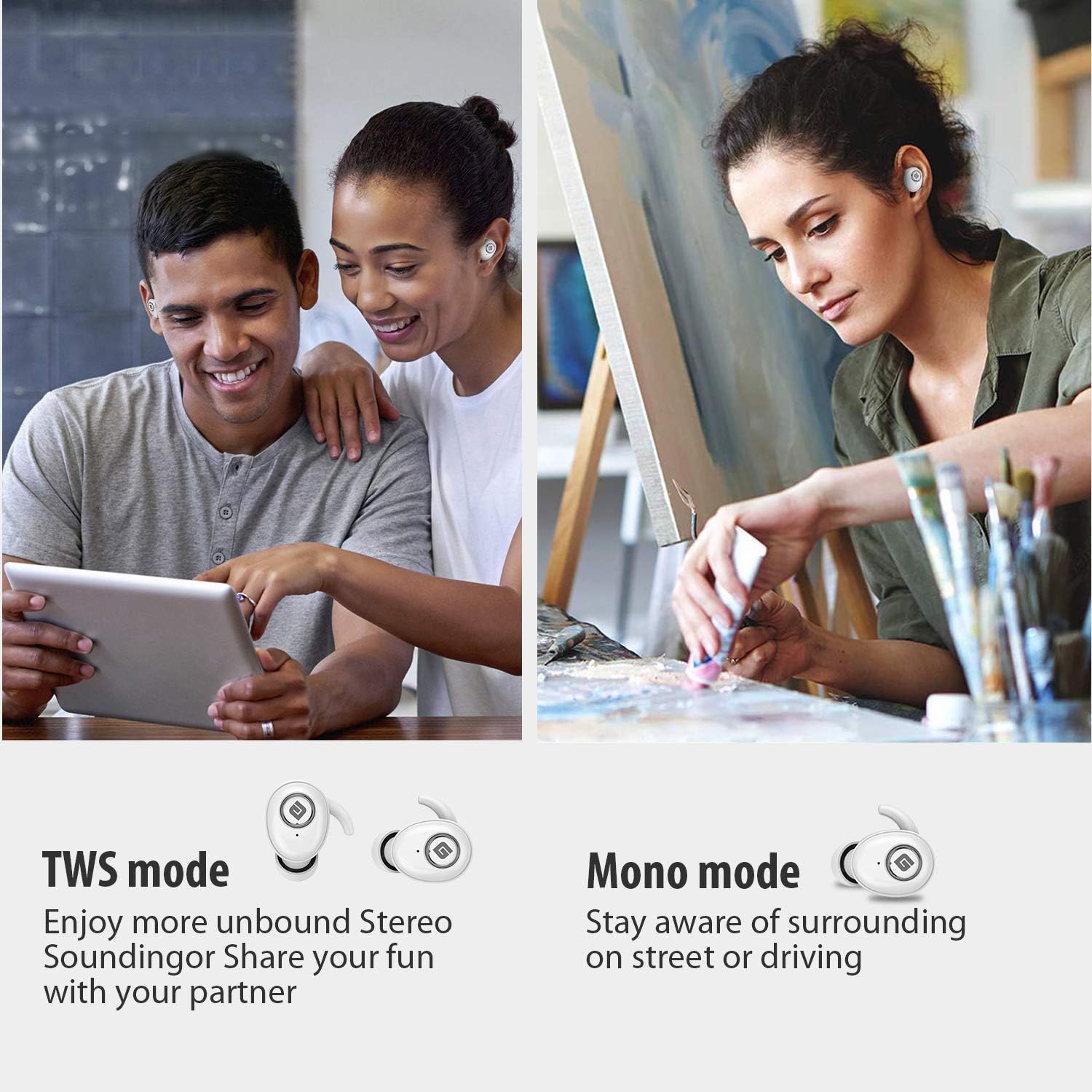
  • Modd TWS (Gwir Stereo Di-wifr): Use both earbuds simultaneously for a full stereo sound experience. This mode is ideal for immersive audio.
  • Modd Mono: Use a single earbud (only the Right earbud supports mono mode) to stay aware of your surroundings, such as when driving or walking in public.
Illustration of TWS and Mono listening modes for earbuds

Image 6: Comparison of TWS and Mono listening modes.

5. cynnal

  • Gofal Batri: Keep your headphones charged when the battery life is low to ensure optimal Bluetooth connection and protect the battery's longevity.
  • Dewis Blaen Clust: Choose suitable ear tips and wear your headphones snugly, especially during physical activities like running or cycling. This helps reduce wind noise and ensures a secure fit.
  • Glanhau: Regularly clean the earbuds and charging case with a soft, dry cloth to prevent dust and debris buildup. Avoid using harsh chemicals or abrasive materials.
  • Storio: Pan nad ydynt yn cael eu defnyddio, storiwch y clustffonau yn eu cas gwefru i'w hamddiffyn a'u cadw'n wefredig. Storiwch mewn lle oer, sych i ffwrdd o dymheredd eithafol.
  • Gwrthiant Dŵr: The earbuds are IPX5 sweatproof, meaning they can resist a sustained, low-pressure water jet spray. They are not designed for submersion in water.

6. Datrys Problemau

If you encounter issues with your Geekee G350 earbuds, please refer to the following common solutions:

  • Clustffonau Ddim yn Codi Tâl:
    • Ensure the plastic protective film has been removed from the charging contacts on the earbuds.
    • Gwiriwch fod y cebl gwefru wedi'i gysylltu'n ddiogel â'r cas ac â ffynhonnell bŵer.
    • Check if the charging case itself has sufficient battery charge.
  • Earbuds Not Pairing/Connecting:
    • Sicrhewch fod Bluetooth wedi'i alluogi ar eich dyfais.
    • Ensure the earbuds are fully charged and out of the charging case.
    • Forget "Geekee G350" from your device's Bluetooth settings and attempt to pair again.
    • Rhowch gynnig ar ailgychwyn eich dyfais a'r clustffonau.
  • Sound Issues (Low Volume, Distortion):
    • Adjust the volume on both your connected device and the earbuds.
    • Ensure ear tips are correctly sized and provide a snug fit to optimize sound quality and noise isolation.
    • Glanhewch unrhyw falurion o siaradwyr y clustffonau.
  • Dim ond Un Clustffon yn Gweithio:
    • Sicrhewch fod y ddau glustffon wedi'u gwefru.
    • Place both earbuds back into the charging case, close the lid, wait a few seconds, then take them out again to re-establish the stereo connection.
    • If the issue persists, try resetting the earbuds (refer to the full user manual for specific reset instructions if available).

7. manylebau

Nodwedd Manylyn
Safon Bluetooth v5.0
Di-wifr Profile HFP, HSP, A2DP, AVRCP
Ystod Gweithredu 10m (33 troedfedd)
Codi Tâl Voltage DC 5V 1A
Amser Wrth Gefn 160 awr
Talk / Playing Time 2~3 hours (single charge), up to 15 hours with charging case, up to 28 hours in mono mode
Amser Gwefru (Clustffonau) 1.5 awr
Amser Codi Tâl (Achos Codi Tâl) 2.5 awr
Battery Capacity (Headset) 50mAh/3.7V
Cynhwysedd Batri (Achos Codi Tâl) 500mAh/3.7V
Pwysau Eitem 1.76 owns (tua 50g)
Dimensiynau Cynnyrch 0.8 x 0.4 x 0.4 inches (per earbud)
Gwrthiant Dŵr IPX5 Sweatproof
Rheoli Sŵn Canslo Sŵn Gweithredol
Meicroffon Yn gynwysedig

8. Gwarant a Chefnogaeth

Geekee is committed to providing high-quality service and professional support for its products. For any technical assistance or inquiries, please contact our support team.

  • Cymorth Technegol: Lifetime technical help is available.
  • Amser ymateb: Inquiries are typically responded to within 24 hours.
  • E-bost Cyswllt: cefnogaeth@getgeekee.com
Geekee customer support contact information

Image 7: Geekee customer support details.

Fideo Cynnyrch Swyddogol

Fideo 1: Dros ben swyddogolview of the Geekee G350 True Wireless Earbuds, highlighting key features and design.

Ask a question about this manual

Ask about setup, troubleshooting, compatibility, parts, safety, or missing instructions. Manuals+ will review the question and use this page’s manual context to help answer it.