
PPLEE PPLEE-1008I-GN
PPLEE Extra Loud Vibrating Alarm Clock
Llawlyfr Defnyddiwr
Rhagymadrodd
Thank you for choosing the PPLEE Extra Loud Vibrating Alarm Clock. This alarm clock is designed to provide effective wake-up solutions for heavy sleepers, individuals who are deaf or hard of hearing, and anyone needing a reliable alarm. It features a large LED display, multiple wake-up modes including a powerful bed shaker, adjustable brightness and volume, a multi-color night light, and convenient USB charging ports. Please read this manual thoroughly to ensure proper setup and operation of your new alarm clock.
Beth Sydd yn y Bocs
- 1 x PPLEE Alarm Clock
- 1 x Bed Shaker
- 1 x Addasydd Pŵer
- 1 x Cebl USB
- 1 x Llawlyfr Defnyddiwr
Cynnyrch Drosview
Ymgyfarwyddwch â chydrannau a rheolyddion eich cloc larwm.

Blaen view of the PPLEE alarm clock with its large green LED display and the connected bed shaker.

Diagram illustrating the clock's dimensions and key features such as vibrator, volume control, adjustable brightness, night light, memorized battery, 12H/24H time format, USB charging port, and 9-minute snooze.
The alarm clock features a large 7-inch LED display for clear visibility. On the top, you will find buttons for setting time, alarms, snooze, and controlling the night light. The back of the unit includes dual USB charging ports and connections for the power adapter and bed shaker.
Gosod
- Cysylltiad Pwer: Connect the provided power adapter to the DC IN port on the back of the alarm clock and plug it into a standard wall outlet. The display will light up.
- Batri Wrth Gefn (Dewisol): For battery backup functionality during power outages, insert 2 AAA batteries (not included) into the battery compartment on the bottom of the clock. These batteries will preserve time and alarm settings and trigger the alarm during power failure, but will not power the display or USB charging.
- Connect Bed Shaker: Plug the bed shaker's cable into the designated port on the back of the alarm clock. Place the bed shaker under your pillow or mattress for optimal vibration.
Cyfarwyddiadau Gweithredu
Gosod Amser a Dyddiad
- Amser Gosod: Press and hold the "SET TIME" button. Use the "HOUR" and "MINUTE" buttons to adjust the time. Press "SET TIME" again to confirm.
- Fformat 12/24 Awr: Slide the "12H/24H" switch button on the back of the clock to select your preferred time format.
- Amser Arbed Golau Dydd (DST): Press and hold the "SET TIME" button to activate or deactivate the DST function.
Gosod y Larwm

Visual representation of the three available wake-up modes: vibration only, buzzer only, or both combined.
- Amser Larwm Gosod: Press and hold the "ALARM SET" button. Use the "HOUR" and "MINUTE" buttons to set your desired alarm time. Press "ALARM SET" again to confirm.
- Dewiswch Modd Larwm: After setting the alarm time, press the "ALARM MODE" button repeatedly to cycle through the three wake-up modes:
- Bed Shaker Only: The bed shaker will activate.
- Buzzer Only: The alarm sound will play.
- Bed Shaker & Buzzer: Both the bed shaker and alarm sound will activate.
- Larwm Activate / Deactivate: Press the "ALARM ON/OFF" button to turn the alarm on or off. An alarm icon will appear on the display when the alarm is active.
Swyddogaeth Ailatgoffa
When the alarm sounds, press the large "SNOOZE" button on the top of the clock to temporarily silence the alarm for 9 minutes. The alarm will resume after 9 minutes. To stop the alarm completely, press the "ALARM PAUSE" button.
Addasu Disgleirdeb Arddangos

Illustration showing the adjustable brightness levels of the LED display, from 0% (off) to 100% (full brightness).
The display brightness can be adjusted from 0% to 100%. Use the "DIMMER" button to cycle through brightness levels or hold it to smoothly adjust the brightness to your preference.
Addasu Cyfrol Larwm

Diagram indicating three adjustable volume levels for the alarm, ranging from 70dB to 90dB.
The alarm volume has 3 levels (Low-Medium-High). Use the "VOLUME" button to select the desired alarm volume.
Gweithrediad Golau Nos

Image displaying the alarm clock with its top night light illuminated in various colors, highlighting the 7-color feature.
The alarm clock features a built-in night light with 7 color options. Press the "LIGHT" button to turn the night light on/off and cycle through the available colors.
Porthladdoedd Codi Tâl USB
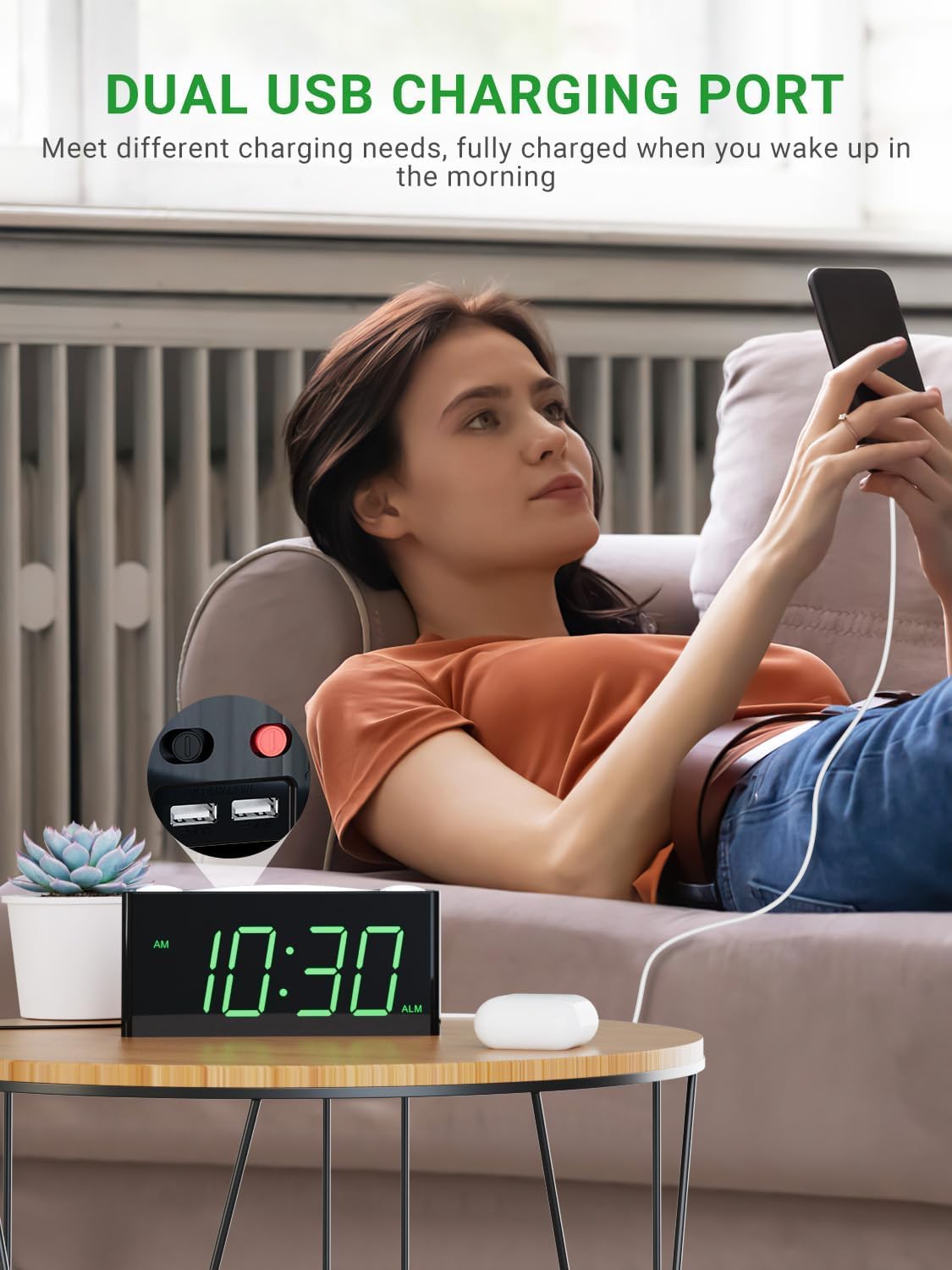
A user charging a mobile phone using one of the dual USB ports located on the back of the alarm clock.
Two USB charging ports are located on the back of the alarm clock. You can use these ports to charge your mobile devices overnight. Note that these ports are for charging only and do not transfer data.
Cynnal a chadw
- Glanhau: Use a soft, dry cloth to clean the surface of the alarm clock. Do not use liquid cleaners or abrasive sprays.
- Lleoliad: Place the alarm clock on a stable, flat surface away from direct sunlight, heat sources, and excessive moisture.
- Pwer: Defnyddiwch yr addasydd pŵer gwreiddiol a ddarperir gyda'r uned bob amser.
Datrys problemau
| Problem | Achos Posibl | Ateb |
|---|---|---|
| Clock display is off or not working. | No power, loose connection, or power outage. | Ensure power adapter is securely plugged in. Check wall outlet. If using battery backup, ensure batteries are fresh and correctly inserted. |
| Alarm does not sound or vibrate. | Alarm is not set, alarm mode is incorrect, or volume is too low. | Verify alarm time is set and activated (alarm icon visible). Check that the correct alarm mode (buzzer, shaker, or both) is selected. Increase alarm volume. Ensure bed shaker is properly connected. |
| Ailosodir amser/gosodiadau ar ôl diffodd y pŵertage. | Battery backup not installed or batteries are dead. | Install 2 new AAA batteries (not included) for backup. Ensure they are inserted with correct polarity. |
| Nid yw gwefru USB yn gweithio. | Device not properly connected or clock not powered. | Ensure the USB cable is securely connected to both the clock and your device. Confirm the alarm clock is powered by the AC adapter. |
| Mae'r arddangosfa'n rhy dywyll neu'n rhy llachar. | Mae angen addasu'r gosodiad disgleirdeb. | Press or hold the "DIMMER" button to adjust the display brightness to your desired level. |
Manylebau
| Nodwedd | Manylyn |
|---|---|
| Brand | PPLEE |
| Rhif Model | PPLEE-1008I-GN |
| Math Arddangos | LED |
| Lliw | Green Digits + Bed Shaker |
| Dimensiynau Cynnyrch | 1.57"L x 7"U |
| Pwysau Eitem | 0.7 pwys (11.2 owns) |
| Ffynhonnell Pwer | Corded Electric with Battery Backup Settings |
| Gofyniad Batri | 2 batris AAA (heb eu cynnwys) |
| Nodweddion Arbennig | Digital LED display, easy to set, large display for vision impaired, outlet operated, USB phone charger, bed shaker, night light, snooze, 12/24H format, DST. |
Gwarant a Chefnogaeth
PPLEE Vibrating Loud Alarm Clock with Bed Shaker provides a Gwarant Blwyddyn from the date of purchase. Additionally, it includes a One-Month Money Back Guarantee a 24-Hour Response for customer inquiries.
If you have any questions or require support regarding your product, please contact us via Amazon. We are committed to responding within 24 hours to assist you.
This product is designed for durability and ease of use, making it an excellent choice for personal use or as a gift.
Ask a question about this manual
Ask about setup, troubleshooting, compatibility, parts, safety, or missing instructions. Manuals+ will review the question and use this page’s manual context to help answer it.