
1. Rhagymadrodd
The Divoom Macchiato is a palm-sized, portable Bluetooth speaker with an integrated FM radio tuner, designed to deliver high-quality audio in a compact form factor.
2. Cynnwys Pecyn
Ticiwch y blwch ar gyfer yr eitemau canlynol:
- Divoom Macchiato Bluetooth Speaker
- Cebl Codi Tâl USB
- Llawlyfr Defnyddiwr
- (Additional accessories may vary by region)
3. Cynnyrch Drosview
Ymgyfarwyddwch â chydrannau a rheolyddion y siaradwr.
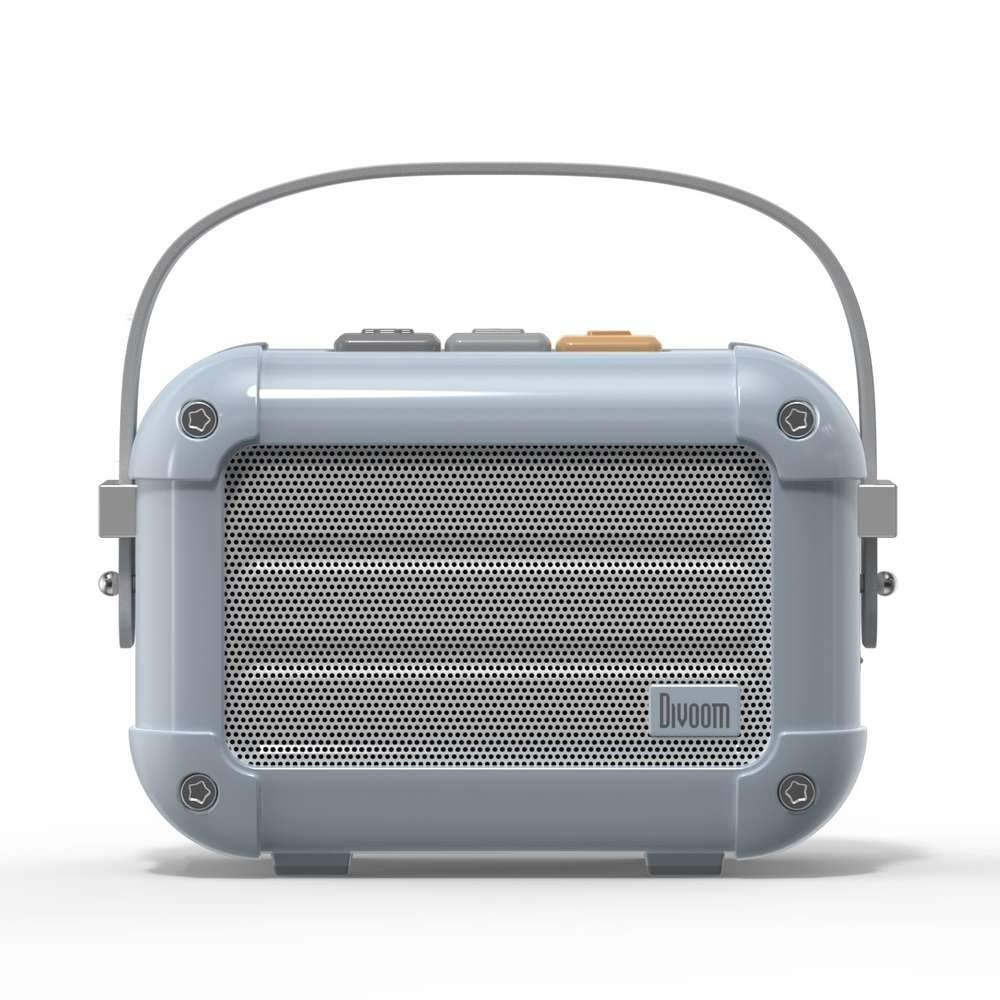
Ffigur 3.1: Blaen view of the Divoom Macchiato Bluetooth Speaker in blue.
3.1 Rheolyddion a Phorthladdoedd
The Divoom Macchiato speaker features intuitive controls for easy operation.
- Botymau Uchaf: Typically control power, volume, track navigation, and mode selection (e.g., Bluetooth, FM).
- Porth Codi Tâl: Usually a USB Type-C port for charging the device.
- Slot Cerdyn TF: Allows playback of music directly from a TF (MicroSD) card.
- Antena FM: An extendable antenna for improved FM radio reception.

Ffigur 3.2: Yn ôl view of the Divoom Macchiato Bluetooth Speaker, showing the charging port and TF card slot.
4. Gosod
4.1 Pŵer Ymlaen/Diffodd
- I Bweru Ymlaen: Press and hold the power button (usually one of the top buttons) for approximately 2-3 seconds until you hear an audible cue or see an indicator light.
- I Bweru i ffwrdd: Press and hold the power button for approximately 2-3 seconds until you hear an audible cue or the indicator light turns off.
4.2 Pâr Bluetooth
- Ensure the speaker is powered on and in Bluetooth pairing mode. The indicator light will typically blink rapidly.
- Ar eich dyfais symudol (ffôn clyfar, tabled, ac ati), galluogwch Bluetooth.
- Chwiliwch am "Divoom Macchiato" in the list of available Bluetooth devices.
- Select "Divoom Macchiato" to connect. Once connected, the speaker will provide an audible confirmation, and the indicator light will turn solid.
Nodyn: Bydd y siaradwr yn ceisio ailgysylltu â'r ddyfais a barwyd ddiwethaf yn awtomatig pan gaiff ei droi ymlaen.
4.3 FM Radio Setup
- Estynnwch yr antena FM yn llawn i gael y derbyniad gorau posibl.
- Switch the speaker to FM radio mode using the mode button (refer to your specific model's button layout).
- Use the track navigation buttons (usually +/-) to scan for available FM stations.
- Some models may allow saving favorite stations; refer to your specific model's instructions for details.
5. Cyfarwyddiadau Gweithredu
5.1 Music Playback (Bluetooth/TF Card)
- Chwarae/Seibiant: Pwyswch y botwm Chwarae/Saib (sydd yn aml wedi'i integreiddio â'r botwm pŵer neu fotwm pwrpasol).
- Rheoli cyfaint: Use the volume up (+) and volume down (-) buttons.
- Trac Nesaf: Press and hold or short press the next track button (often the + button).
- Trac Blaenorol: Press and hold or short press the previous track button (often the - button).
- Chwarae Cerdyn TF yn ôl: Mewnosod cerdyn TF gyda MP3 files into the TF card slot. The speaker should automatically switch to TF card mode or require manual selection via the mode button.
5.2 App Features (if applicable)
For enhanced functionality, download the Divoom companion app from your device's app store. The app may offer features such as:
- Customizing sound profiles.
- Accessing additional audio sources.
- Managing FM radio stations.
- Diweddariadau cadarnwedd.
6. cynnal
- Glanhau: Defnyddiwch frethyn meddal, sych i lanhau wyneb y siaradwr. Peidiwch â defnyddio glanhawyr sgraffiniol na thoddyddion.
- Storio: Storiwch y siaradwr mewn lle oer, sych i ffwrdd o olau haul uniongyrchol a thymheredd eithafol.
- Gofal Batri: Er mwyn ymestyn oes y batri, osgoi rhyddhau'r batri'n llwyr yn aml. Gwefrwch y siaradwr yn rheolaidd, hyd yn oed os nad yw'n cael ei ddefnyddio am gyfnodau hir.
- Gwrthiant Dŵr: This model is NOT waterproof. Avoid exposure to water or high humidity.
7. Datrys Problemau
| Problem | Ateb |
|---|---|
| Nid yw'r siaradwr yn troi ymlaen. | Gwnewch yn siŵr bod y batri wedi'i wefru. Cysylltwch y siaradwr â ffynhonnell bŵer gan ddefnyddio'r cebl gwefru USB. |
| Methu paru drwy Bluetooth. |
|
| Dim sain na chyfaint isel. |
|
| Derbyniad radio FM gwael. |
|
8. manylebau
| Nodwedd | Manylyn |
|---|---|
| Rhif Model | MACCHIATO |
| Brand | Ysgariad |
| Technoleg Cysylltedd | Bluetooth |
| Technoleg Cyfathrebu Di-wifr | Bluetooth |
| Llefarydd Uchafswm Pŵer Allbwn | 6 Wat |
| Math o Siaradwr | Bar sain |
| Math Mowntio | Mynydd Pen bwrdd |
| Defnyddiau a Argymhellir ar gyfer Cynnyrch | Cerddoriaeth |
| Dull Rheoli | Llais |
| Dal dwr | FALSE (Not Waterproof) |
9. Gwarant a Chefnogaeth
For warranty information and customer support, please refer to the documentation included with your product or visit the official Divoom websafle. Cadwch eich derbynneb prynu fel prawf o brynu ar gyfer hawliadau gwarant.