
1. Rhagymadrodd
This manual provides detailed instructions for the installation, operation, and maintenance of your Time2 Oscar 2 Twin Pack Outdoor Security Cameras. The Oscar 2 cameras are designed for outdoor surveillance, offering 1080p Full HD video, night vision, motion and sound detection, and two-way audio communication. Please read this manual thoroughly before using the product to ensure proper setup and functionality.
2. Beth sydd yn y Bocs
Wrth ddadbacio, gwiriwch fod yr holl eitemau canlynol wedi'u cynnwys:
- 2 x Time2 Oscar WiFi Camera
- 2 x Addasydd Pŵer
- 2 x Wall Mounting Kit (screws and wall plugs)
- 1 x Canllaw Cychwyn Cyflym

Image: The Time2 Oscar 2 camera shown with its retail packaging, indicating the contents of the box.
3. Nodweddion Cynnyrch
The Time2 Oscar 2 cameras are equipped with advanced features for comprehensive outdoor security:
- Fideo HD Llawn 1080p: Yn dal bwyd clir a manwltage ddydd a nos.
- Gweledigaeth Nos Uwch: Automatic infrared night vision with IR cut for clear images in low light or darkness.
- 100° Maes o View: Provides a wide coverage area for monitoring your property.
- Canfod Symudiad a Sain: Advanced sensors detect unusual movement or sounds, sending instant alerts.
- Sain Dwyffordd: Mae meicroffon a siaradwr adeiledig yn caniatáu cyfathrebu amser real.
- Storio Lleol a Chwmwl: Supports local storage via MicroSD card (up to 128GB, not included) and optional cloud storage via CLAN CLOUD subscription.
- Dyluniad gwrth-dywydd: IP65 rated for outdoor use, resistant to rain and dust.
- Prif Bŵer wedi'i Bweru: Ensures continuous operation without battery recharging.
- Parthau Gweithgaredd: Customize detection areas to reduce false alerts.
- Integreiddio Alexa: Yn gydnaws ag Amazon Alexa ar gyfer rheoli llais.
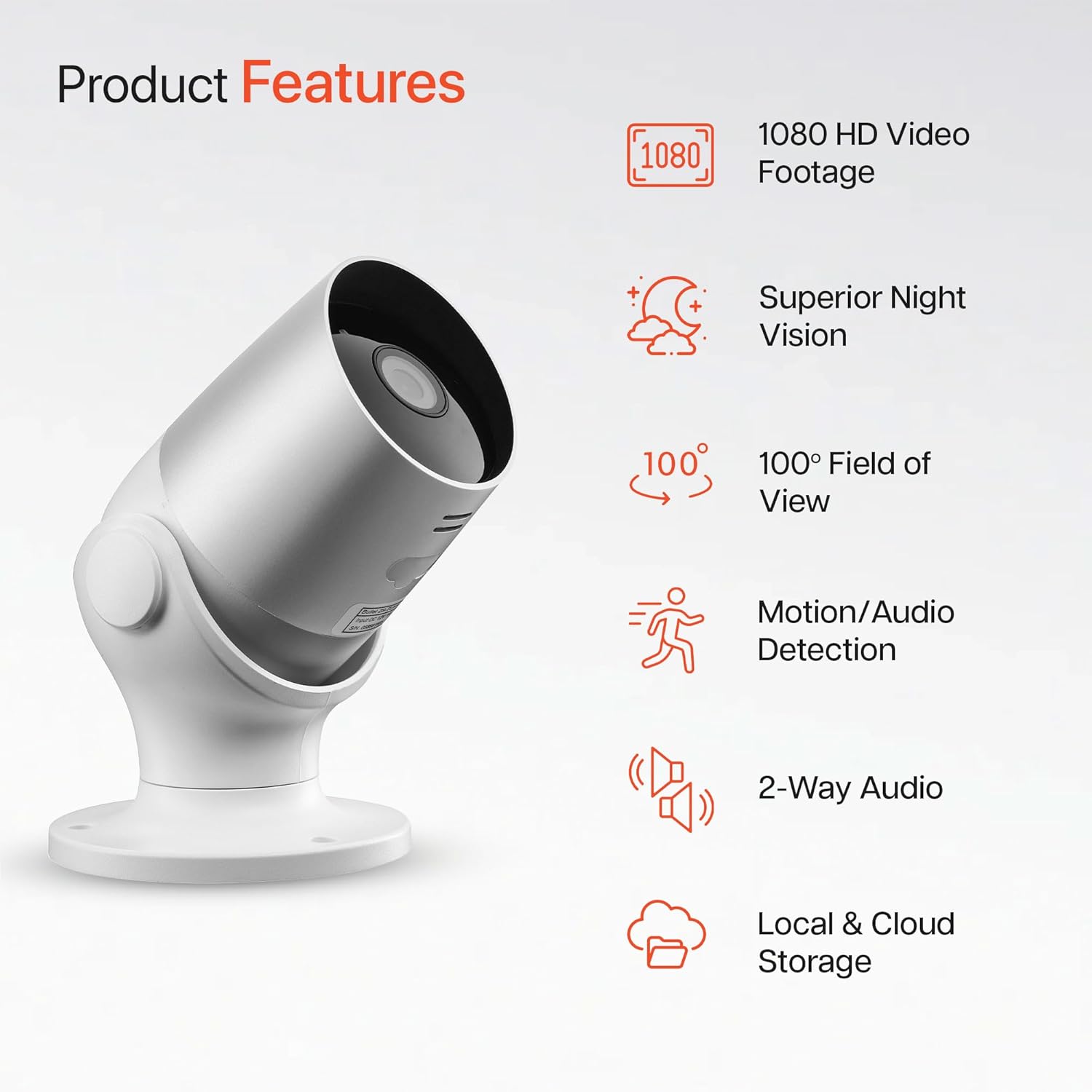
Image: An illustration highlighting the main features of the Oscar 2 camera, including 1080p HD video, night vision, 100° field of view, motion/audio detection, two-way audio, and storage options.
4. Gosod
4.1 Lawrlwytho Ap a Chreu Cyfrif
- Download the "CLAN" app from your smartphone's app store (iOS or Android).
- Agorwch yr ap a dilynwch y cyfarwyddiadau ar y sgrin i greu cyfrif newydd neu fewngofnodwch os oes gennych chi un eisoes.
4.2 Gosod Cerdyn MicroSD (Dewisol)
For local video storage, you can install a MicroSD card (up to 128GB, not included) into the camera.
- Locate the MicroSD card slot on the camera (refer to the Quick Start Guide for exact location).
- Mewnosodwch y cerdyn MicroSD yn ofalus i'r slot nes ei fod yn clicio i'w le.
- Ensure the camera is powered off before inserting or removing the MicroSD card.
4.3 Camera Installation and Power Connection
The Oscar 2 cameras are designed for wall mounting and require a mains power connection.
- Dewiswch leoliad: Dewiswch leoliad awyr agored sy'n darparu'r hyn a ddymunir viewing angle and is within reach of a power outlet. Consider the 100° field of view.
- Gosod y Camera: Use the provided wall mounting kit (screws and wall plugs) to securely attach the camera to a wall or suitable surface. The camera housing allows for rotation to adjust the lens angle.
- Pwer Cysylltu: Plug the power adapter into the camera and then into a mains power outlet. The camera will power on automatically.
4.4 Pairing with the CLAN App
- Ensure your smartphone is connected to a 2.4GHz Wi-Fi network (5GHz networks are not supported).
- Open the CLAN app and tap the "+" icon to add a new device.
- Select "Oscar 2" from the list of devices.
- Follow the in-app instructions, which typically involve scanning a QR code displayed on your phone with the camera lens or listening for a sound prompt.
- Once paired, you can name your camera and begin configuring settings.
5. Operating Your Oscar 2 Camera
5.1 Byw View a Monitro
From the CLAN app home screen, tap on your camera's name to access the live video feed. You can view multiple cameras simultaneously if you have more than one Oscar 2 device.

Image: A smartphone displaying the CLAN app interface, showing a live view from the Oscar 2 camera and various control options.
5.2 Canfod Symudiad a Sain
The Oscar 2 camera can detect movement and sound, sending instant alerts to your smartphone or tablet.
- Galluogi Rhybuddion: Navigate to the camera settings in the CLAN app and enable motion and sound detection alerts.
- Addasu Sensitifrwydd: You can adjust the sensitivity level of both motion and sound detection to minimize false alarms.
- Set Activity Zones: Define specific areas within the camera's field of view where you want motion detection to be active. This helps focus on critical areas and ignore irrelevant movements.
5.3 Sain Dwyffordd
Utilize the built-in microphone and speaker for two-way communication.
- Tra yn fyw view, tapiwch eicon y meicroffon yn yr ap i siarad drwy siaradwr y camera.
- Tapiwch eicon y siaradwr i wrando ar sain o feicroffon y camera.
- This feature is useful for interacting with visitors or deterring intruders.
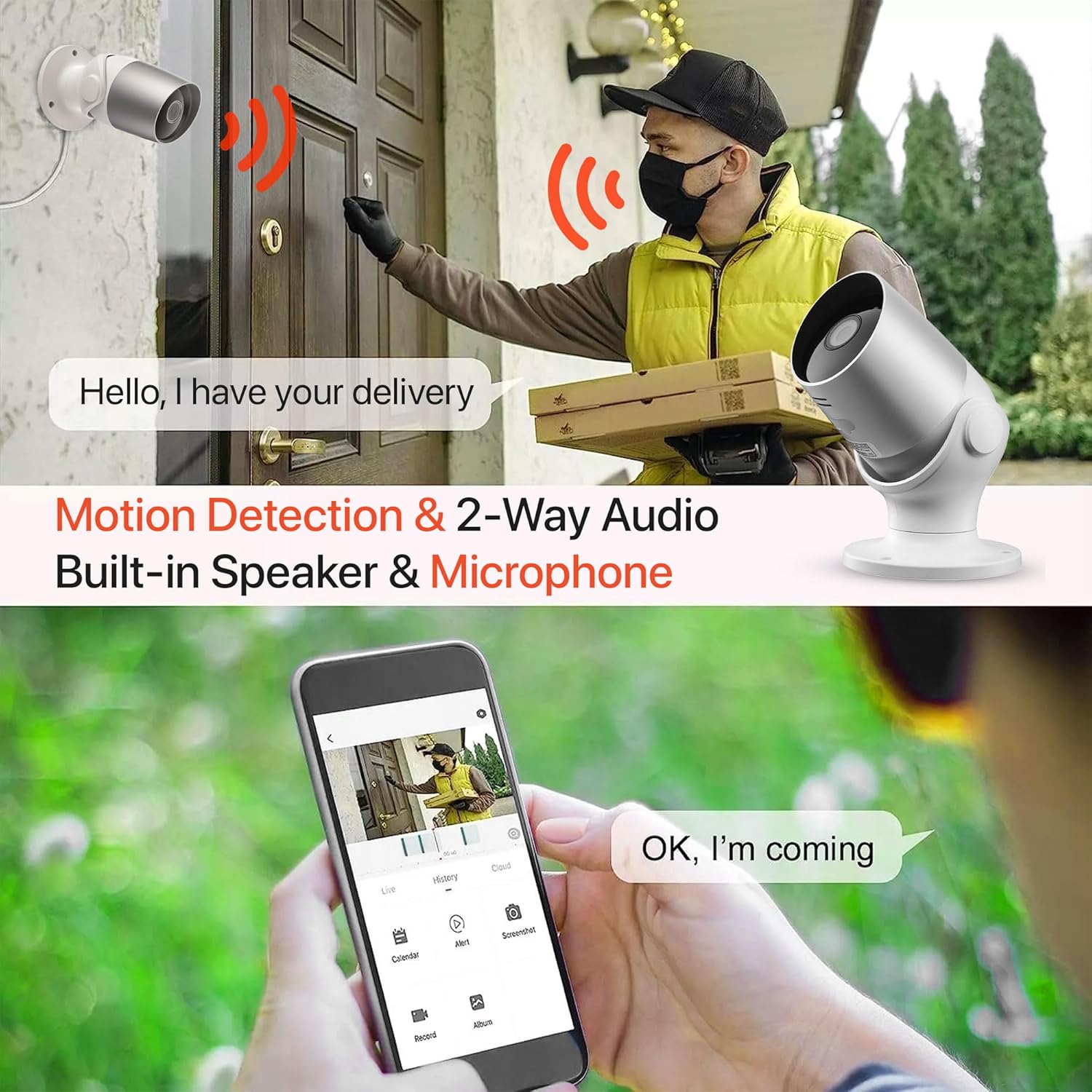
Image: An illustration demonstrating the two-way audio feature, showing a user communicating with a delivery person via the Oscar 2 camera and smartphone app.
5.4 Recordio a Chwarae
The Oscar 2 cameras offer flexible recording options:
- Cofnodi Parhaus: If a MicroSD card is installed, the camera can record continuously for up to 21 days (with a 128GB card).
- Recordio wedi'i actifadu gan symudiad: The camera can be set to record only when motion or sound is detected. Recordings include 5 seconds of pre-event footage.
- Local Storage (MicroSD): Mynediad wedi'i recordio footage directly from the MicroSD card via the CLAN app.
- Cloud Storage (CLAN CLOUD): Subscribe to CLAN CLOUD for secure off-site storage of your recordings, accessible from anywhere.
- Chwarae yn ôl: Use the playback feature in the CLAN app to review recorded events.
5.5 Gweledigaeth Nos
The camera automatically switches to infrared night vision in low-light conditions, providing clear black and white images. The integrated IR cut filter ensures accurate color representation during the day.

Image: A visual representation of the camera's 24/7 monitoring capability, showing how the view changes from morning (color) to afternoon (color) to night (infrared night vision).
5.6 Integreiddio Alexa
The Oscar 2 cameras are compatible with Amazon Alexa. To enable this feature, link your CLAN account within the Alexa app. You can then use voice commands to view your camera feed on compatible Alexa-enabled devices.
6. cynnal
- Glanhau: Glanhewch lens y camera o bryd i'w gilydd gyda lliain meddal, damp cloth to ensure optimal image clarity. Do not use harsh chemicals or abrasive materials.
- Diweddariadau Cadarnwedd: Ensure your camera's firmware is up to date. The CLAN app will typically notify you of available updates. Follow the in-app instructions to perform updates, which can improve performance and add new features.
- Cylchred Pwer: If the camera experiences issues, try power cycling it by unplugging it from the power source for a few seconds and then plugging it back in.
7. Datrys Problemau
- Camera Ddim yn Cysylltu â Wi-Fi:
- Gwnewch yn siŵr bod eich rhwydwaith Wi-Fi yn 2.4GHz. Nid yw'r camera yn cefnogi rhwydweithiau 5GHz.
- Check that the camera is within range of your Wi-Fi router.
- Gwiriwch fod eich cyfrinair Wi-Fi wedi'i nodi'n gywir yn yr ap.
- Ailgychwynwch eich llwybrydd a'r camera.
- Frequent Motion Detection Alerts:
- Adjust the motion detection sensitivity settings in the CLAN app to a lower level.
- Define specific activity zones to exclude areas with frequent irrelevant movement (e.g., trees swaying, busy roads).
- Environmental factors like heavy rain or snow can sometimes trigger alerts; consider adjusting sensitivity during adverse weather.
- Ansawdd Delwedd Gwael:
- Glanhewch lens y camera i gael gwared ar unrhyw faw neu staeniau.
- Gwnewch yn siŵr nad oes unrhyw rwystrau ym maes y camera view.
- Gwiriwch gyflymder eich cysylltiad rhyngrwyd; gall cysylltiad araf effeithio ar ansawdd y ffrydio byw.
- Problemau Sain Dwyffordd:
- Ensure your phone's volume is up and the app has microphone permissions.
- Check the camera's speaker and microphone settings in the app.
- Minimize background noise for clearer communication.
- Recordings Not Saving:
- If using a MicroSD card, ensure it is correctly inserted and formatted within the app. Check if the card is full.
- If using cloud storage, verify your CLAN CLOUD subscription is active.
8. manylebau
| Nodwedd | Manylyn |
|---|---|
| Enw Model | Oscar 2 |
| Dimensiynau Cynnyrch | 8.9 x 17.8 x 19.1 cm |
| Pwysau | 720 gram |
| Gwneuthurwr | Amser2 |
| Technoleg Cysylltedd | Diwifr (Wi-Fi) |
| Nodwedd Arbennig | Motion and Sound Alerts |
| Defnydd Dan Do / Awyr Agored | Awyr Agored |
| Dyfeisiau Cydnaws | Cyfrifiadur, Smartphone, Tabled |
| Ffynhonnell Pwer | Cebl Trydan (Pweredig gan y Prif Brif Gyflenwad) |
| Math o Reolwr | Amazon Alexa |
| Math Mowntio | Wal Mount |
| Lliw | Gwyn |
| Ffactor Ffurf | Bwled |
| Lefel Gwrthsefyll Dŵr | Dal dwr (IP65) |
| Cyftage | 12 folt |
| Wattage | 5 Wat |
| Fformat Dal Fideo | MP4 |
| Datrysiad Fideo Effeithiol | 1080 Pixels (1080p) |
| Viewongl ing | 100 Gradd |
| Nifer yr Eitemau | 2 (Pecyn Deuol) |
| UPC | 045912296356 |
9. Gwarant a Chefnogaeth
9.1 Gwybodaeth Gwarant
Your Time2 Oscar 2 cameras come with a manufacturer's warranty. Please refer to the warranty card included in your product packaging or visit the official Time2 websafle am delerau ac amodau gwarant manwl.
9.2 Cefnogaeth i Gwsmeriaid
If you encounter any issues or have questions not covered in this manual, please contact Time2 customer support. Contact details can typically be found on the Time2 websafle neu yn y Canllaw Cychwyn Cyflym a ddarperir gyda'ch cynnyrch.
For the latest information, FAQs, and support resources, please visit the official Time2 websafle.