
1. Rhagymadrodd
This manual provides essential instructions for the safe and efficient use of your yan AC/DC Adapter. This power supply is designed to provide reliable power to compatible Samsung LED monitors, including models BX2231, BX2050V, BX2031, and BX2031K. Please read this manual thoroughly before installation and operation to ensure proper functionality and safety.
2. Gwybodaeth Diogelwch
To prevent electric shock, fire, or damage to the product, please observe the following safety precautions:
- Use the adapter only indoors in a dry environment. Do not expose it to water, rain, or excessive humidity.
- Sicrhewch fod cyfaint yr allfa bŵertage matches the adapter's input voltage (AC 100V-240V).
- Do not open the adapter casing. Nid oes unrhyw rannau y gall y defnyddiwr eu gwasanaethu y tu mewn.
- Keep the adapter away from heat sources and ensure adequate ventilation to prevent overheating.
- Do not use the adapter if the cable or connector is damaged.
- Datgysylltwch yr addasydd o'r soced pŵer pan nad yw'n cael ei ddefnyddio am gyfnodau hir.
- Cadwch allan o gyrraedd plant.
3. Cynnwys Pecyn
Verify that your package contains the following item:
- 1 x yan AC/DC Adapter (14V 3A 42W)
4. Cyfarwyddiadau Gosod
Follow these steps to connect your AC/DC adapter to your Samsung LED monitor:
- Ensure both the monitor and the power outlet are turned off before connecting the adapter.
- Locate the power input port on your Samsung LED monitor. This adapter uses a 6.5mm*4.4mm barrel connector.
- Connect the DC output connector of the yan AC/DC Adapter firmly into the power input port of your monitor.
- Plug the AC input connector (2-pin) of the adapter into a standard AC 100V-240V wall outlet.
- Turn on your monitor. The monitor should now receive power.
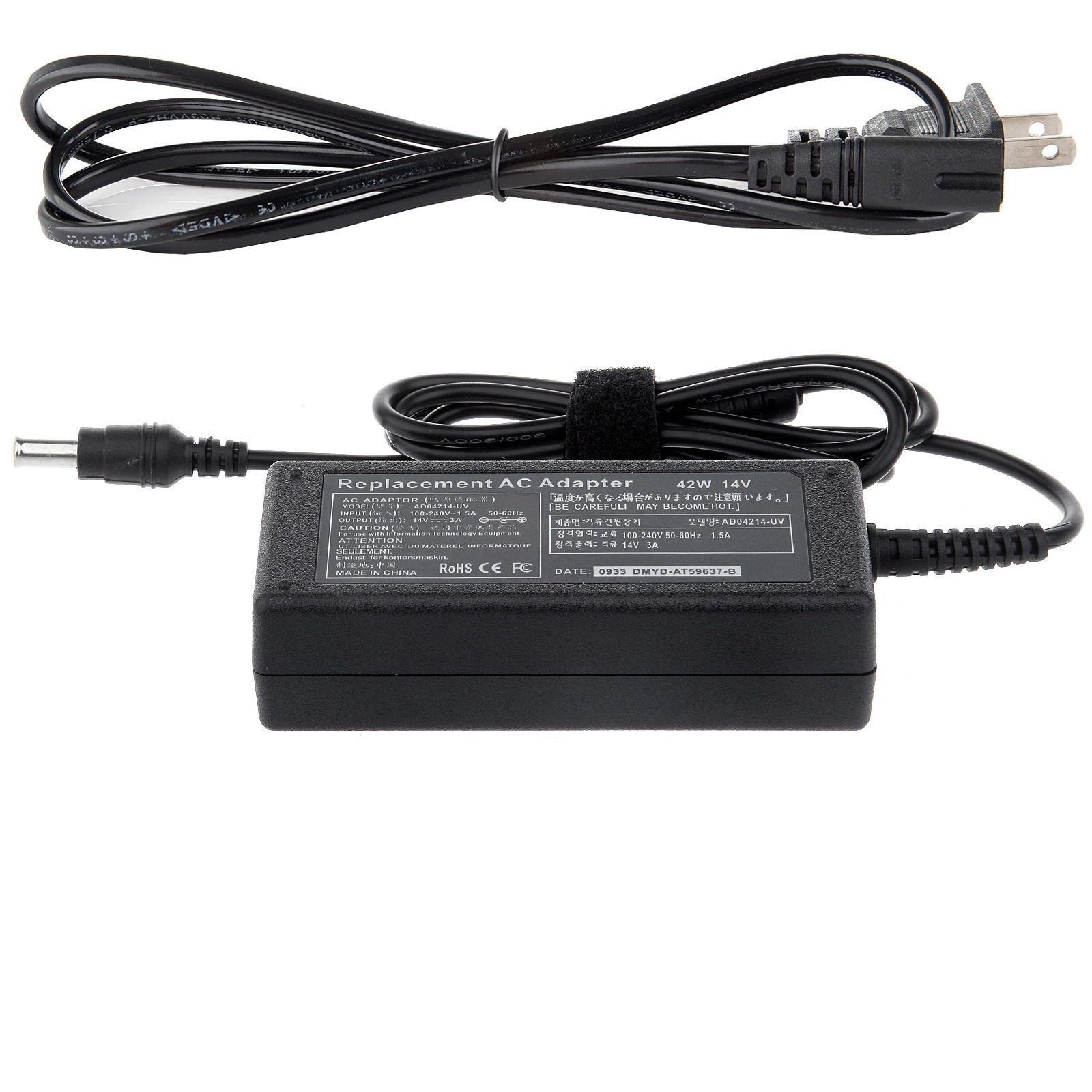
Image: The yan AC/DC Adapter with its barrel connector, ready for connection to a compatible Samsung LED monitor. The adapter features a standard 2-pin AC input for wall outlets.
5. Cyfarwyddiadau Gweithredu
The yan AC/DC Adapter operates as a plug-and-play device. Once correctly connected to your monitor and a power source, it will automatically supply the necessary power. No further user interaction is required for its operation.
6. cynnal
Mae cynnal a chadw priodol yn sicrhau hirhoedledd a gweithrediad diogel eich addasydd:
- Glanhau: Disconnect the adapter from all power sources before cleaning. Use a soft, dry cloth to wipe the exterior. Do not use liquid cleaners or sprays.
- Storio: Store the adapter in a cool, dry place when not in use. Avoid wrapping the cable too tightly around the adapter body.
- Arolygiad: Periodically inspect the adapter's cable and connectors for any signs of damage, fraying, or loose connections. If damage is found, discontinue use immediately.
7. Datrys Problemau
If you encounter issues with your adapter, refer to the following common problems and solutions:
| Problem | Achos Posibl | Ateb |
|---|---|---|
| Nid yw monitor yn pweru ymlaen. | Addasydd heb ei gysylltu'n iawn. Nid yw'r soced pŵer yn weithredol. Adapter or monitor fault. | Sicrhewch fod pob cysylltiad yn ddiogel. Profwch yr allfa bŵer gyda dyfais arall. Try a different compatible adapter if available. Contact support if issue persists. |
| Monitor screen flickers or shuts off intermittently. | Cyflenwad pŵer ansefydlog. Damaged adapter cable/connector. | Ensure the adapter is plugged directly into a wall outlet, not a faulty power strip. Inspect the cable for damage. Replace the adapter if damaged. |
| Mae'r addasydd yn teimlo'n rhy boeth. | Awyru gwael. Gorlwytho neu fai mewnol. | Ensure the adapter is in an open area with good airflow. Do not cover it. Discontinue use immediately and contact support. |
8. manylebau
| Nodwedd | Manylyn |
|---|---|
| Mewnbwn Voltage | AC 100V - 240V, 50-60Hz |
| Allbwn Voltage | DC 14V |
| Allbwn Cyfredol | 3A |
| Wattage | 42W |
| DC Connector Size | 6.5mm x 4.4mm |
| Cysylltydd Mewnbwn AC | Safon 2-pin |
| Amddiffyniadau | Over-charge, Short Circuit, Over Voltage, Overload (115%-135% rated output voltage) |
| Tymheredd Gweithio | 0-35°C (32-95°F) at 100% load |
| Deunydd | Copper (internal wiring) |
| Cydymffurfiad | EMC (Cydnawsedd Electromagnetig) |
9. Gwarant a Chefnogaeth
This product is manufactured by yan. For warranty information or technical support, please refer to the documentation provided at the time of purchase or contact your retailer. Keep your purchase receipt as proof of purchase for any warranty claims.