
1. Rhagymadrodd
Thank you for choosing the DreamSky DS312 Small Digital Alarm Clock. This manual provides detailed instructions for setting up and operating your new alarm clock. Designed for clarity and ease of use, it features a large display, adjustable brightness, and convenient USB charging capabilities. Please read this manual thoroughly before use and retain it for future reference.
2. Cynnwys Pecyn
- Cloc Larwm Digidol DreamSky DS312
- Addasydd Pwer USB-C
- Llawlyfr Defnyddiwr
3. Cynnyrch Drosview
The DreamSky DS312 features a sleek design with a large LED display for easy readability. Key controls are located on the back panel for intuitive operation.

Ffigur 1: Blaen view of the DreamSky DS312 Digital Alarm Clock showing the large green time display.
Ffigur 2: Cefn view of the alarm clock, highlighting the control buttons for time, alarm, volume, and dimmer settings, along with the USB power input and an additional USB charging port.
Botymau Rheoli a Phorthladdoedd:
- Botwm SNOOZE: Located on top, for temporary alarm pause.
- Botwm GOSOD AMSER: Pwyswch a dal i fynd i mewn i'r modd gosod amser.
- Botwm GOSOD ALARM: Pwyswch a daliwch i fynd i mewn i'r modd gosod larwm.
- Botwm YMLAEN/DIFFODD: Toggles alarm function.
- +/- Botymau: Adjust time, alarm, volume, and brightness settings.
- 12/24HR Button: Switches between 12-hour and 24-hour time display.
- LOW VOLUME/HIGH VOLUME Slider: Adjusts alarm sound level.
- LOW DIMMER/HIGH DIMMER Slider: Yn addasu disgleirdeb arddangos.
- USB YN Y Porth: Ar gyfer cysylltu'r addasydd pŵer.
- Porthladd USB OUT: Ar gyfer gwefru dyfeisiau allanol.
- Adran Batri: For 2 x AAA backup batteries (not included).
4. Gosod
4.1 Pweru'r Cloc
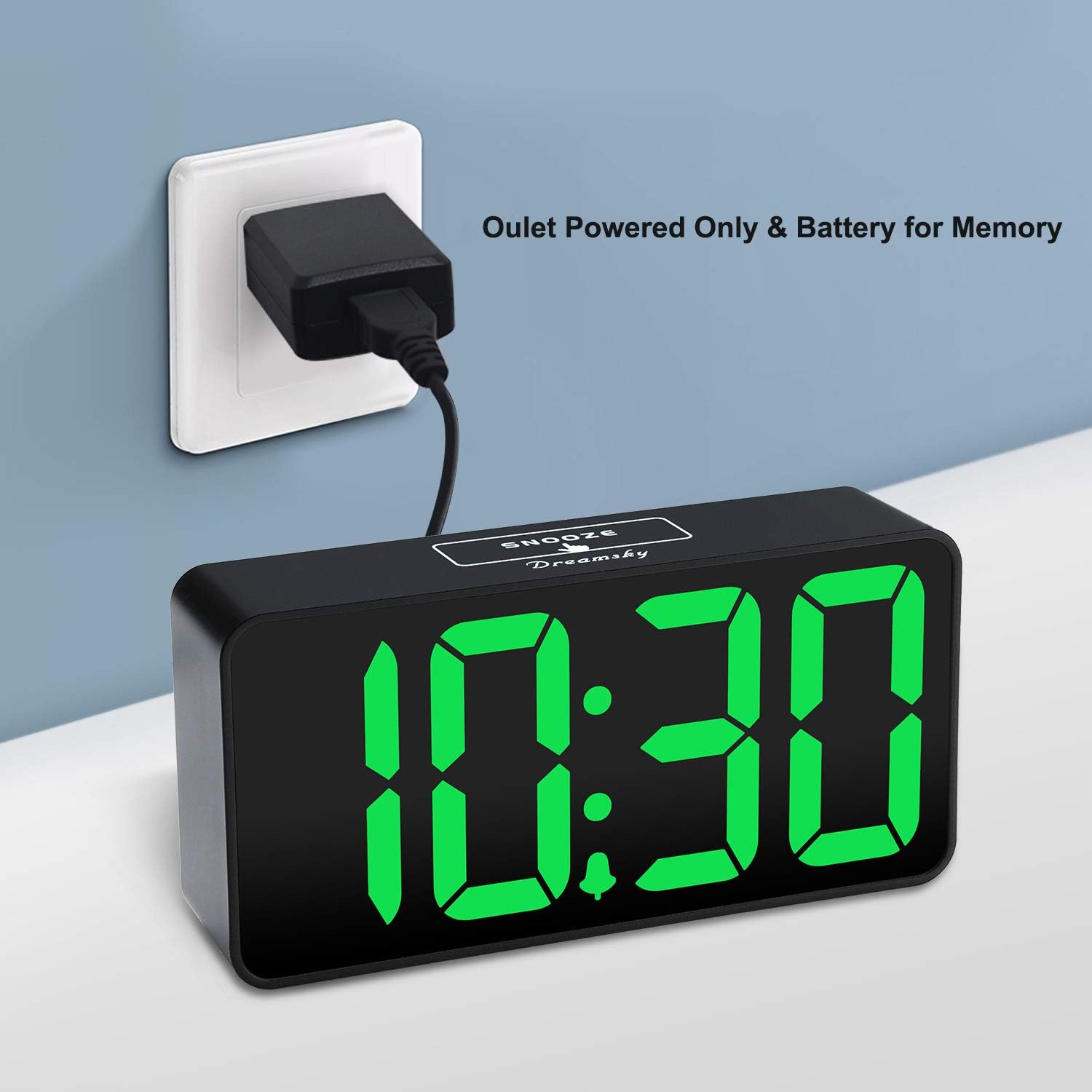
The DreamSky DS312 is primarily powered by the included USB-C adapter. Connect the USB-C cable to the USB IN port on the back of the clock and plug the adapter into a standard electrical outlet.

Ffigur 3: The alarm clock receiving power via its USB-C adapter plugged into a wall socket.
4.2 Batri Wrth Gefn (Dewisol)
For memorizing time and alarm settings during a power outage, insert 2 x AAA batteries (not included) into the battery compartment on the back of the clock. Note that with battery power only, the screen will go blank and the alarm will not sound; batteries only retain settings until power is restored.
5. Cyfarwyddiadau Gweithredu
5.1 Gosod yr Amser
- Pwyswch a dal y SET AMSER button for 2 seconds until the hour digits flash.
- Defnyddiwch y + or - botymau i addasu'r awr.
- Gwasgwch SET AMSER again to confirm the hour and move to minute setting.
- Defnyddiwch y + or - botymau i addasu'r cofnodion.
- Gwasgwch SET AMSER one more time to save the settings and exit.
5.2 Gosod y Larwm
- Pwyswch a dal y SET ALARM button for 2 seconds until the alarm hour digits flash.
- Defnyddiwch y + or - botymau i addasu'r awr larwm.
- Gwasgwch SET ALARM again to confirm the alarm hour and move to alarm minute setting.
- Defnyddiwch y + or - botymau i addasu munudau'r larwm.
- Gwasgwch SET ALARM one more time to save the alarm settings and exit.
5.3 Turning Alarm On/Off
Gwasgwch y YMLAEN / I FFWRDD button to activate or deactivate the alarm. An alarm icon will appear on the display when the alarm is active.
5.4 Addasu Disgleirdeb yr Arddangosfa
Defnyddiwch y LOW DIMMER/HIGH DIMMER slider on the back of the clock to adjust the brightness of the LED display to your preference. This allows for optimal visibility during the day and minimal disturbance at night.

Ffigur 4: Illustration of the alarm clock's adjustable brightness dimmer, showing various display intensities from bright to completely off.
5.5 Addasu Cyfaint y Larwm
Defnyddiwch y LOW VOLUME/HIGH VOLUME slider on the back of the clock to set the desired alarm sound level (30-90 dB). This ensures the alarm is neither too soft to wake you nor too loud to startle you.

Ffigur 5: The alarm clock displaying time with a graphic indicating adjustable alarm volume levels.
5.6 Using Snooze
Pan fydd y larwm yn canu, pwyswch y botwm mawr SNOOZE button on the top of the clock to temporarily pause the alarm for 9 minutes. The alarm will sound again after the snooze period.
5.7 Fformat 12/24 Awr
Gwasgwch y 12/24HR button to switch between 12-hour (with AM/PM indicator) and 24-hour time display formats.
5.8 Borthladd Codi Tâl USB
The clock includes a convenient USB OUT port on the back, allowing you to charge your smartphone or other small electronic devices directly from the clock, reducing the need for additional wall adapters.

Ffigur 6: A smartphone connected to the alarm clock's USB charging port, illustrating its charging capability.
6. Nodweddion
- Arddangosfa Fawr: 2-inch jumbo illuminated LED digits for easy visibility.
- Pylu disgleirdeb: Adjustable display brightness to suit day or night viewdewisiadau hoff.
- Sain Larwm Addasadwy: Alarm volume can be set from 30-90 dB.
- Swyddogaeth Snooze: 9-minute snooze duration.
- Porthladd Codi Tâl USB: Conveniently charge your smartphone or other devices.
- Gweithrediad Hawdd: Intuitive buttons for straightforward time and alarm setting.
- Gwneud copi wrth gefn o'r batri: Retains time and alarm settings during power outages (requires 2 x AAA batteries, not included).
7. Datrys Problemau
Q: Can this digital clock run on batteries alone?
A: No. Battery function only works to store the clock time and settings in the case of a main power outage. The adapter is required as the main power source for this alarm clock.
Q: How do you turn off the alarm once it wakes you up?
A: When the alarm goes off, you can press any button at the back of the clock to turn off the alarm.
Q: How long does the alarm stay on?
A: The alarm will last for 2 minutes then shut off automatically if not manually turned off or snoozed.
8. manylebau
| Priodoledd | Manylyn |
|---|---|
| Brand | Ystyr geiriau: DreamSky |
| Rhif Model | DS312 |
| Math Arddangos | LED digidol |
| Dimensiynau Cynnyrch | 5.3"L x 2.6"U |
| Ffynhonnell Pwer | Corded Electric (USB-C Adapter) |
| Batri wrth gefn | 2 x batris AAA (heb eu cynnwys) |
| Deunydd | Plastig |
| Nodweddion Arbennig | Large display, brightness dimmer, adjustable alarm volume, USB charging port |
9. Gwarant a Chefnogaeth
9.1 Gwybodaeth Gwarant
This DreamSky DS312 Digital Alarm Clock comes with a Limited Warranty. Please refer to the product packaging or contact customer support for specific warranty terms and conditions.
9.2 Cefnogaeth i Gwsmeriaid
For any questions, technical assistance, or warranty inquiries, please contact DreamSky Customer Support at: gwybodaeth@dreamsky4u.com