
1. Rhagymadrodd
This manual provides essential information for the proper setup, operation, and maintenance of your Eyeclops Digital Microscope & Camera. This device allows you to magnify objects up to 800 times, capture images, and record videos, making it suitable for exploring the microscopic world both indoors and outdoors.
Beth sydd yn y blwch:
- 1 EyeClops Digital Microscope & Camera with built-in color screen
- 1 Cebl USB
- 1 512MB MicroSD Card
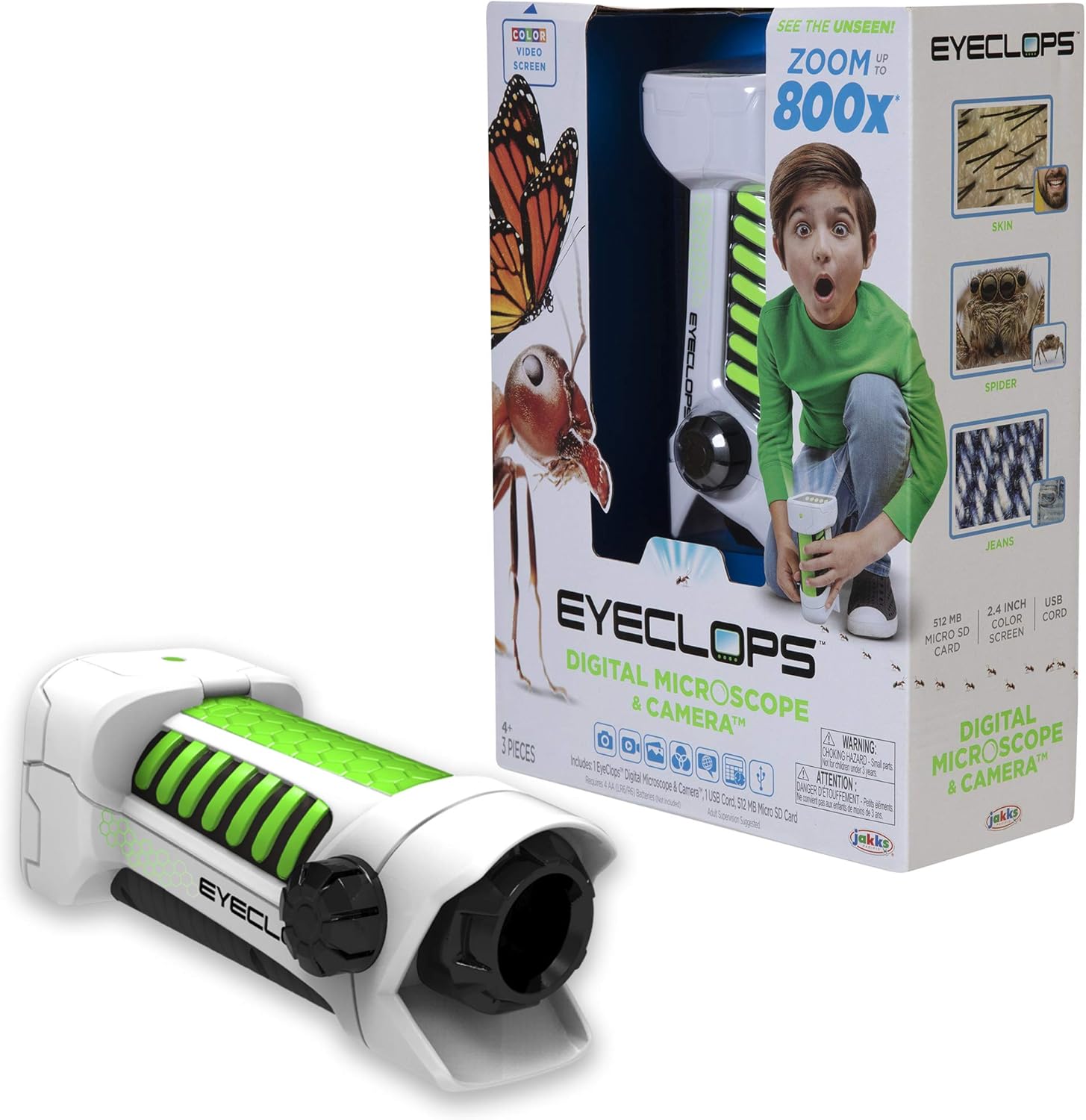
Delwedd 1.1: The Eyeclops Digital Microscope & Camera with its retail packaging. This image displays the device alongside its box, highlighting its compact design and the included accessories like the MicroSD card and USB cable.
2. Gwybodaeth Diogelwch
Please read and understand the following safety precautions before using the device:
- Perygl tagu: This product contains small parts and is not suitable for children under 3 years of age. Adult supervision is recommended for all users, especially younger children.
- Diogelwch Batri: Use only the specified battery type (4 AA batteries). Ensure correct polarity when inserting batteries. Do not mix old and new batteries, or different types of batteries. Remove batteries if the device will not be used for an extended period.
- Amodau Amgylcheddol: Osgowch amlygu'r ddyfais i dymheredd eithafol, golau haul uniongyrchol, neu leithder.
3. Gosod
3.1 Gosod Batri
- Lleolwch glawr adran y batri ar y ddyfais.
- Use a small screwdriver to open the battery compartment.
- Insert 4 AA batteries, ensuring the correct positive (+) and negative (-) polarity as indicated inside the compartment.
- Amnewid gorchudd adran y batri a'i ddiogelu gyda'r sgriw.
3.2 Mewnosod Cerdyn MicroSD
- Lleolwch y slot cerdyn MicroSD ar ochr y ddyfais.
- Gently insert the included 512MB MicroSD card into the slot until it clicks into place. Ensure the card is oriented correctly.
- To remove the card, gently push it inward until it springs out.
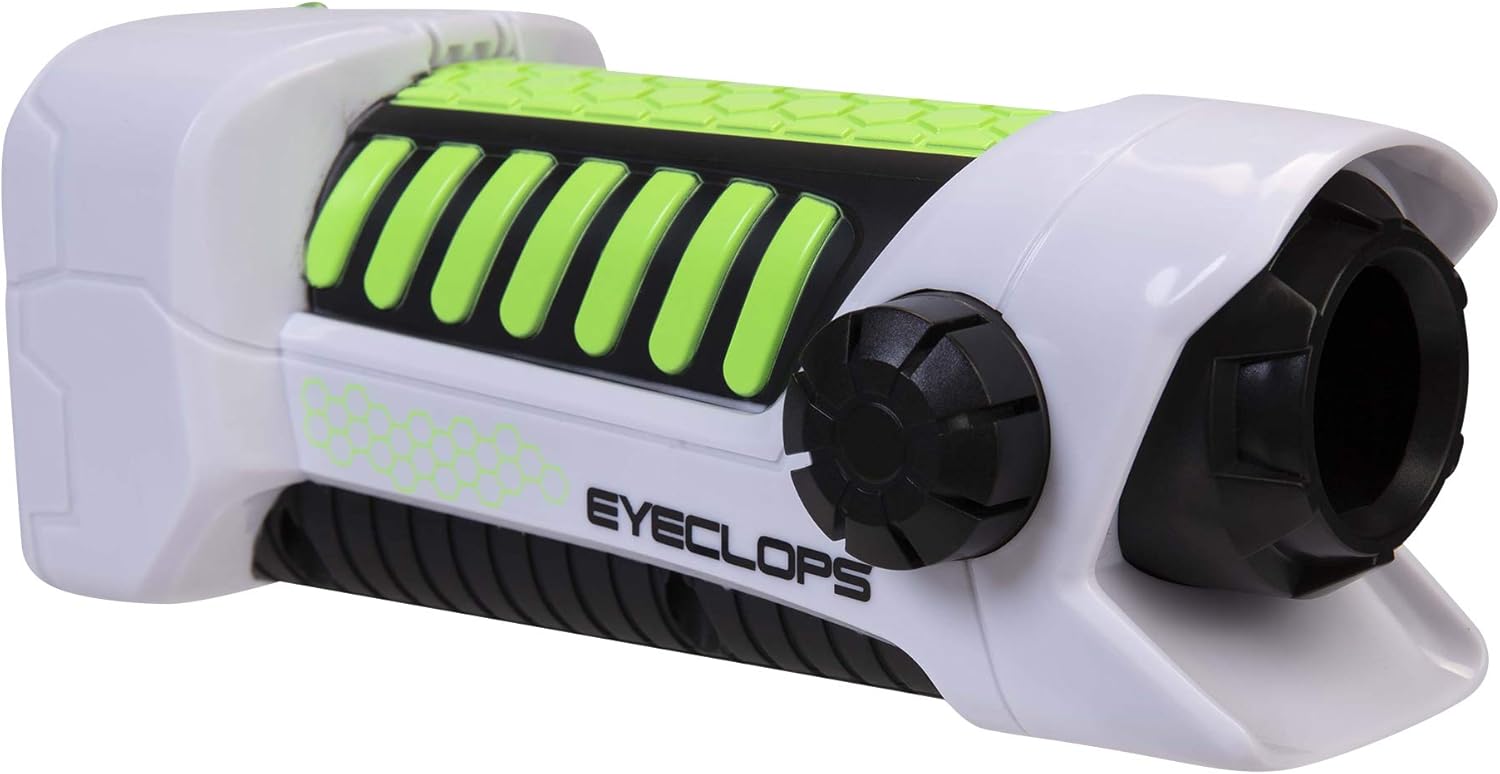
Delwedd 3.1: Mae ochr view of the Eyeclops Digital Microscope, illustrating the general shape and location of external features such as the focus knob and lens. This view helps in identifying the MicroSD card slot and battery compartment.
4. Cyfarwyddiadau Gweithredu
4.1 Pweru Ymlaen/Diffodd
- To power on the device, press and hold the Power button (usually located near the screen or grip).
- I ddiffodd y pŵer, pwyswch a daliwch y botwm Pŵer eto nes bod y sgrin yn diffodd.
4.2 Focusing and Zoom
- Point the lens of the microscope at the object you wish to observe.
- Addaswch y Knob Ffocws (typically located on the side of the device) until the image on the 2.4-inch color screen appears clear.
- The device offers up to 800x magnification. The zoom level can be adjusted using dedicated zoom buttons (often marked with '+' and '-' symbols) or by moving the device closer to or further from the object.
4.3 Taking Pictures and Recording Video
- Once focused, press the Botwm Camera (often indicated by a camera icon) to capture a still image.
- To record video, press the Botwm Fideo (often indicated by a video camera icon). Press it again to stop recording.
- All captured images and videos are saved to the inserted MicroSD card.
4.4 Using as a Regular Camera
The Eyeclops Digital Microscope can also function as a regular camera. To use this feature, turn off the zoom function or adjust the focus for standard distance photography. This allows for capturing broader scenes or objects without extreme magnification.
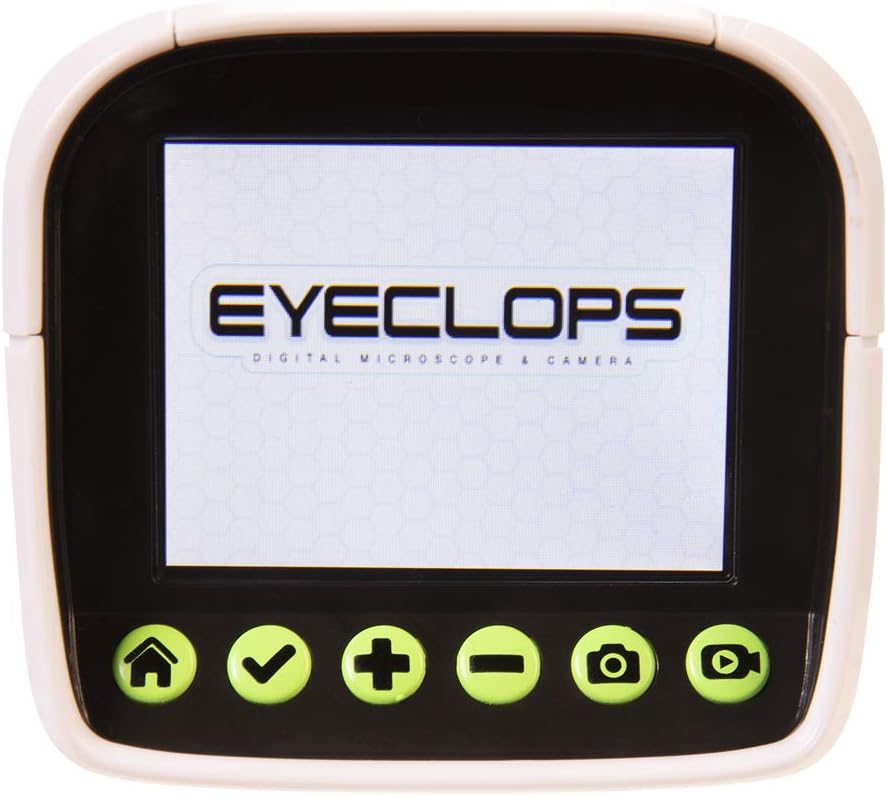
Delwedd 4.1: A manwl view of the Eyeclops Digital Microscope's 2.4-inch color screen and its control buttons. The buttons typically include Home, Select/Confirm, Zoom In (+), Zoom Out (-), Camera, and Video functions.

Delwedd 4.2: A child actively using the Eyeclops Digital Microscope to observe a small object, demonstrating the handheld operation and the visual engagement with the magnified view.
5. Trosglwyddo Data
5.1 Trosglwyddo Files drwy USB
- Connect the Eyeclops Digital Microscope to your Windows PC or Mac using the provided USB cable.
- The device should appear as a removable storage device on your computer.
- Navigate to the device's storage or the MicroSD card folder to access your pictures and videos.
- Copïwch y dymunol files i'ch cyfrifiadur.
5.2 Trosglwyddo Files via MicroSD Card Reader
Alternatively, you can remove the MicroSD card from the microscope and insert it into a compatible card reader connected to your computer to transfer files.
6. cynnal
- Glanhau: Use a soft, dry cloth to clean the exterior of the device. For the lens and screen, use a specialized lens cleaning cloth and solution to avoid scratches. Do not use abrasive cleaners or solvents.
- Storio: Store the microscope in a cool, dry place away from direct sunlight and extreme temperatures. Remove batteries if storing for extended periods to prevent leakage.
- Diogelu Lens: The lens is designed to be slightly inset to prevent accidental touching. Avoid poking or scratching the lens.
7. Datrys Problemau
- Dyfais ddim yn troi ymlaen:
- Gwiriwch a yw'r batris wedi'u mewnosod yn gywir gyda'r polaredd cywir.
- Amnewid gyda batris AA ffres.
- Blurry images/difficulty focusing:
- Ensure you are adjusting the Focus Knob slowly and precisely.
- Maintain a steady hand or place the object on a stable surface to minimize movement during observation or capture.
- Clean the lens if it appears smudged or dirty.
- Methu trosglwyddo files i gyfrifiadur:
- Gwnewch yn siŵr bod y cebl USB wedi'i gysylltu'n ddiogel â'r microsgop a'r cyfrifiadur.
- Rhowch gynnig ar borth USB gwahanol ar eich cyfrifiadur.
- Verify that the MicroSD card is properly inserted into the microscope.
- If issues persist, try using an external MicroSD card reader.
- Gwall cerdyn microSD:
- Gwnewch yn siŵr bod y cerdyn wedi'i fewnosod yn gywir.
- Try reformatting the card (this will erase all data, so back up first).
- If the problem continues, the card may be faulty and require replacement.
8. manylebau
| Nodwedd | Manyleb |
|---|---|
| Rhif Model | 652331 |
| Chwyddiad Uchafswm | 800x |
| Sgrîn Adeiledig | Sgrin Lliw 2.4-modfedd |
| Storio | 512MB MicroSD Card (included) |
| Cysylltedd | USB |
| Ffynhonnell Pwer | 4 Batris AA (heb eu cynnwys) |
| Dimensiynau Cynnyrch | 9 x 3.5 x 11 modfedd (22.86 x 8.89 x 27.94 cm) |
| Pwysau Eitem | 14.8 owns (420 gram) |
| Oedran a Argymhellir | 6 - 9 mlynedd |
| Gwneuthurwr | Mae Jakks Pacific Inc. |
9. Gwybodaeth Gwarant
For detailed warranty information, please refer to the documentation included with your product at the time of purchase or visit the official Eyeclops or Jakks Pacific Inc. websafle. Mae telerau gwarant fel arfer yn cwmpasu diffygion gweithgynhyrchu am gyfnod penodol o ddyddiad y pryniant.
10. Cefnogaeth
If you encounter issues not covered in this manual or require further assistance, please contact the manufacturer's customer support. Contact information can usually be found on the product packaging or the official Jakks Pacific Inc. websafle.