
Rhagymadrodd
This manual provides detailed instructions for the installation, operation, and maintenance of your NEC SL2100 IP7WW-12TXH-B1 12-Button Display Speaker Telephone. Please read this manual thoroughly before using the telephone to ensure proper functionality and to prevent damage.
Gwybodaeth Diogelwch
Dilynwch ragofalon diogelwch sylfaenol bob amser wrth ddefnyddio'r cynnyrch hwn i leihau'r risg o dân, sioc drydanol ac anaf i bobl.
- Peidiwch â defnyddio'r cynnyrch hwn ger dŵr, ar gyfer exampLe, ger bathtub, powlen olchi, sinc cegin, neu dwb golchi dillad, mewn islawr gwlyb, neu ger pwll nofio.
- Osgowch ddefnyddio'r ffôn yn ystod storm drydanol. Gall fod risg fach o sioc drydanol oherwydd mellt.
- Peidiwch â defnyddio'r ffôn i roi gwybod am ollyngiad nwy yng nghyffiniau'r gollyngiad.
- Use only the power source specified in this manual or marked on the product. This telephone is powered by the phone system.
- Tynnwch y plwg y cynnyrch hwn o'r allfa wal cyn glanhau. Peidiwch â defnyddio glanhawyr hylif neu lanhawyr aerosol. Defnyddiwch hysbysebamp brethyn ar gyfer glanhau.
Cynnwys Pecyn
Gwiriwch fod yr holl eitemau yn bresennol yn y pecyn:
- NEC SL2100 IP7WW-12TXH-B1 12-Button Display Speaker Telephone (Black)
- Set llaw
- Cord Dwylo
- Base Stand (for desk or wall mounting)
- Ethernet Cable (if applicable for IP connection)
Cynnyrch Drosview
The NEC SL2100 IP7WW-12TXH-B1 is a corded 12-button display speaker telephone designed for use with NEC SL2100 systems. It features a clear display for call information and menu navigation, a built-in speakerphone for hands-free communication, and 12 programmable function keys.
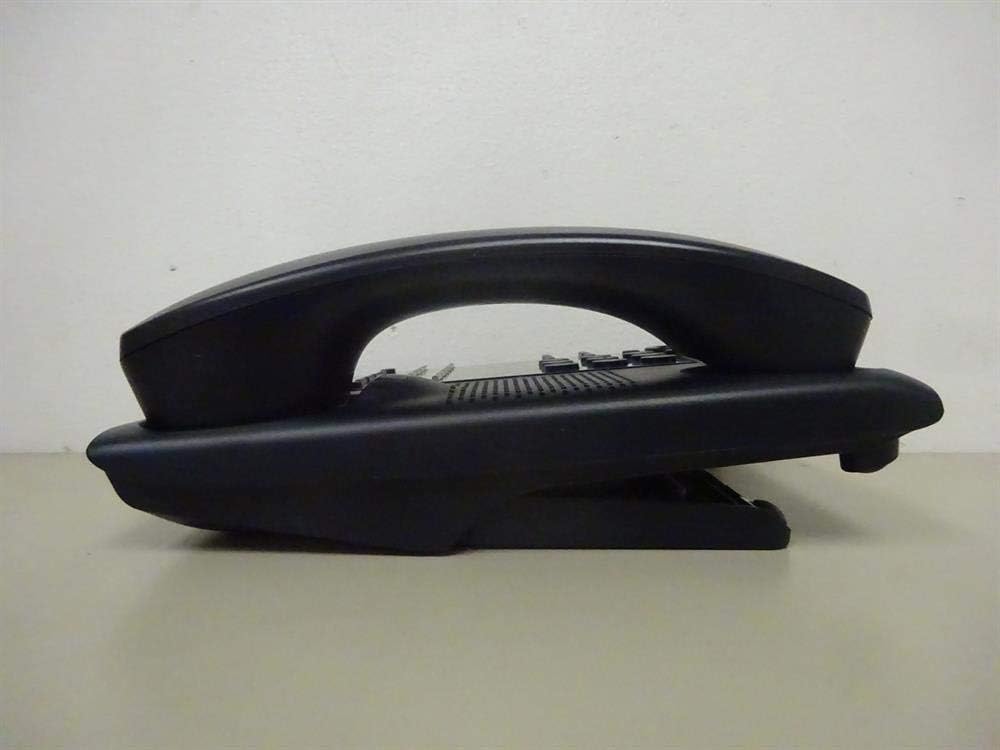
Ffigur 1: Ochr view of the NEC SL2100 IP7WW-12TXH-B1 telephone, showing the ergonomic design of the handset and base unit.

Ffigur 2: Cefn view of the telephone, illustrating the various connection ports for the handset and network, as well as the integrated wall-mounting slots.
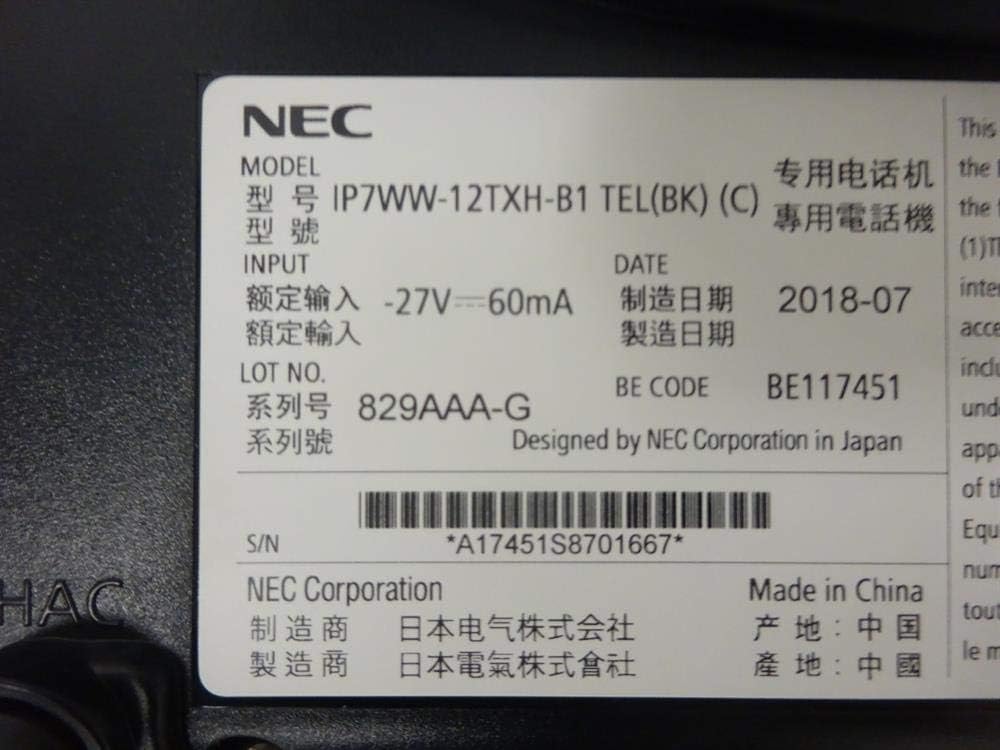
Ffigur 3: Close-up of the product label, displaying model number IP7WW-12TXH-B1, input specifications, and manufacturer details.
Gosod
1. Assembling the Telephone
- Atodwch y Stondin Sylfaen: Align the base stand with the slots on the bottom of the telephone. Slide it into place until it clicks securely. The stand can be adjusted for different viewing angles or reversed for wall mounting.
- Cysylltu'r Ffôn Llaw: Plygiwch un pen y llinyn llaw coiliog i'r llaw a'r pen arall i'r porthladd dynodedig ar ochr sylfaen y ffôn.
2. Cysylltu â'r System
This telephone is designed to connect to an NEC SL2100 system. Ensure your SL2100 system is properly installed and configured.
- Cysylltu'r Cebl Rhwydwaith: Plug one end of an Ethernet cable into the LAN port on the back of the telephone. Plug the other end into an available port on your NEC SL2100 system or a network switch connected to the system.
- Pŵer Ymlaen: The telephone receives power directly from the NEC SL2100 system (Power over Ethernet - PoE) or via a separate power adapter (not included, if PoE is not available). Once connected, the telephone should power on automatically.
- Ffurfweddiad Cychwynnol: The telephone will typically register with the SL2100 system automatically. If prompted, follow the on-screen instructions or consult your system administrator for specific extension number assignment or network settings.
Cyfarwyddiadau Gweithredu
Gwneud Galwadau
- Codi'r Llawffon: Codwch y ffôn a gwrandewch am dôn deialu.
- Rhif Deialu: Deialwch y rhif ffôn a ddymunir gan ddefnyddio'r bysellbad.
- Ffôn siaradwr: Gwasgwch y SIARADWR button to activate the speakerphone, then dial the number.
Derbyn Galwadau
- Codi'r Llawffon: When the telephone rings, lift the handset to answer.
- Ffôn siaradwr: Gwasgwch y SIARADWR button to answer the call hands-free.
Defnyddio'r Arddangosfa
The display shows call information, menu options, and system status. Use the navigation buttons (usually arrow keys) to scroll through menus and the ENWCH or DETHOL botwm i gadarnhau dewisiadau.
Programmable Function Keys (12 Buttons)
The 12 buttons on the telephone can be programmed for various functions such as speed dial, line access, feature activation, or direct station selection. Consult your system administrator for the specific programming of these keys.
Galwadau Cynadledd
The telephone supports 3-way conference calls. To initiate a conference call:
- Establish a call with the first party.
- Gwasgwch y CONF (Conference) button or the designated programmable key. The first party will be put on hold.
- Deialwch rif yr ail barti.
- Once connected to the second party, press the CONF button again to join all three parties.
ID galwr
When an incoming call is received, the caller's information (name and number, if available) will be displayed on the screen.
Gweithrediad Aml-linell
This telephone supports multi-line operation, allowing you to manage multiple calls simultaneously. Use the designated line keys or programmable keys to switch between active lines or place calls on hold.
Cynnal a chadw
Glanhau
To clean the telephone, unplug it from the network connection. Use a soft, slightly damp cloth. Do not use harsh chemicals, abrasive cleaners, or excessive moisture. Avoid spraying cleaners directly onto the telephone.
Storio
If storing the telephone for an extended period, ensure it is clean and dry. Store it in a cool, dry place away from direct sunlight and extreme temperatures.
Datrys problemau
- Dim Tôn Deialu:
- Check all cable connections, especially the network cable to the SL2100 system.
- Ensure the SL2100 system is powered on and functioning correctly.
- If using a separate power adapter (not PoE), ensure it is properly connected and receiving power.
- Arddangos Ddim yn Gweithio:
- Verify the telephone is receiving power.
- Try disconnecting and reconnecting the network cable.
- Methu Gwneud/Derbyn Galwadau:
- Gwiriwch am dôn deialu.
- Ensure the telephone is properly registered with the SL2100 system.
- Contact your system administrator to verify line assignments and system status.
- Ansawdd Sain Gwael:
- Check handset and network cable connections.
- Ensure there is no interference from other electronic devices.
- Test with another telephone if possible to isolate the issue.
Manylebau
| Nodwedd | Manyleb |
|---|---|
| Brand | NEC |
| Rhif Model | IP7WW-12TXH-B1 (Mfr Part Number: BE117451) |
| Lliw | Du |
| Math Ffôn | Corded |
| Deunydd | Plastig |
| Ffynhonnell Pwer | Phone System (PoE compatible) |
| Math Deialydd | Bysellbad Sengl |
| Dimensiynau Eitem (L x W x H) | 15 x 12 x 6 modfedd |
| Math o System Ateb | Digital (System Dependent) |
| Dyfeisiau Cydnaws | NEC SL2100 Systems, NEC SL2100 IP7WW-082U-B1 8 Port Digital Station Card |
| Gallu Galwadau Cynhadledd | 3-ffordd |
| Gweithrediad Aml-linell | Oes |
| ID galwr | Oes |
Gwarant a Chefnogaeth
For warranty information, please refer to the documentation provided with your NEC SL2100 system or contact your NEC authorized dealer. For technical support, please contact your system administrator or NEC customer service.
Corfforaeth NEC
For further assistance, please visit the official NEC website or contact your local support representative.