
1. Rhagymadrodd
Thank you for choosing the Technical Pro H12X500UBT 6-Zone Home Theater Bluetooth Receiver and HC85 In-Ceiling Speakers system. This manual provides essential information for the proper installation, operation, and maintenance of your new audio system. Please read this manual thoroughly before use and retain it for future reference.
2. Gwybodaeth Diogelwch
Er mwyn sicrhau gweithrediad diogel ac atal difrod, dilynwch y rhagofalon diogelwch canlynol:
- Ffynhonnell Pwer: Connect the receiver only to a 110/220V AC power outlet as specified.
- Awyru: Ensure adequate ventilation around the receiver. Do not block ventilation openings. Avoid placing the unit in an enclosed space or on soft surfaces that may obstruct airflow. The built-in cooling fan must not be obstructed.
- Dŵr a lleithder: Peidiwch ag amlygu'r uned i law, lleithder, na lleithder gormodol. Peidiwch â gosod gwrthrychau sy'n llawn hylifau, fel fasys, ar yr uned.
- Gwres: Cadwch yr uned i ffwrdd o ffynonellau gwres fel rheiddiaduron, cofrestri gwres, stofiau, neu offer eraill sy'n cynhyrchu gwres.
- Lleoliad: Place the unit on a stable, level surface. Avoid placing it in direct sunlight or near strong magnetic fields.
- Gwasanaethu: Do not attempt to service this product yourself. Refer all servicing to qualified service personnel. Opening the casingall g eich amlygu i gyfrolau peryglustage neu beryglon eraill.
- Glanhau: Unplug the unit from the power outlet before cleaning. Use a soft, dry cloth. Do not use liquid cleaners or aerosol cleaners.
3. Cynnwys Pecyn
Gwiriwch fod yr holl eitemau yn bresennol yn y pecyn:
- 1 x Technical Pro H12X500UBT 6-Zone Home Theater Bluetooth Receiver
- 12 x Rockville HC85 8-inch In-Ceiling Speakers (6 pairs)
- 1 x Rheolaeth Anghysbell
- 1 x Cebl Pŵer
- 1 x AM Antenna
- 1 x Antena FM

Figure 3.1: Complete system package including the receiver, remote, and twelve in-ceiling speakers.
4. Cynnyrch Drosview
4.1. H12X500UBT Receiver Front Panel

Figure 4.1: Front panel of the H12X500UBT receiver and included remote control.

Ffigur 4.2: Manwl view of the front panel inputs including USB, SD card slot, MP3 input, and two microphone inputs.
- Botwm Pŵer: Yn troi'r uned ymlaen neu i ffwrdd.
- MP3 Input (3.5mm): Cysylltwch dyfeisiau sain allanol.
- MIC1/MIC2 Inputs (1/4"): Connect microphones.
- Porth USB: For playing MP3, WAV, WMA files o yriannau USB.
- Slot Cerdyn SD: For playing MP3, WAV, WMA files from SD cards.
- Input/Function Selector: Cycles through audio sources (RCA, USB, SD, MP3, Bluetooth, AM/FM).
- Digital FL Readout: Displays current status and spectrum.
- Dangosydd Bluetooth: Yn goleuo pan fydd Bluetooth yn weithredol.
- Prif Gyfrol: Yn addasu'r gyfrol allbwn gyffredinol.
- Sub Out / Pre Out: Output controls.
- Mic Volume, Bass, Treble, Echo: Controls for microphone inputs.
- Speaker Zone Selectors (1-6): Activates or deactivates speaker zones.
4.2. H12X500UBT Receiver Rear Panel

Figure 4.3: Rear panel of the H12X500UBT receiver, detailing speaker outputs, audio inputs, and antenna connections.
- Speaker Outputs (Banana Binding Post): Connect speakers for each of the 6 zones.
- Stereo Inputs (RCA): Connect external audio sources like CD players, DVD players, etc.
- Source Output (RCA): Audio output for recording or connecting to another ampllewywr.
- Sub Output (RCA): Cysylltu ag is-woofer pwerus.
- Terfynellau Antena: Connect AM and FM antennas for radio reception.
- Fan oeri: Ensures proper heat dissipation. Do not obstruct.
- Mewnbwn pŵer: Cysylltwch y cebl pŵer AC.
4.3. HC85 In-Ceiling Speakers
The HC85 speakers are 8-inch 2-way in-ceiling speakers designed for flush mounting. They feature a polypropylene cone, rubber surround, and a Mylar dome tweeter. The tweeter is aim-able/swivel for directional sound. The grills are paintable to match your decor.
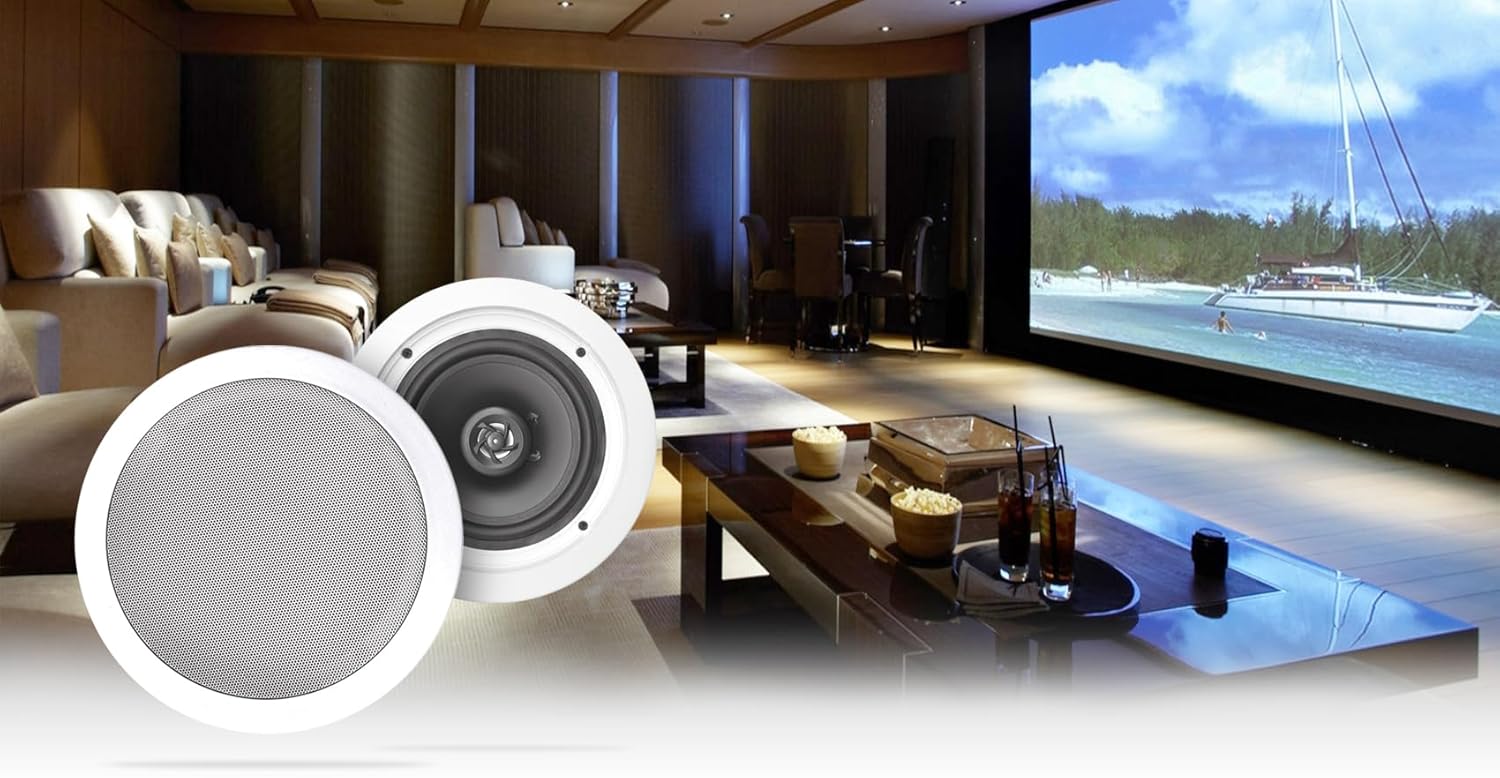
Ffigur 4.4: Example of in-ceiling speakers integrated into a home theater environment.
5. Gosod
5.1. Lleoliad y Derbynnydd
Place the H12X500UBT receiver on a flat, stable surface. Ensure there is sufficient space around the unit for proper ventilation, especially around the side vents and rear cooling fan. Avoid placing it inside a closed cabinet without adequate airflow.

Figure 5.1: Receiver showing side ventilation for proper airflow.
5.2. Gosod Siaradwr
The HC85 speakers are designed for in-ceiling installation. Consult a professional installer if you are unsure about the installation process. The cut-out diameter required is 9.3 inches, and the mounting depth is 3.03 inches.
- Paratoi Agoriad: Carefully cut a circular hole in the ceiling at the desired location, ensuring no electrical wires or pipes are present.
- Cysylltiad Wire: Connect speaker wires from the receiver to the spring-loaded push terminals on the back of each speaker. Ensure correct polarity (+ to + and - to -).
- Mowntio Siaradwr: Insert the speaker into the opening. The mounting clips will secure the speaker in place.
- Atodwch y Gril: Place the paintable flush mount grille onto the speaker.
5.3. Connecting Speakers to Receiver
The H12X500UBT receiver supports up to 6 zones, each with left and right speaker outputs. Use high-quality speaker wire to connect your HC85 speakers to the corresponding banana binding post terminals on the receiver's rear panel. Ensure correct polarity for all connections.
- Connect the positive (+) terminal of each speaker to the positive (+) terminal of the corresponding speaker output on the receiver.
- Connect the negative (-) terminal of each speaker to the negative (-) terminal of the corresponding speaker output on the receiver.
5.4. Cysylltu Ffynonellau Sain
- Mewnbynnau RCA: Use RCA cables to connect external audio devices (e.g., CD player, DVD player, TV) to the STEREO INPUT (CD, DVD, PRE-AMP) jacks on the rear panel.
- Mewnbwn MP3: Connect portable audio devices using a 3.5mm audio cable to the MP3 input on the front panel.
- Cerdyn USB / SD: Insert a USB drive or SD card into the respective slots on the front panel.
- Meicroffonau: Connect 1/4" microphones to the MIC1 or MIC2 inputs on the front panel.
5.5. Cysylltiad Antena
Connect the included AM and FM antennas to their respective terminals on the rear panel for radio reception.
5.6. Cysylltiad Pwer
After all other connections are made, connect the power cable to the receiver's power input and then to a suitable 110/220V AC power outlet.
6. Cyfarwyddiadau Gweithredu
6.1. Pŵer Ymlaen / I ffwrdd
Gwasgwch y GRYM botwm ar y panel blaen neu'r teclyn rheoli o bell i droi'r derbynnydd ymlaen neu i ffwrdd.
6.2. Dewis Ffynhonnell
Gwasgwch y INPUT/FUNCTION button on the front panel or the corresponding source buttons on the remote control (e.g., CD, DVD, USB, SD, Bluetooth, AM/FM) to select your desired audio source.
6.3. Rheoli Cyfrol
Cylchdroi y CYFROL MEISTR y botwm ar y panel blaen neu defnyddiwch y VOL + / VOL- buttons on the remote control to adjust the overall system volume.
6.4. Pâr Bluetooth
- Dewiswch Bluetooth as the input source using the Input/Function button. The Bluetooth indicator on the display will flash.
- Ar eich dyfais symudol, galluogwch Bluetooth a chwiliwch am y dyfeisiau sydd ar gael.
- Select "H12X500UBT" from the list of devices.
- Once paired, the Bluetooth indicator on the receiver will stop flashing and remain solid. You can now play audio from your device.
6.5. Chwarae USB/SD
Insert a USB drive or SD card containing MP3, WAV, or WMA files into the respective front panel slot. The receiver will automatically switch to the USB/SD source and begin playback. Use the playback controls (Play/Pause, Next, Previous, Repeat, Random) on the front panel or remote.
6.6. AM/FM Tuner
Dewiswch AM or FM as the input source. Use the tuning buttons on the remote or front panel to scan for radio stations. The digital FL readout will display the frequency.
6.7. Microphone Inputs
Connect microphones to the MIC1 or MIC2 inputs. Use the MIC VOL, BAS MIC, TREBLE MIC, a MIC ECHO knobs on the front panel to adjust microphone levels and effects.
6.8. Rheolaethau Tôn
Addaswch y BAS, TREBL, a CYDBWYSEDD controls on the front panel or remote to customize the audio output to your preference.
6.9. Speaker Zone Control
Use the speaker zone selector buttons (1-6) on the front panel to activate or deactivate individual speaker zones as needed.
7. cynnal
7.1. Glanhau
Unplug the receiver from the power outlet before cleaning. Use a soft, dry cloth to wipe the exterior surfaces. Do not use abrasive cleaners, waxes, or solvents as they may damage the finish.
7.2. awyru
Regularly check that the ventilation openings on the receiver are clear of dust and debris. Ensure the cooling fan on the rear panel is not obstructed to prevent overheating.
8. Datrys Problemau
| Problem | Achos Posibl | Ateb |
|---|---|---|
| Dim pŵer | Power cable not connected; Power outlet not active; Unit is off. | Ensure power cable is securely connected. Check power outlet. Press the POWER button. |
| Dim sain | Incorrect input source selected; Volume too low; Speakers not connected or faulty; Speaker zones deactivated. | Select the correct input source. Increase master volume. Check speaker connections and polarity. Activate desired speaker zones. |
| Bluetooth ddim yn cysylltu | Receiver not in Bluetooth mode; Device not in pairing mode; Device too far. | Select Bluetooth input. Ensure device Bluetooth is on and searching. Move device closer to receiver (within 30 feet). |
| Audio cuts out or unit runs hot | Awyru annigonol; Gorlwytho. | Ensure adequate space around the receiver for airflow. Check that the cooling fan is not obstructed. Reduce volume or number of active speakers if consistently overheating. |
| Problemau chwarae USB/SD | Heb ei gefnogi file format; Corrupt files; USB/SD card not properly inserted. | Sicrhau files are MP3, WAV, or WMA. Try a different USB/SD card. Reinsert the card/drive. |
9. manylebau
H12X500UBT Receiver
- Trin Pwer Uchaf: 6000 Wat
- RMS Power: 650 Watts (Both Channels Driven @ 1.0% THD @ 8 Ohms)
- Mewnbynnau: (2) RCA, USB, SD Card, MP3 (3.5mm)
- Allbynnau: Banana Binding Post (4 Speakers), Push Button (Surround Sound Speakers), RCA (Source Out, Sub Out)
- File Chwarae yn ôl: MP3, WAV, WMA (from USB & SD)
- Bluetooth: 2.4 GHz Technology, A2DP Stereo, 30 Feet Range
- Tiwniwr: AM/FM Digital
- Rheolaethau: Bass, Treble, Balance, Dual 1/4'' Mic Inputs with Volume, Echo, Bass, Treble
- Arddangos: Digital FL Readout With Spectrum Display
- Oeri: Built-In Cooling Speed Fan
- Cyftage: 110/220V
- Dimensiynau Cynnyrch (L x W x H): 17" x 4.5" x 13" modfedd
- Pwysau Eitem: 23 Lbs (Receiver only)
HC85 In-Ceiling Speakers (per speaker)
- Trin Pwer Uchaf: 350 Wat
- Trin pŵer RMS: 120 Wat
- Woofer: 8" Polypropylene Cone with Rubber Surround
- Coil Llais: 1" Aluminum
- Trydarwr: Mylar Dome, Aim-able/Swivel
- Magnetau: 20 oz. Ferrite
- Ymateb Amlder: 40Hz - 20KHz
- Sensitifrwydd: 89dB @ 1w / 1m
- rhwystriant: 8 Ohms
- Dyfnder Mowntio: 3.03 modfedd
- Diamedr Torri Allan: 9.3 modfedd
- Lliw: gwyn (paentadwy)

Figure 9.1: Dimensions of the H12X500UBT receiver.
10. Gwarant a Chefnogaeth
This Technical Pro product is covered by a Limited Warranty. For specific details regarding warranty coverage, terms, and conditions, please refer to the warranty card included with your purchase or contact Technical Pro customer support. For technical assistance or service inquiries, please visit the official Technical Pro websafle neu cysylltwch â'u hadran gwasanaethau cwsmeriaid.