
1. Rhagymadrodd
This manual provides comprehensive instructions for the setup, operation, and maintenance of your Symcode MJ-2300-1D 1D Desktop Omnidirectional Laser Barcode Scanner. Please read this manual thoroughly before using the device to ensure proper functionality and to maximize its performance.


2. Nodweddion Allweddol
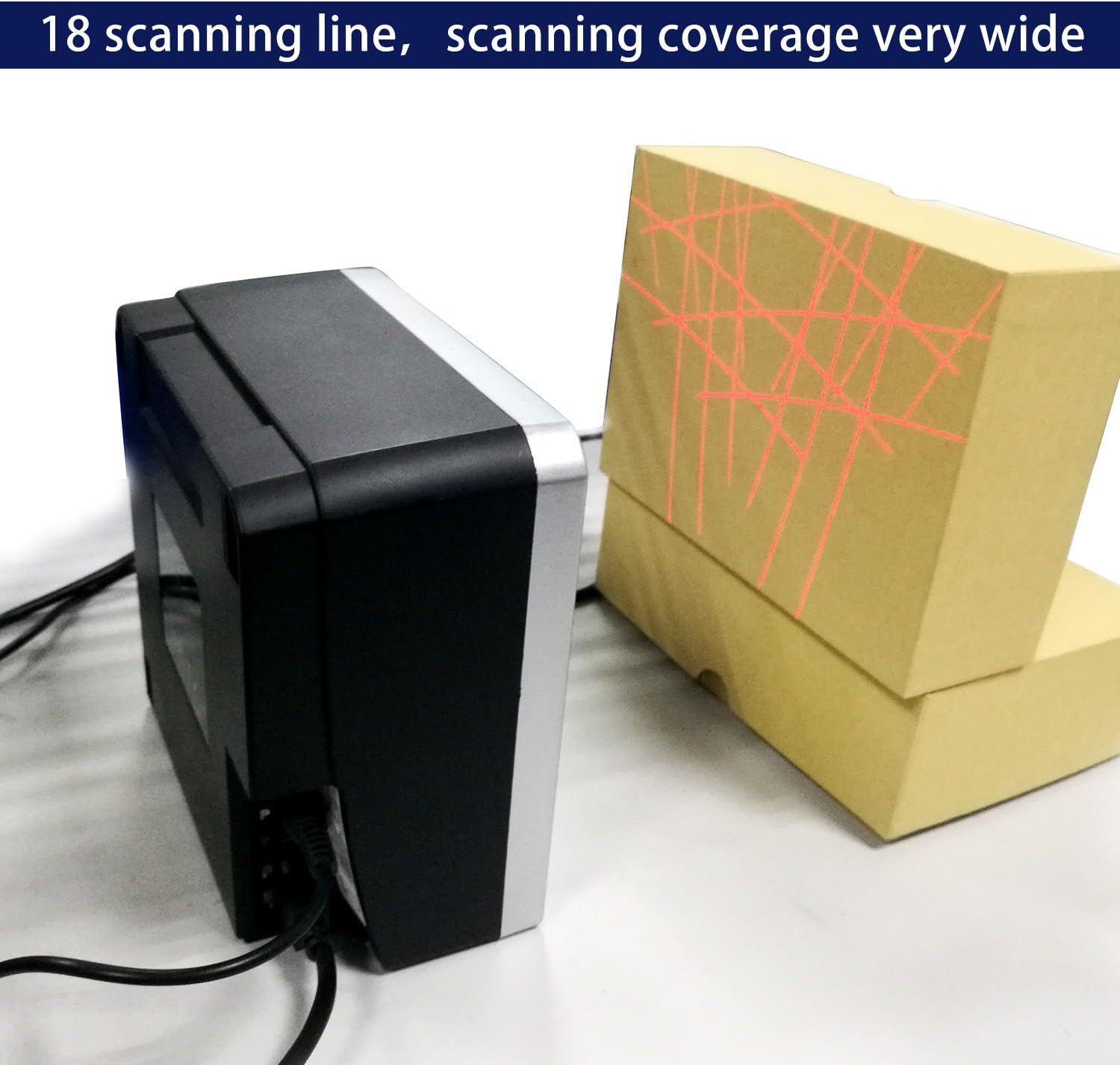
- Sganio Omncyfeiriad: Features an 18-laser layout for reliable first-pass read rates from various angles, with scan speeds up to 1500 scans per second.
- Cysylltedd Plygio a Chwarae: Simple installation via USB port for immediate use with compatible systems.
- Sensitifrwydd Uchel: Optimal scanning performance within a reading range of 0 to 7.9 inches (0-200mm). For best results, position barcodes within this range.
- Cysylltedd Amlbwrpas: Connects via USB cable to computers or other host systems for data transmission. RS232 and PS2 keyboard interfaces are also supported.
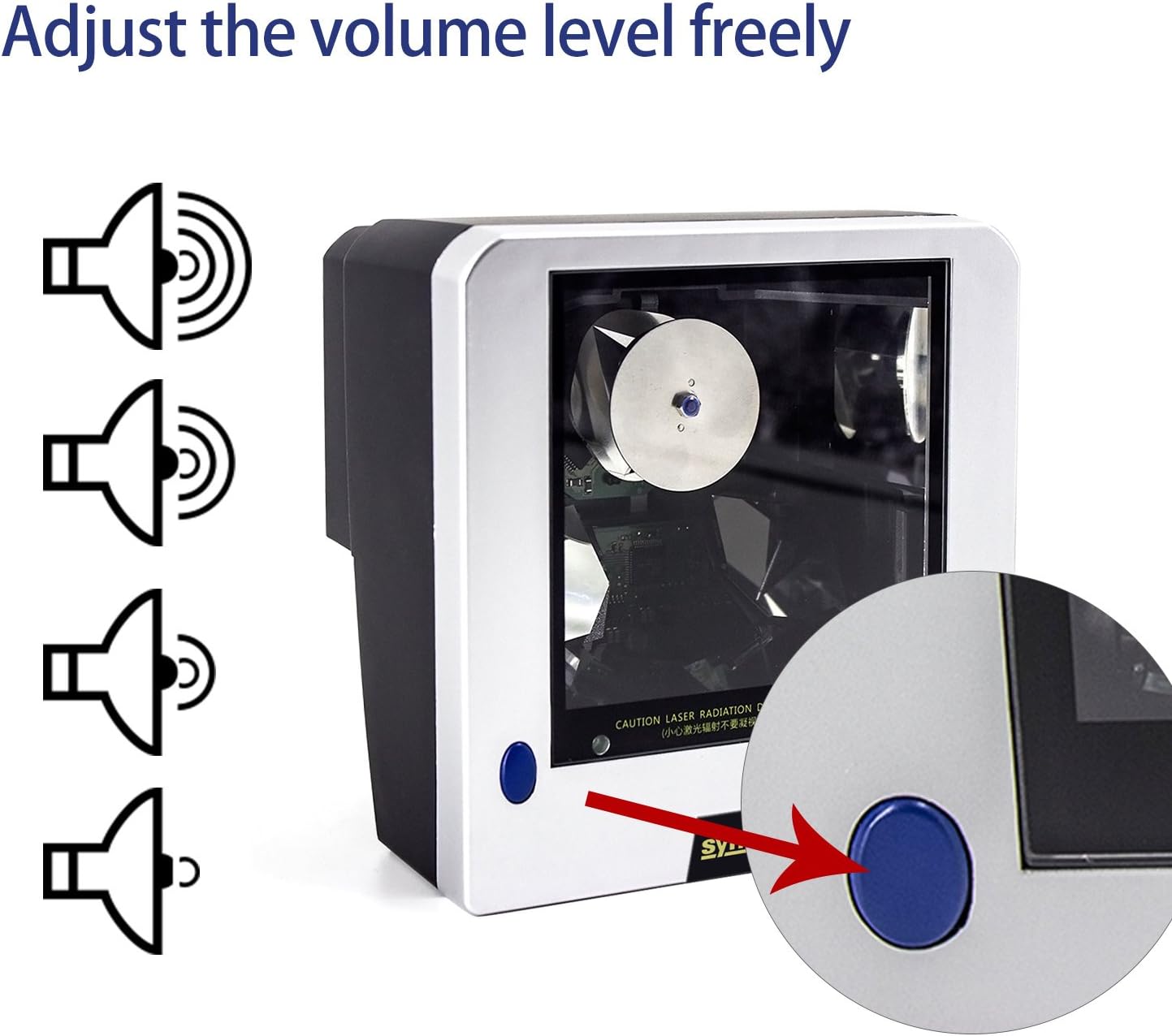
- Cyfrol Addasadwy: Features a blue button for adjusting the scanner's beep tone with three available settings. A mute option is also available; contact support for assistance with this specific setting.
- Adeiladu Gwydn: Built with ABS + PC material, designed to withstand a 2-meter free fall.
- Clear Indication: Equipped with a green LED indicator for operational status.
3. Canllaw Gosod
3.1 Cynnwys Pecyn
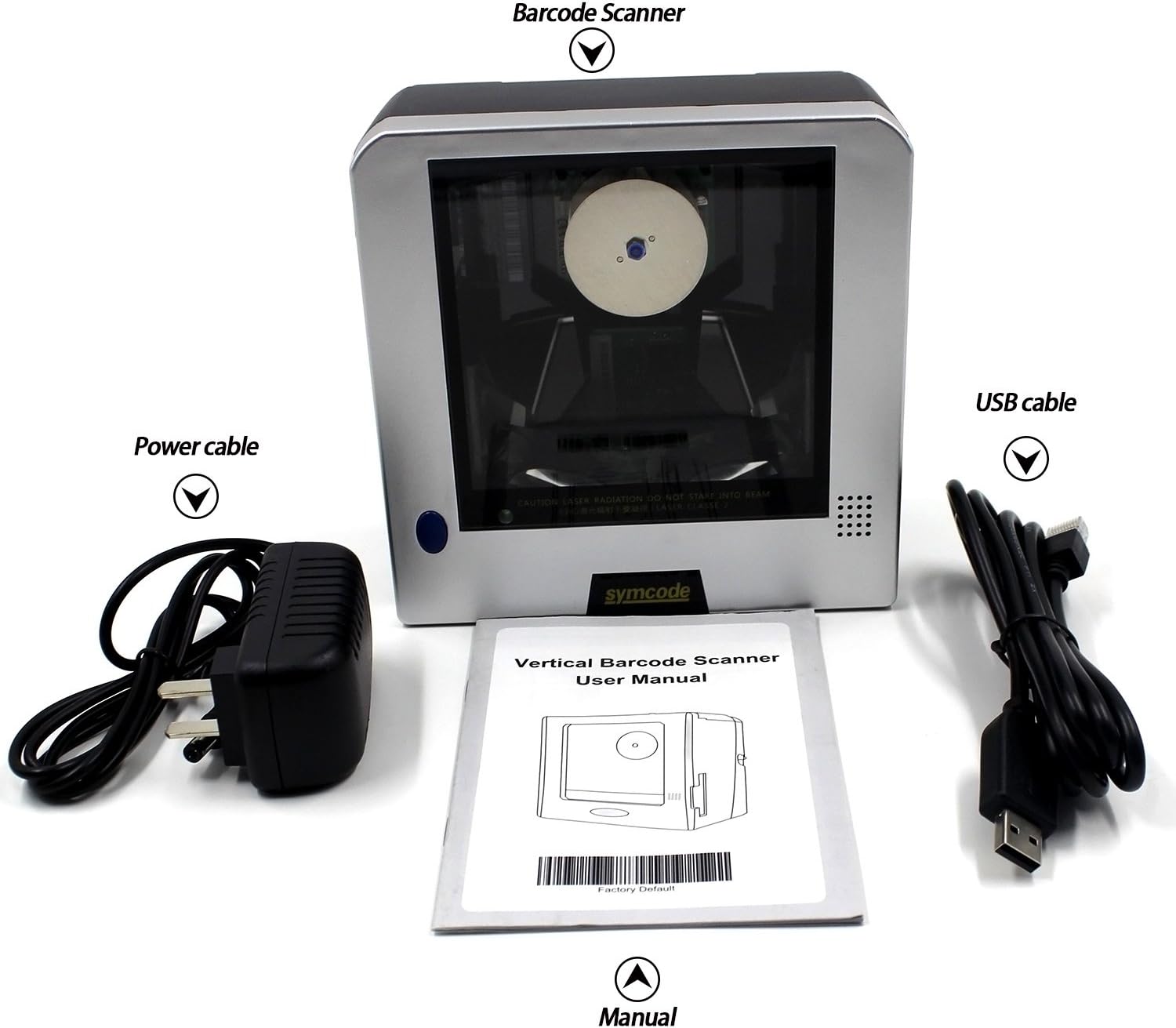
Cyn bwrw ymlaen â'r gosodiad, gwiriwch fod yr holl eitemau yn bresennol yn y pecyn:
- 1D Desktop Barcode Scanner Unit
- Cebl USB
- Cebl Pŵer / Addasydd
- Llawlyfr Defnyddiwr (y ddogfen hon)
3.2 Cysylltu'r Sganiwr
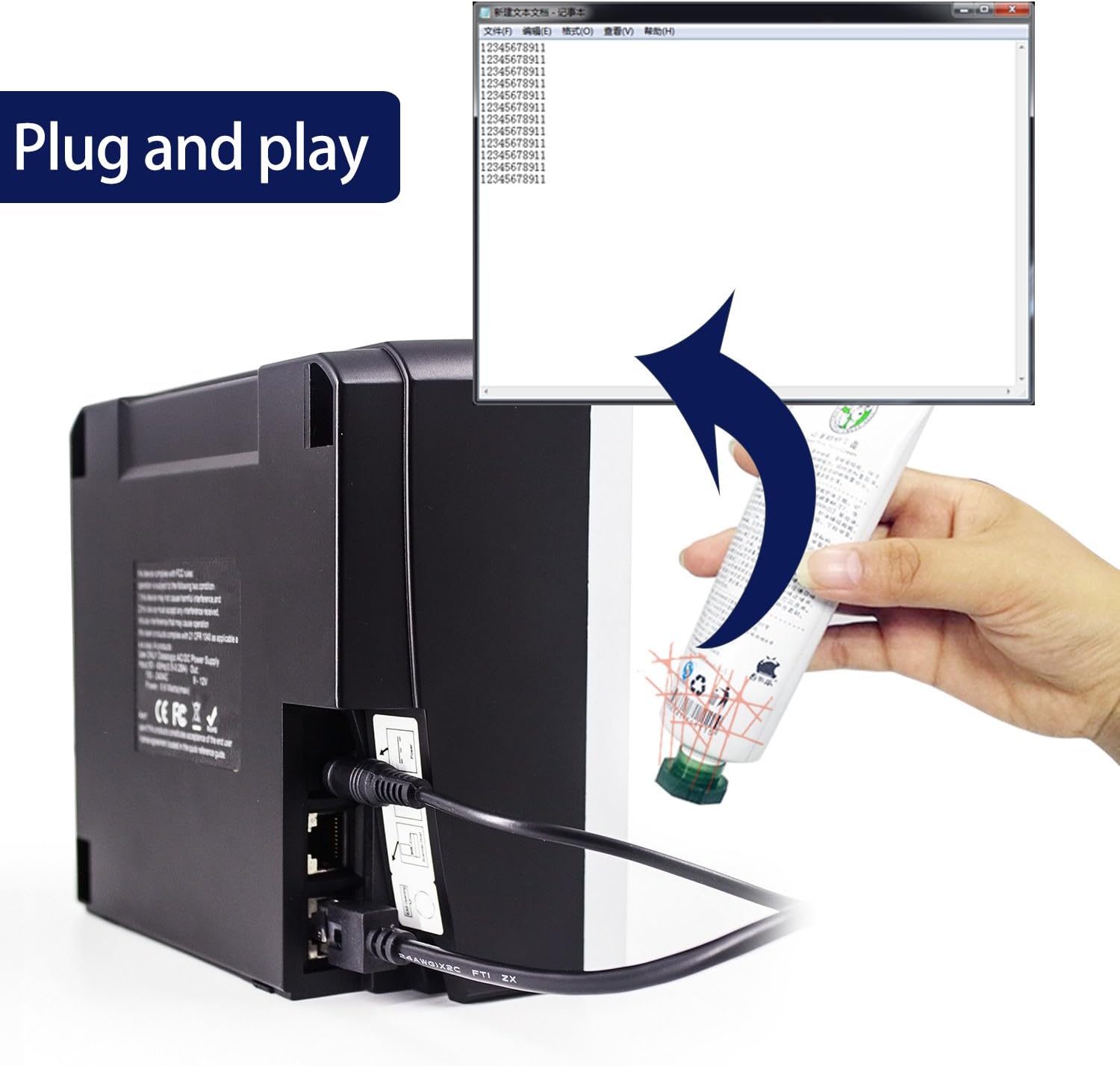
- Connect the power cable to the scanner's power input port and then to a suitable power outlet.
- Connect the USB cable to the scanner's USB port.
- Plug the other end of the USB cable into an available USB port on your computer or host system.
- The scanner is designed for plug-and-play operation. Your operating system should automatically detect and install the necessary drivers.
4. Cyfarwyddiadau Gweithredu
4.1 Sganio Codau Bar
The Symcode MJ-2300-1D scanner features omnidirectional scanning, allowing for efficient reading of 1D barcodes from various orientations. Simply present the barcode to the scanner's window within the optimal reading range of 0 to 7.9 inches (0-200mm). The scanner will automatically detect and decode the barcode.
4.2 Addasu'r Sain
The scanner's beep tone volume can be adjusted. Locate the blue button on the scanner unit. Pressing this button will cycle through three different volume levels. For a mute setting, please contact technical support for specific instructions.
4.3 Mathau o Godau Bar a Gefnogir
The Symcode MJ-2300-1D scanner supports a wide range of 1D barcode symbologies, including but not limited to:
- EAN-8
- EAN-13
- UPC-A
- UPC-E
- Cod 39
- Cod 93
- Cod 128
- EAN128
- Codabar
- Diwydiannol 2 o 5
- Rhyngddalennog 2 o 5
- Matrics 2 o 5
- MSI
- China postal code
5. cynnal
5.1 Glanhau'r Sganiwr
Er mwyn cynnal perfformiad sganio gorau posibl, cadwch ffenestr y sganiwr yn lân. Defnyddiwch frethyn meddal, di-lint, wedi'i sychu'n ysgafn.ampened with water or a mild, non-abrasive cleaning solution. Avoid using harsh chemicals or abrasive materials that could scratch the scanning window.
5.2 Stability and Placement
The scanner is equipped with fixed bottom rubber non-slip mats to ensure stability on various desktop surfaces. Ensure the scanner is placed on a flat, stable surface to prevent accidental movement or falls.

6. Datrys Problemau
- Scanner not recognized by computer: Ensure the USB cable is securely connected to both the scanner and the computer. Try connecting to a different USB port. Restart your computer.
- Difficulty scanning specific barcodes:
- Ensure the barcode is within the optimal scanning range (0-7.9 inches / 0-200mm).
- Verify the barcode is clean, undamaged, and has sufficient contrast (minimum 30% PCS).
- Confirm that the barcode type is supported by the scanner (refer to Section 4.3).
- If using specific application software, check its settings as some applications may require particular scanner configurations.
- Scanner beeps but no data is transmitted: Ensure the application or text field you are scanning into is active and ready to receive input. The scanner acts as a keyboard input device.
- USB cable overheating: Disconnect the scanner immediately. Check the power source and ensure it meets the scanner's power requirements (DC5V). Contact customer support if the issue persists.
- Tewi gosodiad: If you require the scanner to operate silently, contact Symcode technical support for instructions on enabling the mute function.
7. Manylebau Technegol
| Nodwedd | Manyleb |
|---|---|
| Rhif Model | MJ-2300-1D |
| Ffynhonnell Golau | Visible Lasing Diode (650nm) |
| Modd Sganio | 20-line Omnidirectional |
| Cyfradd Sganio | 1500 sgan / eiliad |
| Pellter Sganio | 0 ~ 200mm (0 ~ 7.9 inches) |
| Ongl Sganio | 5 cyfeiriad |
| Cydraniad Lleiaf | 0.10mm (PCS0.9) |
| Rhyngwynebau a Gefnogir | RS232, PS2 Keyboard, USB |
| Signal Cyferbynnedd Argraffu (PCS) | Isafswm 30% |
| Cyfradd Gwallau | 1/5,000,000 |
| Dangosydd LED | Green Color LED |
| Ffynhonnell Pwer | DC5V (Corded Electric, USB Cable) |
| Defnydd Pŵer | 10W |
| Cyfredol | 200mA |
| Diogelwch Laser | National Safety Standard Class 2 |
| Cydnawsedd Electromagnetig | CE, FCC, DocCompliance |
| Tymheredd Gweithredu | -20 ~ 45 gradd Celsius |
| Tymheredd Storio | -20 ~ 60 gradd Celsius |
| Lleithder | 5% ~ 95% Relative Humidity (Non-condensing) |
| Disgleirdeb Amgylchynol | Max. 4,000 lux (sunlight) |
| Anti-knock Resistance | Withstands 2m free fall |
| Deunydd | ABS + PC |
| Hyd Cebl | 200cm / 6.56 troedfedd |
| Dimensiynau Cynnyrch | 5.9 x 1.9 x 5.9 modfedd (15.1 x 5 x 15.1 cm) |
| Pwysau Eitem | 2.2 pwys |

8. Gwarant a Chefnogaeth
8.1 Gwarant Cynnyrch
Symcode products are manufactured to high-quality standards. For specific warranty terms and conditions applicable to your MJ-2300-1D scanner, please refer to the warranty card included with your purchase or contact Symcode customer service.
8.2 Cefnogaeth i Gwsmeriaid
If you encounter any issues or have questions regarding the operation, maintenance, or troubleshooting of your Symcode MJ-2300-1D barcode scanner, please contact Symcode customer support. Contact information can typically be found on the product packaging, the official Symcode websafle, neu drwy eich man prynu.


