
1. Rhagymadrodd
Diolch am brynuasing the Coby CSB04 Bluetooth Soundbar Speaker. This manual provides important information regarding the setup, operation, and maintenance of your new soundbar. Please read this manual thoroughly before using the device and retain it for future reference.
The Coby CSB04 is a sleek and compact soundbar designed to enhance your audio experience. It features wireless Bluetooth connectivity, an RCA line input, and comes with a remote control for convenient operation.
2. Gwybodaeth Diogelwch
Dilynwch y rhagofalon diogelwch canlynol i atal difrod i'r ddyfais neu anaf i chi'ch hun:
- Do not expose the soundbar to rain, moisture, or extreme temperatures.
- Peidiwch ag agor y casing. Cyfeiriwch yr holl waith cynnal a chadw at bersonél cymwys.
- Gwnewch yn siŵr bod yr addasydd pŵer yn gydnaws â'ch cyflenwad pŵer lleol.
- Keep the soundbar away from heat sources and direct sunlight.
- Glanhewch â lliain sych yn unig.
3. Cynnwys Pecyn
Carefully unpack your Coby CSB04 Soundbar and check that all items are present and in good condition. If any items are missing or damaged, contact your retailer.
- Coby CSB04 Bluetooth Soundbar Speaker
- Addasydd Pwer AC
- RCA Cable
- Rheolaeth Anghysbell
- Llawlyfr Defnyddiwr (y ddogfen hon)

Image 3.1: Coby CSB04 Soundbar packaging. The box displays the Coby logo and "Slim 2.0 Sound Bar" text.
4. Cynnyrch Drosview
Familiarize yourself with the components and controls of your Coby CSB04 Soundbar.
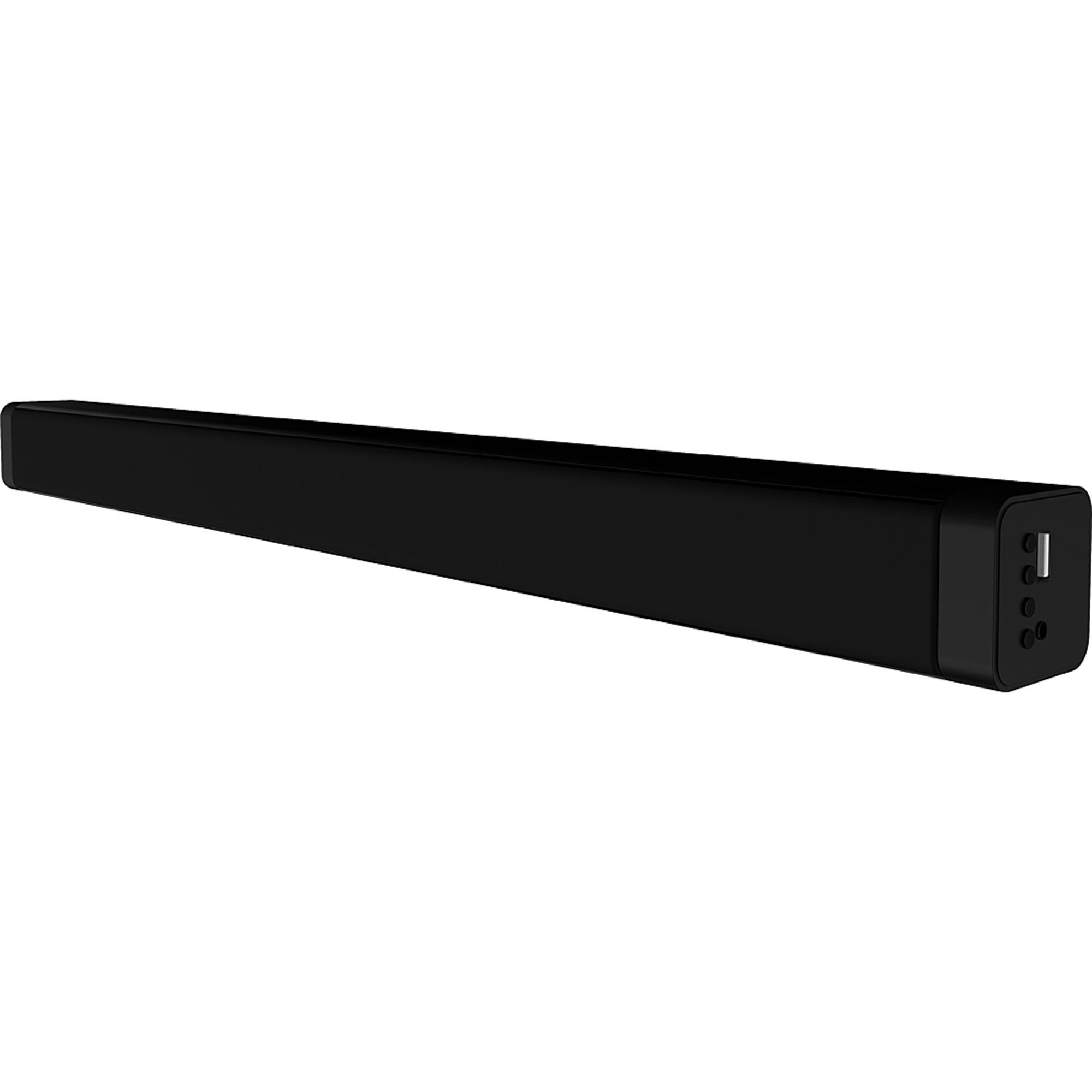
Delwedd 4.1: Blaen view of the Coby CSB04 Bluetooth Soundbar. The soundbar is black and rectangular.

Delwedd 4.2: Ochr view of the Coby CSB04 Soundbar, showing a USB port and other connection points.
4.1. Front Panel / Top Panel Controls
- Botwm Pŵer: Yn troi'r bar sain ymlaen neu i ffwrdd.
- Cyfrol i fyny/i lawr: Yn addasu lefel y sain.
- Botwm Modd: Switches between input modes (Bluetooth, RCA).
- Dangosydd LED: Shows current status (e.g., Bluetooth pairing, input mode).
4.2. Cysylltiadau Panel Cefn
- DC YN: Cysylltwch yr addasydd pŵer AC yma.
- RCA L/R Input: Connect external audio devices using the RCA cable.
- Porth USB: For potential firmware updates or specific media playback (functionality may vary).
4.3. Rheolaeth Anghysbell
The included remote control allows for convenient operation of the soundbar from a distance. Functions typically include Power, Volume Up/Down, Mode Selection, Mute, and Playback controls for Bluetooth mode.
5. Gosod
5.1. Cysylltiad Pwer
- Connect the AC power adapter to the DC MEWN porthladd ar gefn y bar sain.
- Plygiwch ben arall yr addasydd pŵer AC i mewn i soced wal.
- The soundbar will enter standby mode.
5.2. Cysylltiad Sain
You can connect audio sources to the soundbar via Bluetooth or RCA cable.
5.2.1. Cysylltiad Bluetooth
- Power on the soundbar using the Power button on the unit or remote control.
- Gwasgwch y Modd button repeatedly until the LED indicator shows Bluetooth mode (usually a blinking blue light).
- Ar eich ffôn clyfar neu ddyfais arall sydd â Bluetooth, galluogwch Bluetooth a chwiliwch am ddyfeisiau sydd ar gael.
- Select "CSB04" (or similar name) from the list of devices.
- Ar ôl paru, bydd y dangosydd LED yn troi'n las solet, a byddwch yn clywed tôn gadarnhau.
- You can now play audio from your device through the soundbar.
5.2.2. Cysylltiad RCA
- Connect one end of the RCA cable to the Mewnbwn RCA L / R. ports on the soundbar.
- Connect the other end of the RCA cable to the audio output ports (usually "Audio Out" or "L/R Out") of your TV, DVD player, or other audio source.
- Pwer ar y bar sain.
- Gwasgwch y Modd button repeatedly until the LED indicator shows RCA mode (e.g., a green light).
- Chwarae sain o'ch dyfais gysylltiedig.
6. Cyfarwyddiadau Gweithredu
6.1. Pŵer Ymlaen / I ffwrdd
Gwasgwch y Grym botwm ar y bar sain neu'r teclyn rheoli o bell i droi'r uned ymlaen neu i ffwrdd.
6.2. Addasu Cyfrol
Defnyddiwch y Cyfrol i Fyny (+) a Cyfrol Down (-) buttons on the soundbar or remote control to adjust the audio level.
6.3. Changing Input Mode
Gwasgwch y Modd button on the soundbar or remote control to cycle through available input sources: Bluetooth, RCA.
6.4. Chwarae Bluetooth
Once paired, your Bluetooth device will automatically connect to the soundbar when both are powered on and within range. Use your device's controls or the soundbar's remote control (if applicable) for playback functions like Play/Pause, Next Track, and Previous Track.
7. cynnal
Mae cynnal a chadw priodol yn sicrhau hirhoedledd a pherfformiad gorau posibl eich bar sain.
- Glanhau: Use a soft, dry cloth to wipe the exterior of the soundbar. Do not use liquid cleaners or aerosols.
- Storio: Os ydych chi'n storio'r bar sain am gyfnod hir, datgysylltwch ef o'r pŵer a'i storio mewn lle oer, sych.
- Awyru: Ensure the soundbar has adequate ventilation and is not covered, to prevent overheating.
8. Datrys Problemau
If you encounter issues with your Coby CSB04 Soundbar, refer to the following common problems and solutions:
| Problem | Achos Posibl | Ateb |
|---|---|---|
| Dim pŵer | Addasydd pŵer heb ei gysylltu neu soced diffygiol. | Ensure the power adapter is securely connected to the soundbar and a working power outlet. Try a different outlet. |
| Dim sain | Incorrect input mode, low volume, or incorrect cable connection. |
|
| Methodd paru Bluetooth | Soundbar not in pairing mode, device too far, or interference. |
|
| Rheolaeth bell ddim yn gweithio | Batris marw neu rwystr. | Replace the batteries in the remote control. Ensure there is no obstruction between the remote and the soundbar's sensor. |
9. manylebau
Here are the technical specifications for the Coby CSB04 Bluetooth Soundbar Speaker:
- Model: CSB04
- Math o Siaradwr: Bar sain
- Technoleg Cysylltedd: Bluetooth
- Pŵer Allbwn Siaradwr Uchaf: 10 Wat
- Dyfeisiau Cydnaws: Smartphone (and other Bluetooth/RCA audio sources)
- Dull Rheoli: Rheolaeth Anghysbell
- Ffynhonnell Pwer: Electric Cable (AC Adapter)
- Lliw: Du
- Dimensiynau: 85.09 x 14.22 x 38.35 cm (tua 33.5 x 5.6 x 15.1 modfedd)
- Pwysau: 1.54 kg (tua 3.4 pwys)
- Math Mowntio: Mount Penbwrdd
10. Gwarant a Chefnogaeth
For warranty information and technical support, please refer to the warranty card included with your product or visit the official Coby websafle. Cadwch eich derbynneb prynu fel prawf o brynu.
For further assistance, you may contact Coby customer service through their official channels.