
Rhagymadrodd
This manual provides essential information for the proper setup, operation, and maintenance of your RME ADI-2 Pro 2-in/4-out AD/DA Converter. The ADI-2 Pro is a versatile audio device designed for professional studio environments, offering high-end analog-to-digital and digital-to-analog conversion, a powerful headphone amplifier, and various digital connectivity options. Please read this manual thoroughly before using the device to ensure optimal performance and longevity.
Gwybodaeth Diogelwch
Always observe the following safety precautions to prevent damage to the device or injury to yourself:
- Peidiwch ag amlygu'r uned i law, lleithder, na thymheredd eithafol.
- Sicrhewch awyru priodol o amgylch yr uned i atal gorboethi.
- Use only the specified power supply (9-15V DC, 10 Watt, center pin positive).
- Osgoi gosod gwrthrychau trwm ar yr uned.
- Peidiwch â cheisio agor na chynnal a chadw'r uned eich hun. Cyfeiriwch yr holl waith cynnal a chadw at bersonél cymwys.
- Cadwch yr uned i ffwrdd o feysydd magnetig cryf.
Cynnwys Pecyn
Gwiriwch fod yr holl eitemau yn bresennol yn y pecyn:
- RME ADI-2 Pro Unit
- Uned Cyflenwi Pŵer Allanol
- Cebl USB
- Llawlyfr Defnyddiwr (y ddogfen hon)
- Remote Control (if included with specific model variant)
Cynnyrch Drosview: Panel Cefn
The rear panel of the ADI-2 Pro provides all necessary connections for power, digital, and analog audio signals.
Delwedd: Rear panel of the RME ADI-2 Pro. From left to right, it features the power input, USB 2.0 port, digital I/O section with optical SPDIF/AES-3 and a D-sub connector, analog outputs (Right and Left XLR, plus L/R 1/4" TRS), and analog inputs (Right and Left XLR).
Cysylltiadau Panel Cefn:
- Mewnbwn pŵer: DC input for the external power supply. Requires 9-15V DC, 10 Watt, with a center pin positive configuration.
- USB 2.0: Connects the ADI-2 Pro to a computer for audio interface functionality.
- Digital I/O (SPDIF / AES-3):
- Allan: Optical output for SPDIF or AES-3 digital audio.
- Yn: Optical input for SPDIF or AES-3 digital audio.
- D-sub Connector: Provides additional digital I/O options, typically for AES-3 via breakout cable.
- Allbynnau Analog:
- Right / Left XLR: Balanced analog audio outputs for connecting to studio monitors or other audio equipment.
- L / R (1/4" TRS): Additional balanced analog outputs, often used for alternative monitoring or routing.
- Mewnbynnau Analog:
- Right / Left XLR: Balanced analog audio inputs for connecting microphones (with external pre-amp) or line-level sources.
Gosod
- Cysylltiad Pwer: Connect the external power supply to the DC input on the rear panel and then to a power outlet.
- Cysylltiad USB: Connect the ADI-2 Pro to your computer using the provided USB cable.
- Gosod Gyrrwr: For Windows and macOS, download and install the latest drivers from the official RME website. Follow the on-screen instructions.
- Cysylltiadau Sain:
- Cysylltwch eich monitorau stiwdio â'r Analog Outputs (XLR or TRS).
- Connect your audio sources (e.g., pre-amplifiers, instruments) to the Analog Inputs (XLR).
- For digital audio, connect optical cables to the SPDIF/AES-3 In/Out porthladdoedd yn ôl yr angen.
- Pŵer Cychwynnol Ar: Power on the ADI-2 Pro. The device should be recognized by your computer's operating system and audio software.
Cyfarwyddiadau Gweithredu
The RME ADI-2 Pro offers extensive functionality through its front panel controls and display. Refer to the detailed software manual for in-depth configuration options.
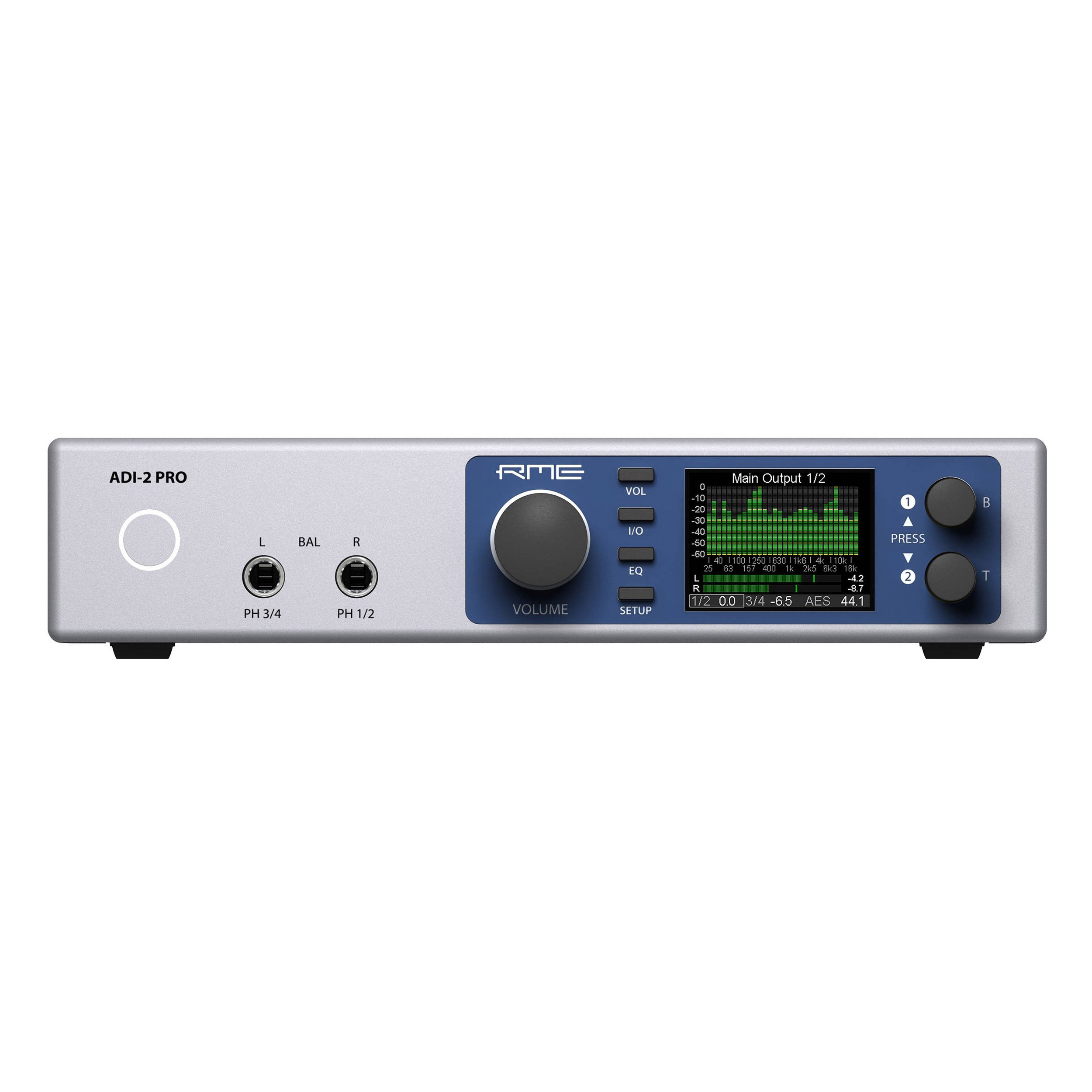
- Rheolaethau Panel Blaen: Use the rotary encoders and buttons on the front panel to navigate menus, adjust parameters, and select inputs/outputs.
- Arddangos: The high-resolution display provides real-time metering, settings, and status information.
- Allbynnau Clustffonau: The ADI-2 Pro features two high-quality headphone outputs. Adjust their volume independently via the front panel.
- Dulliau Gweithredu: The device can function as a standalone AD/DA converter, a USB audio interface, a headphone amplifier, and a digital format converter. Specific modes and routing are configured through the internal menu system.
- Rheoli Meddalwedd: Advanced settings and routing can be managed via the RME driver control panel on your computer.
Cynnal a chadw
- Glanhau: Defnyddiwch frethyn meddal, sych i lanhau tu allan yr uned. Peidiwch â defnyddio glanhawyr hylif na thoddyddion.
- Awyru: Gwnewch yn siŵr nad yw'r slotiau awyru wedi'u rhwystro i atal gorboethi.
- Diweddariadau Cadarnwedd: Periodically check the RME website for firmware updates to ensure optimal performance and access to new features. Follow the provided instructions carefully when updating firmware.
- Storio: Pan nad yw'n cael ei ddefnyddio am gyfnodau hir, storiwch yr uned mewn amgylchedd sych, di-lwch.
Datrys problemau
- Dim pŵer:
- Check the power cable connection to the unit and the wall outlet.
- Verify the power adapter is functioning correctly and matches the required specifications (9-15V DC, 10 Watt, center pin positive).
- Dim Allbwn Sain:
- Ensure the correct output is selected on the ADI-2 Pro and in your computer's audio settings.
- Check all cable connections to your monitors or headphones.
- Verify volume levels on the unit and in your software.
- Dim Mewnbwn Sain:
- Confirm the input source is correctly connected to the ADI-2 Pro's analog or digital inputs.
- Select the correct input source on the ADI-2 Pro and in your recording software.
- Ensure any external pre-amplifiers are powered on and functioning.
- Dyfais heb ei hadnabod gan y Cyfrifiadur:
- Re-install the latest drivers from the RME websafle.
- Rhowch gynnig ar borthladd USB neu gebl USB gwahanol.
- Restart your computer and the ADI-2 Pro.
For further assistance, consult the comprehensive RME ADI-2 Pro manual available on the RME website or contact RME technical support.
Manylebau
| Pwysau Eitem | 4.49 pwys |
| Dimensiynau Cynnyrch | 13.75 x 8.5 x 3.35 modfedd |
| Rhif Model | ADI2PRO |
| ASIN | B01MTWM896 |
| Dyddiad Ar Gael Cyntaf | Mawrth 24, 2017 |
| Gofyniad Pwer | 9-15V DC, 10 Watt (Center Pin +) |
| Cysylltedd | USB 2.0, Optical SPDIF/AES-3 I/O, D-sub Digital I/O, Analog XLR I/O, Analog 1/4" TRS Outputs |
Gwarant a Chefnogaeth
RME products are covered by a manufacturer's warranty. For specific warranty terms and conditions, please refer to the documentation included with your product or visit the official RME website. For technical support, driver downloads, and additional resources, please visit the RME support page: