
1. Rhagymadrodd
The Grandstream GWN7610 is a high-performance 802.11ac Wi-Fi Access Point designed for various environments such as office buildings, multi-floor locations, branch offices, and commercial/retail settings. It offers high network throughput, extensive wireless coverage, robust security features, and integrated network management without requiring external controllers. This manual provides essential information for the proper installation, configuration, and operation of your GWN7610 Access Point.
2. Cynnwys Pecyn
Gwiriwch fod eich pecyn yn cynnwys yr eitemau canlynol:
- Grandstream GWN7610 Access Point
- Mounting Equipment (bracket, screws)
- Canllaw Gosod Cyflym (y ddogfen hon)
Note: A power adapter is not included. The device supports Power over Ethernet (PoE/PoE+).
3. Gor-ymosodiad Corfforolview
Familiarize yourself with the ports and indicators on your GWN7610 Access Point.

Ffigur 3.1: O'r brig i lawr view of the GWN7610 Access Point, showing its circular design and ventilation.
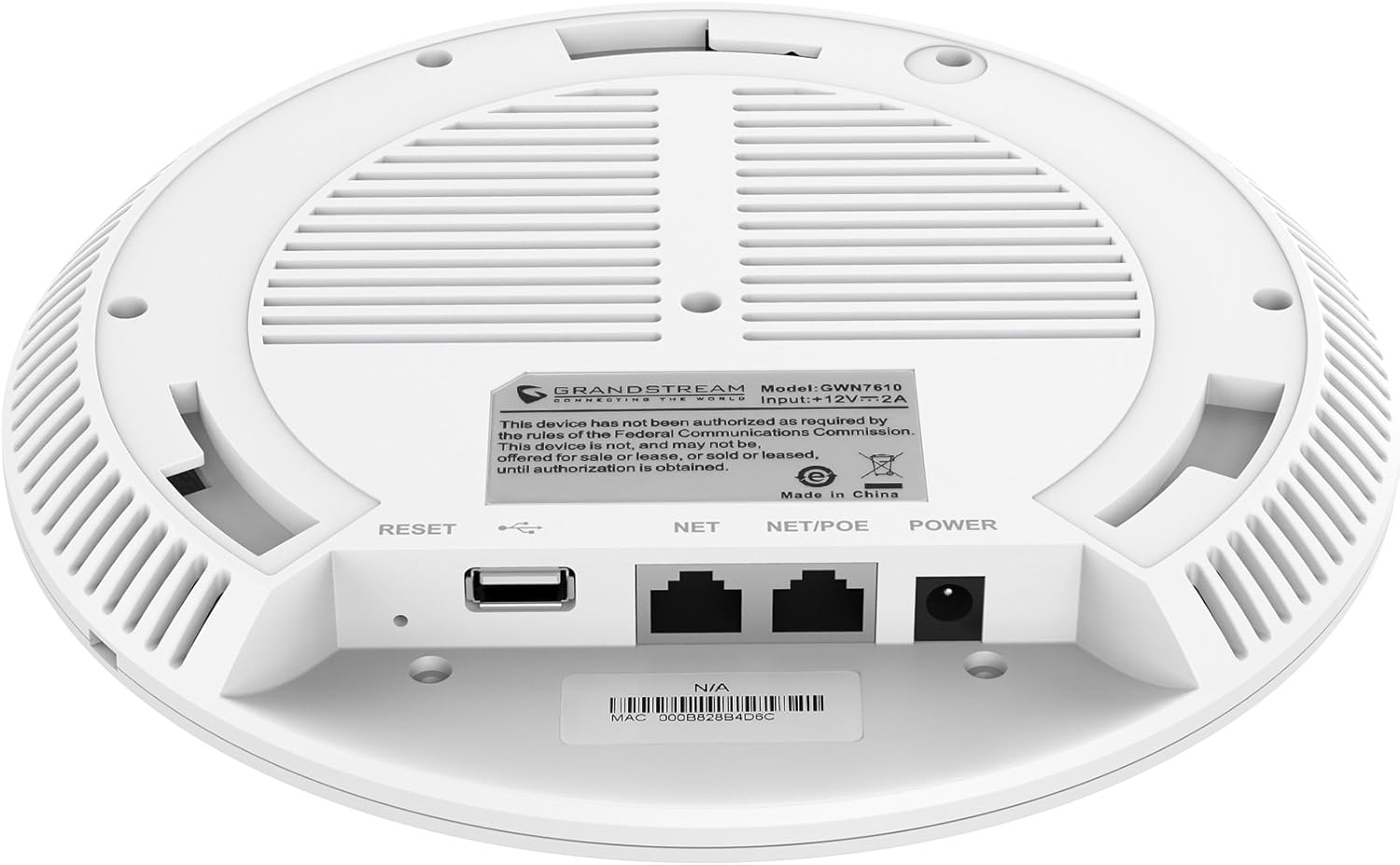
Ffigur 3.2: Gwaelod view of the GWN7610 Access Point, highlighting the connectivity ports and regulatory information.
- Botwm AILOSOD: Used to reset the device to factory default settings. Press and hold for 10 seconds while the device is powered on.
- Porth USB: For future applications such as location-based services and other IoT (Internet of Things) applications.
- NET/POE Port: Gigabit Ethernet port that supports Power over Ethernet (PoE/PoE+) for both data and power supply.
- Porthladd POWER: DC power input (12V===2A) if not using PoE.
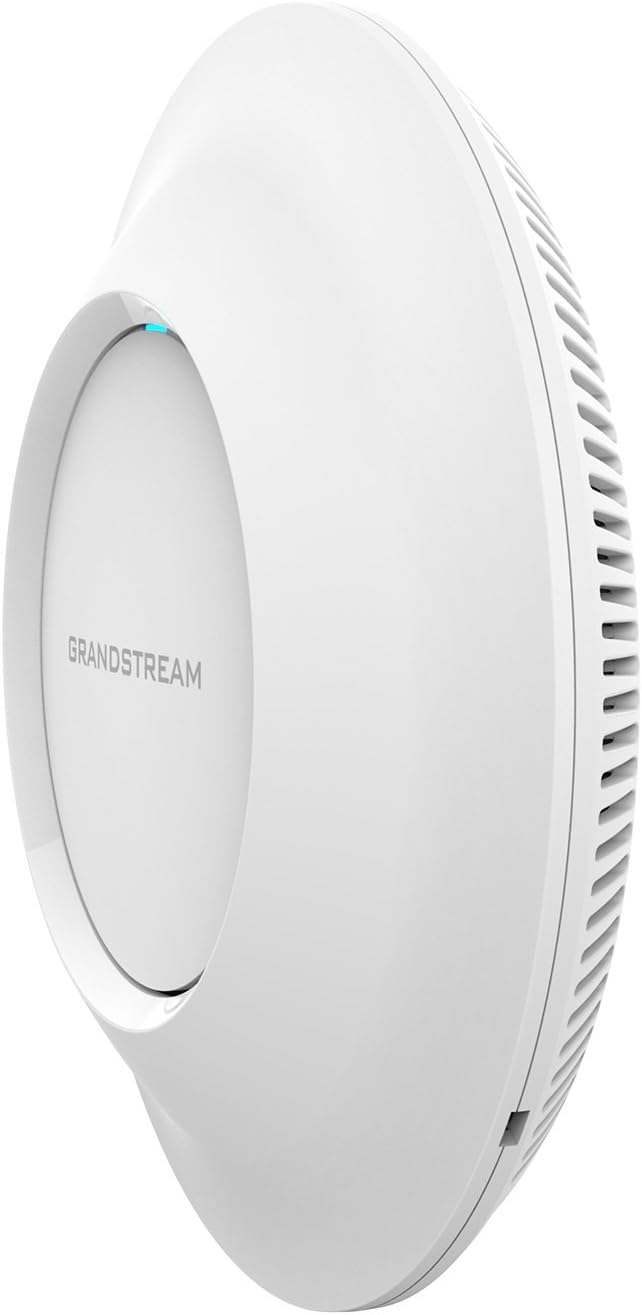
Ffigur 3.3: Ochr view of the GWN7610 Access Point, illustrating its sleek profile.
4. Gosod a Mowntio
The GWN7610 can be mounted on a wall or ceiling. The included mounting equipment facilitates installation. For optimal wireless coverage, choose a central location free from obstructions and sources of interference. Ensure the device is positioned away from large metal objects, concrete walls, and other electronic devices that may cause signal degradation.
Refer to the specific instructions provided with the mounting kit for detailed steps on securing the access point.
5. Gosod
The GWN7610 features embedded network management, allowing for easy setup and configuration without the need for external controllers. Follow these general steps for initial setup:
- Pŵer Ymlaen: Connect the GWN7610 to a PoE/PoE+ enabled switch or injector using an Ethernet cable, or connect a 12V===2A DC power adapter to the POWER port.
- Cysylltiad Rhwydwaith: Connect the NET/POE port to your network infrastructure (router or switch).
- Wrth gael mynediad i'r Web Rhyngwyneb: Once powered on and connected, the GWN7610 will obtain an IP address via DHCP. You can discover the device's IP address using Grandstream's discovery tools or by checking your DHCP server's client list. Enter the IP address into a web browser to access the management interface.
- Ffurfweddiad Cychwynnol: Log in with the default credentials (usually found in the Quick Installation Guide or on the device label) and proceed with configuring your Wi-Fi networks (SSIDs), security settings, and other network parameters.
6. Cyfarwyddiadau Gweithredu
The GWN7610 is designed for robust and efficient wireless operation. Key operational features include:
- SSIDau lluosog: Supports up to 16 SSIDs per radio, allowing for flexible network segmentation (e.g., separate networks for employees, guests, IoT devices).
- Client Capacity: Capable of supporting over 250 concurrent Wi-Fi clients, making it suitable for high-density environments.
- Dual-Band MIMO: Utilizes dual-band 3x3:3 MIMO technology for enhanced performance and reliability across both 2.4GHz and 5GHz frequencies.
- High Throughput: Delivers a maximum network throughput of up to 1.75Gbps, ensuring fast data transfer rates.
- Cwmpas Estynedig: Provides an expanded coverage range of up to 175 meters, minimizing dead zones.
- Integrated Controller: Manage multiple GWN7610 units from a single master access point, simplifying network administration.
7. cynnal
Regular maintenance ensures optimal performance and longevity of your GWN7610 Access Point.
- Diweddariadau Cadarnwedd: Periodically check the Grandstream website for the latest firmware versions. Firmware updates often include performance improvements, security patches, and new features. Follow the instructions provided by Grandstream for updating firmware. Note that some updates may require using a TFTP server.
- Glanhau: Cadwch y ddyfais yn lân ac yn rhydd o lwch. Defnyddiwch frethyn meddal, sych i'w lanhau. Peidiwch â defnyddio glanhawyr hylif na glanhawyr aerosol.
- Amodau Amgylcheddol: Sicrhewch fod y ddyfais yn gweithredu o fewn ei hystodau tymheredd a lleithder penodedig i atal difrod.
8. Datrys Problemau
If you encounter issues with your GWN7610, consider the following troubleshooting steps:
- Dim pŵer: Verify that the device is properly connected to a PoE/PoE+ source or a compatible 12V===2A power adapter. Check the power indicator light.
- Dim Cysylltedd Rhwydwaith: Ensure the Ethernet cable is securely connected to the NET/POE port and your network switch/router. Check the status of your network infrastructure.
- Methu Mynediad Web Rhyngwyneb: Confirm the device has an IP address and that your computer is on the same network segment. Try pinging the device's IP address. If the IP address is unknown, use Grandstream's discovery utility.
- Perfformiad Wi-Fi gwael: Check for sources of interference (e.g., microwaves, cordless phones). Ensure the access point is optimally placed. Adjust Wi-Fi channel settings to avoid congestion.
- Dyfais ddim yn ymateb: Perform a soft reboot by disconnecting and reconnecting power. If the issue persists, perform a factory reset using the RESET button (refer to Section 3).
9. manylebau
| Nodwedd | Manyleb |
|---|---|
| Math Di-wifr | 802.11a/g/n/ac |
| Nifer y Porthladdoedd USB 2.0 | 1 |
| Brand | Grandstream |
| Cyfres | Grandstream GWN7610 |
| Rhif Model yr Eitem | GWN7610 |
| System Weithredu | Llwybrydd OS |
| Pwysau Eitem | 1.9 pwys |
| Dimensiynau Cynnyrch (LxWxH) | 9 x 9 x 3 modfedd |
| Lliw | Gwyn |
| Gwneuthurwr | Grandstream |
10. Gwybodaeth Diogelwch
Darllenwch a dilynwch y canllawiau diogelwch hyn i atal difrod i'r ddyfais neu anaf i chi'ch hun:
- Peidiwch â gwneud y ddyfais yn agored i ddŵr neu leithder.
- Do not open or attempt to repair the device. Refer all servicing to qualified personnel.
- Use only the power sources specified (PoE/PoE+ or 12V===2A DC adapter).
- Gosodwch y ddyfais mewn man awyru'n dda.
- Rhybudd Cynnig 65: Gall y cynnyrch hwn gynnwys cemegolion sy'n hysbys i Dalaith California i achosi canser a namau geni neu niwed atgenhedlu eraill.
11. Cydymffurfiaeth Rheoleiddio
This device complies with relevant regulatory standards. Please note the following:
FCC Warning: This device has not been authorized as required by the rules of the Federal Communications Commission. This device is not, and may not be, offered for sale or lease, or sold or leased, until authorization is obtained.
Users are advised to ensure compliance with local regulations regarding wireless device operation.
12. Gwarant a Chefnogaeth
For warranty information and technical support, please refer to the official Grandstream website or contact your authorized reseller. Keep your purchase receipt for warranty claims.