
Rhagymadrodd
This manual provides detailed instructions for the setup, operation, maintenance, and troubleshooting of your Pabobo Kid Sleep Alarm Clock, model KS0031. Please read this manual thoroughly before using the product to ensure proper function and safety.
The Pabobo Kid Sleep Alarm Clock is designed to help children learn to tell time and establish healthy sleep routines. It features both digital and analog time displays, a visual sleep/wake indicator, and customizable alarm sounds.
Gwybodaeth Diogelwch
- Cadwch y ddyfais i ffwrdd o ddŵr a lleithder.
- Peidiwch â bod yn agored i dymheredd eithafol na golau haul uniongyrchol.
- Use only the specified battery type. Ensure correct polarity when inserting batteries.
- Cadwch fatris allan o gyrraedd plant bach.
- Peidiwch â cheisio dadosod na thrwsio'r ddyfais eich hun. Cysylltwch â chymorth os bydd problemau'n codi.
- Mae'r cynnyrch hwn wedi'i fwriadu ar gyfer defnydd dan do yn unig.
Cynnyrch Drosview
The Pabobo Kid Sleep Alarm Clock combines an analog clock, a digital display, and a visual sleep/wake indicator to assist children in understanding time and sleep cycles.

Ffigur 1: Blaen view of the Pabobo Kid Sleep Alarm Clock.
Nodweddion Allweddol:
- Arddangosfa Amser Deuol: Features both an analog clock face and a digital time display for easy learning.
- Sleep Trainer: A visual indicator (sleeping child / awake child) helps children understand when it's time to sleep and when it's okay to wake up.
- Larwm Blaengar: Three selectable alarm sounds (chirping birds, cuckoo, train) that increase in volume.
- Swyddogaeth Snooze: Press the large button on the top for a two-minute snooze and a temporary backlight.
- Golau Nos: A mini night light emits a reassuring glow.
Gosod
1. Gosod Batri
The clock operates on one battery, which is included. To install or replace the battery:
- Lleolwch y compartment batri ar gefn y cloc.
- Agorwch y clawr adran batri.
- Insert the battery, ensuring correct polarity (+/-).
- Caewch y clawr adran batri yn ddiogel.

Ffigur 2: Cefn view with battery compartment and controls.
2. Gosod yr Amser
To set the current time on your alarm clock:
- Use the time setting knob (usually located on the back) to adjust the analog hands to the correct time.
- The digital display will synchronize or can be set separately using dedicated buttons (refer to specific button labels on the back, e.g., "SET" buttons).
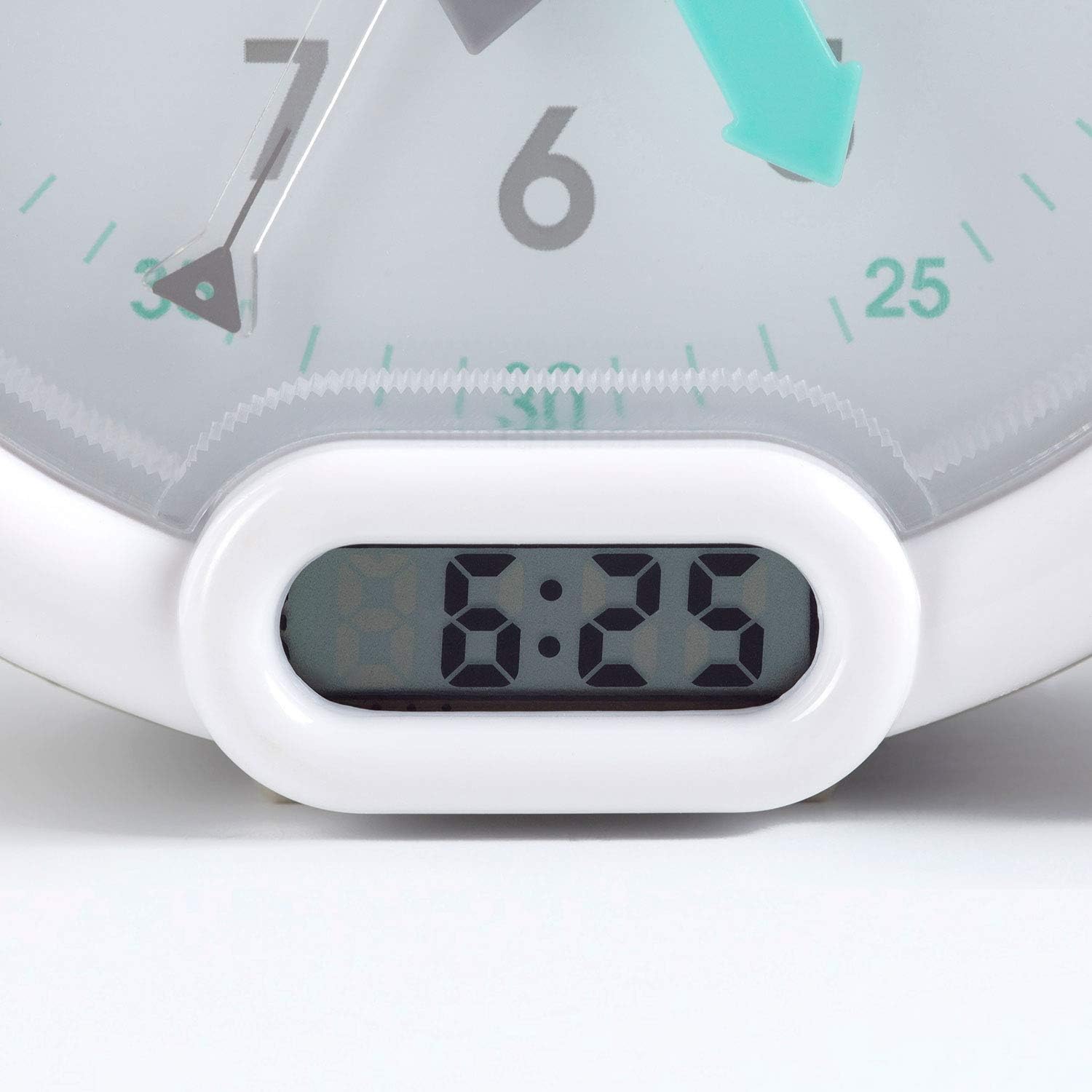
Ffigur 3: Digital time display.
Cyfarwyddiadau Gweithredu
1. Gosod y Larwm
The alarm can be set to one of three sounds: chirping birds, cuckoo, or train. The alarm volume increases progressively.
- Locate the alarm setting controls on the back of the clock.
- Adjust the alarm time using the designated knob or buttons.
- Select your preferred alarm sound using the sound selection switch.
- Ensure the alarm is activated (ON position).
2. Using the Sleep Trainer
The sleep trainer feature visually indicates when it's time to sleep and when it's time to wake up.
- Sleeping Child Lit: When the image of the sleeping child is lit, it indicates that children should remain in bed and continue sleeping.
- Awake Child Lit: When the image of the awake child is lit, it signals that it is time to wake up.

Ffigur 4: Sleep indicator (sleeping child).

Ffigur 5: Awake indicator (awake child).
The sleep/wake times for this indicator are typically set independently from the alarm time, using specific controls on the back of the clock.
3. Snooze and Backlight Function
Press the large button on the top of the clock to activate the snooze function for two minutes. This button also provides a short glowing light, allowing the child to see the time during the night.

Ffigur 6: Clock with backlight activated.
Cynnal a chadw
- Glanhau: Sychwch y cloc gyda lliain meddal, sych. Peidiwch â defnyddio glanhawyr sgraffiniol na thoddyddion.
- Amnewid Batri: Replace the battery when the display dims or the alarm function becomes unreliable. Dispose of used batteries responsibly.
- Storio: Os ydych chi'n storio'r cloc am gyfnod hir, tynnwch y batri i atal gollyngiadau.
Datrys problemau
| Problem | Achos Posibl | Ateb |
|---|---|---|
| Clock not turning on / display blank. | Batri marw neu wedi'i osod yn anghywir. | Gwiriwch bolaredd y batri. Amnewidiwch y batri. |
| Larwm ddim yn seinio. | Alarm not set or turned off. Low battery. | Ensure alarm is set and activated. Replace battery. |
| Sleep/wake indicator not changing. | Incorrect sleep/wake time settings. | Verify and adjust the sleep/wake indicator settings. |
| Clock makes clicking noise. | Mechanical movement noise (common for analog clocks). | This may be normal for the analog mechanism. If excessively loud or new, contact support. |
Manylebau
| Brand: | Pabobo |
| Rhif Model: | CA0031 |
| Lliw: | Llwyd |
| Math Arddangos: | Analog, Digidol |
| Dimensiynau Cynnyrch: | 6.3"L x 5.12"U |
| Ffynhonnell Pwer: | Battery Powered (1 battery included) |
| Deunydd: | Plastig |
| Math Mowntio: | Mount Penbwrdd |
| Pwysau Eitem: | 14.1 owns (0.88 pwys) |
| Nodwedd arbennig: | Adjustable, Backlit, Sleep Trainer |
Gwybodaeth Gwarant
This Pabobo Kid Sleep Alarm Clock comes with a Gwarant Oes. For details regarding warranty claims and coverage, please refer to the official Pabobo websafle neu cysylltwch â chymorth cwsmeriaid.
Cefnogaeth i Gwsmeriaid
If you encounter any issues or have questions not covered in this manual, please contact Pabobo customer support for assistance.
- Cymorth Ar-lein: Visit the official Pabobo websafle ar gyfer Cwestiynau Cyffredin ac opsiynau cysylltu.
- E-bost: [Insert Pabobo Support Email Here, if available]
- Ffôn: [Insert Pabobo Support Phone Number Here, if available]
Please have your model number (KS0031) and purchase information ready when contacting support.