
1. Rhagymadrodd
This manual provides essential instructions for the proper setup, operation, and maintenance of your YI YAS.1616.INT 4K Action Camera Kit. Please read this manual thoroughly before using the product to ensure optimal performance and safety. Keep this manual for future reference.
2. Cynnyrch Drosview
2.1 Cynnwys y Pecyn
The YI YAS.1616.INT 4K Action Camera Kit includes the following components:
- YI 4K Action Camera
- YI Monopod
- Bluetooth Anghysbell
- Batri y gellir ei hailwefru
- Cebl USB
- Llawlyfr Cyfarwyddiadau

Image 2.1: Contents of the YI 4K Action Camera Kit.
2.2 Nodweddion Camera
The YI 4K Action Camera is designed for high-quality video and photo capture, featuring:
- 4K/30fps Video Recording: Captures video at 60mbps, offering 4 times the quality of standard 1080p.
- Advanced Imaging Hardware: Equipped with an Amarelle A9SE75 chip, Sony IMX377 image sensor, and 7-layer optical glass lenses with an F2.8 large aperture for enhanced light intake.
- 2.19" LCD Touchscreen: A 640 x 360 high-resolution display with Gorilla Glass Retina for easy previewing, shooting, and scratch resistance.
- Bywyd batri hir: A 1400mAh 4.4V lithium-ion battery provides up to 120 minutes of 4K/30fps video recording on a single charge.
- System oeri effeithlon: Prevents overheating during extended recording sessions.
- Cysylltedd: Built-in Wi-Fi for smartphone app control and Bluetooth for remote control.
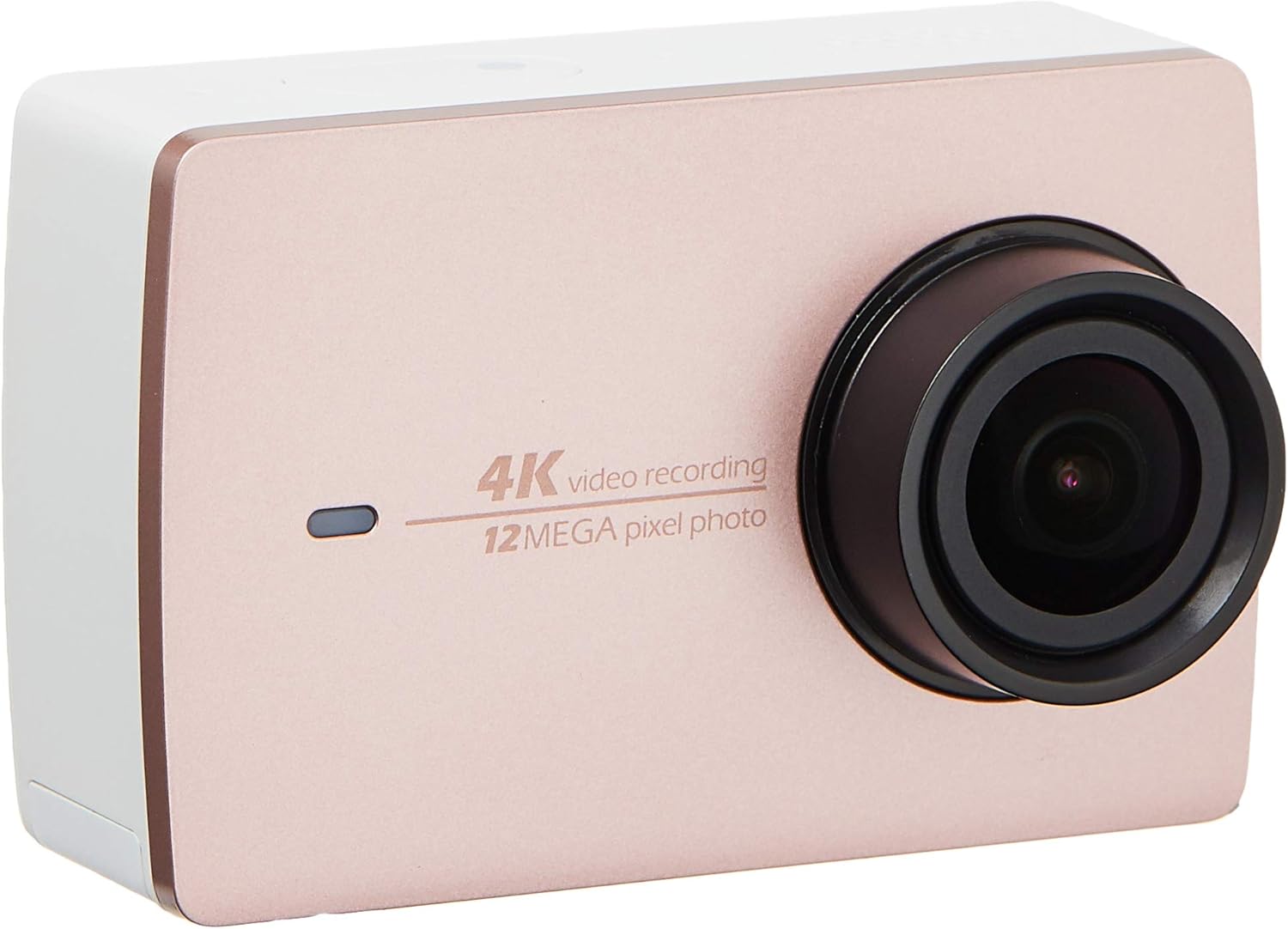
Delwedd 2.2: Blaen view of the YI 4K Action Camera.
3. Gosod
3.1 Gosod a Gwefru Batri
- Lleolwch y compartment batri ar y camera.
- Insert the 1400mAh lithium-ion battery, ensuring correct polarity.
- Caewch yr adran batri yn ddiogel.
- Connect the camera to a power source using the provided USB cable for charging. The charging indicator will illuminate.
3.2 Gosod Cerdyn Cof
The YI 4K Action Camera supports SDHC and SmartMedia flash memory types.
- Agorwch y clawr slot cerdyn cof.
- Insert a compatible memory card (not included) into the slot with the contacts facing the correct direction. Push until it clicks into place.
- Caewch glawr slot y cerdyn cof.
3.3 Pweru Ymlaen/Diffodd
- I Bweru Ymlaen: Pwyswch a daliwch y botwm Pŵer nes bod y sgrin yn goleuo.
- I Bweru i ffwrdd: Pwyswch a daliwch y botwm Pŵer nes bod y camera yn diffodd.
3.4 Connecting the Bluetooth Remote
The included Bluetooth remote allows for convenient control of the camera.
- Sicrhewch fod y camera wedi'i bweru ymlaen.
- Activate Bluetooth pairing mode on the camera via the settings menu.
- Follow the remote's instructions to enter pairing mode.
- Once paired, the remote can be used to switch between video and photo modes and trigger recording/capture.

Image 3.1: The YI Monopod, included in the kit.
4. Gweithredu'r Camera
4.1 Llywio Sgrin Gyffwrdd
The 2.19" LCD touchscreen provides intuitive control:
- Swipe: Navigate through different modes (Video, Photo, Time-lapse, etc.) and settings.
- Tap: Select options, adjust settings, or start/stop recording.
- Cynview: View eich foo daltage and photos directly on the screen.
4.2 Recordio Fideo
- Select the Video mode on the touchscreen.
- Adjust video resolution (e.g., 4K/30fps) and other settings as desired.
- Press the Shutter button or tap the record icon on the screen to start recording.
- Press the Shutter button or tap the record icon again to stop recording.
4.3 Cipio Lluniau
- Select the Photo mode on the touchscreen.
- Adjust photo settings such as resolution, exposure, and white balance.
- Press the Shutter button or tap the capture icon on the screen to take a photo.
4.4 Cysylltedd Wi-Fi a Defnydd Apiau
The camera's built-in Wi-Fi allows connection to a smartphone app for remote control, live preview, and content management.
- Download the official YI Action Camera app from your device's app store.
- Enable Wi-Fi on the camera via the settings menu.
- Connect your smartphone to the camera's Wi-Fi network (SSID and password displayed on camera screen).
- Open the YI Action Camera app to control the camera, view footage, a throsglwyddo files.
5. cynnal
5.1 Glanhau
- Use a soft, lint-free cloth to clean the camera body and touchscreen.
- Ar gyfer y lens, defnyddiwch frethyn a thoddiant glanhau lens arbenigol. Osgowch ddeunyddiau sgraffiniol.
- Sicrhewch fod pob porthladd yn rhydd o lwch a malurion.
5.2 Storio
- Storiwch y camera mewn lle oer, sych i ffwrdd o olau haul uniongyrchol a thymheredd eithafol.
- Remove the battery if storing for extended periods to prevent leakage.
5.3 Diweddariadau Firmware
Periodically check the official YI website or the YI Action Camera app for available firmware updates. Keeping your camera's firmware updated ensures optimal performance and access to new features.
6. Datrys Problemau
6.1 Materion ac Atebion Cyffredin
- Camera ddim yn pweru ymlaen: Gwnewch yn siŵr bod y batri wedi'i wefru'n llawn ac wedi'i fewnosod yn gywir.
- Mae recordio yn stopio yn annisgwyl: Check if the memory card has sufficient space or if it's a high-speed card suitable for 4K recording. Ensure the battery is not depleted.
- Sgrin gyffwrdd yn anymatebol: Try restarting the camera. If the issue persists, ensure the screen is clean and dry.
- Bluetooth remote not connecting: Ensure both the camera and remote are in pairing mode and within range. Check the remote's battery.
- Problemau cysylltiad Wi-Fi: Verify the camera's Wi-Fi is enabled and your smartphone is connected to the correct network. Try restarting both devices.
For further assistance, refer to the official YI support resources.
7. manylebau
| Gwneuthurwr | YI |
| Rhif Model | 90010 |
| Dimensiynau Cynnyrch | 6.6 x 3 x 4.3 cm |
| Pwysau | 96.39 g |
| Technoleg Synhwyrydd Ffotograffau | CMOS |
| Datrysiad Dal Fideo | 4K |
| Hyd Ffocal Uchaf | 1 |
| Agorfa Uchaf | 2.8 Milimetrau |
| Math Cof Fflach | SDHC, SmartMedia |
| Fformat Dal Fideo | MP4 |
| Fformat Sain â Chymorth | AAC, MP3 |
| Maint Sgrin | 2.19 modfedd |
| Technoleg Cysylltedd | Wi-Fi |

Image 7.1: YI 4K Action Camera with monopod, illustrating approximate dimensions.
8. Gwarant a Chefnogaeth
8.1 Gwybodaeth Gwarant
Daw'r cynnyrch hwn gyda a Gwarant Lleol 1 Flwyddyn (Singapôr)Cadwch eich prawf prynu ar gyfer hawliadau gwarant. Mae'r warant yn cwmpasu diffygion gweithgynhyrchu o dan amodau defnydd arferol.
8.2 Cefnogaeth i Gwsmeriaid
For technical support, service, or warranty inquiries, please visit the official YI Technology website or contact their authorized service centers in Singapore. Contact information can typically be found on the product packaging or the official websafle.