
YI YYS.2016
YI 2pc Smart Home Camera (Model YYS.2016) User Manual
Your guide to setting up and operating your YI Smart Home Camera system.
1. Rhagymadrodd
The YI 2pc Smart Home Camera system provides 1080p Full HD indoor security surveillance. Designed for ease of use, these cameras offer features such as enhanced night vision, two-way audio, and advanced AI detection capabilities for monitoring your home, pets, or children. This manual will guide you through the installation, operation, and maintenance of your cameras.
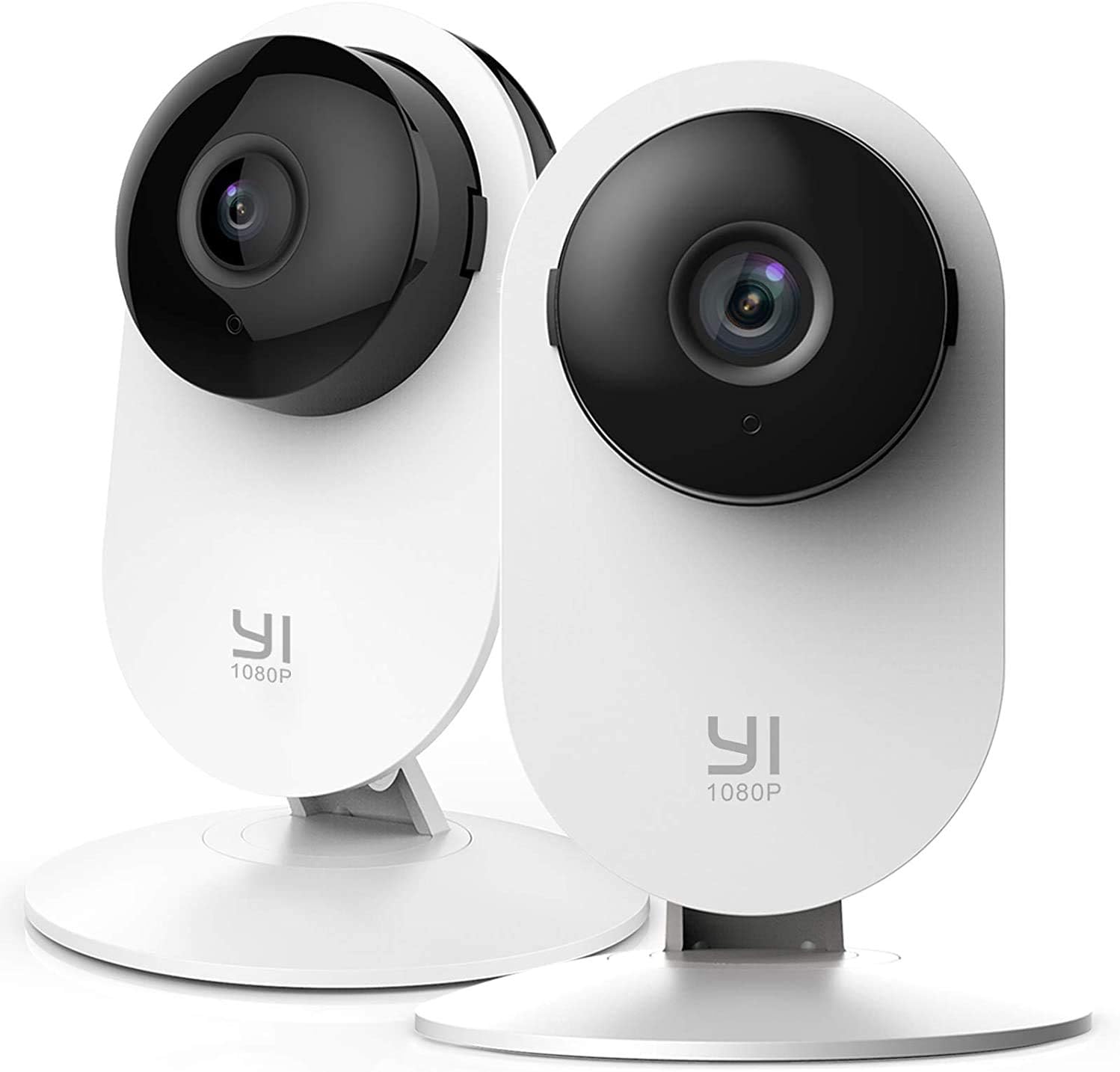
Image 1.1: YI 2pc Smart Home Camera units.
2. Cynnwys Pecyn
Gwiriwch fod yr holl eitemau yn bresennol yn eich pecyn:
- 2 x YI Smart Home Camera (Model YYS.2016)
- 2 x Addasydd Pŵer
- 2 x Cebl USB
- 2 x Sylfaen Wal Mount
- Sgriwiau Mowntio
- Llawlyfr Defnyddiwr (y ddogfen hon)
3. Canllaw Gosod
3.1. Pweru Ar y Camera
- Cysylltwch y cebl USB â phorthladd pŵer y camera.
- Plygiwch ben arall y cebl USB i'r addasydd pŵer.
- Insert the power adapter into a standard electrical outlet. The camera will power on and begin its startup sequence.
3.2. Downloading the YI Home App
The YI Home App is required for camera setup and operation. Download it from your device's app store (iOS or Android).
- Chwiliwch am "YI Home" in the App Store or Google Play Store.
- Install the app and create an account or log in if you already have one.
3.3. Paru'r Camera â'r Ap
- Open the YI Home App and tap the '+' icon to add a new device.
- Select your camera model from the list.
- Follow the on-screen instructions to connect the camera to your 2.4GHz Wi-Fi network. Nodyn: 5GHz Wi-Fi networks are not supported.
- The app will generate a QR code. Hold your camera approximately 4-8 inches (10-20 cm) in front of your phone screen so the camera can scan the QR code.
- Once the camera successfully scans the code, it will confirm the connection.
3.4. Mowntio'r Camera
The camera can be placed on a flat surface or mounted to a wall or ceiling using the provided base and screws.
- Lleoliad Pen bwrdd: Simply place the camera on a stable, flat surface.
- Mowntio Wal: Secure the wall mount base to your desired location using the screws. Attach the camera to the base. Ensure the camera is positioned to cover the desired area.
4. Gweithredu Eich Camera
4.1. Yn fyw View a Chofnodi
Access live video streams from your camera anytime, anywhere through the YI Home App. The camera records in 1080p Full HD at 15 frames per second with a 112° wide-angle lens and F/2.0 aperture.
4.2. Sain Dwyffordd
The integrated microphone and speaker allow for two-way communication. Use this feature to speak to family members, pets, or deter intruders directly through the app.
4.3. Enhanced Night Vision
The camera features 8 individual 940nm infrared LEDs for clear night vision up to 9 meters (approximately 30 feet) in low-light conditions. The infrared (IR) function activates automatically when ambient light is insufficient.

Image 4.1: Enhanced Night Vision capability for clear viewing mewn tywyllwch.
4.4. Smart AI Detections
The YI Smart Home Camera utilizes advanced AI to distinguish between different types of motion, reducing false alarms.
- Canfod Dynol: Identifies human figures, sending alerts only when a person is detected.
- Canfod Cerbyd: Recognizes vehicles in the camera's field of view.
- Animal Detection: Distinguishes pets and other animals.
- Canfod Crio Babanod: Specifically alerts you when a baby's cry is detected, ideal for nursery monitoring.
- Barking Detection: Notifies you of dog barking sounds.

Image 4.2: Person, Vehicle, and Animal Detection features.
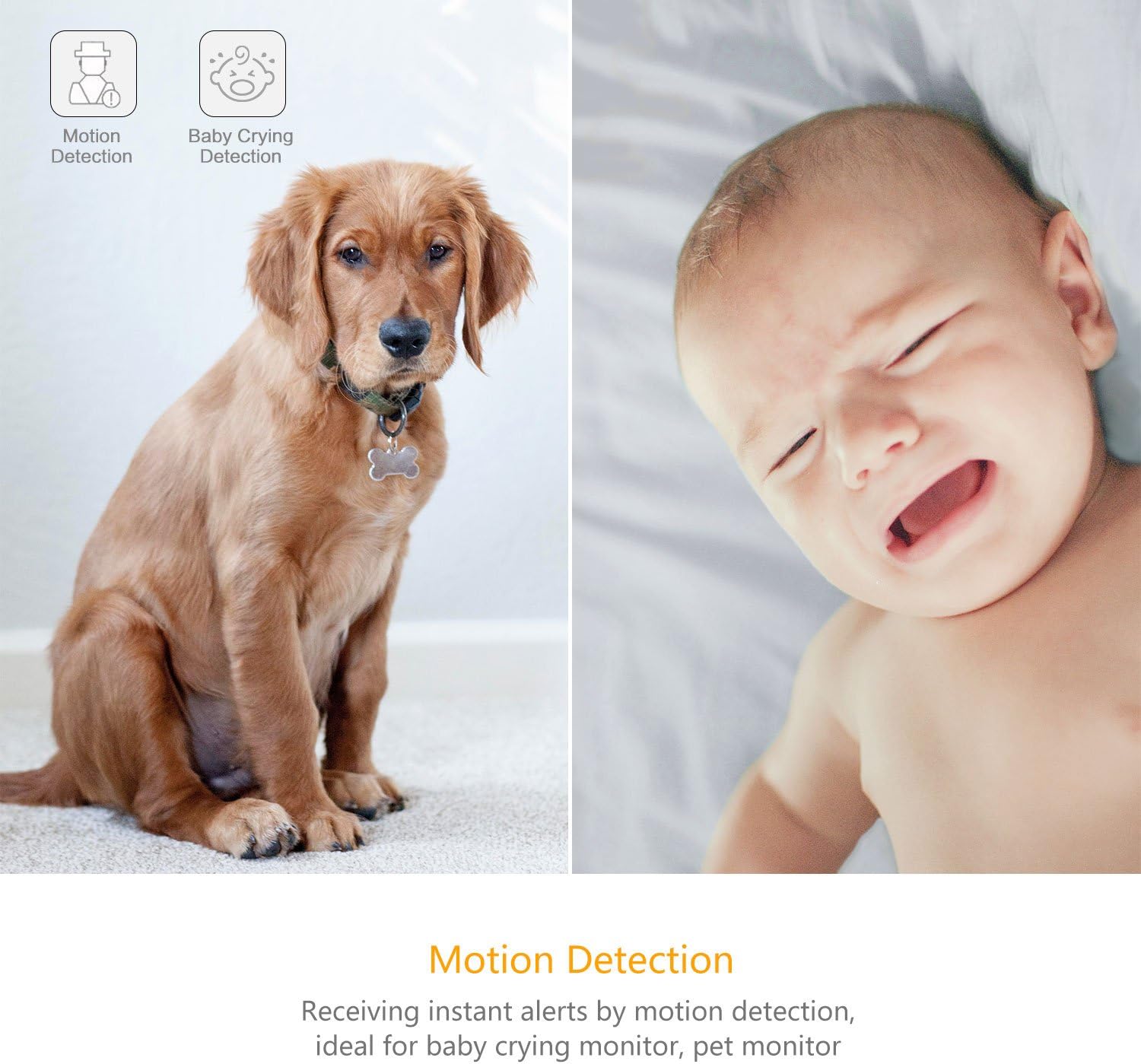
Image 4.3: Motion Detection and Baby Crying Detection.
4.5. Opsiynau Storio
- YI Cloud Service: Securely store your recorded footage in the cloud. This prevents data loss from physical damage to an SD card and offers advanced compression and data protection. (Subscription may be required for full features).
- Local Storage (MicroSD Card): The camera supports MicroSD cards from 4GB up to 64GB for local video storage. Insert the card into the designated slot on the camera.

Image 4.4: YI Cloud service for secure storage.
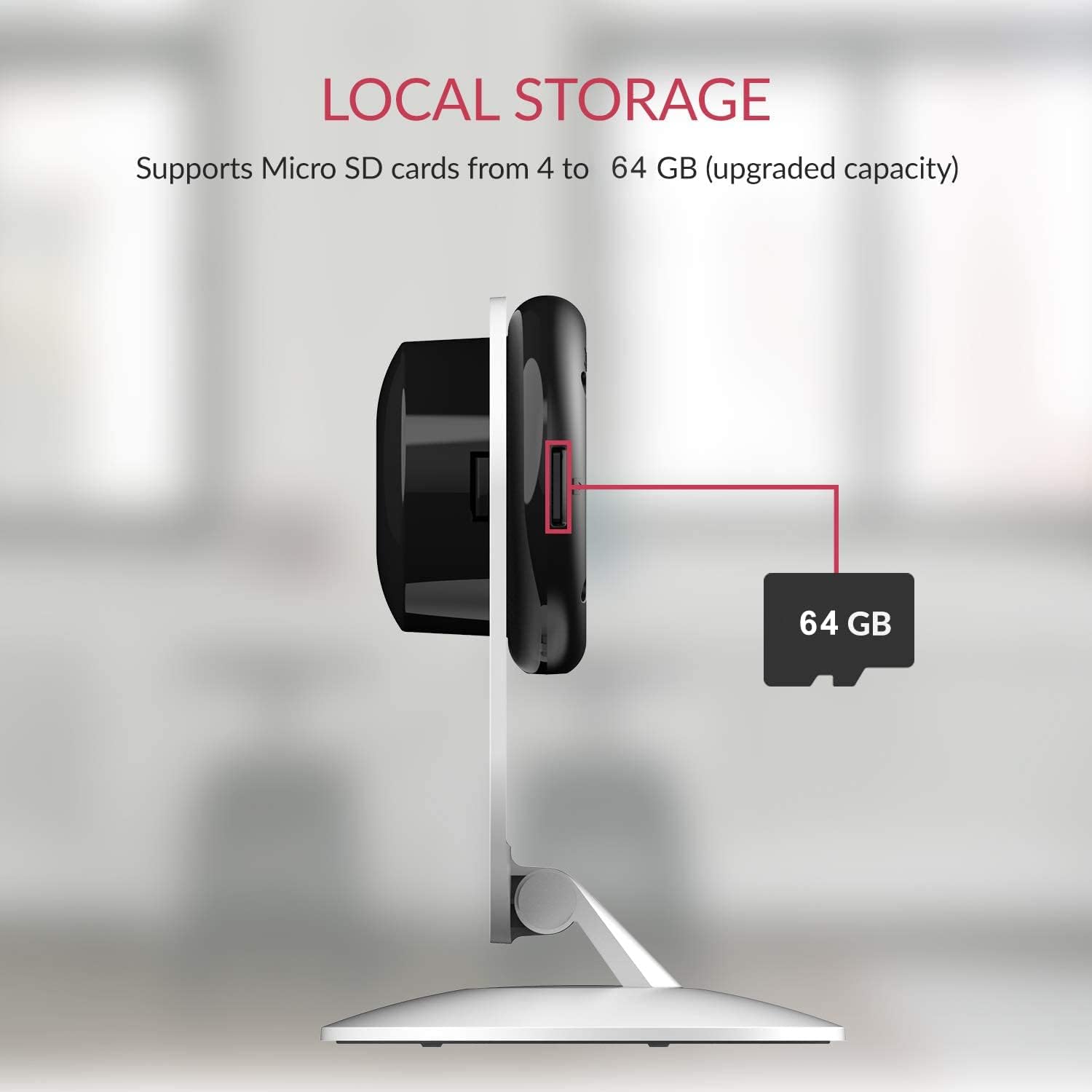
Image 4.5: Local storage via MicroSD card.
4.6. Activity Zones
Addasu ardaloedd penodol o fewn y camera view to monitor for activity. This allows you to focus on critical zones and receive alerts only when motion is detected in those areas.
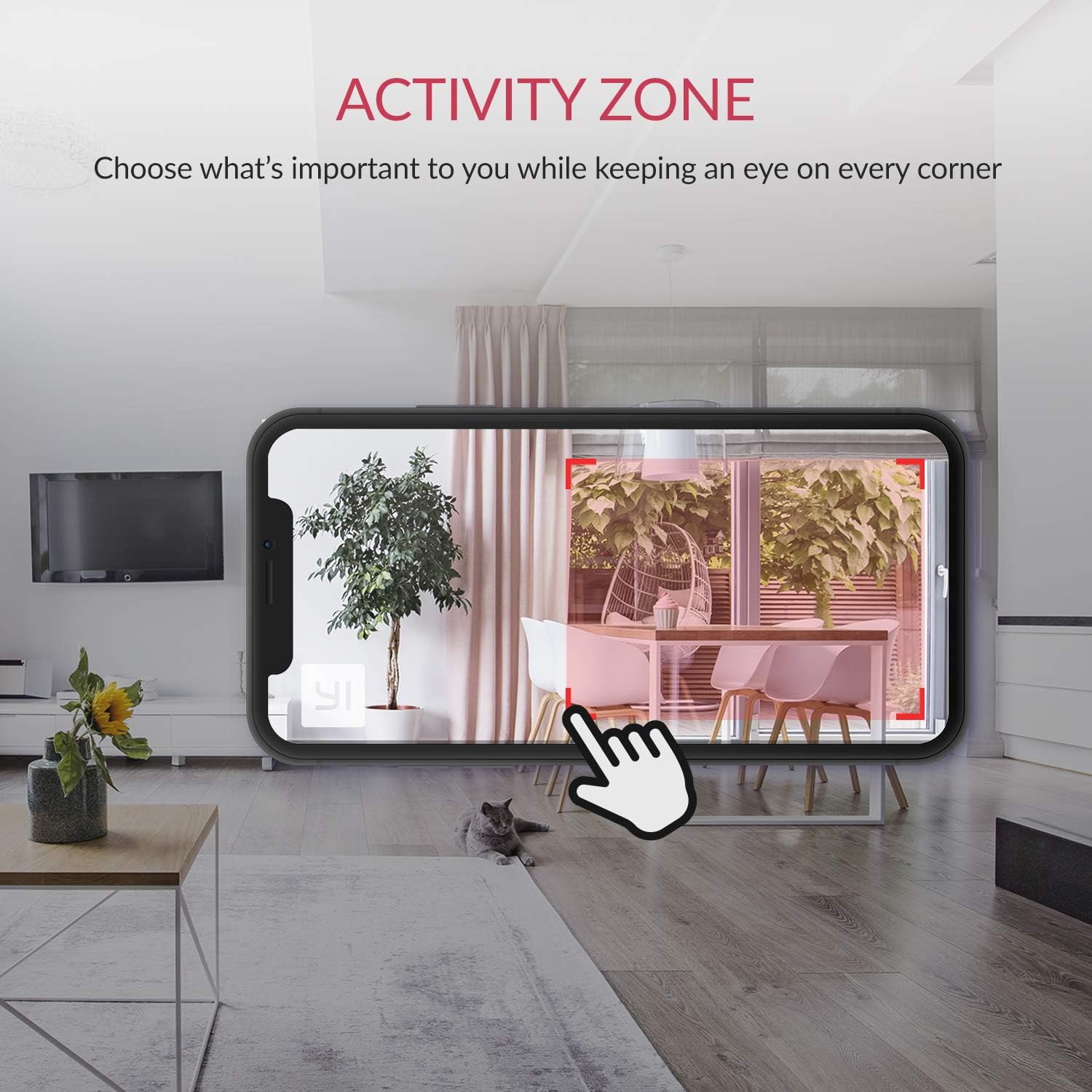
Image 4.6: Setting up Activity Zones in the YI Home App.
4.7. Home/Away Modes
Configure your camera's behavior based on whether you are home or away. This feature allows you to customize alert settings and recording preferences for different scenarios.

Image 4.7: Home and Away Modes in the YI Home App.
4.8. Integreiddio Cartref Clyfar
The YI Smart Home Camera is compatible with Amazon Alexa and Google Assistant. You can use voice commands to view porthiannau byw ar arddangosfeydd clyfar cydnaws.
- Exampy Gorchymyn (Alexa): "Alexa, show me the baby room."

Image 4.8: Integration with Amazon Alexa.
5. cynnal
5.1. Glanhau
To maintain optimal performance, periodically clean the camera lens and body. Use a soft, dry cloth. Avoid abrasive cleaners or solvents that could damage the camera's surface or lens.
5.2. Diweddariadau Firmware
Ensure your camera's firmware is always up to date. The YI Home App will notify you of available updates. Firmware updates often include performance improvements, new features, and security enhancements.
5.3. Amodau Amgylcheddol
The YI Smart Home Camera is designed for indoor use. Avoid exposing it to extreme temperatures, high humidity, or direct water contact. The camera's operating temperature range is typically 0°C to 40°C (32°F to 104°F).
6. Datrys Problemau
| Mater | Ateb Posibl |
|---|---|
| Camera ddim yn cysylltu â Wi-Fi |
|
| Ansawdd fideo gwael |
|
| Gweledigaeth nos ddim yn gweithio |
|
| Rhybuddion cynnig ffug |
|
| Dim sain neu ansawdd sain gwael |
|
7. manylebau
| Nodwedd | Manylyn |
|---|---|
| Rhif Model | YYS.2016 |
| Datrysiad Dal Fideo | 1080p HD Llawn |
| Cyfradd Ffrâm | 15 fps |
| Agorfa Lens | F/2.0 |
| Viewongl ing | Ongl lydan 112° |
| Gweledigaeth y Nos | 8 x 940nm Infrared LEDs (up to 9m) |
| Technoleg Cysylltedd | Wi-Fi (2.4GHz yn unig) |
| Opsiynau Storio | YI Cloud, MicroSD Card (4GB-64GB) |
| Sain | Sain Dwy Ffordd |
| Canfod AI | Human, Vehicle, Animal, Baby Crying, Barking Detection |
| Cydnawsedd Cartref Clyfar | Amazon Alexa, Cynorthwyydd Google |
| Ffynhonnell Pwer | Trydan â Llinyn (2.5 wat) |
| Math Mowntio | Wall Mount, Pen Bwrdd |
| Dimensiynau Cynnyrch | 4.3 x 5.9 x 4.3 modfedd |
| Pwysau Eitem | 9.6 owns |
| Defnydd Dan Do / Awyr Agored | Dan do |
8. Gwarant a Chefnogaeth
For detailed warranty information, please refer to the warranty card included with your product or visit the official YI Technology website. For technical support, frequently asked questions, or to contact customer service, please visit the YI Technology support page online.
No relevant product videos were found for embedding based on the provided data.
Ask a question about this manual
Ask about setup, troubleshooting, compatibility, parts, safety, or missing instructions. Manuals+ will review the question and use this page’s manual context to help answer it.