
1. Rhagymadrodd
Diolch am brynuasing the Excelvan LK-T091 Digital LED Alarm Clock Radio. This manual provides detailed instructions for the proper setup, operation, and maintenance of your device. Please read this manual thoroughly before use and retain it for future reference.
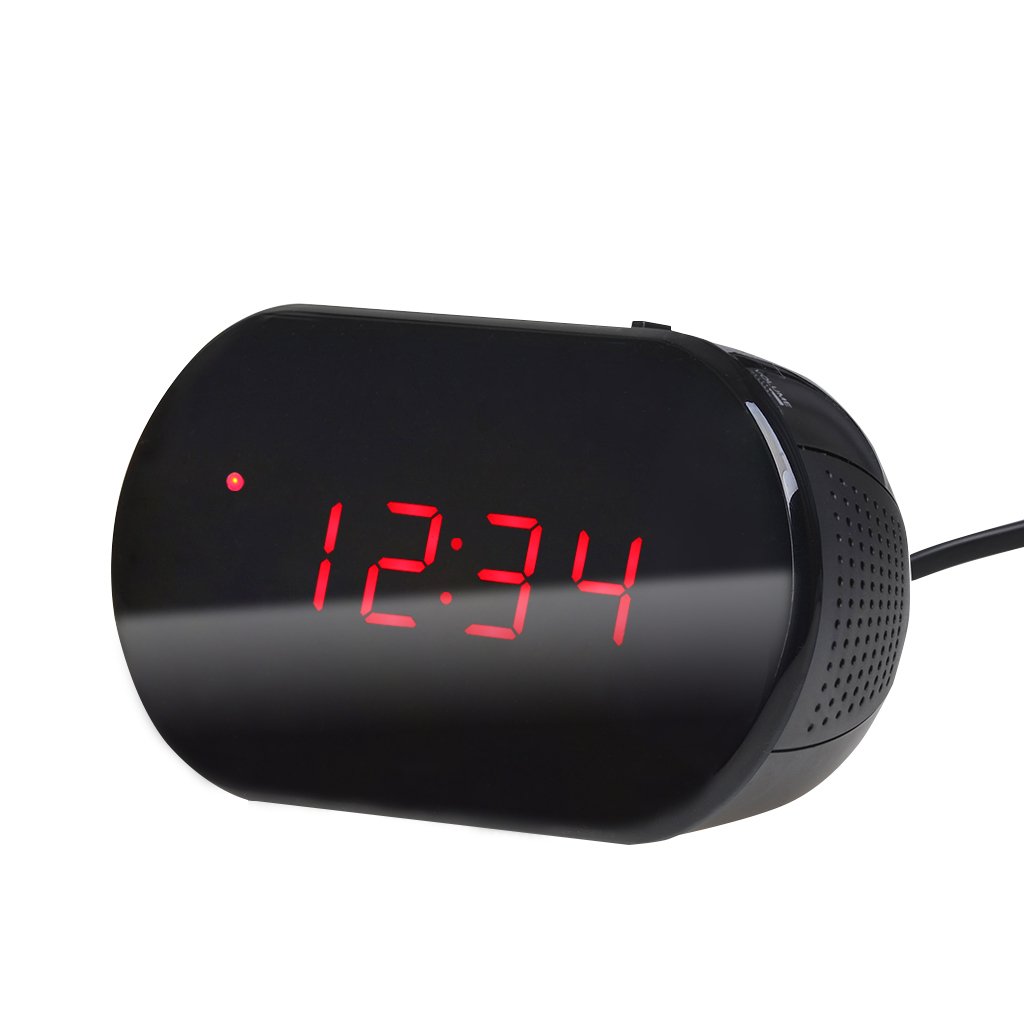
Ffigur 1: Blaen view of the Excelvan LK-T091 Digital LED Alarm Clock Radio.
Cynnwys y Pecyn:
- 1 x Excelvan Digital LED Alarm Clock Radio (Model LK-T091)
- 1 x Llawlyfr Defnyddiwr
2. Gwybodaeth Bwysig am Ddiogelwch
- Peidiwch â defnyddio batris y gellir eu hailwefru for the backup power. Alkaline or lithium batteries are recommended for optimal performance and longevity.
- Ensure the power adapter is compatible with your local power supply (AC230V ~ 50Hz).
- Peidiwch ag amlygu'r ddyfais i ddŵr, lleithder, na thymheredd eithafol.
- Osgoi gosod y ddyfais ger ffynonellau gwres neu mewn golau haul uniongyrchol.
- Peidiwch â cheisio dadosod na thrwsio'r uned eich hun. Cyfeiriwch yr holl waith cynnal a chadw at bersonél cymwys.
- Cadwch allan o gyrraedd plant.
3. Cynnyrch Drosview
Rheolaethau ac Arddangos:

Figure 2: Top panel controls of the Excelvan LK-T091.
- Arddangosfa LED: Yn dangos amser, statws larwm, ac amledd radio.
- Botwm SNOOZE: Yn tawelu'r larwm dros dro.
- SET / PRESET Button: Used to set time/alarm and save radio presets.
- ALARM / MEM Button: Activates alarm setting mode and recalls radio presets.
- Botwm AILOSOD: Resets the unit.
- Tuning Buttons (▲ / ▼): Adjust time, alarm, and radio frequency.
- RADIO / SLEEP Button: Turns radio on/off and activates sleep timer.
- ALARM OFF / BUZZER / RADIO Switch: Selects alarm sound source (off, buzzer, or radio).
- Knob CYFROL: Adjusts radio volume.

Ffigur 3: Cefn view showing the battery compartment for backup power.
4. Gosod
4.1 Cysylltiad Pwer
- Connect the AC power cord to the power input jack on the back of the clock radio.
- Plug the other end of the power cord into a standard AC230V ~ 50Hz wall outlet.
- The LED display will light up, indicating the unit is powered on.
4.2 Gosod Batri Wrth Gefn
The clock radio uses one 9V (6F22 type) battery (not included) for backup power. This battery maintains time settings during a power outage.
- Lleolwch yr adran batri ar waelod yr uned.
- Agorwch y clawr adran batri.
- Insert one 9V (6F22 type) alkaline or lithium battery, ensuring correct polarity (+ and -).
- Caewch y clawr adran batri yn ddiogel.
- Note: The battery backup only maintains time settings; the display will not be visible during a power outage. Do not use rechargeable batteries.
4.3 Gosod yr Amser
- Pwyswch a dal y GOSOD botwm nes bod y digidau awr yn dechrau fflachio.
- Defnyddiwch y ▲ or ▼ (Tuning) buttons to adjust the hour.
- Gwasgwch y GOSOD button again; the minute digits will flash.
- Defnyddiwch y ▲ or ▼ (Tuning) buttons to adjust the minutes.
- Gwasgwch y GOSOD button once more to confirm and exit time setting mode. The time is displayed in 24-hour format.
5. Cyfarwyddiadau Gweithredu
5.1 Gosod y Larwm
The alarm can be set to wake you with a buzzer or your favorite FM radio station.
- Pwyswch a dal y ALARM button until the alarm hour digits start flashing.
- Defnyddiwch y ▲ or ▼ (Tuning) buttons to adjust the alarm hour.
- Gwasgwch y ALARM button again; the alarm minute digits will flash.
- Defnyddiwch y ▲ or ▼ (Tuning) buttons to adjust the alarm minutes.
- Gwasgwch y ALARM button once more to confirm and exit alarm setting mode.
- I actifadu'r larwm, llithrwch y ALARM OFF / BUZZER / RADIO switch to either SYNWR or RADIO. An alarm indicator will appear on the display.
- To turn off the alarm, slide the switch to ALARM I FFWRDD.

Figure 4: Choose to wake up to a buzzer sound or your preferred radio station.
5.2 Swyddogaeth Snooze
Pan fydd y larwm yn canu, pwyswch y botwm mawr SNOOZE button to temporarily silence the alarm for approximately 9 minutes. The alarm will sound again after this period. To cancel snooze and turn off the alarm, slide the ALARM OFF / BUZZER / RADIO newid i ALARM I FFWRDD.

Figure 5: The snooze function allows for a short delay before the alarm sounds again.
Gweithrediad Radio 5.3 FM
5.3.1 Tuning the Radio
- Gwasgwch y RADIO botwm i droi'r radio FM ymlaen.
- Defnyddiwch y ▲ or ▼ (Tuning) buttons to manually tune to your desired FM frequency (87.5 – 108 MHz).
- I sganio'n awtomatig am yr orsaf nesaf sydd ar gael, pwyswch a daliwch y ▲ or ▼ (Tuning) buttons for a few seconds until the frequency starts scanning.
- Addaswch y gyfrol gan ddefnyddio'r CYFROL bwlyn.
- Gwasgwch y RADIO botwm eto i ddiffodd y radio.
5.3.2 Saving and Recalling Presets
The clock radio can store up to 10 FM radio station presets.
- Tune to your desired station using the tuning method described above.
- Pwyswch a dal y SET / PRESET botwm nes bod "P01" (neu'r rhif rhagosodedig nesaf sydd ar gael) yn fflachio ar yr arddangosfa.
- Defnyddiwch y ▲ or ▼ (Tuning) buttons to select the desired preset number (P01-P10).
- Gwasgwch y SET / PRESET button again to save the station to the selected preset.
- To recall a saved preset, press the ALARM / MEM botwm dro ar ôl tro i gylchu drwy'r gorsafoedd sydd wedi'u cadw.

Figure 6: Digital FM tuning allows for precise station selection and saving presets.
5.4 Swyddogaeth Amserydd Cysgu
Mae'r amserydd cysgu yn caniatáu i'r radio chwarae am gyfnod penodol cyn diffodd yn awtomatig.
- Tra bod y radio yn chwarae, pwyswch y CYSGU button repeatedly to cycle through the available sleep timer durations: 90, 75, 60, 45, 30, 15, 00 minutes.
- The selected duration will be displayed briefly. The radio will automatically turn off after the set time.
- I ganslo'r amserydd cysgu, pwyswch y CYSGU button until "00" is displayed, or turn off the radio manually.
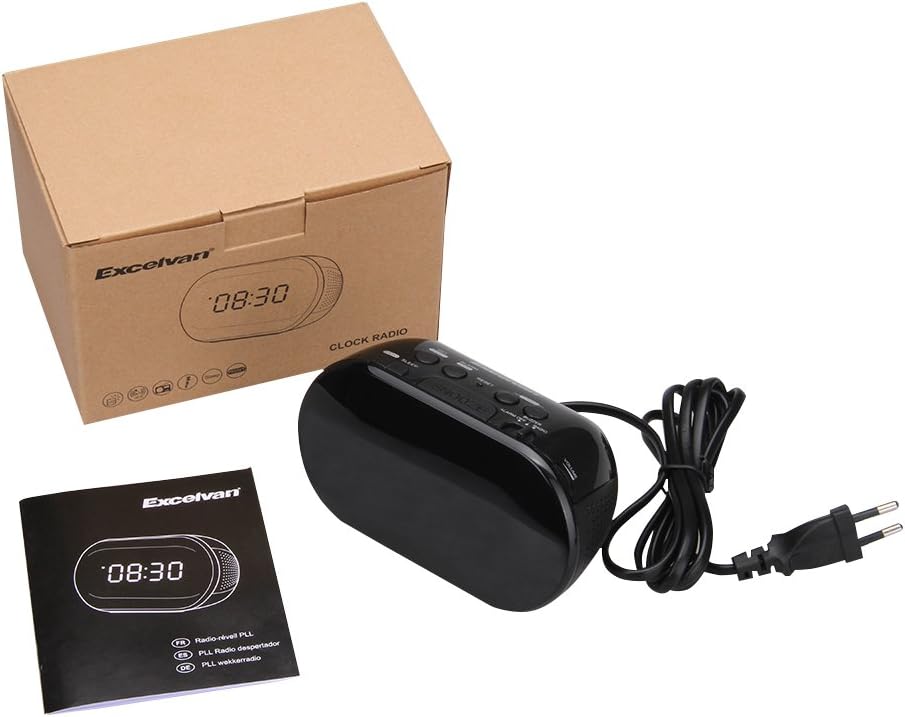
Figure 7: The sleep timer allows you to fall asleep to music, which then automatically turns off.
6. cynnal
6.1 Glanhau
- Sychwch du allan yr uned gyda lliain meddal, sych.
- Peidiwch â defnyddio glanhawyr sgraffiniol, cwyrau na thoddyddion gan y gallant niweidio'r gorffeniad.
- Ensure the unit is unplugged from the power outlet before cleaning.
6.2 Batri Newydd
If the time settings are lost during a power outage, the 9V backup battery may need to be replaced. Follow the instructions in Section 4.2 for battery installation.
7. Datrys Problemau
| Problem | Achos Posibl | Ateb |
|---|---|---|
| Dim arddangosfa / Uned ddim yn troi ymlaen | Power cord not connected or power outlet not active. | Ensure the power cord is securely plugged into the unit and a working wall outlet. |
| Collwyd gosodiadau amser/larwm ar ôl diffodd y pŵertage | Mae'r batri wrth gefn wedi marw neu heb ei osod. | Install a new 9V alkaline or lithium battery in the battery compartment. |
| Derbyniad radio FM gwael | Antena heb ei hymestyn neu ardal signal gwael. | Extend the FM wire antenna fully. Try repositioning the unit for better reception. |
| Nid yw'r larwm yn swnio | Alarm not set or alarm switch is in "OFF" position. | Verify alarm time is set correctly. Ensure the ALARM OFF / BUZZER / RADIO switsh wedi'i osod i SYNWR or RADIO. |
| Mae'r arddangosfa'n rhy llachar/tywyll | No brightness adjustment feature on this model. | The display brightness is fixed. |
8. manylebau
- Model: LK-T091
- Arddangos: LED, 24-hour format
- Math o Larwm: Single alarm (Buzzer or FM Radio)
- Ystod Amledd FM: 87.5 – 108 MHz
- Amserydd Cwsg: 00, 15, 30, 45, 60, 75, 90 munud
- Mewnbwn pŵer: AC 230V ~ 50Hz
- Batri wrth gefn: 1 x 9V (6F22 type) battery (not included)
- Dimensiynau'r Cynnyrch (H x U x D): Tua 14.15 cm x 7.14 cm x 0.89 cm
- Pwysau: Tua 380 g
- Deunydd: AC (Plastic)
- Lliw: Du
9. Gwarant a Chefnogaeth
Excelvan products are designed to provide reliable performance. For specific warranty information, please refer to the warranty card included with your purchase or contact your retailer. If you encounter any issues or require technical assistance, please contact Excelvan customer support through their official websafle neu'r wybodaeth gyswllt a ddarparwyd gyda'ch cynnyrch.
Please have your model number (LK-T091) and purchase details ready when contacting support.